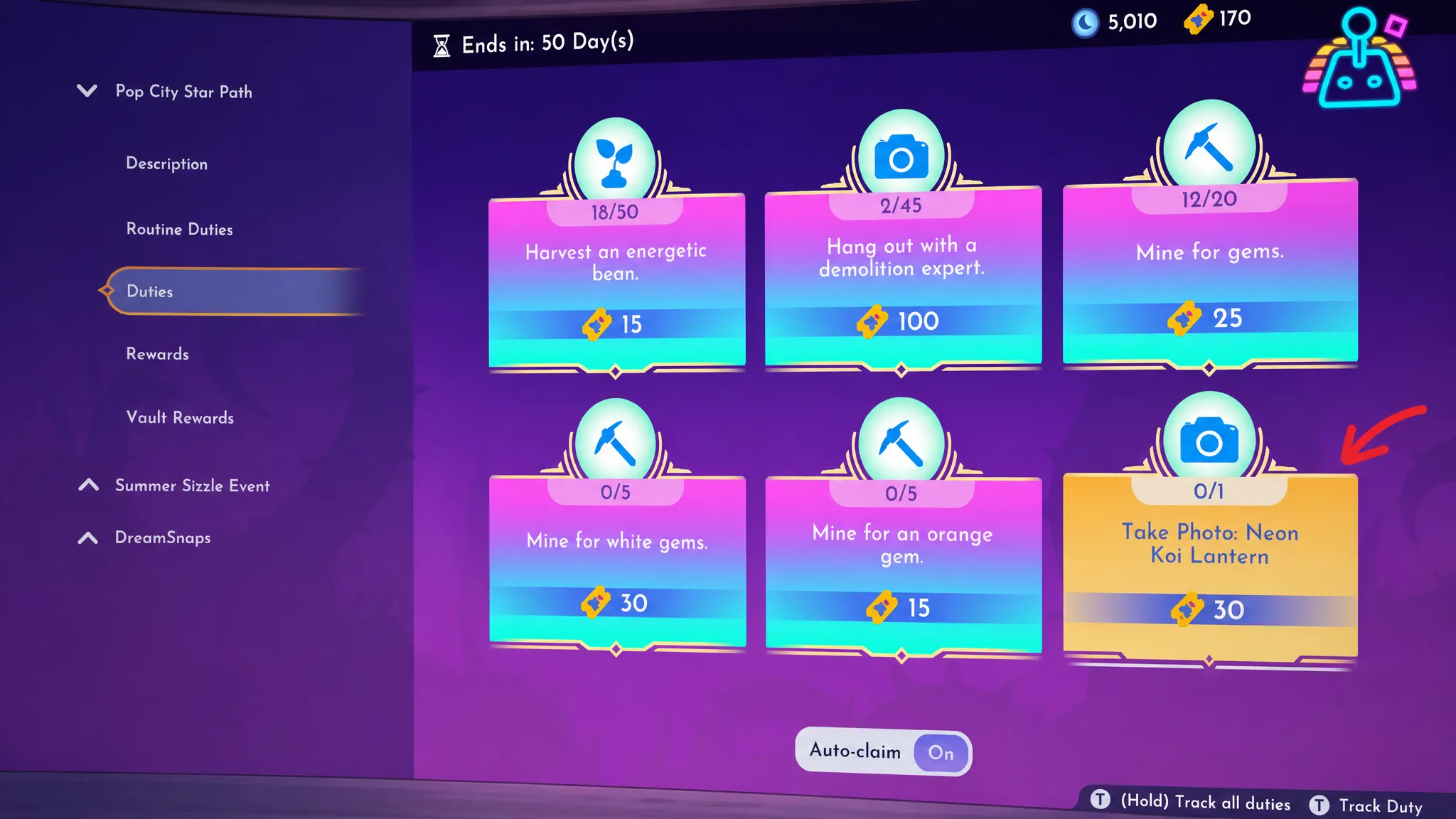
The Take Photo: Neon Koi Lantern duty in Disney Dreamlight Valley is one of the trickier Pop City Star Path tasks because the game never tells you what the lantern is or where it comes from. There is no fetch quest and no hidden spawn to hunt down. The lantern is a reward you buy from the Star Path itself, and once you own it the duty takes seconds to finish.
Quick answer: Buy the Neon Koi Lantern from Tier 6 (page six) of the Pop City Star Path for 75 Neon Tokens, place it in the valley, equip your Phone from the Royal Tool wheel, and take one photo with the lantern in frame. The duty completes and you earn 30 Neon Tokens.
Where the Neon Koi Lantern comes from
The Neon Koi Lantern is a Pop City Star Path exclusive reward. It is Big Hero 6 themed lighting furniture, and the only way to unlock it during the event is by spending Neon Tokens. It sits on Tier 6 (page six) of the rewards track and costs 75 Neon Tokens. On that page you will find it in the upper right corner of the first row, right beside the San Fransokyo Food Stall.
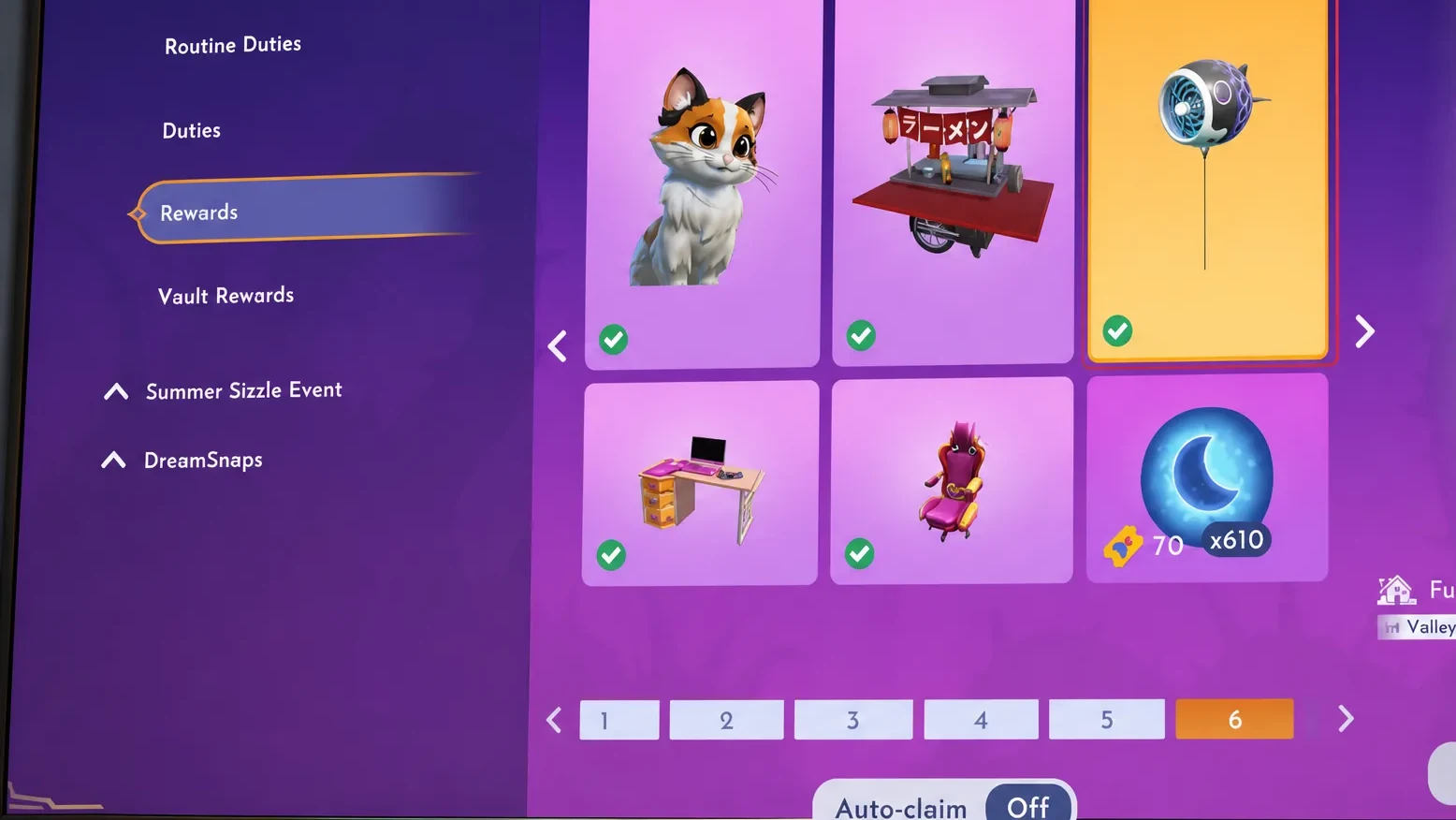
Only one Neon Koi Lantern exists in the whole event, so this is the exact item the duty checks for. There is no substitute and no alternate way to unlock it outside the Star Path window.
| Detail | Value |
|---|---|
| Source | Pop City Star Path, Tier 6 |
| Event cost | 75 Neon Tokens |
| Type | Lighting furniture (outdoor placement) |
| Duty reward | 30 Neon Tokens |
| Scrooge’s shop price (after unlock) | 20,000 Star Coins |
How to reach page six of the Star Path
Page six sits deep in the track, so you have to work through the five pages before it first. A new page unlocks after you buy either two or three items from the current one, depending on how many rewards that page holds. In practice you will need to redeem roughly ten earlier prizes before the lantern becomes available.
To get there faster, buy three items from each page as you go. That opens the next page as quickly as possible and stops the photo duty from lingering in your active list while it waits for the lantern. Because the task appears so late, most players will already be near the final pages by the time it shows up, so reaching the lantern is rarely a problem.
You earn the Neon Tokens to spend by completing duties. The regular Star Path gives you three daily duties, while the premium version gives you six per day, which lets you bank tokens faster. Routine duties add three weekly tasks on top of that, and a fresh set unlocks every Wednesday.
Take the photo to complete the duty

If the photo doesn’t count
Camera duties can be finicky. If your shot doesn’t register, the lantern probably wasn’t read as being fully in frame. Try again from a different angle or switch camera modes, and keep snapping from several positions until it triggers. Since the photo doesn’t need to be saved, taking a burst of shots is a quick way to force the duty to update.
Placing more than one lantern down also helps. With several in view, the camera is far more likely to catch one clearly and mark the task as done.
Buying extra lanterns after the unlock
Once you have collected the lantern through the Star Path, it joins your Furniture Sets collection and you can order more copies from Scrooge McDuck’s shop for 20,000 Star Coins each. The lantern also has a small extra touch. Interact with it after placing it and you can cycle its colors.
After spending 75 tokens on the lantern, it’s worth topping your balance back up with other Pop City Star Path duties. Tasks like Picture This: Neon CD Demo Player, talking to the President of Sugar Rush, finding a demolition expert, picking up wood materials, and selling green veggies are all quick ways to rebuild your token supply.