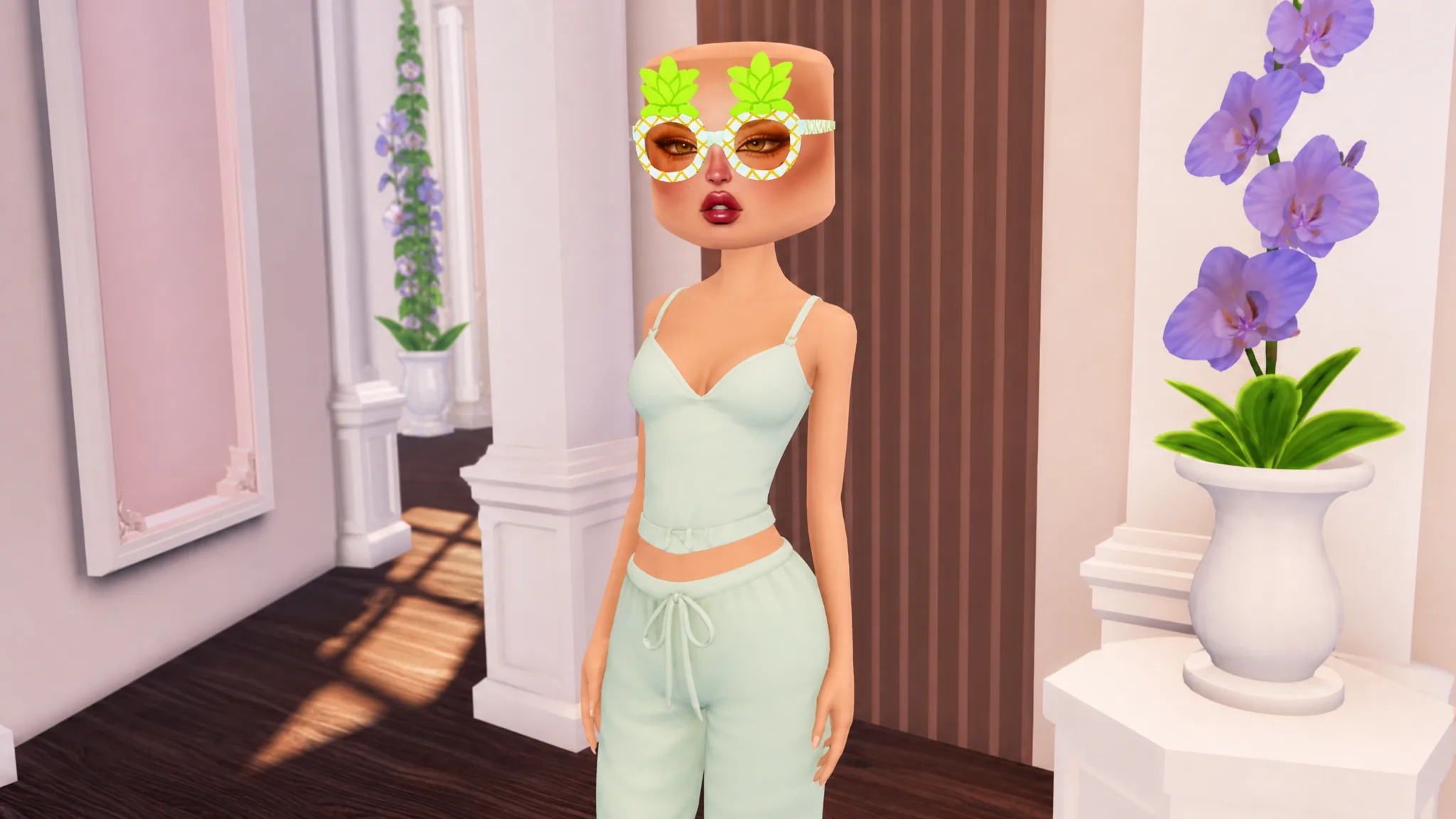
The Pineapple Glasses are a secret accessory tucked into the Brazil Summer overhaul of Dress to Impress. Instead of buying it or redeeming a code, you unlock it by finding and clicking a specific object in the freeplay lobby. It is an Easter egg tied to the summer event, so it will not stay in your closet like a normal item.
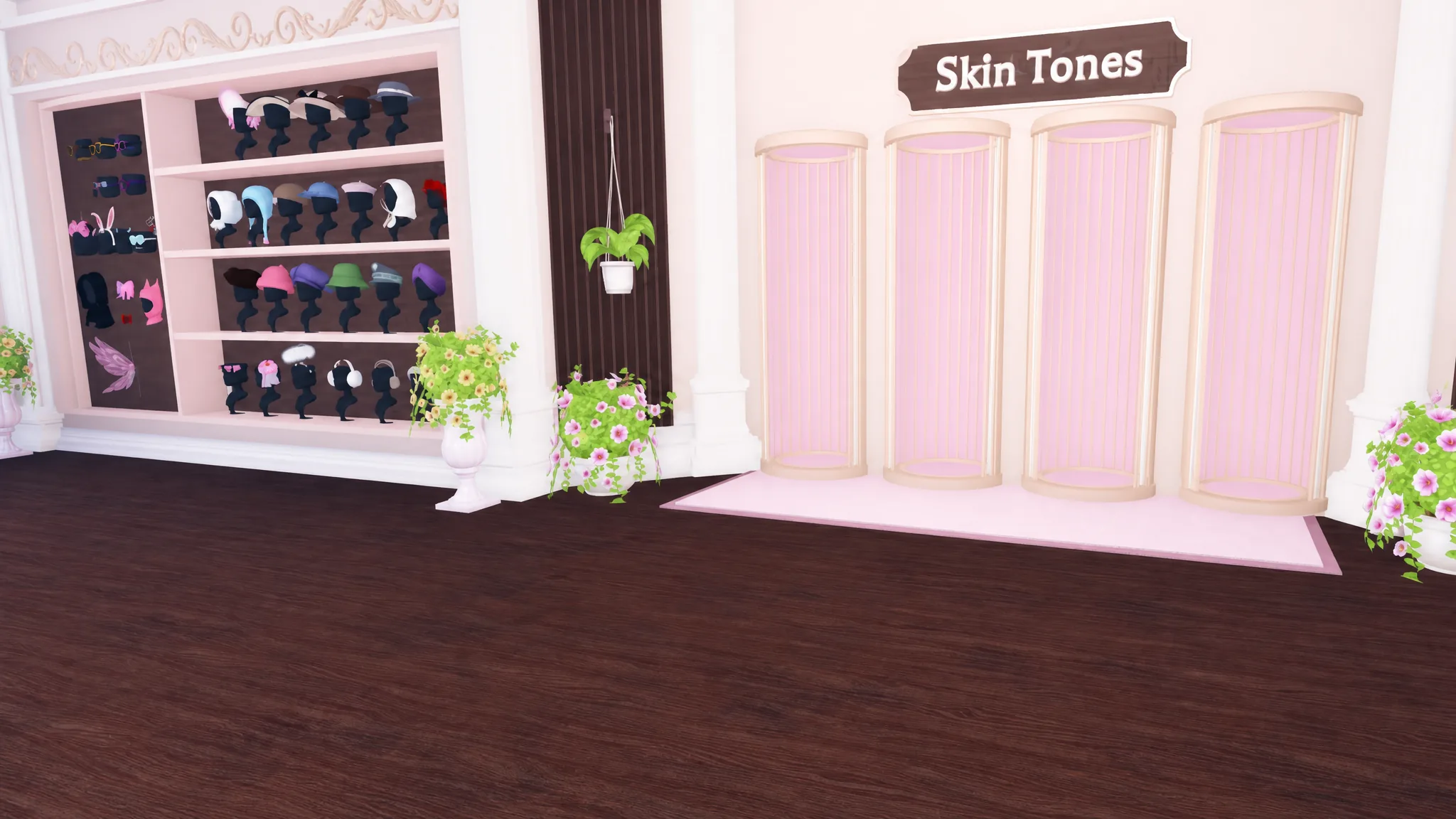
Quick answer: Teleport into a freeplay server, walk to the main lobby, and click the white plant pot with the pineapple logo next to the Skin Tones changing area to equip the Pineapple Glasses.
Where to find the Pineapple Glasses pot
The trigger for this item is a white flower pot marked with a pineapple. It hangs in the main freeplay lobby, right beside the Skin Tones changing station. You do not need to complete a contest or reach a certain rank to reach it, so any player can grab the glasses during the event.
Why the glasses are not in your wardrobe
Clicking the pot does not add the glasses to your inventory. You will not find them listed with your other saved items, and you cannot equip them from the wardrobe menu. The pot itself acts as the on and off switch.
To take the glasses off, click the same white pineapple pot again. Clicking it toggles the item on and off, so returning to that spot is the only way to remove or re-equip the accessory.
How to customize the Pineapple Glasses
Once the glasses are on, a customization menu opens on the right side of the screen. It includes a color palette and pattern options, so you can match the frame to whatever outfit you are building. Pick a shade and print that fit your look before you head to the runway.
If you have the preview menu unlocked, you can use it to see how the glasses sit against different costumes. The frame features two pineapples, one over each lens, and extends back across the sides of the head.
Key details about the item
| Detail | Info |
|---|---|
| Item type | Secret equippable eyewear |
| How to get | Click the white pineapple pot in the freeplay lobby |
| Location | Next to the Skin Tones changing area |
| Added in | Brazil Summer update (July 4, 2026) |
| Saved to wardrobe | No, toggled via the pot only |
| Customization | Color palette and pattern options |
| Availability | Event-limited |
Because the Pineapple Glasses are an Easter egg tied to the summer event, they are only available while that content is live. Grab them from the pot while the Brazil update is running, and remember that the pot is the single point where you equip, remove, and restyle the accessory.