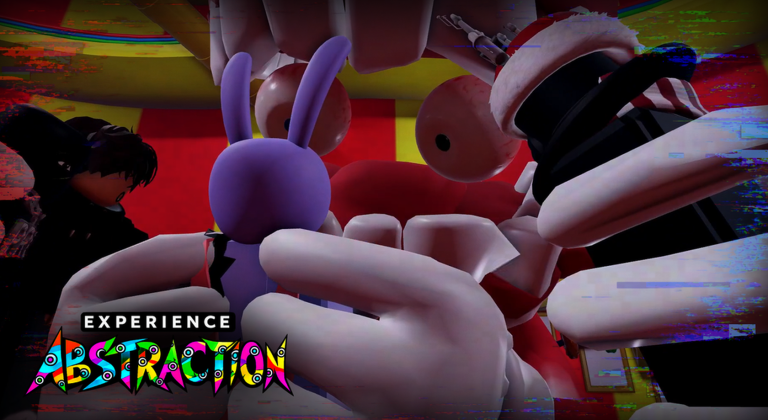
Experience Abstraction is a Roblox horror title that takes its characters and look from The Amazing Digital Circus, and a substantial update is in development. Roblox marks Update 3.0 as a live event on the game page. Its extensive notes mention a redesigned settings menu, AI-chatbot Caine who can talk, a bathroom, revised abstraction scenes, and a feature that lets other players break up an ongoing abstraction.
Quick answer: Update 3.0 is the upcoming content release. The event period on Roblox is Dec 1 through Dec 31, 2026, though no precise launch date has been chosen. The current game still has the previous features; that changes when the Updated field on its page does.
The full Update 3.0 feature list
Pawlo’s Studio details the build’s contents in the event description. The items below belong to this patch, not to the separate collection of ideas listed elsewhere in the game.
- Revamped settings menu split into Normal, Private Server, and Abstraction sections
- Keyholder role that can unlock another player’s door
- Caine UI for players without chat, with a call button and a text box
- New player sounds, first-person support, and head rotation toward the camera
- Crayon tool for drawing text on your room’s walls
- IK hand reaching and a full room revamp
- Bathrooms at the far ends of the room corridors
- Panic attack cutscene that restores sanity to full
- Revamped sanity loss sequence
- New Abstracted Vision, Muffled Environment, and doorbell abstraction cancellation
- Working Caine backed by an AI chatbot system
- Caine’s crashout when insulted too much
- New abstracted growl variants, raised from 2 to 4
- Aquarium area with the top abstracted players and a donation board
- Save UI for private servers, storing the currently abstracted players
- Bug fixes
Caine’s crashout and how it triggers
The headline mechanic turns Caine hostile. Type enough insults at him in chat, along the lines of “caine you suck,” and he stops behaving like a host. Teaser footage shows him swelling to an enormous size, shifting into a glitchy purple wireframe, grabbing the offending players, and hurling them into a wall.
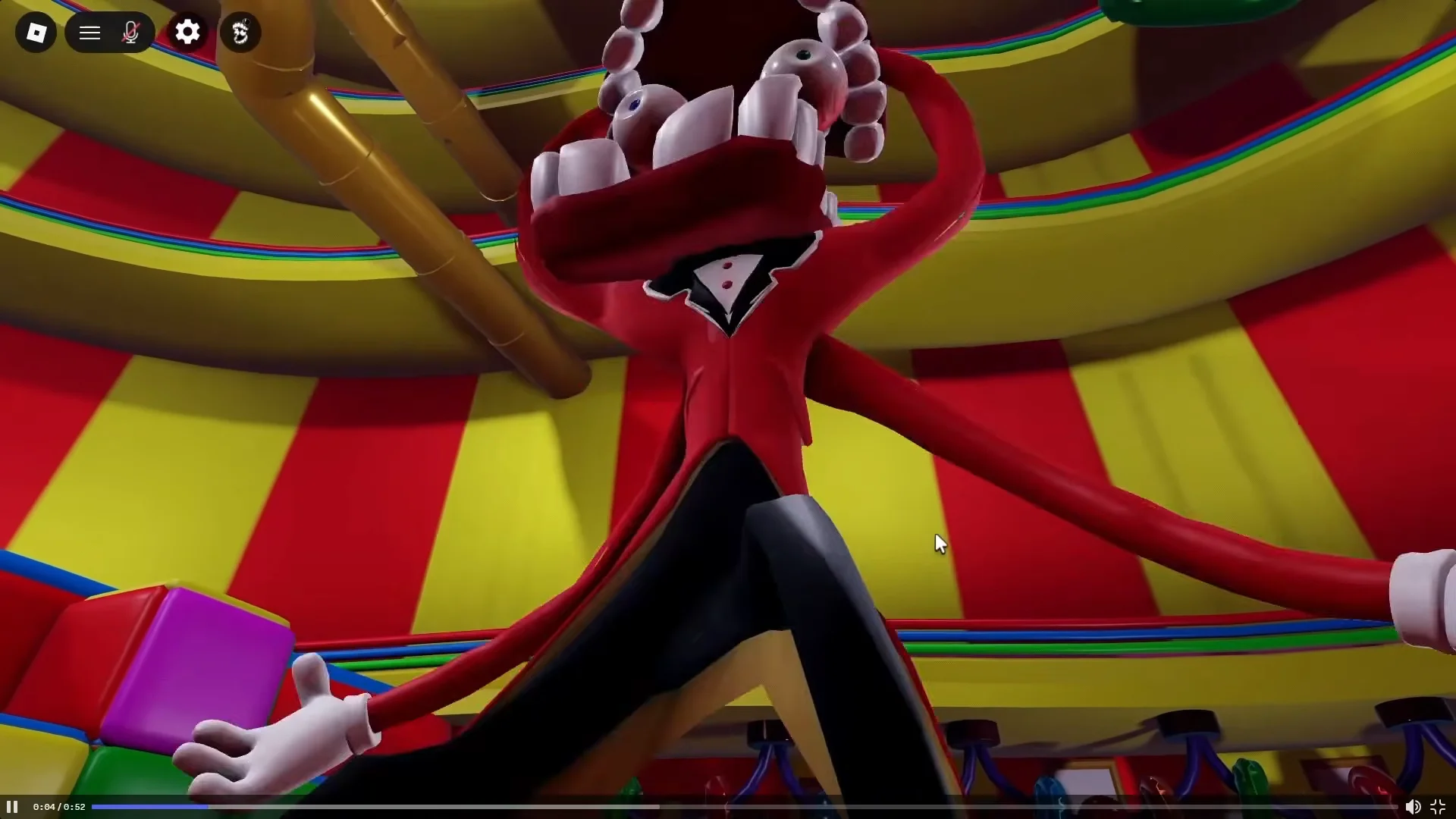
The animation does more than show a penalty: it puts the player into an abstracted state. Choosing to provoke Caine can therefore lead to abstraction on purpose. Previews show an anger meter rising as the conversation continues to antagonize him.
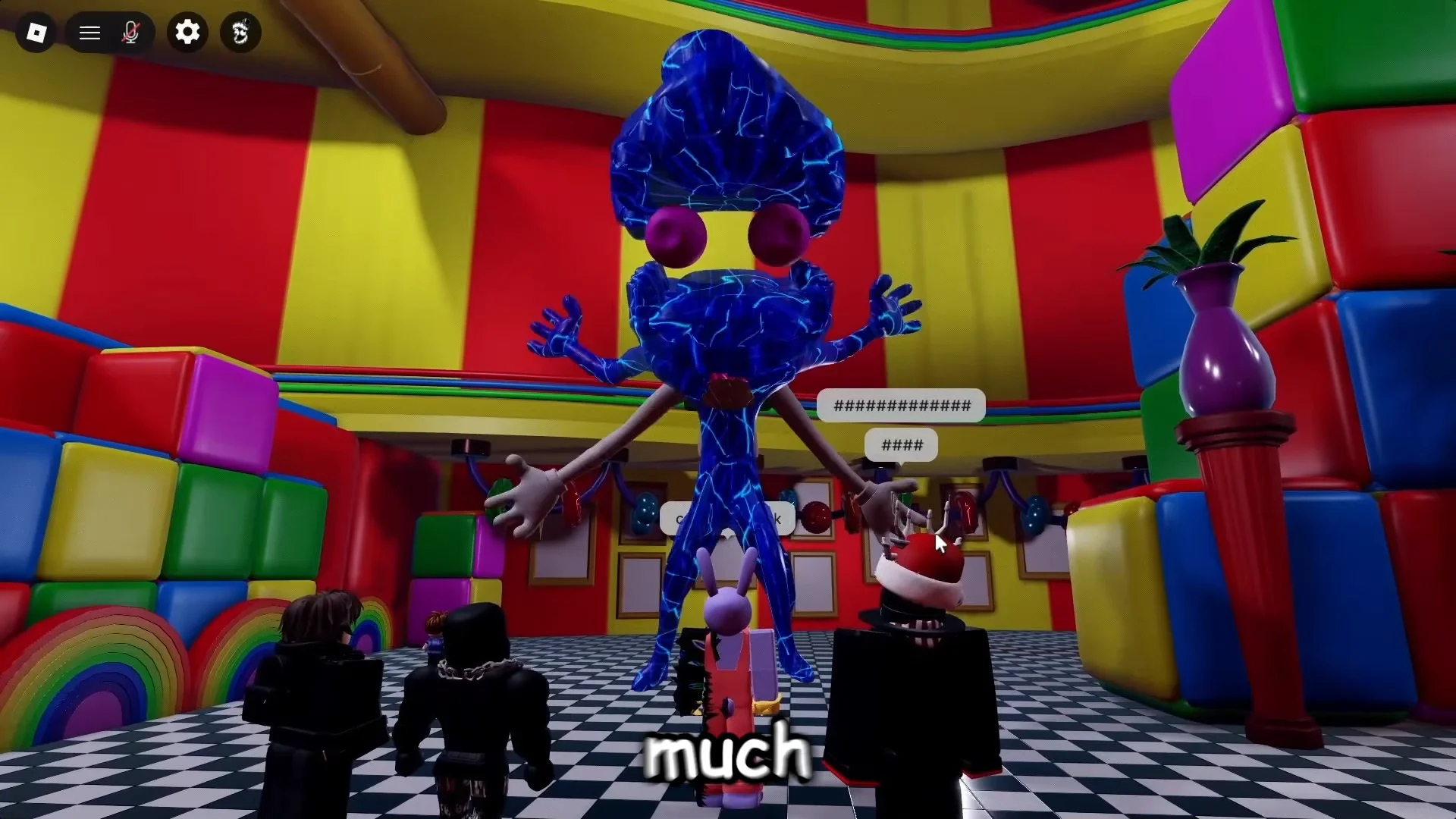
The live game has not shown any crashout behavior. So far, it appears only in developer teasers; neither the precise thresholds nor possible ways to escape have been confirmed.
New abstraction cutscenes and the doorbell cancel
Update 3.0 changes how sanity loss plays out, with the empty bar leading to a scene determined by your location. There are distinct sequences for two spots, and another player can now cut one short while it is underway.
Bathroom mirror abstraction
The residential corridor’s far end now has a bathroom behind the mirror, furnished with sinks and stalls. Looking into its mirror during abstraction starts a dedicated scene. Preview footage also points to the room as a potential source of the panic attack effect, making this everyday space dangerous.
Bed abstraction and doorbell cancellation
Your bed has a dedicated abstraction scene that another player can interrupt. While it plays, someone outside can ring the doorbell or switch on the lights to stop it. The prompts shown in footage are [E] To Ring Knock and [E] Lights Turn Off.
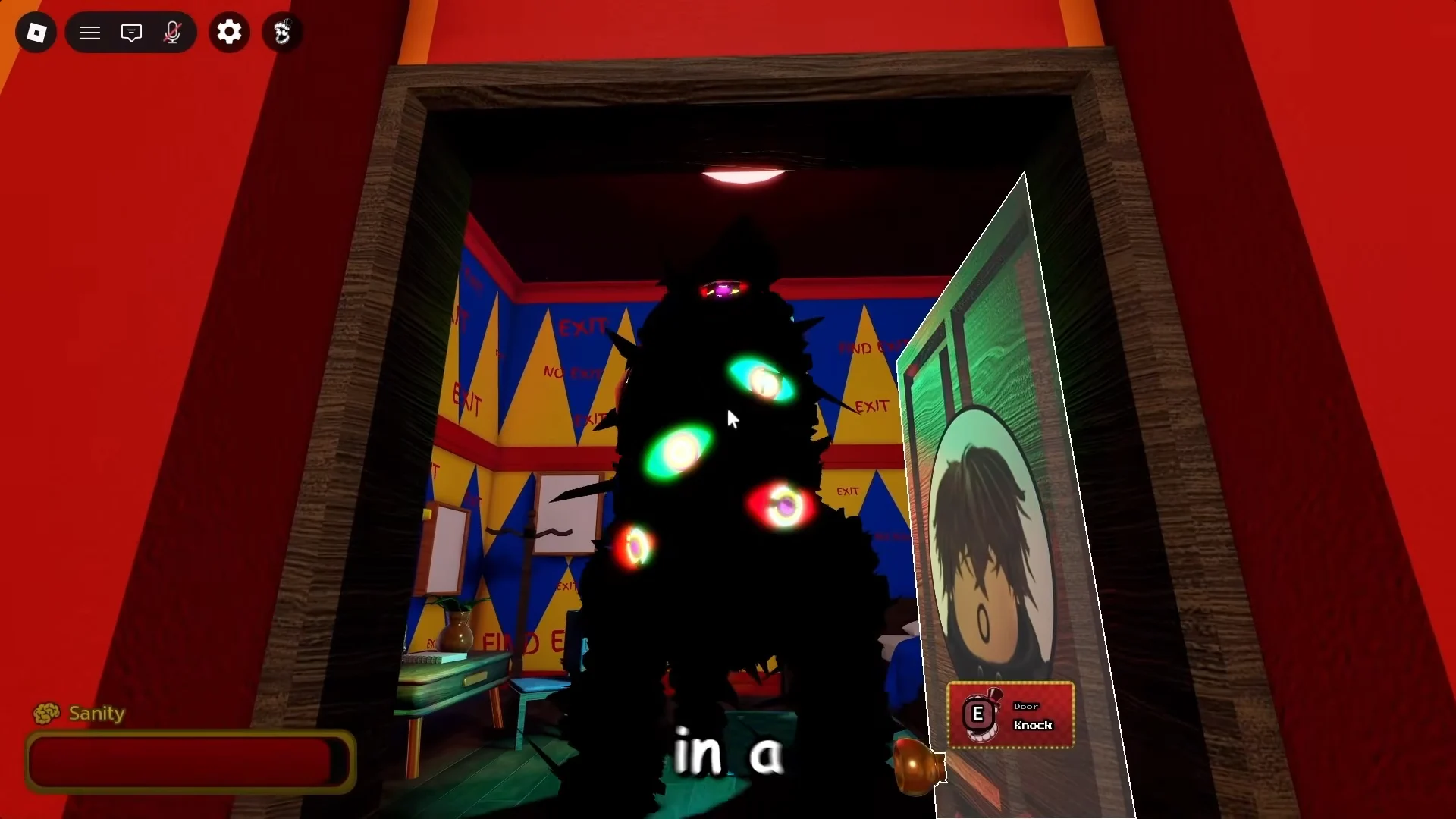
Whether the rescue works is controlled by the server’s settings. In the Abstraction tab, the Cancellation choice is 50/50, Always, and Never; the owner can set the doorbell interruption to succeed half the time, every time, or not at all.
Panic attack sanity regen
Going the opposite direction, the panic attack scene restores sanity completely. This is the first listed way to recover lost sanity instead of merely slowing its decline, useful for continuing to explore without reaching abstraction. Abstracted players also receive updated visuals and muffled sound, and can disable either effect.
Caine’s AI chatbot and the Talk to Caine interface
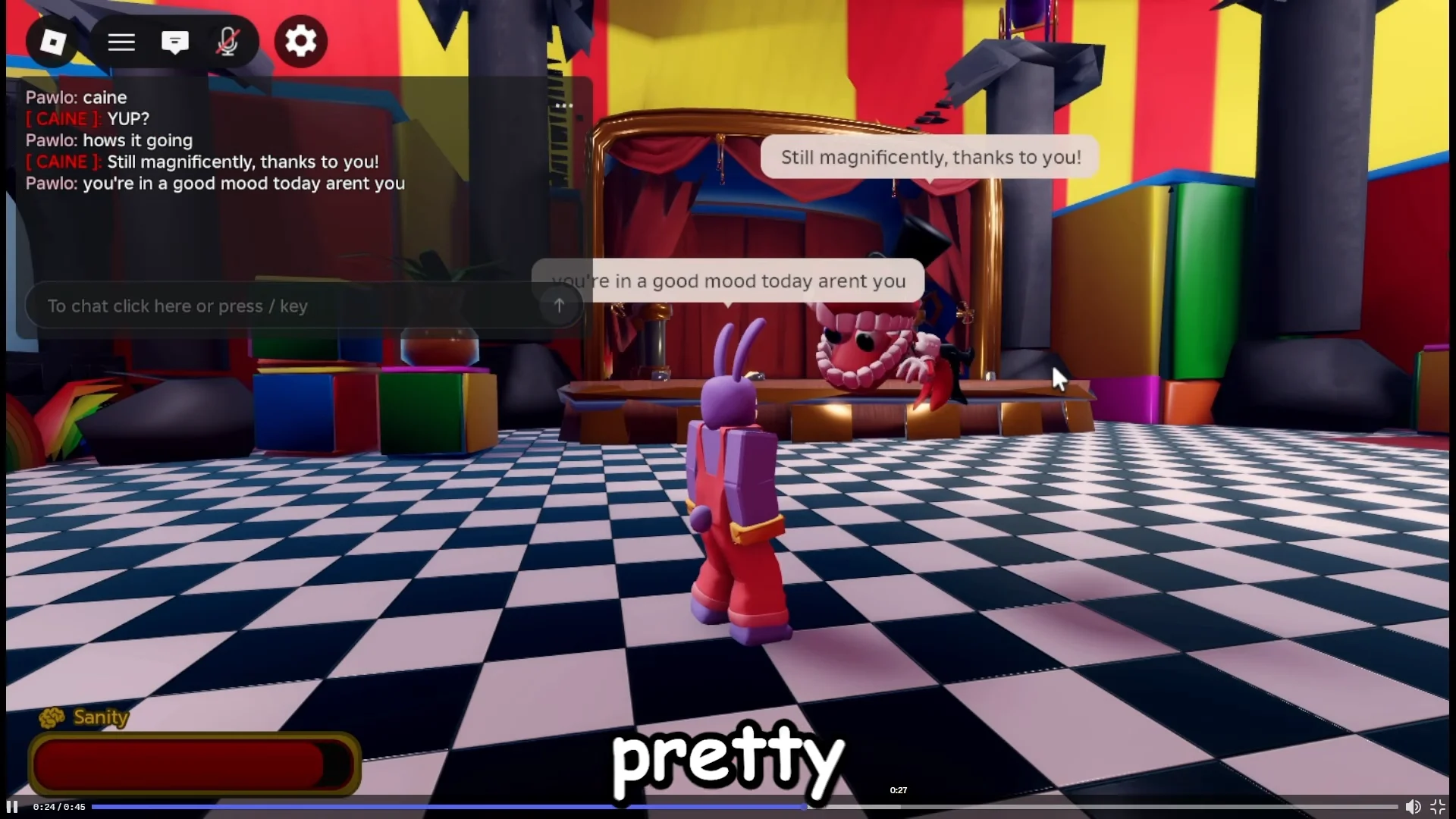
At present, Caine does little beyond answering a chat summon. Update 3.0 connects him to a functional AI chatbot, producing unscripted replies in speech bubbles above him. He also gets more animations: previews show him emerging from the floor, pausing to think, moving his mouth as he talks, and swirling away when departing.
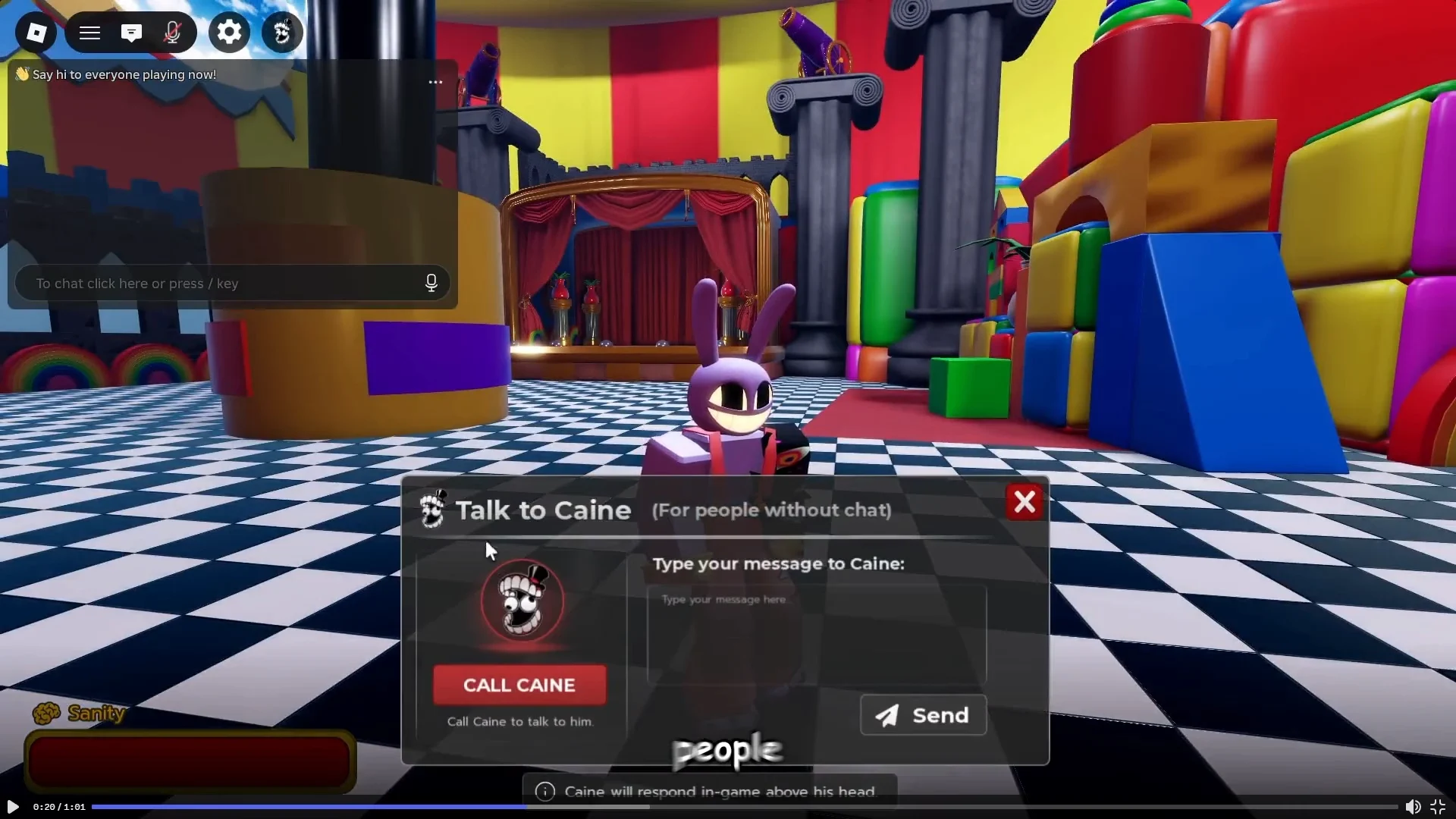
Text chat is not required to reach Caine. The Talk to Caine popup provides a Call Caine button and a message field, letting players converse through a phone-like interface rather than the chat bar.
The rebuilt settings menu and its three tabs
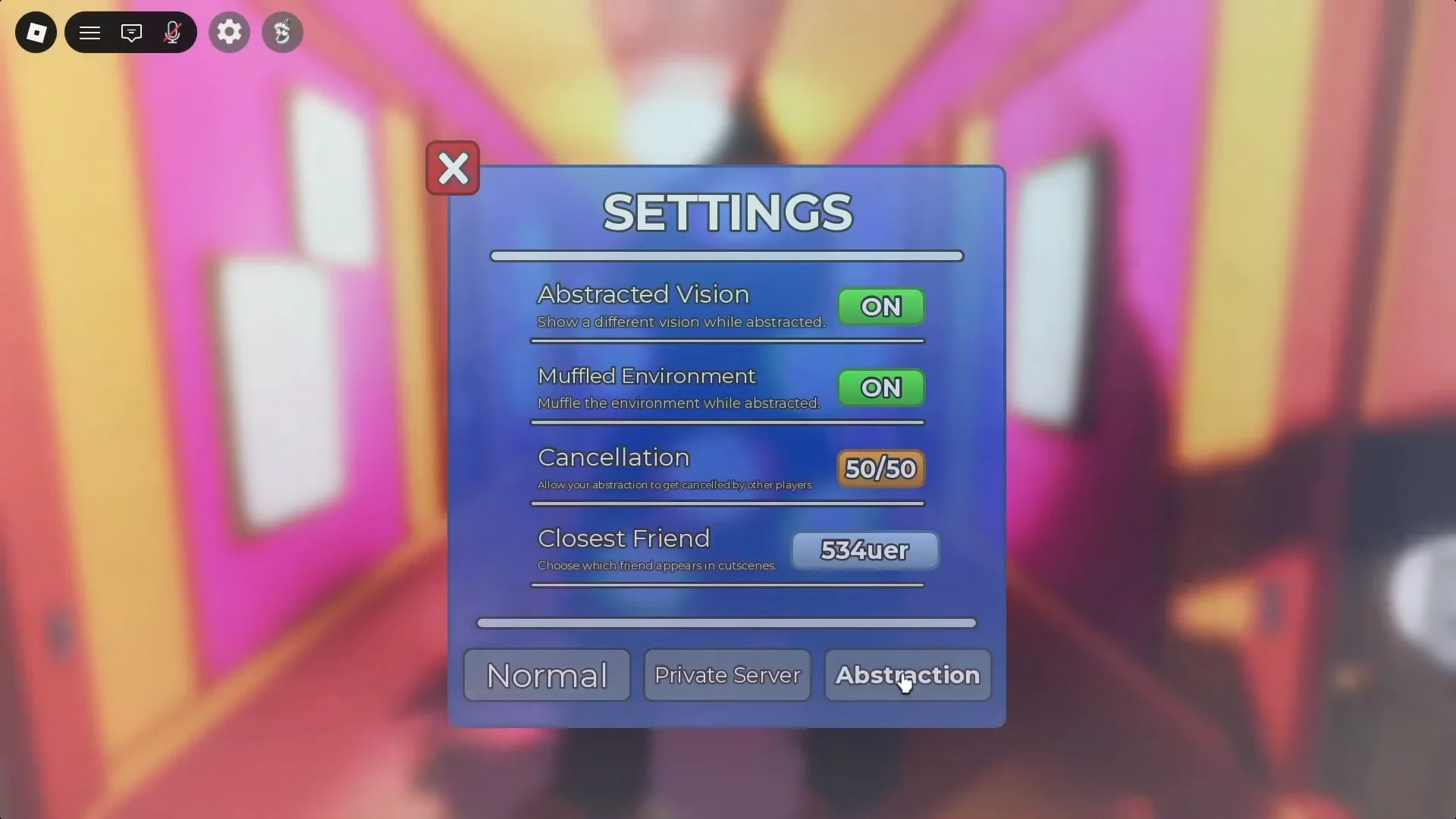
The settings menu has three sections; the center section is for private server hosts. Its Private Server tab has a field where you can enter your own Caine API key to run the chatbot on that server.
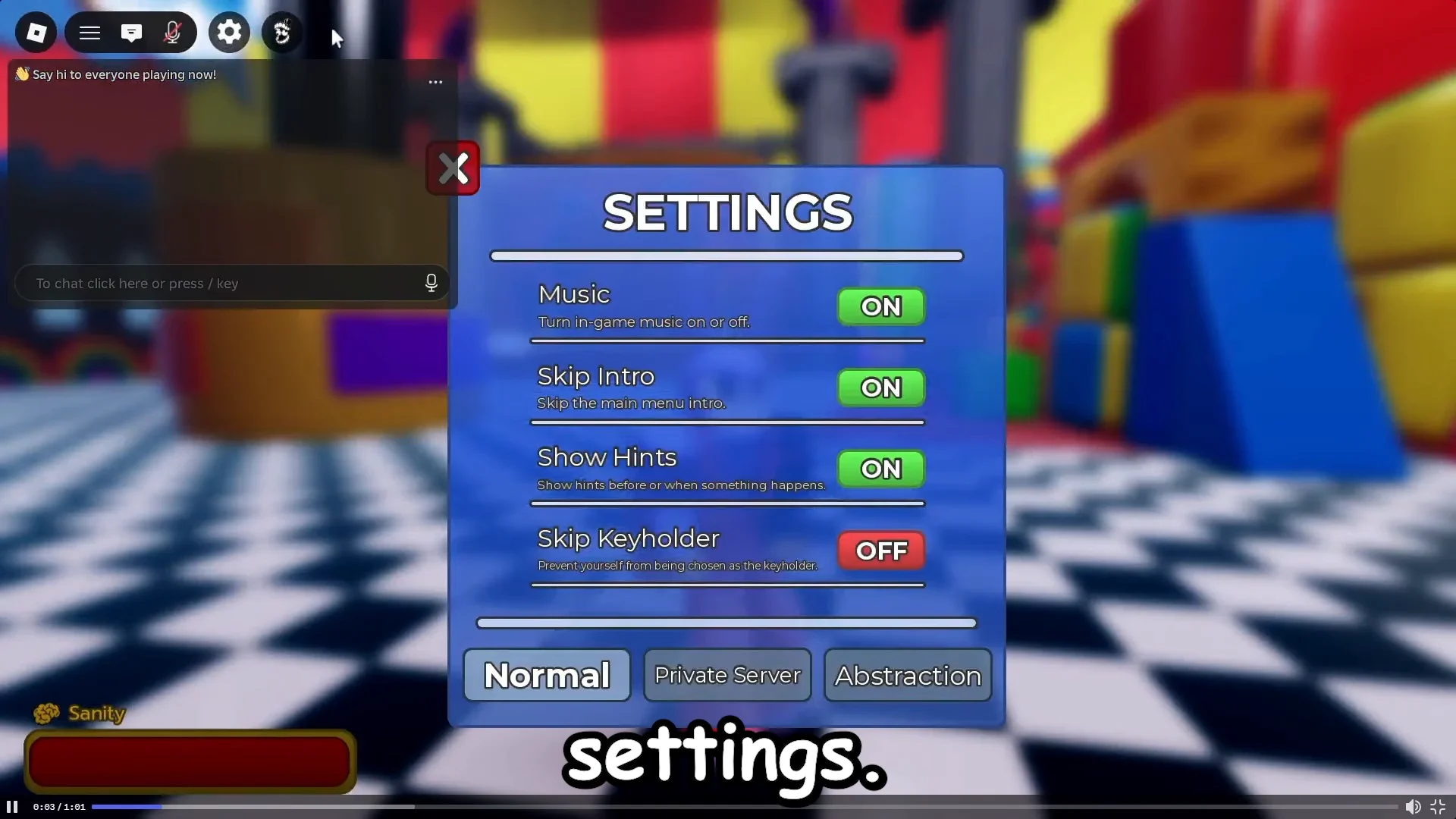
| Tab | Options |
|---|---|
| Normal | Music, Skip Intro, Show Hints, Skip Keyholder |
| Private Server | Sanity Drain, Caine API Key, Reset Caine, Saves |
| Abstraction | Abstracted Vision, Muffled Environment, Cancellation, Closest Friend |
The Abstraction tab includes Closest Friend, which determines which friend appears in your cutscenes. Private Server owners can also enable or disable sanity drain, reset Caine’s AI, and use a Save UI to store which players are abstracted, preserving that session state for later visits. Public servers lack this save feature.
Room revamp, the crayon tool, and the Keyholder role
Personal rooms have been redesigned to offer more activities. With the crayon tool, you can mark the walls; preview images show writing such as “NO WAY OUT” and “FIND EXIT,” as well as custom wallpaper. The existing menu is limited to Color A, Color B, and Room Trim, making the added choices a substantial expansion.
The Keyholder role hands one player in the server keys to every other player’s door, letting them unlock and enter rooms that would otherwise stay shut. Previews describe a 120-second cooldown per key, and the Normal settings tab includes a Skip Keyholder toggle for anyone who does not want the role. Characters also gain first-person support, IK hand reaching, and heads that turn toward the camera.
The Aquarium leaderboard and what sits beyond Update 3.0
The Aquarium showcases players who have accumulated the most abstractions and features a donation board. Previews depict a large hub connected to several abstracted characters, not a minor side area.
The main menu also has an Upcoming List for concepts outside this update. Among them are entering an abstracted player’s mind and rescuing them by completing a cutscene, Caine bringing players on adventures that gradually drain them, more customization options, and a random person joining the server. No timing is given for any of these.
Release window and how to tell it is live
No launch date or time has been announced. Roblox shows the event running from Dec 1, 2026 through Dec 31, 2026; its end date is still unsettled, and there are no reward or RSVP details. Videos claiming a firm date have no official information to support it.
Check the actual build for the strongest confirmation. The Roblox game page’s Updated field shows Aug 20, 2026, and changes when a patch goes live. The corner of the game currently shows version v2026.09.23-b1463; a changed build number signals new code. The settings screen offers the clearest confirmation: if Normal, Private Server, and Abstraction appear as three tabs instead of one older panel, Update 3.0 is running on your server.
For now, the live game still shows only its existing sanity conditions; all the features above have appeared in developer teasers, not in a released build. When the timestamp changes, check the crashout, bathroom, Aquarium, and Keyholder changes against the live game.