Arc Raiders on PlayStation 5 has a very specific failure mode: you hear everyone clearly, your microphone works in every other game and in PS5 party chat, but in Arc Raiders you get no mic activity and nobody ever hears you. That behaviour usually comes from how PS5 handles game voice chat and how Arc Raiders splits party and proximity channels, not from your headset itself.
Check the PS5 Game Base voice chat settings
On PS5, Game Base can mute in-game voice chat for all titles, including Arc Raiders. When this is on, your mic looks fine in system tests, but the game never receives your voice.
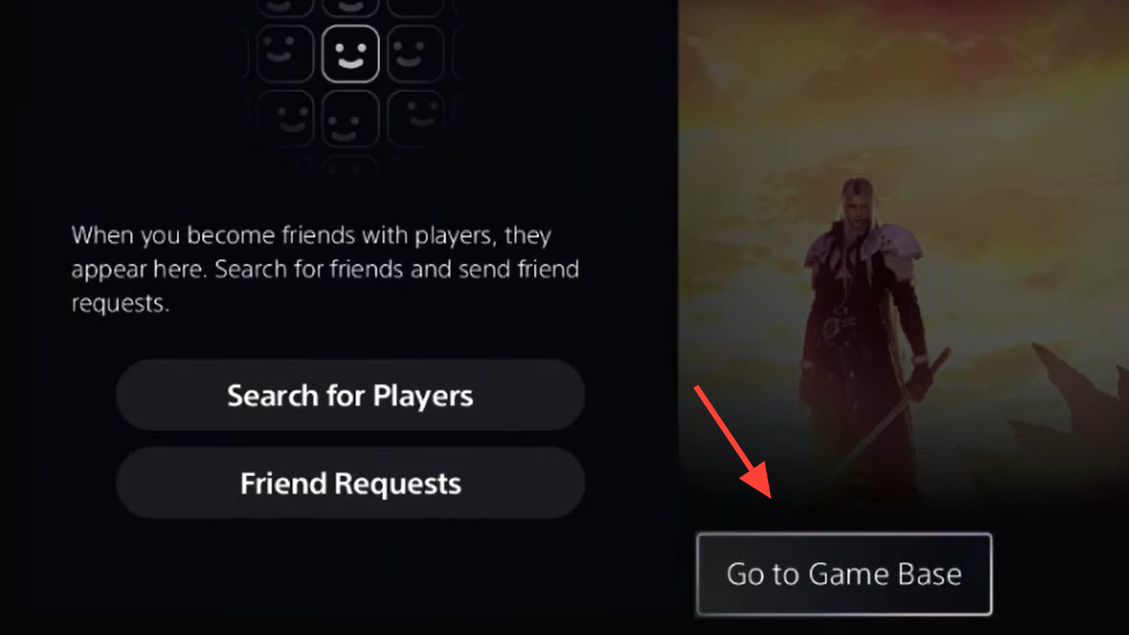
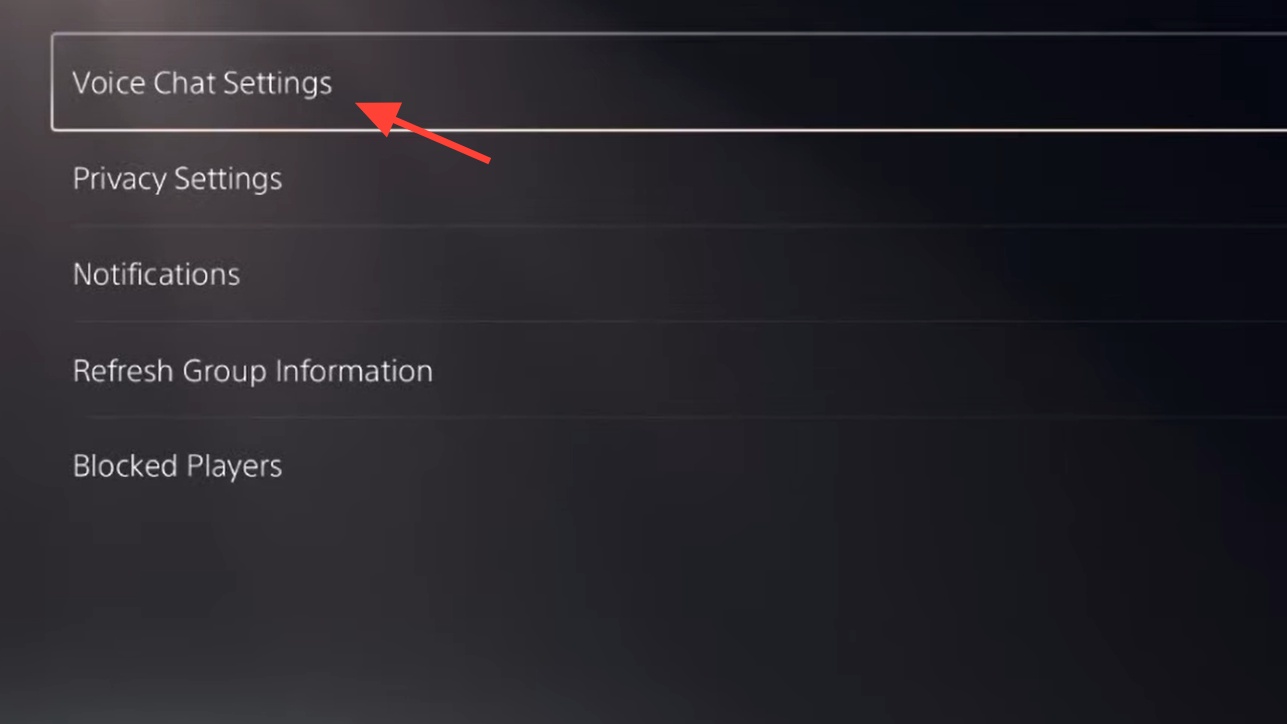
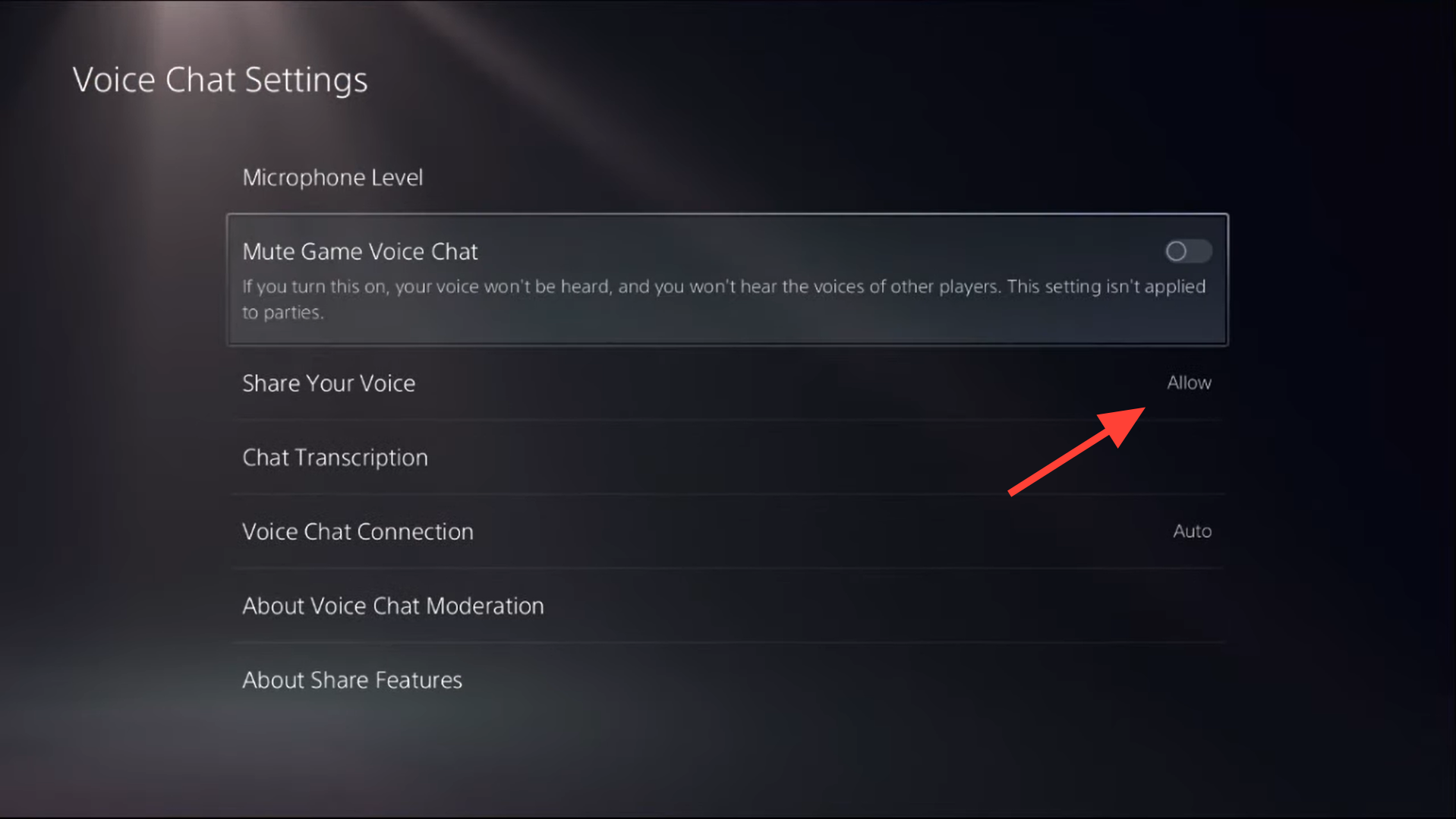
These are global settings; once corrected, they apply to Arc Raiders and other games without needing to repeat them.
Turn off “Mute game voice chat” in the PS5 sound quick menu
PS5 has a second place where game voice chat can be muted: the sound card in the quick menu. Many players accidentally toggled this off while using party chat in other games, which then silently blocked Arc Raiders voice.
Once this is disabled, your in-game mic icon should start responding to your voice if the rest of the setup is correct.
Decide between PS5 party, Discord, and in‑game chat
PS5 does not reliably share your mic with multiple voice apps at once. If you sit in a PS5 party or Discord on the console, Arc Raiders often shows the proximity chat icon with an “X” and refuses to transmit your voice.
Once you are only using the Arc Raiders channel, the yellow proximity mic icon should appear without a strike-through when you enable it, and other players can hear you.
Enable and configure voice chat inside Arc Raiders
With console-level mutes cleared, Arc Raiders still needs its own options aligned. Party chat and proximity chat have separate modes, and mismatched settings are a common cause of silence.
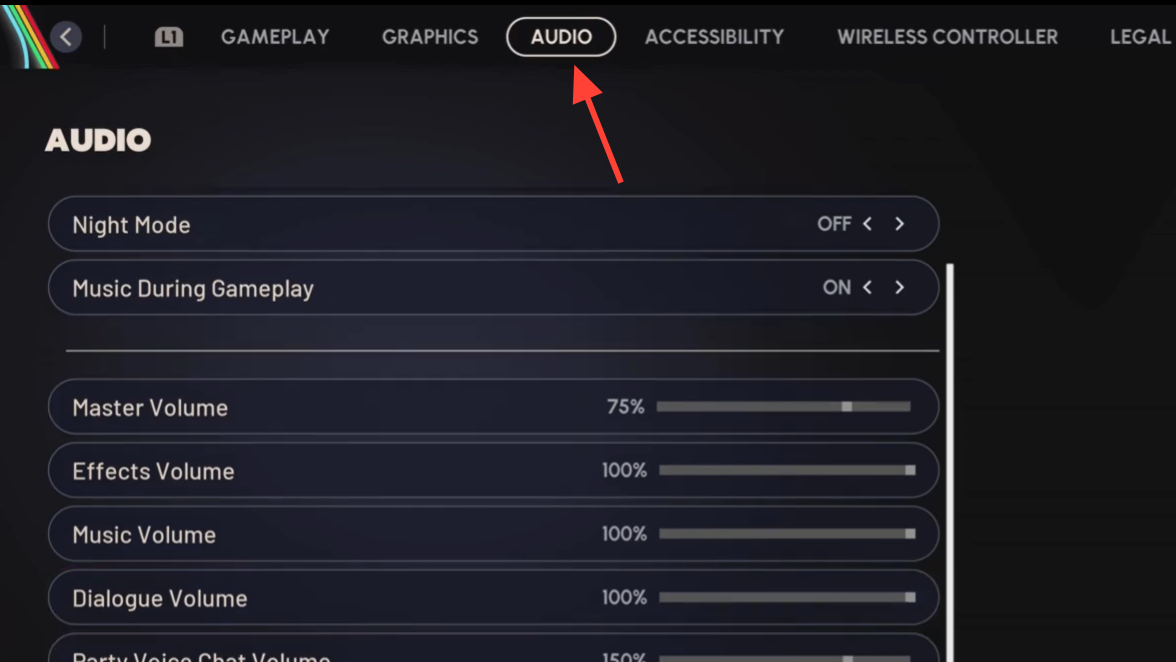
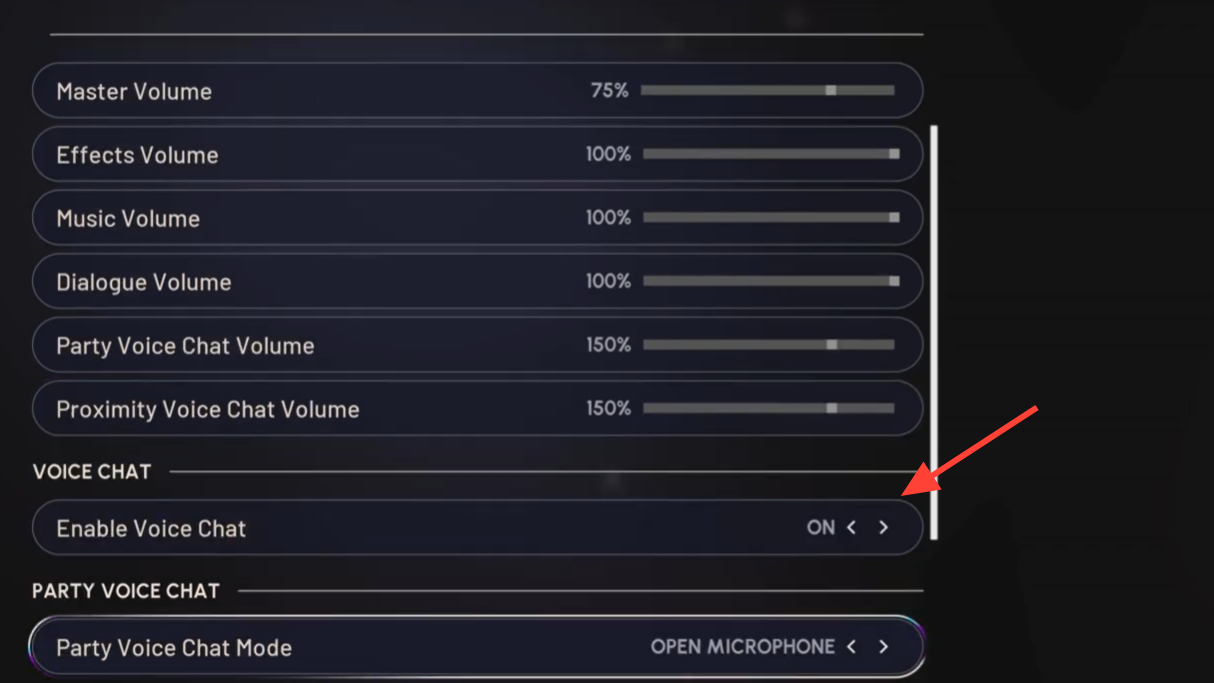
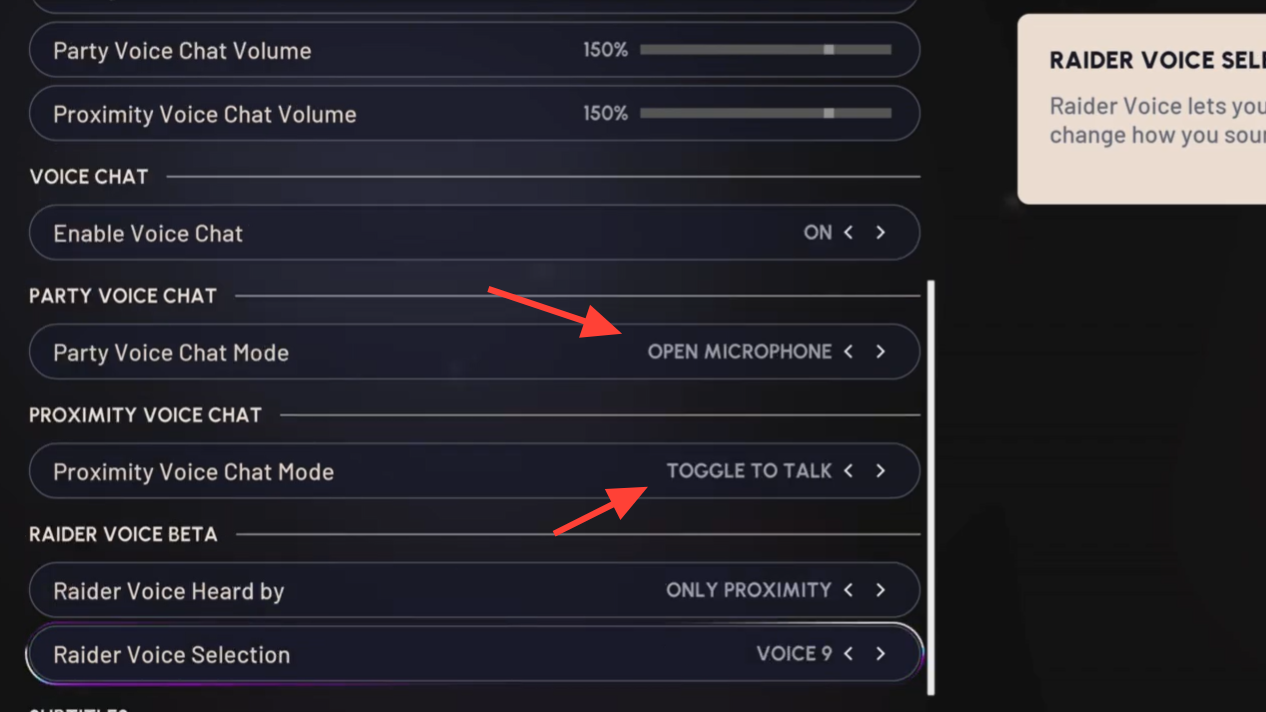
Once these are aligned, the in-game UI becomes more predictable: the orange icon corresponds to proximity chat and the grey icon to party chat, and each should light up when its channel is active.
Turn on proximity chat with the D‑pad
Even when everything is configured, proximity chat is not always active by default. Arc Raiders expects you to manually enable it mid‑match.
For squad-only chat, Arc Raiders uses a separate indicator and binding, but public proximity chat specifically depends on that D‑pad toggle.
Check PS5 party settings for Arc Raiders game chat
When you do use a PS5 party, the party can override Arc Raiders voice unless you explicitly allow game chat through.
If you still cannot get both party and in-game audio simultaneously, treat Arc Raiders chat and PS5 party/Discord as either-or. Using only in-game chat is currently the most reliable way to ensure proximity and party chat work.
Use crossplay toggles and restarts as last resorts
Some players have cleared stubborn mic issues only after forcing Arc Raiders to rebuild its session state.
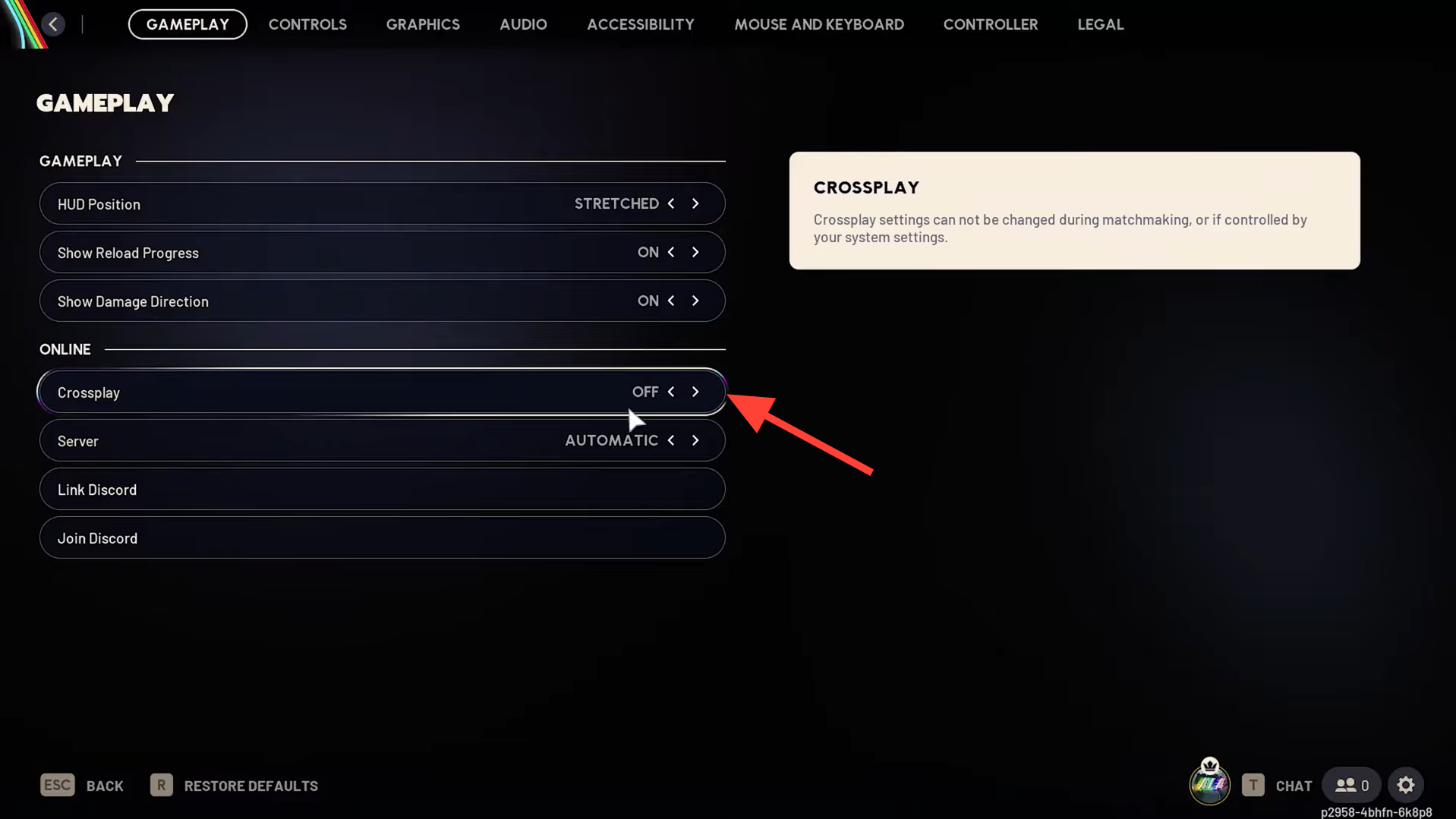
These measures are not guaranteed fixes, but have resolved cases where all obvious settings were correct, and the orange mic icon still showed a line through it.
When to contact support
If your microphone passes the PS5 mic level test, works in other games, the PS5 voice chat settings match the steps above, and Arc Raiders still never shows mic activity or transmits your voice, treat it as a support case rather than spending more time swapping hardware.
Arc Raiders leans heavily on spatial voice for squad coordination and encounters, so it is worth working through the console and game settings carefully. On PS5, most “I can hear others, but they can’t hear me” problems come from a small cluster of toggles: Game Base’s Mute Game Voice Chat, the sound card’s mute, conflicting party or Discord sessions, and mismatched in‑game channel modes. Once those are aligned, in-game proximity and party chat usually behave as expected.