Lobby music in Fortnite plays your chosen track while you sit in the menu before a match. After recent chapter updates, many players have run into the same problems. Songs cut out after a few seconds, the same track repeats no matter what you favorite, and in some cases only Festival songs play at all.
Quick answer: Open the Locker tab, select Lobby on the left, choose Lobby Music, then pick a song again to force it to reload. If non-Festival tracks still fail, this is a known playback bug tied to recent updates rather than a fault with your account or device.
Common lobby music problems after a new chapter
The reported symptoms fall into a few clear patterns. Knowing which one you have makes it easier to tell whether a setting change will help or whether you are simply waiting on a fix.
| Symptom | What happens |
|---|---|
| Music cuts out | The selected track plays for a few seconds, then stops abruptly. Most common with non-Festival songs. |
| Only Festival songs work | Tracks tagged as Festival play correctly, while other purchased lobby music fails to start. |
| Same song repeats | Shuffle is on with several favorited songs, but the lobby keeps playing the same track every time. |
| Fixed shuffle order | The playlist plays in the exact same, unchanging order on every return to the lobby. |
| Music resets on menu changes | The track restarts or reshuffles when moving in and out of certain submenus. |
How to change or reset your lobby music
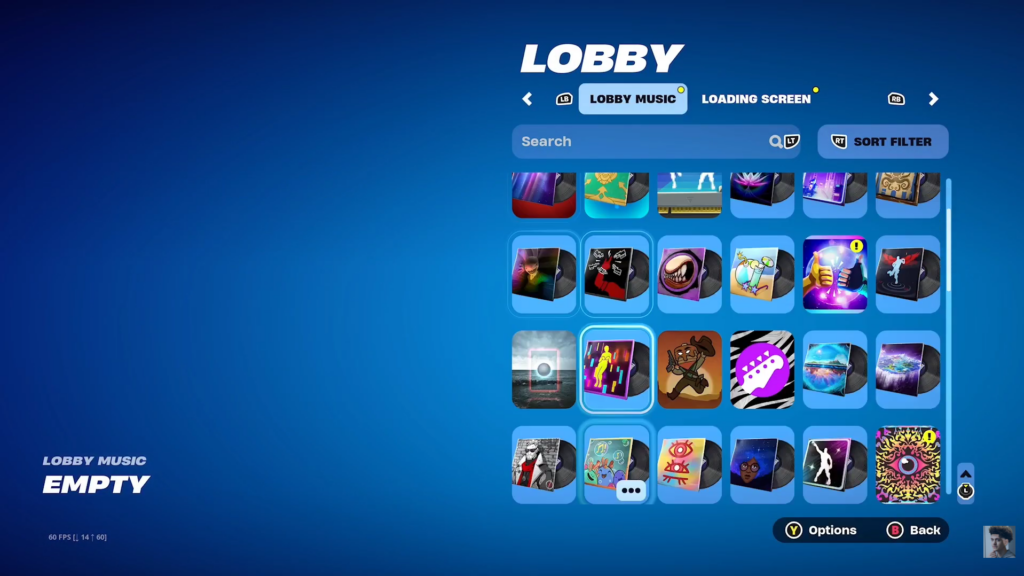
Reselecting a song forces the game to reload it, which clears a stuck or silent track in many cases. The same menu is where you turn music off entirely if you would rather have a quiet lobby.
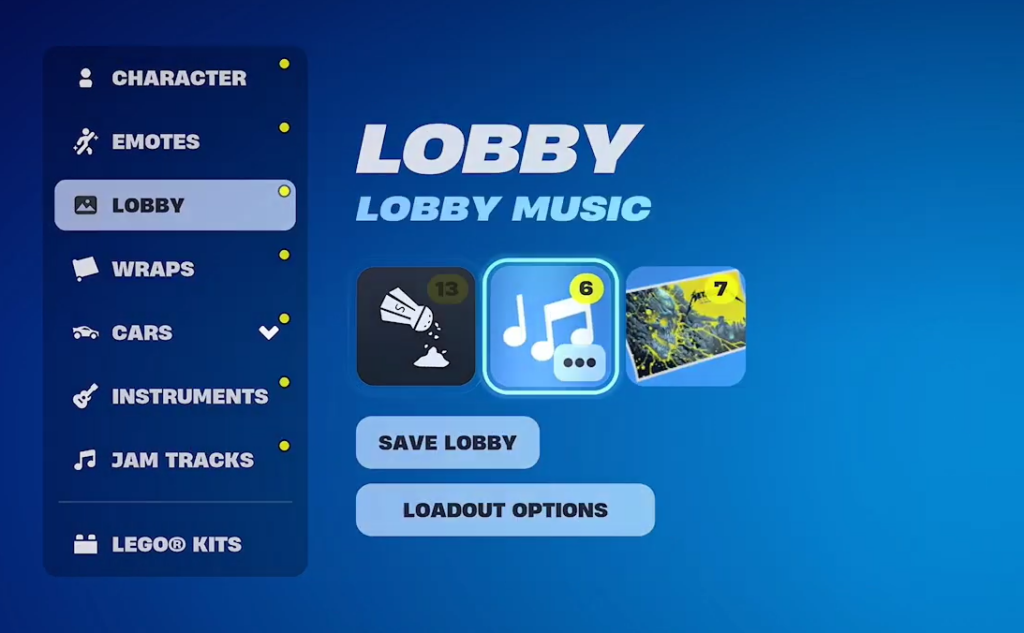
You know it worked when the chosen track starts playing in the lobby, and the title shows as the active selection. If a non-Festival song still goes silent after reselecting it, the playback issue is on Epic’s side and not something a setting will fully resolve yet.
Why shuffle keeps playing the same song
With shuffle enabled and multiple favorited tracks, the lobby is supposed to rotate through your selections. The bug causes it to lock onto one song or repeat the same fixed order every time you return to the menu. Favoriting more songs does not change the behavior, because the problem is in how the playlist loads rather than in your choices.
One related issue appeared and then returned. A hotfix corrected lobby music resetting and reshuffling when entering or leaving certain submenus, including the Save the World and Heroes screens. A later update reverted that fix, which brought the resetting behavior back for affected players.
Lobby music versus Jam Tracks
Festival songs and Jam Tracks behave differently from older lobby music, which is why some players notice that only Festival-tagged tracks keep playing. New chapters have also arrived without dedicated lobby themes that earlier seasons included, so the rotation of fresh lobby music has slowed. Those are separate from the playback bug, but together they explain why the lobby can feel emptier than it used to.
If reselecting a track does not keep it playing, the most reliable move is to choose a Festival song that works while the cut-out and shuffle bugs are addressed in a future update. There is no confirmed date for a fix, so treat the reselect step as a temporary workaround rather than a permanent solution.