Prime Ice Constructs are the buildable structures you place across Snezhnaya to solve puzzles, reach high ground, and open up exploration. Because these constructs can travel between worlds, buildings you create may show up in other players’ worlds, and their creations can appear in yours. Some of that sharing is helpful. Some of it gets in the way, whether a construct simply doesn’t fit your route or another Traveler dropped one to troll you. The Manage Prime Ice Constructs tool lets you remove any structure you don’t want.
Quick answer: Open the map, tap the Manage Prime Ice Constructs toggle at the bottom of the screen, select a construct, then choose Remove. To clear several at once, use the “Prime Ice Construct in the current scene” delete button.
Remove Prime Ice Constructs from the map
The map method works when your location shows on the world map, so it’s the fastest way to tidy up an area or undo a troll.
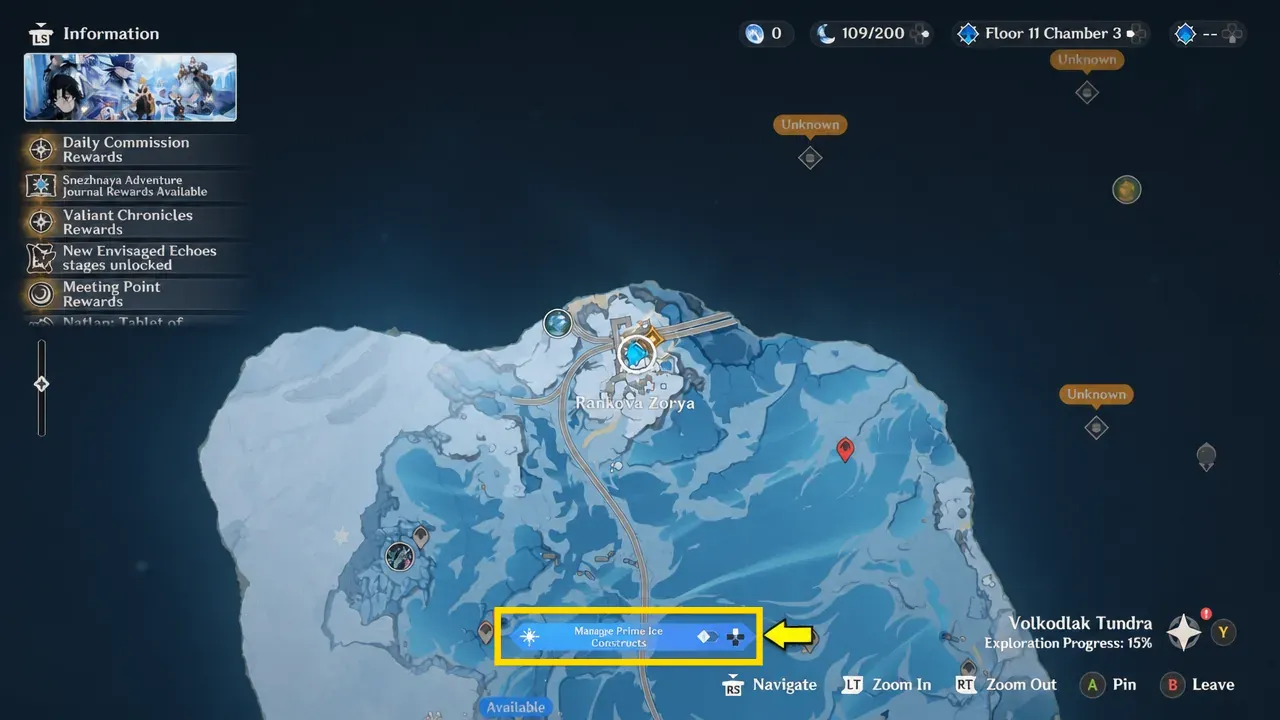
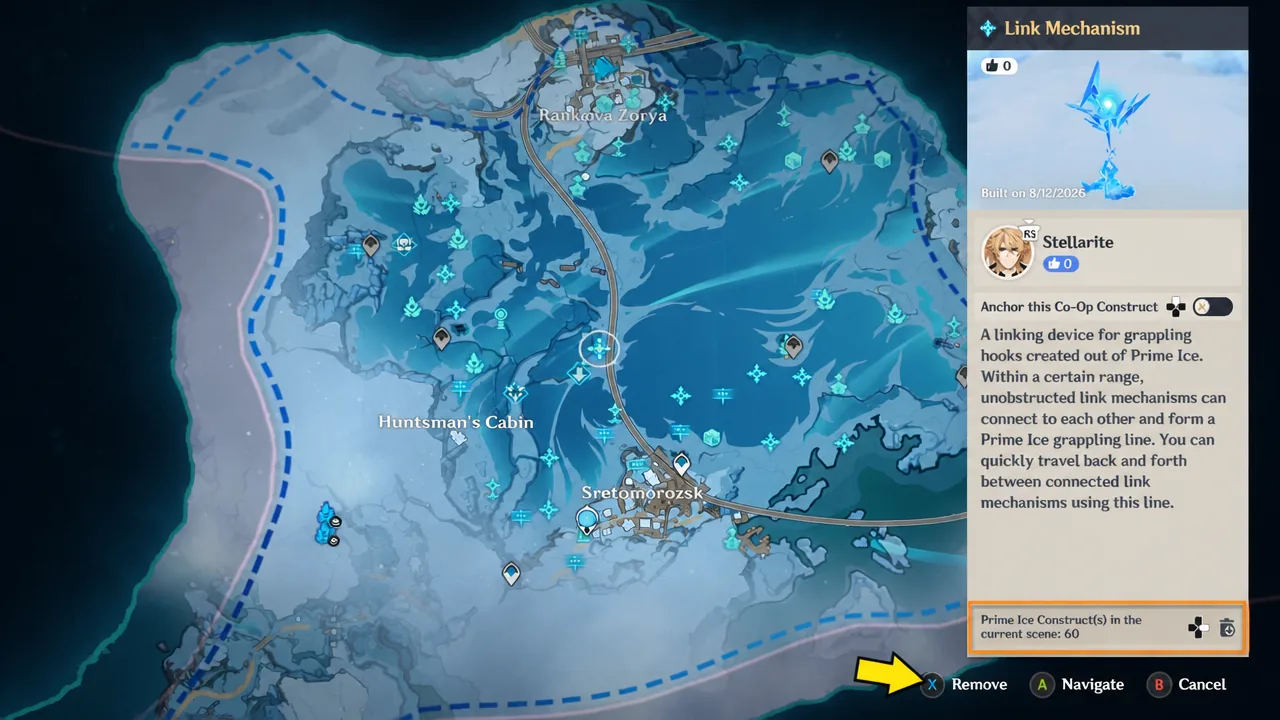
Once a construct is removed, it disappears from both the map view and the world, confirming the deletion worked.
Remove a construct from the building menu
You don’t always need the map. If you’re standing near a structure, open the Prime Ice Construct menu with the Eye of Graeae and dismantle it on the spot. This is also the only option in areas where your position isn’t shown on the map, such as the Shadow Realm.
T on PC, L1 + Square on PlayStation, and LB + X on Xbox.Control which shared constructs appear in your world
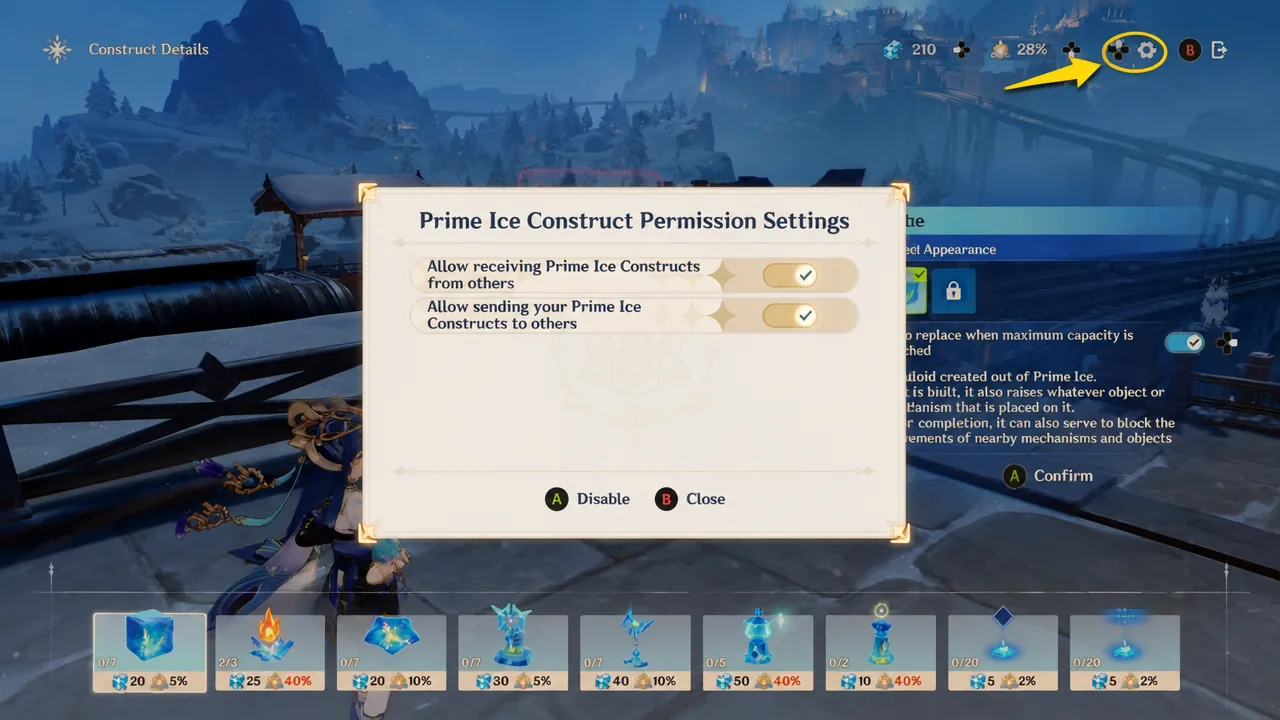
Removing constructs one at a time is reactive. The sharing settings let you stop unwanted structures from showing up in the first place. Open the Prime Ice Construct menu and press the settings button at the top to reach the permission controls.
There you decide two things independently. You can choose whether your own buildings are shared with other players, and whether other players’ constructs are allowed to appear in your world. Turning off the receiving permission keeps other Travelers’ structures out entirely.
Every Prime Ice Construct type and what it does
As of version 7.0, there are nine construct types. Knowing what each one does makes it easier to decide which structures to keep and which to clear.
| Construct | Function |
|---|---|
| Cube | Raises objects, blocks nearby object movement, blocks certain guards’ view, and helps Travelers reach high places. |
| Basic Heat Source | Provides heat that can melt some ice. |
| Link Mechanism | Links to other Link Mechanisms for fast travel. |
| Grappling Gun | Grapples a hook to pull or destroy objects. |
| Launching Platform | Launches you to higher ground. |
| Storage Device | Stores or picks up items, including among other players. |
| Ambient Bollard | Provides various buffs. |
| Sign: Icon | Leaves a message using icons. |
| Sign: Text | Leaves a message using text. |
Unlock building and dismantling with the Eye of Graeae
You can’t build, dismantle, or manage any Prime Ice Constructs until you have the Eye of Graeae gadget. This is your exploration companion in Snezhnaya, and it handles all interaction with the region’s ice structures, along with summoning trains, resisting the sheer cold, and unlocking the Third-Person Shooter sections.
You meet the Eye of Graeae shortly after arriving in Snezhnaya. The Traveler and Paimon become separated in the snowy, windy landscape, and you set off to find your floating companion. That search leads to an area of ice and a train carriage. After you interact with the warming device and explore the carriage, you encounter the peculiar goggle that introduces itself as the Eye of Graeae.
Once the gadget is equipped in your gadget slot, press the gadget interaction button to open its menu. From there you can build and dismantle constructs, view the Prime Ice Construct Archive, summon your personal train, and adjust your loadout. With the Eye of Graeae in hand, both the map-based Manage tool and the on-site building menu become available wherever you explore.