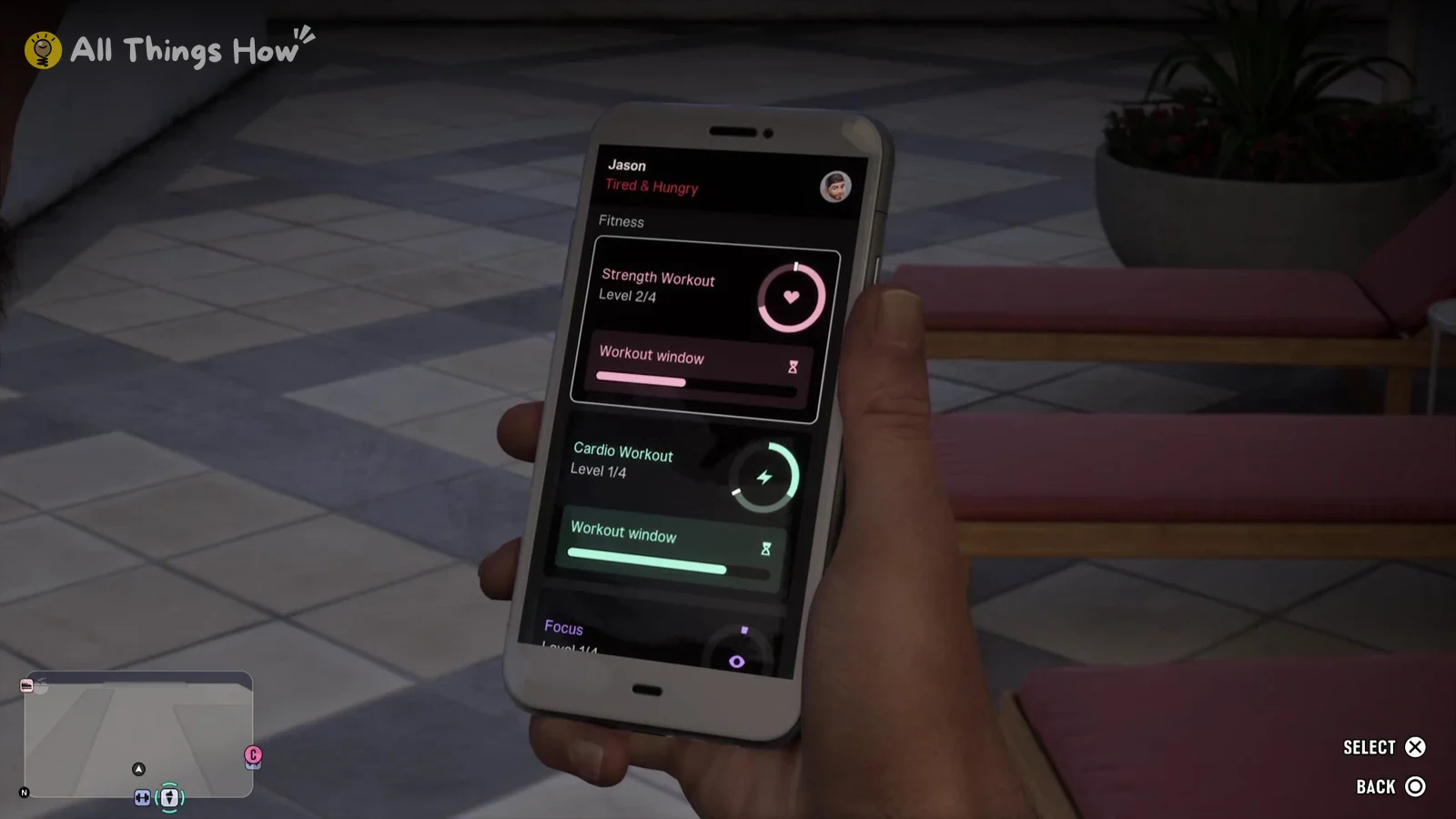
In GTA 6, Jason and Lucia’s bodies change based on how they train and how much they eat. The game tracks it all on the phone and in the pause menu, so you can see what you’re working with before you change your routine.
Quick answer: Strength exercises add muscle, cardio with a balanced diet makes you leaner, and a calorie surplus without working out adds weight. Check the result in the Fitness app under Body & Nutrition.
Where to check your body shape in GTA 6
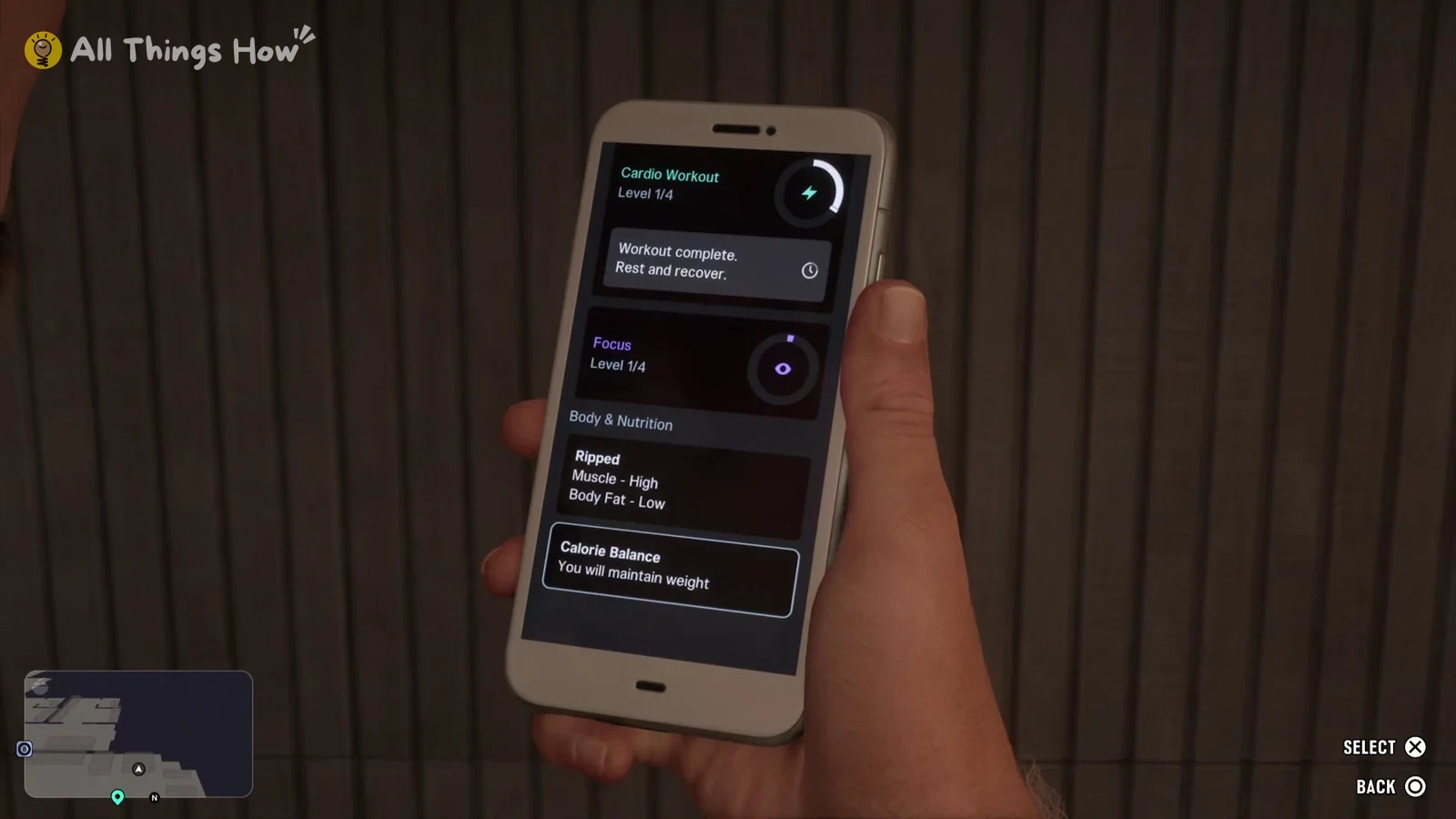
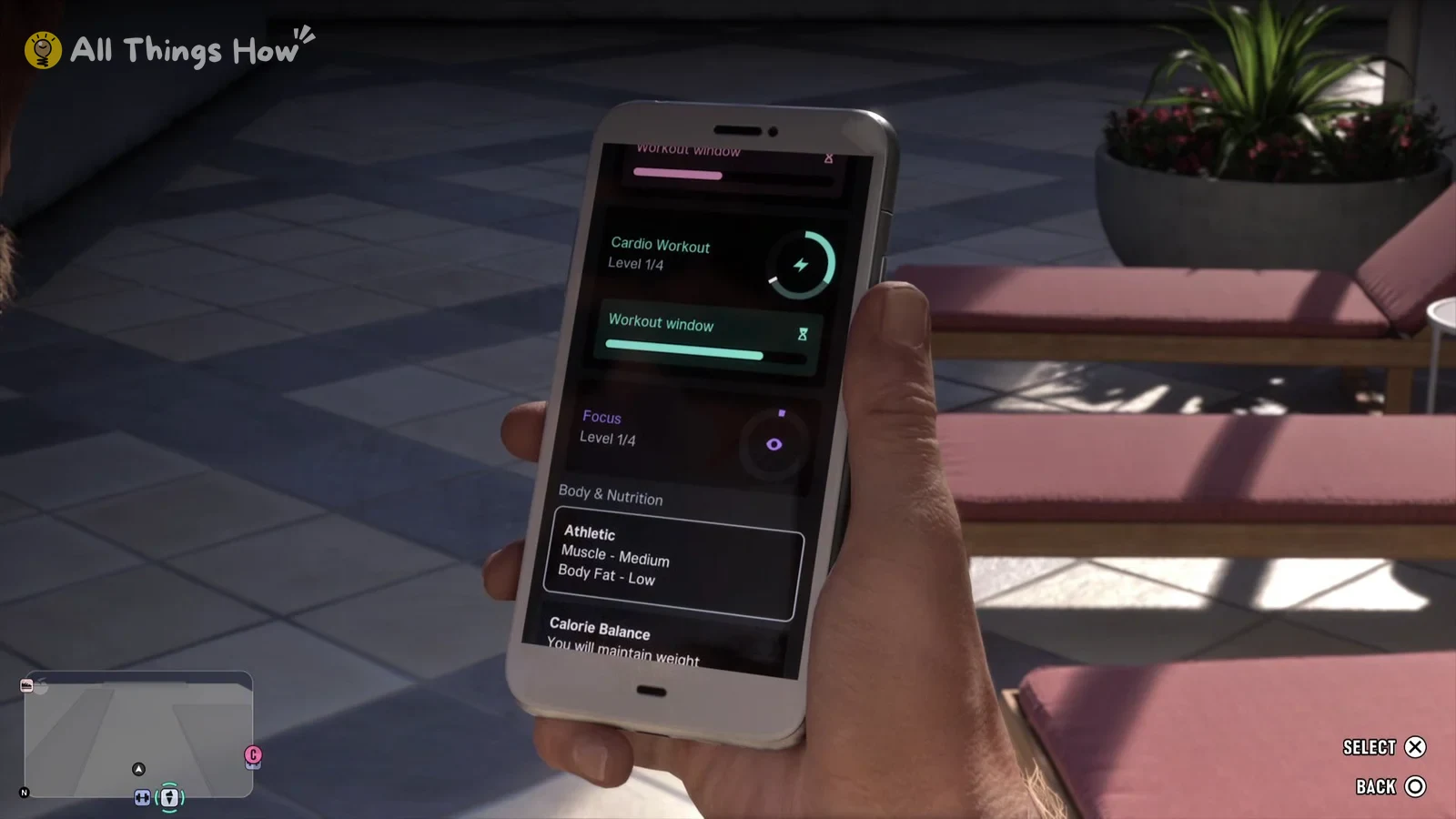
The Fitness app on your phone has the most detail, with a card for your current body shape and a separate card for your calories. Here’s how to get to it.
If you’d rather not use the phone, the pause menu’s JASON & LUCIA tab lists the same information as a column of rows. You’ll find WEIGHT, SLEEP, NUTRITION, CALORIES, BODY SHAPE, MUSCLE and BODY FAT there, followed by your STRENGTH, CARDIO and FOCUS levels, which makes it handy for checking your training levels and your body at the same time.
How GTA 6 body shape works: What the game tells you
The “Body Shape” page in the Fitness app is short. It says two things, and both point at the same two inputs, your fitness and your food:
- “Your body shape is based on both your fitness levels and calorie intake.”
- “Your health, diet, and workout routine can all influence your body shape.”

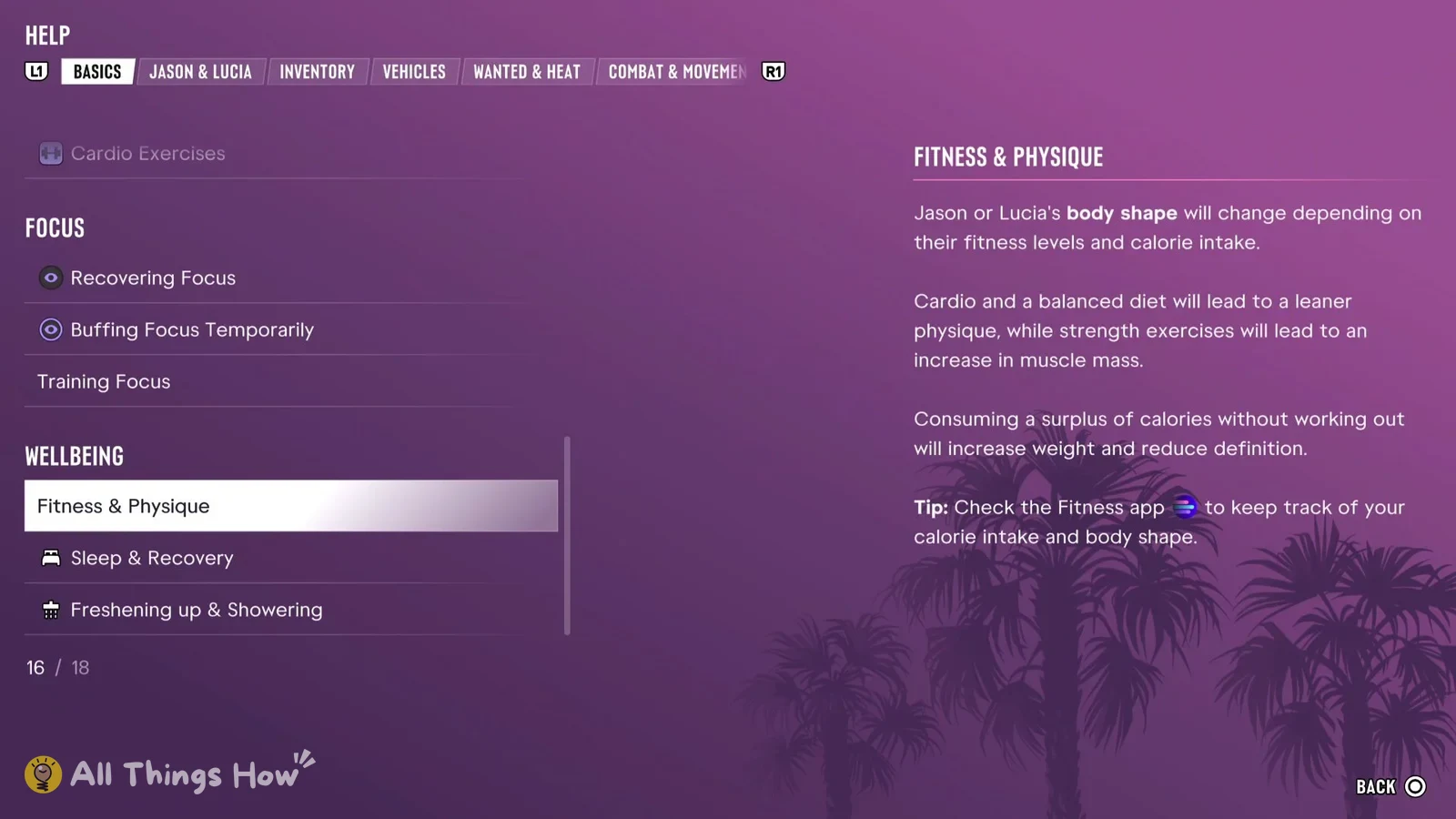
The Help menu goes further. You’ll find it under Pause > Help > BASICS > Wellbeing > “Fitness & Physique”, and it spells out which kind of training does what:
- “Jason or Lucia’s body shape will change depending on their fitness levels and calorie intake.”
- “Cardio and a balanced diet will lead to a leaner physique, while strength exercises will lead to an increase in muscle mass.”
- “Consuming a surplus of calories without working out will increase weight and reduce definition.”
- “Tip: Check the Fitness app to keep track of your calorie intake and body shape.”
How to build muscle, lose weight or gain weight in GTA 6
Pick the result you’re after and do what the game links to it:
| What you want | What the game says to do |
|---|---|
| More muscle | Strength exercises |
| A leaner body | Cardio and a balanced diet |
| Keep your weight | “a calorie balanced diet through eating regularly” |
| Lose weight | Undereat, or exercise without eating (a calorie deficit) |
| Gain weight | Eat too much (a calorie surplus) |
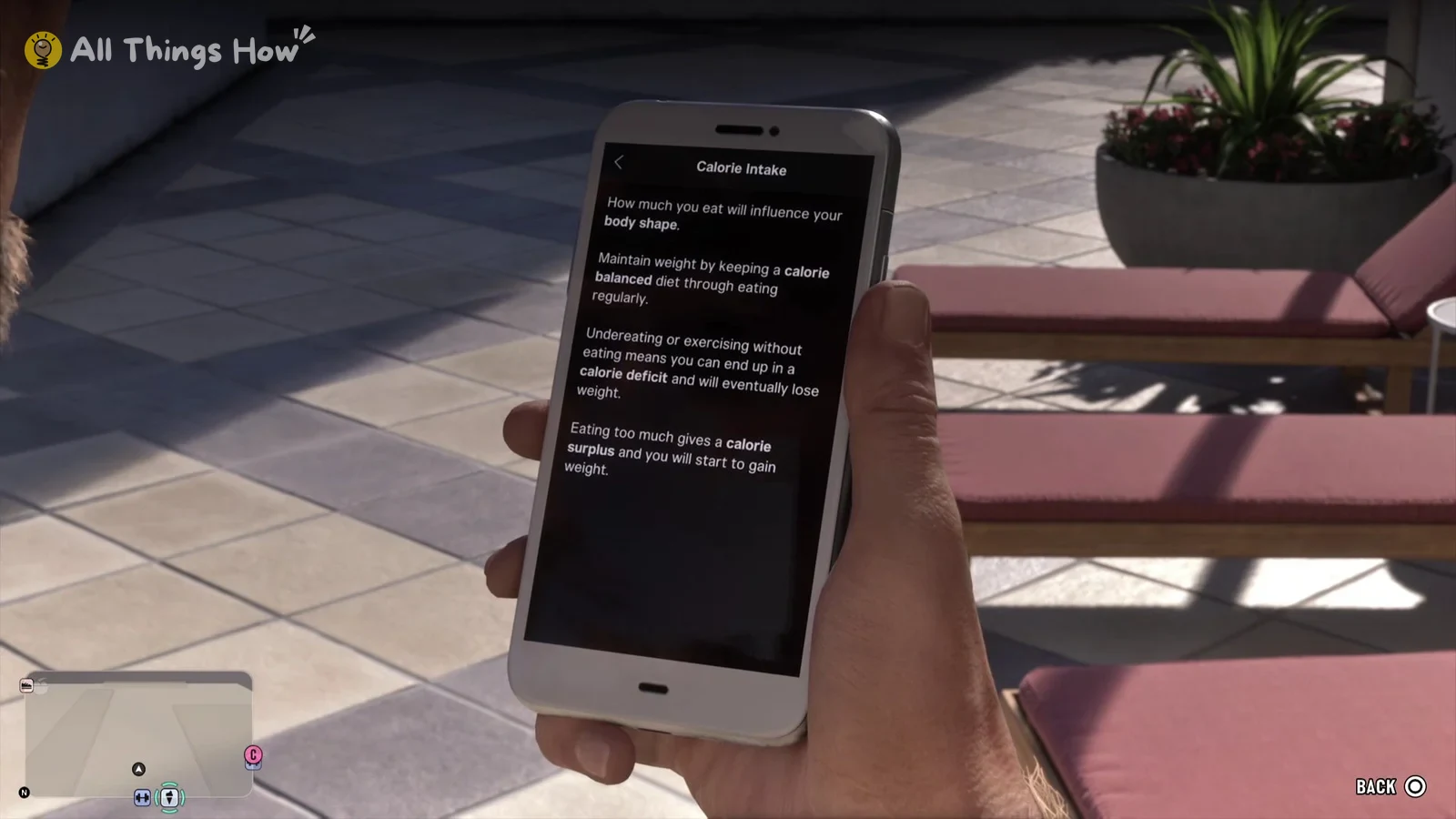
The “Calorie Intake” page, opened from the Calorie Balance card, covers the eating side of things:
- “How much you eat will influence your body shape.”
- “Maintain weight by keeping a calorie balanced diet through eating regularly.”
- “Undereating or exercising without eating means you can end up in a calorie deficit and will eventually lose weight.”
- “Eating too much gives a calorie surplus and you will start to gain weight.”
Jason’s body shapes so far: Ripped and Athletic
Jason’s body shape card has changed over time, and so has his Strength Workout level:
| When | Body shape | Muscle / Body Fat | Strength level |
|---|---|---|---|
| Early on (JASON & LUCIA tab) | RIPPED | HIGH / LOW | LVL 3/4 |
| Later (Fitness app) | Ripped | High / Low | Level 2/4 |
| Later still (Fitness app) | Athletic | Medium / Low | Level 2/4 |
Early on, the JASON & LUCIA tab read HEIGHT 6 FT 1 IN, WEIGHT 217 LB, SLEEP WELL RESTED, NUTRITION FED, CALORIES CALORIE BALANCE, BODY SHAPE RIPPED, MUSCLE HIGH, BODY FAT LOW, STRENGTH LVL 3/4, CARDIO LVL 1/4 and FOCUS LVL 1/4.
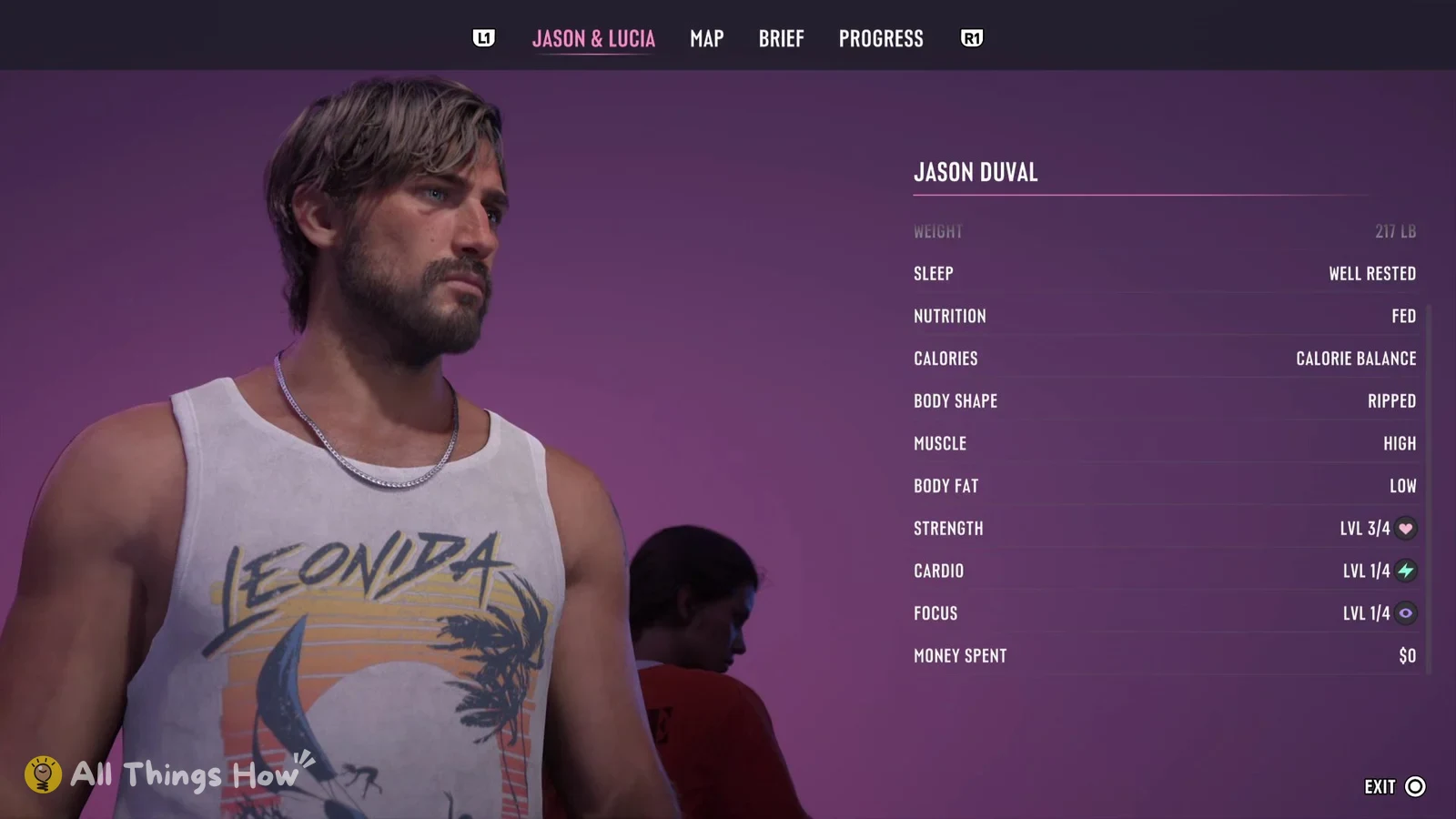
From there, his Strength Workout level dropped from 3/4 to 2/4 while the card still said Ripped. After that, the card switched to “Athletic”, with Muscle going from High to Medium and Body Fat staying Low. When it read Athletic, the status line under Jason’s name in the Fitness app said “Tired & Hungry”, but the Calorie Balance card still showed “You will maintain weight”, the same as it had every other time.