In GTA 6 on PS5, the button that fires your gun on foot doesn’t fire it from behind the wheel. In a car or boat, the triggers drive the vehicle and shooting moves to a shoulder button. Everything below comes from the game’s own control listing for the Default scheme, which you can open under Settings > Control Scheme.
Quick answer: With the Default PS5 layout, use R1 to shoot from a car or boat. R2 speeds up the vehicle, and L1 puts your weapon away.
GTA 6 drive-by controls on PS5
Go to Settings > Control Scheme and flip through the preview pages to Land / Water Vehicles, which is page 5 of 9. Cars and boats share that page, so the buttons are the same in both.
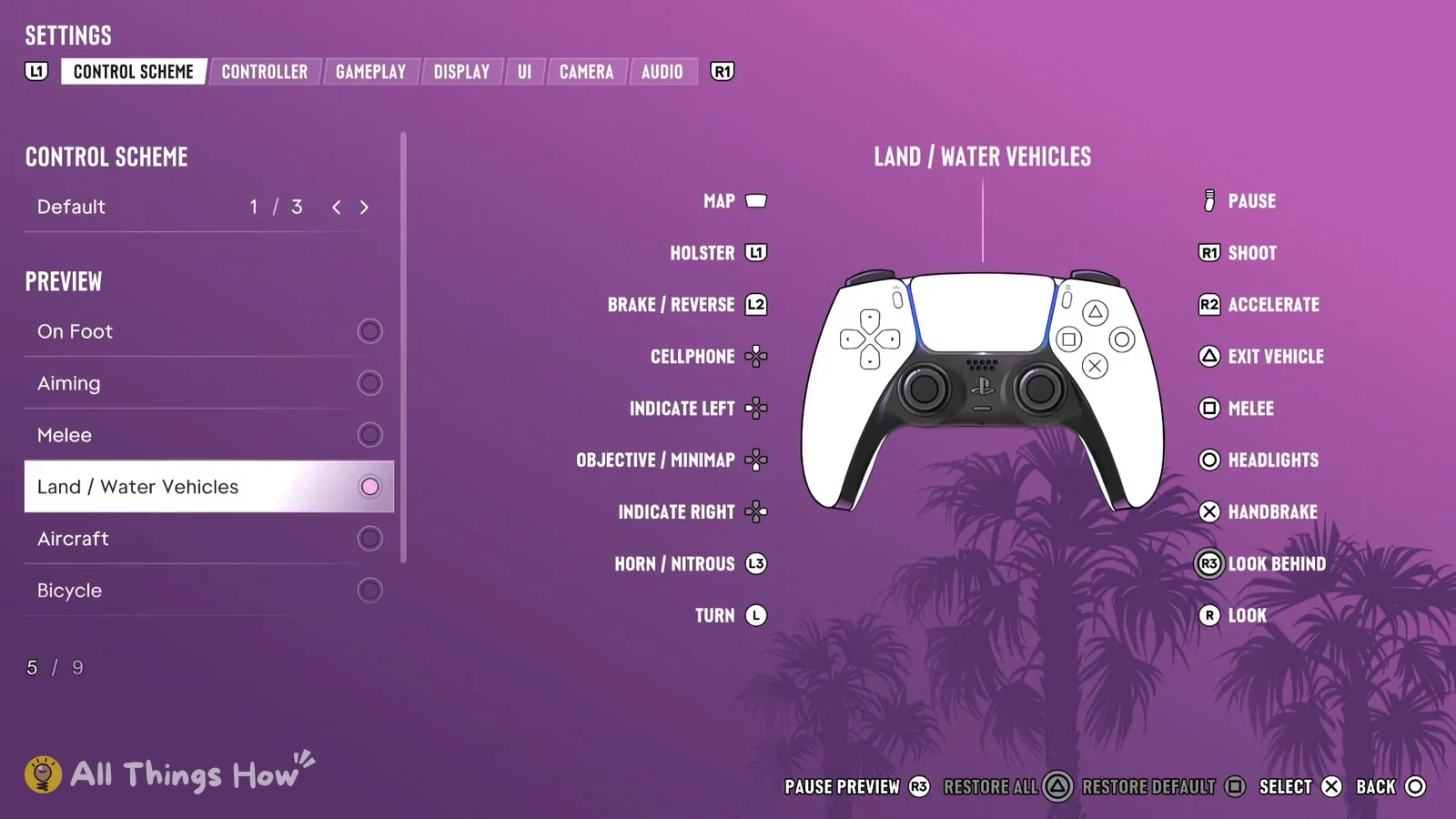
| Action | Button |
|---|---|
| Shoot | R1 |
| Holster | L1 |
| Accelerate | R2 |
| Brake / Reverse | L2 |
| Turn | Left stick |
| Look | Right stick |
| Look behind | R3 |
| Handbrake | Cross |
| Melee | Square |
| Headlights | Circle |
| Exit vehicle | Triangle |
| Horn / Nitrous | L3 |
| Cellphone | D-pad up |
| Indicate left / right | D-pad left / right |
| Objective / Minimap | D-pad down |
| Map | Touch pad |
| Pause | Options |
Why R2 doesn’t shoot in a car
On foot, L2 aims and R2 shoots. Once you get into a car or boat, the game turns those two triggers into pedals, with R2 to accelerate and L2 to brake or reverse. Firing moves up to R1, right above the gas, and L1 next to it puts the weapon away. If you keep squeezing R2 out of habit, you’ll just speed up.
Drive-by settings in the Gameplay tab
For vehicle shooting, open Settings > Gameplay and check the COMBAT section.
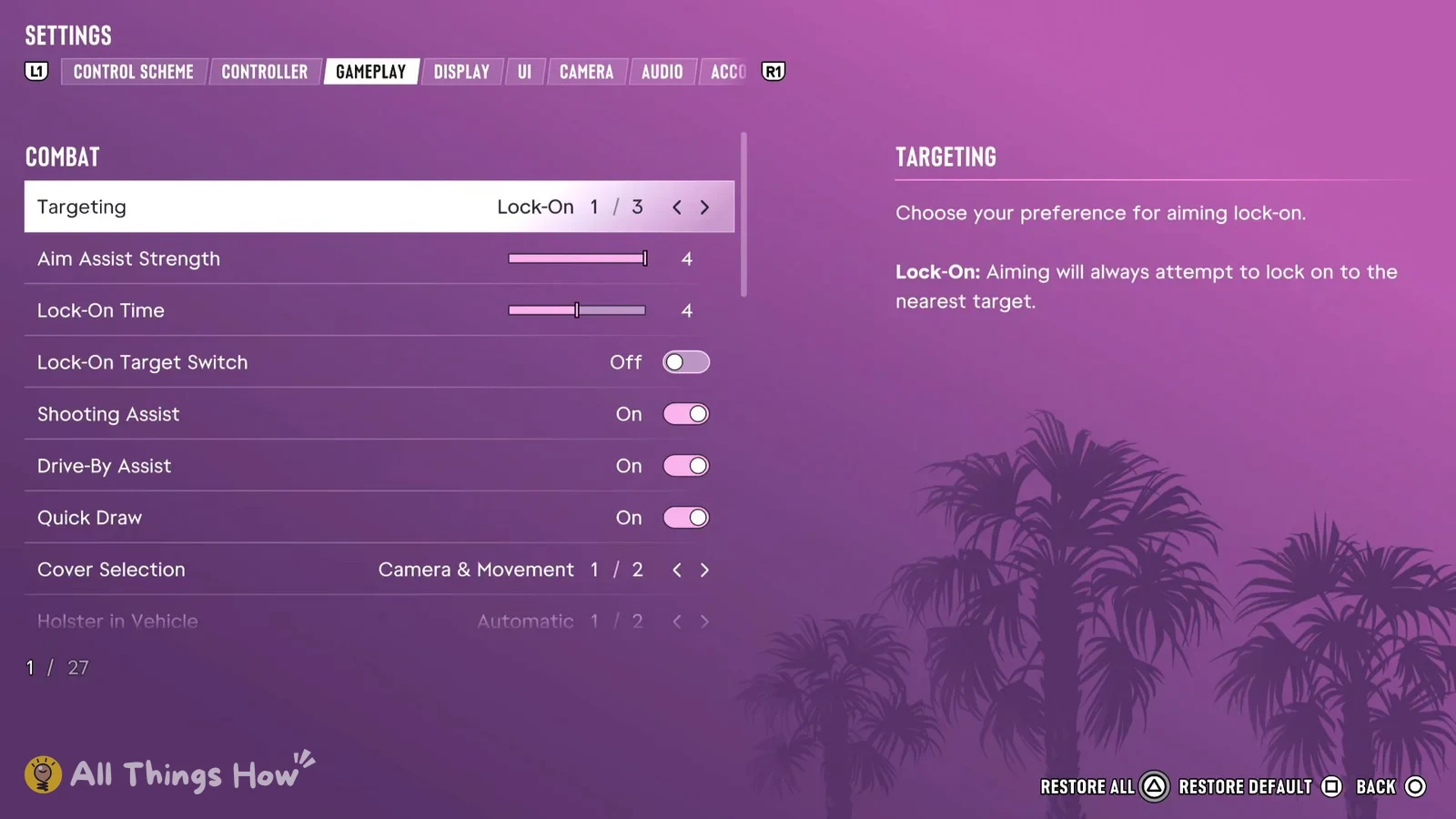
| Setting | Value shown |
|---|---|
| Drive-By Assist | On (toggle) |
| Holster in Vehicle | Automatic (1 of 2 choices) |
| Shooting Assist | On |
| Aim Assist Strength | 4 (slider) |
| Targeting | Lock-On, Partial or Free Aim |
Classic and Left-Handed control schemes
The buttons above are for Default, one of three schemes in the Control Scheme tab alongside Classic and Left-Handed. If you switch, check the Land / Water Vehicles page again to find your new fire button.