GTA 6 Walkthrough & Guides More guides
If a pull or button-mash prompt in Grand Theft Auto VI won’t budge, two settings in the Gameplay tab fix it. Simplified Mini Games makes these interactions easier, and Tap Assist changes how the game reads repeated presses. With both turned on, the mattress pull in Lucia’s mission Mami Knows Best becomes a plain trigger hold.
Quick answer: Open Settings from the pause menu. In Gameplay, go to ACCESSIBILITY, switch Simplified Mini Games On, and choose Hold for Tap Assist. Then hold L2 + R2 steadily to free the mattress.
How to turn on Simplified Mini Games and Tap Assist in GTA 6
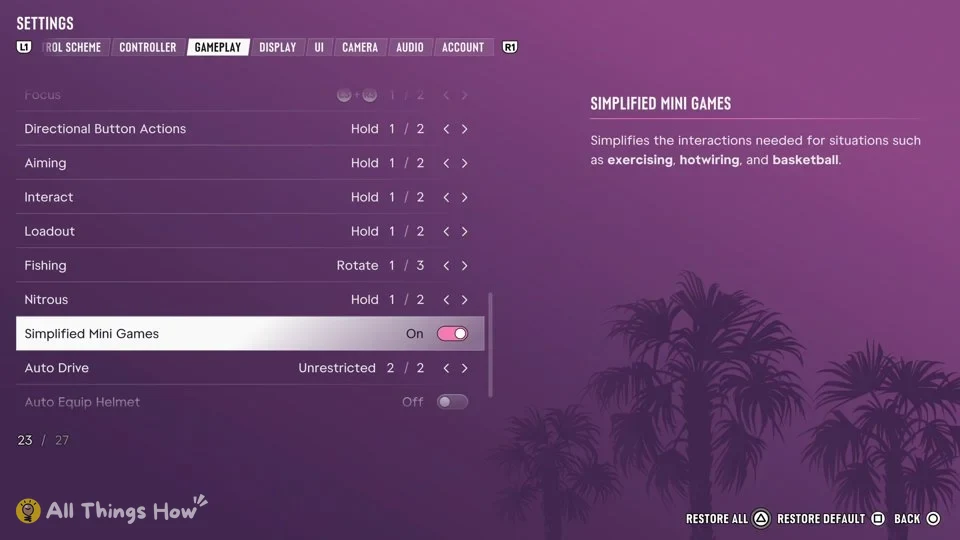
What the ACCESSIBILITY settings in the Gameplay tab do
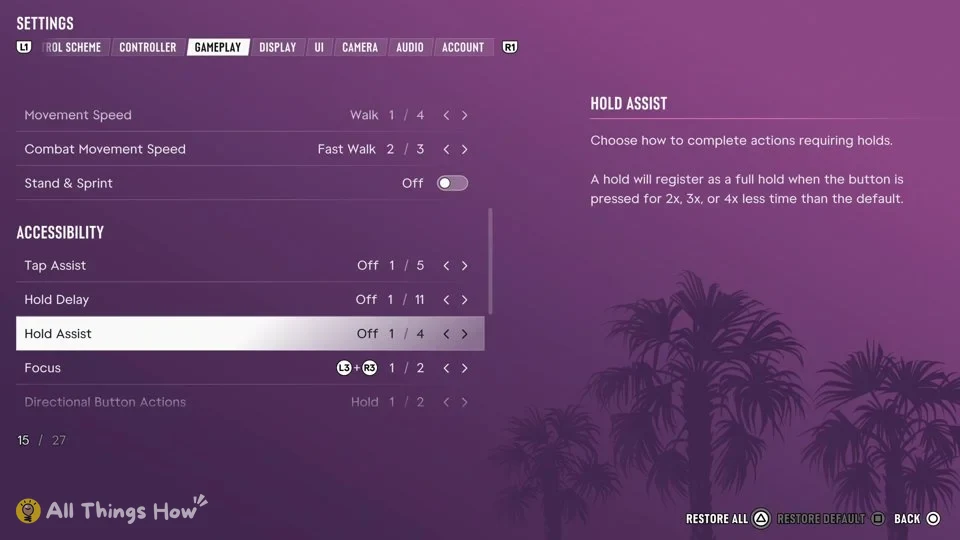
The ACCESSIBILITY group lists its settings in this order. The middle column shows what each one reads before you change anything.
| Setting | Default | Choices |
|---|---|---|
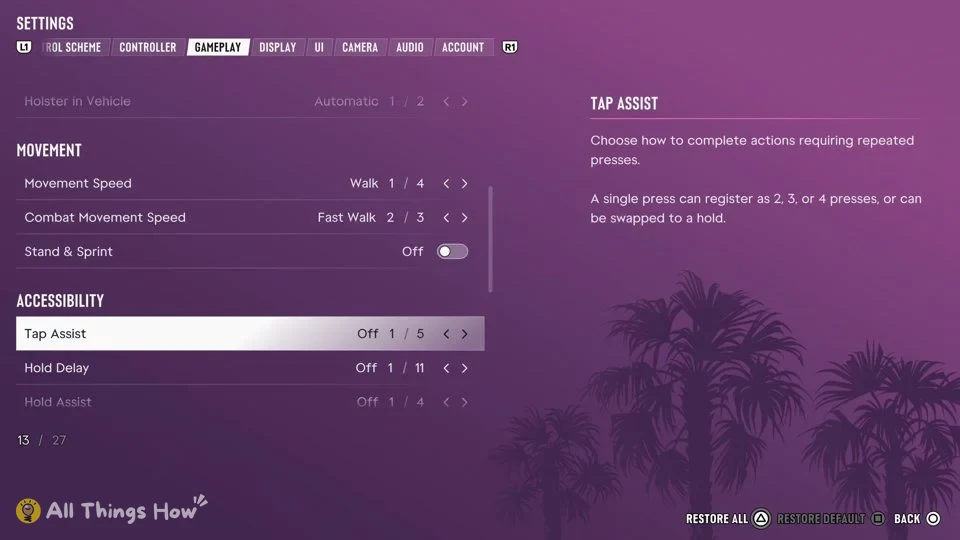
| Tap Assist | Off | Off, 2x, 3x, 4x, Hold |
| Hold Delay | Off | Off plus 10 steps |
| Hold Assist | Off | Off, 2x, 3x, 4x |
| Focus | L3 + R3 | — |
| Directional Button Actions | Hold | — |
| Aiming | Hold | — |
| Interact | Hold | — |
| Loadout | Hold | — |
| Fishing | Rotate (1 / 3) | — |
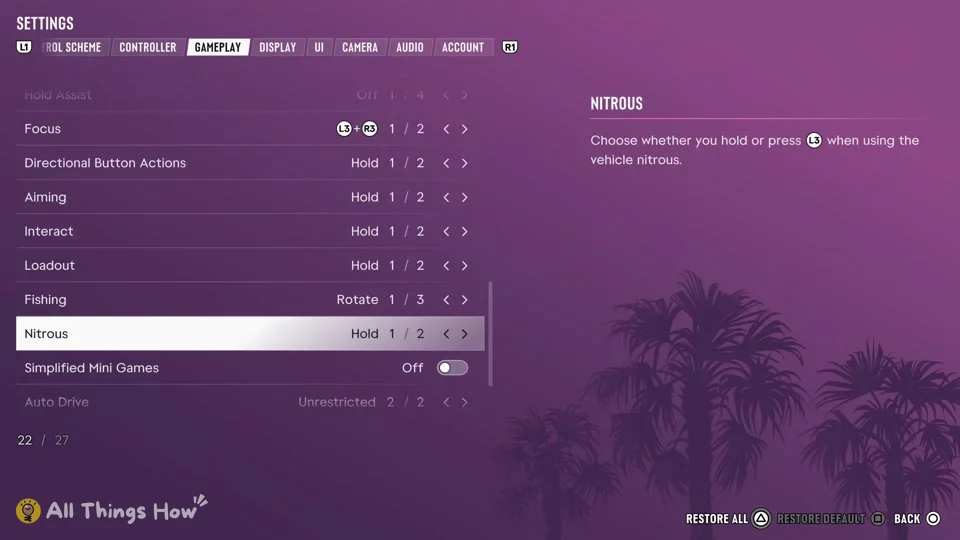
| Nitrous | Hold (1 / 2) | — |
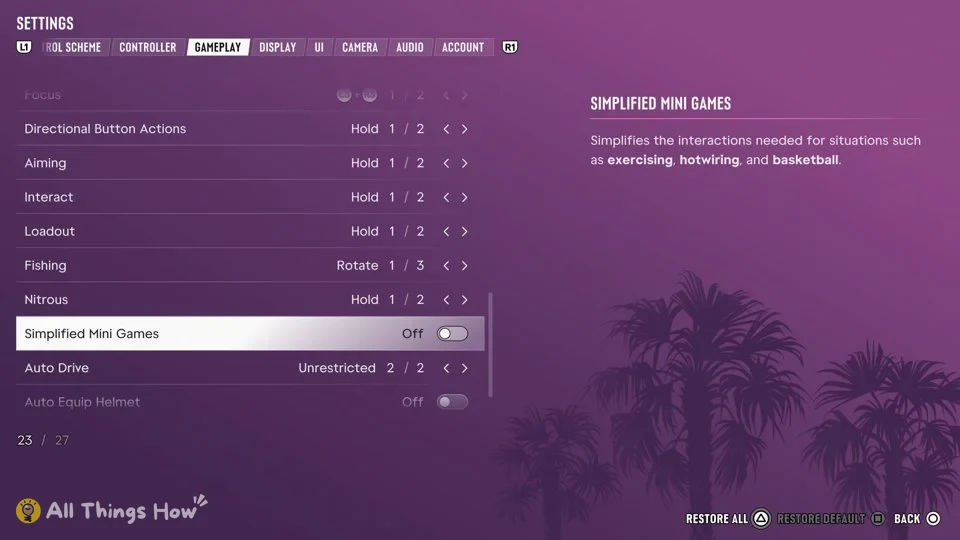
| Simplified Mini Games | Off | Off, On |
| Auto Drive | — | — |
| Auto Equip Helmet | — | — |
The game describes Simplified Mini Games like this: “Simplifies the interactions needed for situations such as exercising, hotwiring, and basketball.”
Tap Assist handles anything that asks you to press a button over and over. Its in-game text reads “Choose how to complete actions requiring repeated presses. A single press can register as 2, 3, or 4 presses, or can be swapped to a hold.” The 2x, 3x and 4x options make each press count more than once, while Hold lets you keep the button down instead of tapping it.
Hold Assist works on the opposite kind of prompt: “Choose how to complete actions requiring holds. A hold will register as a full hold when the button is pressed for 2x, 3x, or 4x less time than the default.” Hold Delay, just above it, has Off plus 10 steps. Further down, Nitrous lets you “Choose whether you hold or press L3 when using the vehicle nitrous.” The rest of the menu is covered in GTA 6 accessibility options.
Getting the mattress out in Mami Knows Best
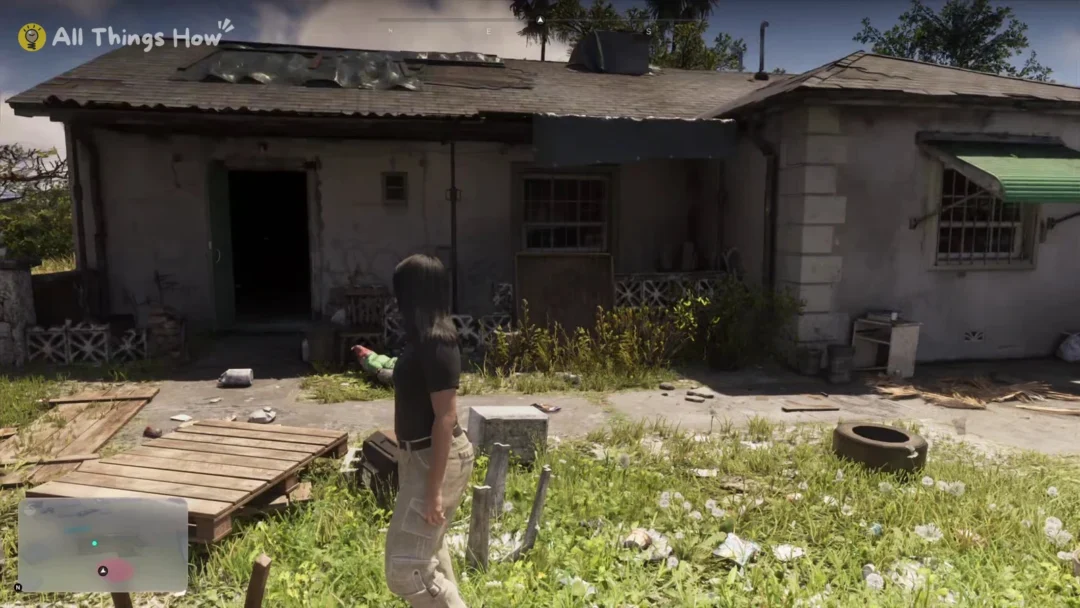
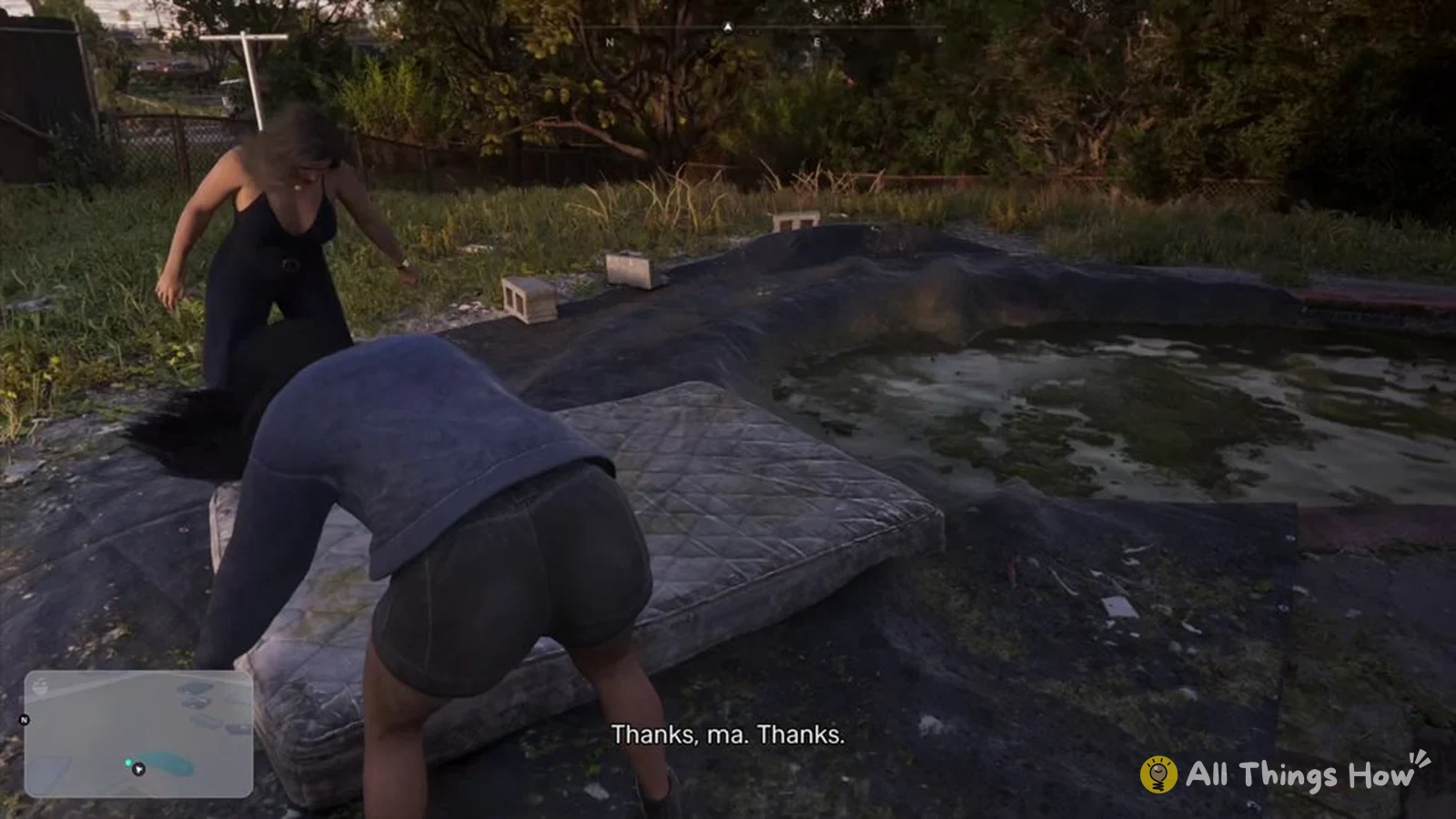
In Lucia’s Chapter 3 mission Mami Knows Best, you’ll get the objective “Grab the mattress” and go to the mattress beside an old pool. Press GRAB [Triangle]. When the prompt switches to “Hold L2 R2 to pull the mattress” and PULL [L2] [R2] appears, hold both triggers. A shrinking ring around a Cross button appears above the mattress; press Cross to make Lucia let go.
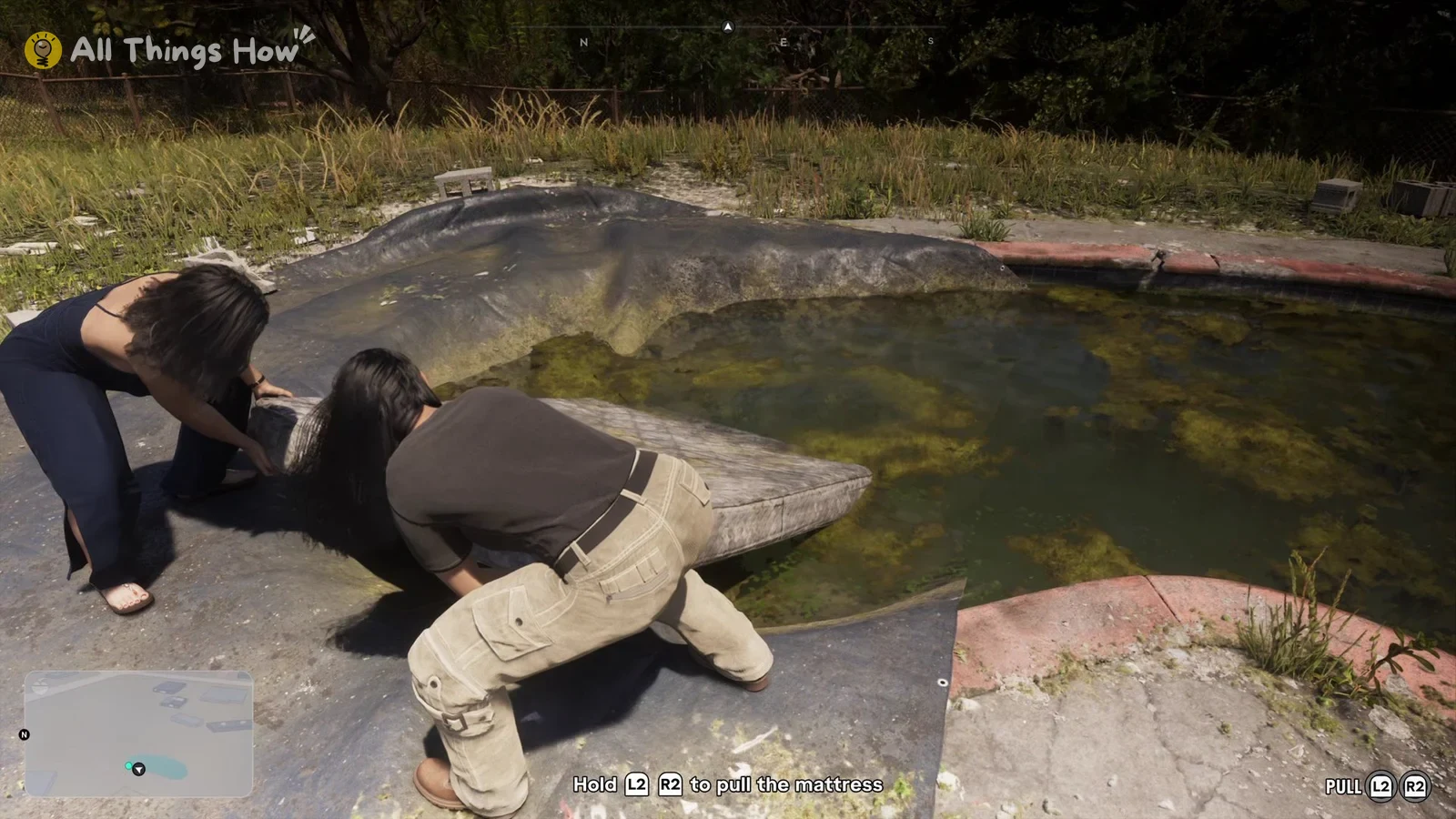
On default settings, the mattress can get stuck.
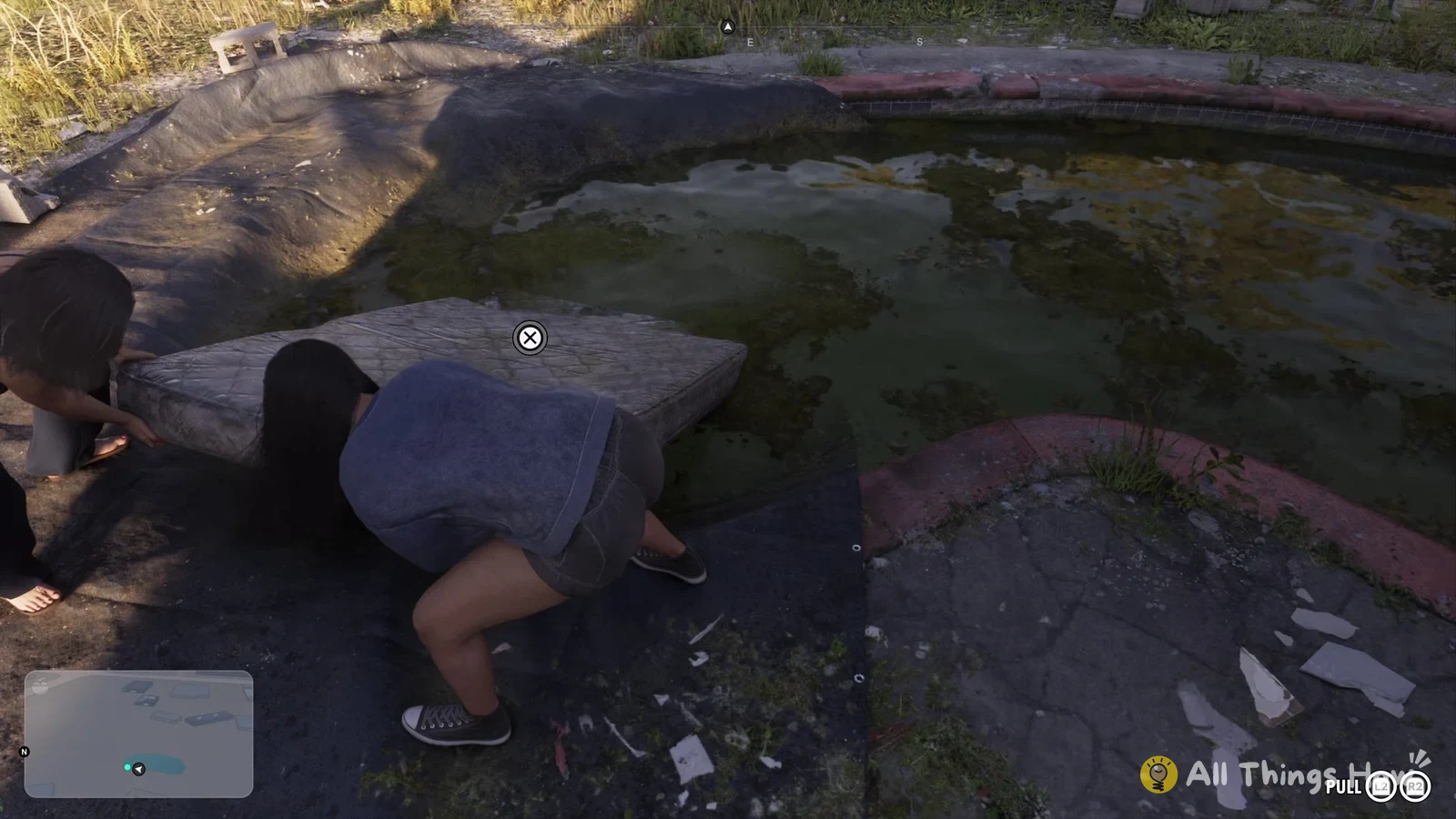
With Simplified Mini Games On and Tap Assist on Hold, press GRAB, then hold L2 + R2 and the mattress slides straight out. You’ll know it worked when Lucia says “I got it, ma.” The rest of the mission is in the Mami Knows Best walkthrough.
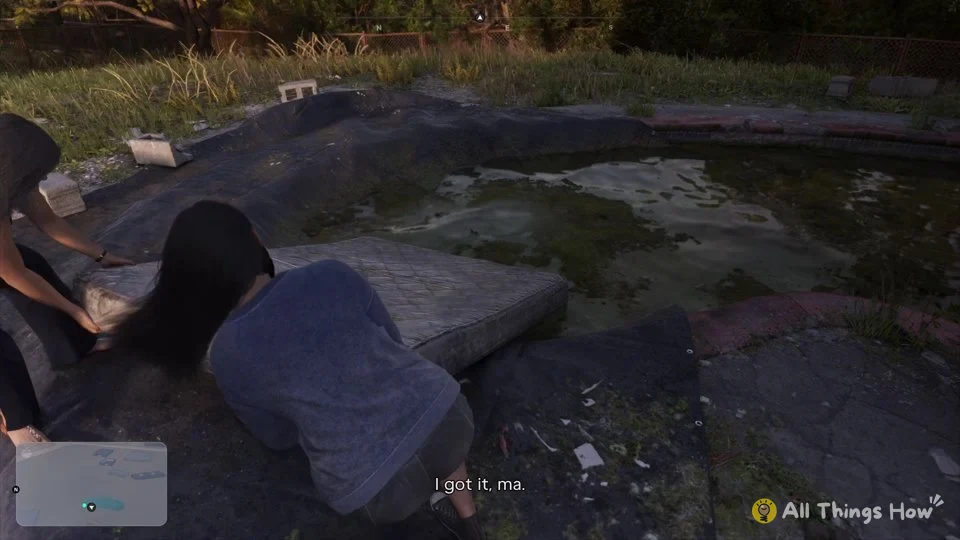
Keep your thumb off Cross while you’re gripping the mattress, because pressing it makes Lucia drop her hold.
You can leave both settings on once the mattress is out. You don’t need to change anything else back.