Machinima mode is the built-in free camera in Halo: Campaign Evolved. It pulls the view out from behind Master Chief so you can fly around a mission, frame cinematic shots, and grab screenshots from angles the normal first-person camera never reaches. It is available to every player from the start, with no Skull to collect and nothing to unlock first.
Quick answer: Hold Interact + Up on the D-pad to pop the free cam. That is X + D-pad Up on Xbox, Square + D-pad Up on PS5, and E + Up Arrow on PC. Press the same combination again to exit.
Free cam and lower-weapon inputs by platform
Two commands make up the toolset. One pops the free cam. The other lowers your weapon, which removes the raised rifle from the frame for calmer, more natural shots. The inputs stay the same across every controller layout in the game.
| Action | Xbox | PS5 | PC |
|---|---|---|---|
| Free Cam (Machinima) | X + D-pad Up | Square + D-pad Up | E + Up Arrow |
| Lower weapon | X + D-pad Down | Square + D-pad Down | E + Down Arrow |
On Xbox and PlayStation, X and Square are the Interact/Reload button, and this pairing holds true on the Default, Bumper Jumper, Recon, and Green Thumb layouts. On PC, the same two functions map to E with the arrow keys by default.
Fix the Drop Weapon conflict on controller first
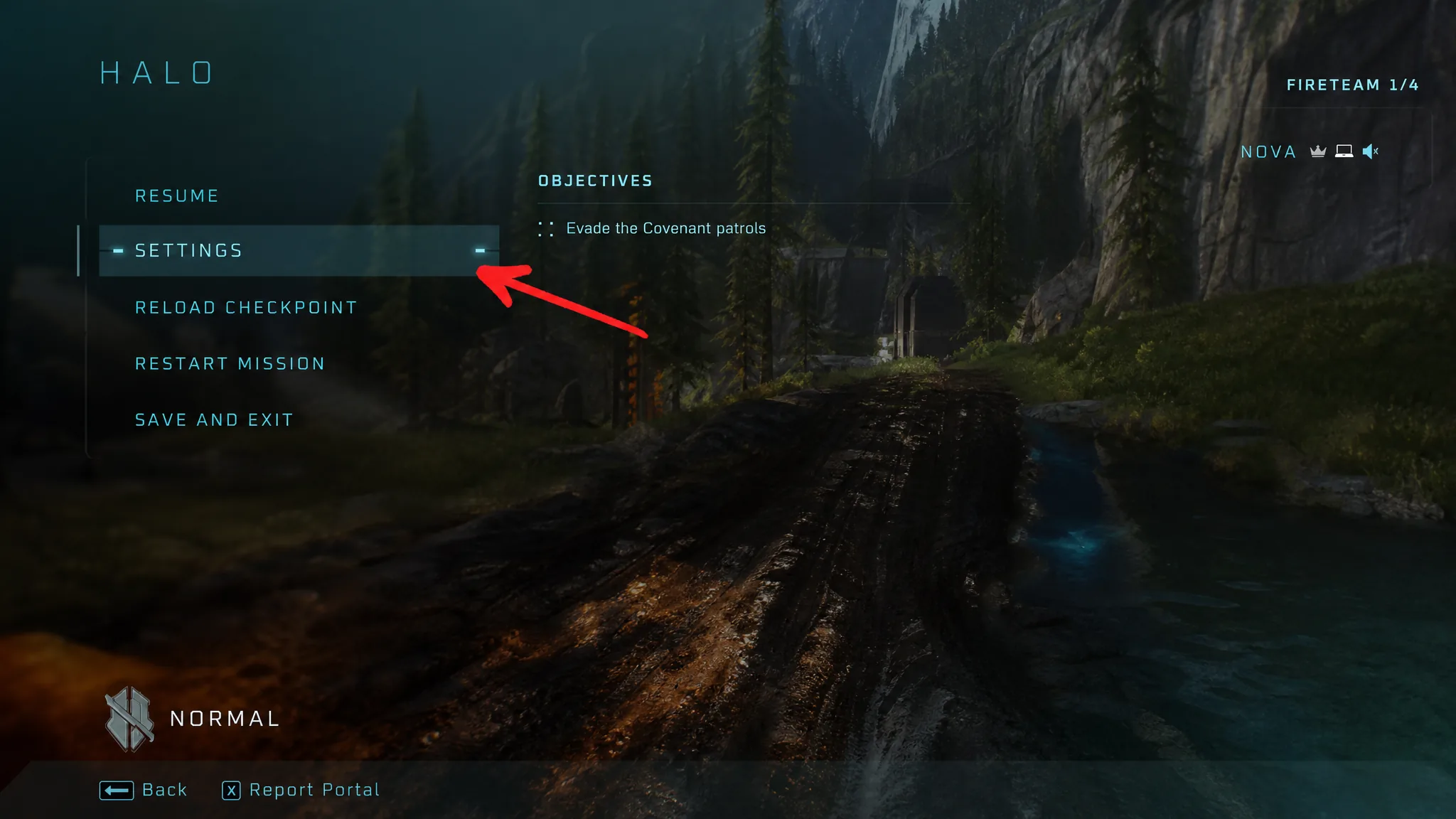
Controller players hit one snag before anything else works. The default layout puts Drop Weapon on D-pad Down, the same direction used to lower your weapon. Try to lower your gun and you throw it on the ground instead. Rebind Drop Weapon before you start filming.
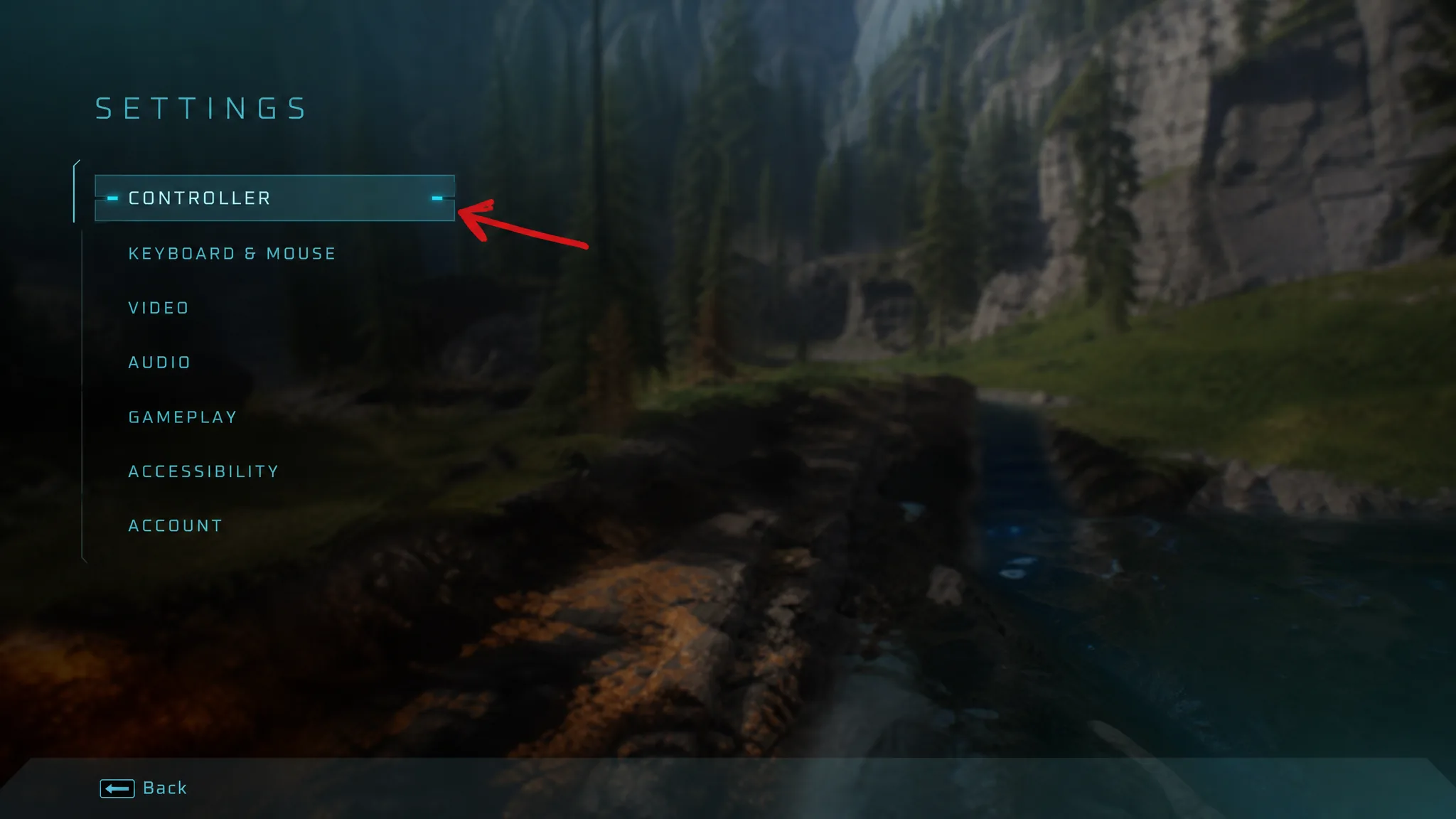
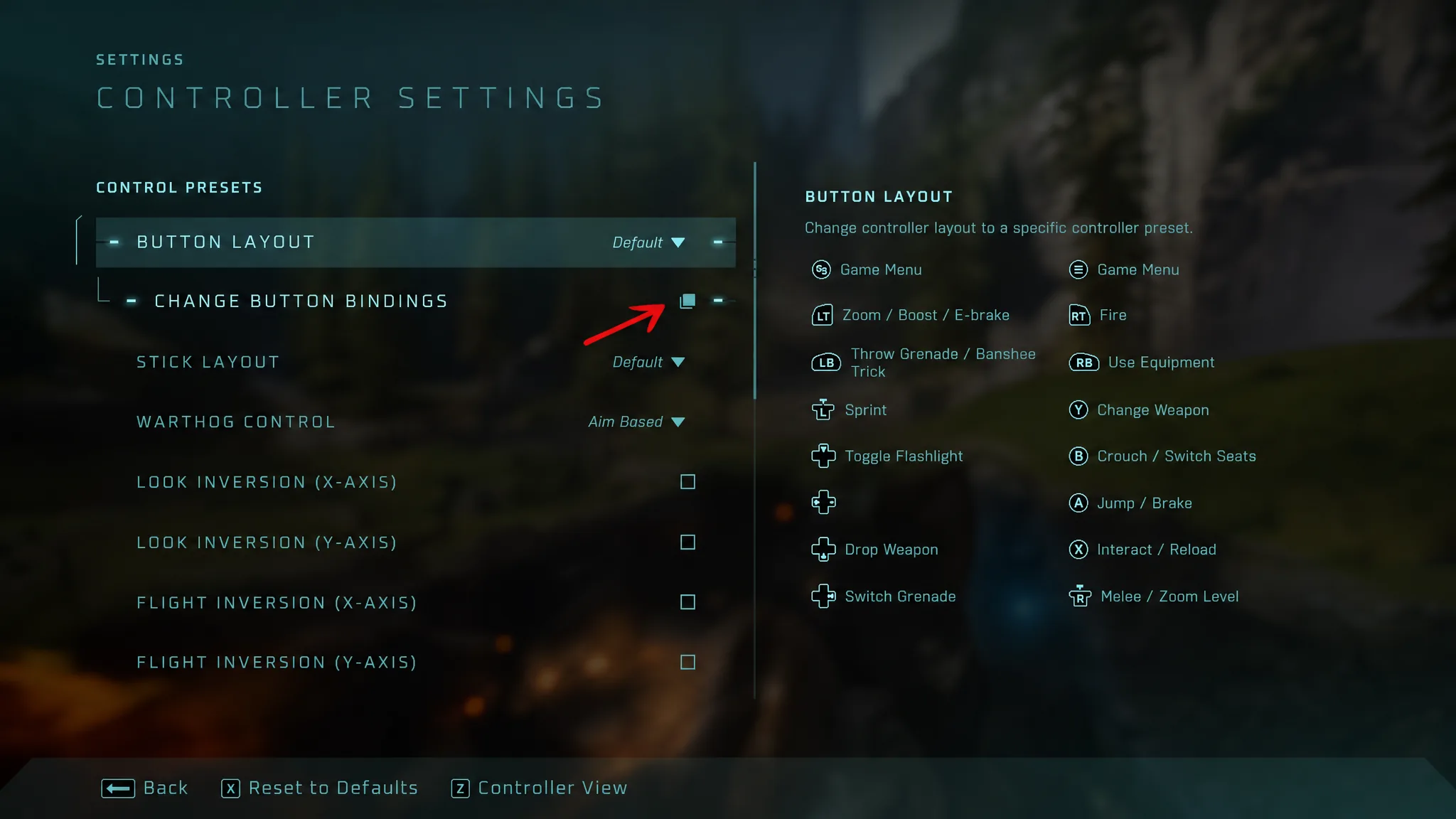
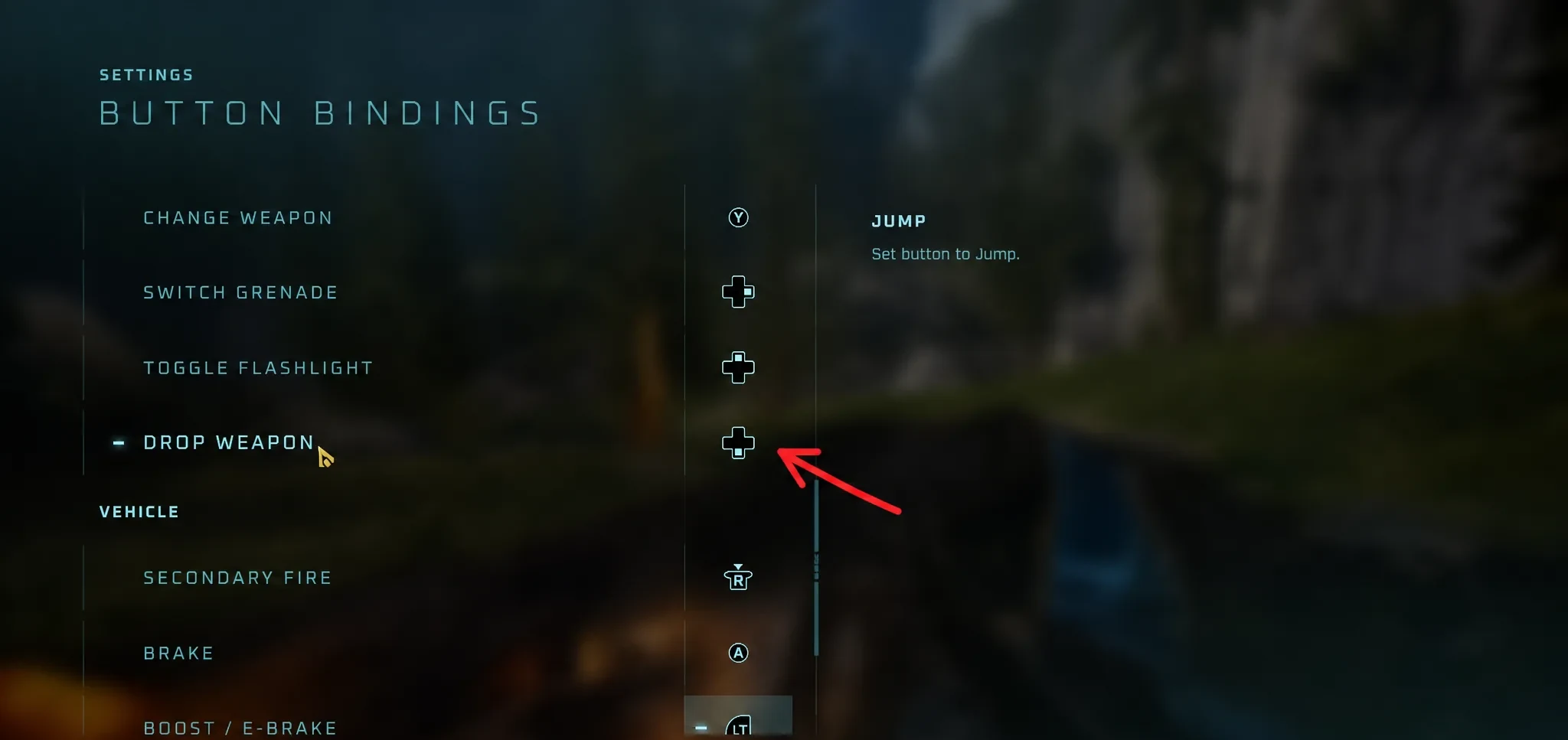
PC players can skip this. Keyboard and mouse have no conflicting binding, so the default E and arrow-key inputs work right away.
Turn on the free camera
You know it worked when the view detaches from first person and the camera floats behind your character. From there it moves independently while your Spartan stays put in the world.
Free camera movement controls
Once the camera is out, the sticks and shoulder buttons handle framing. You can also control your Spartan while the camera stays detached, which lets a solo player stage a walk, step into frame, and capture the shot without a second person acting.
| Input | Result |
|---|---|
| Thumbsticks | Aim and move the camera |
| Shoulder buttons | Raise and lower elevation |
| A / Cross | Snap the camera to where you are aiming |
The camera is tied to the loading zone you are in. Push too far past the boundary and the environment drops to low-detail models, so keep shots within the active mission space for clean footage.
Your Spartan can still die in free cam
This is not a noclip or invincibility mode. Your Spartan remains fully present in the world while the camera is detached, so enemies can spot you, shoot you, and kill you. Death resets the checkpoint, wiping any setup you were working on.
Note: Clear the nearby area or pick a safe spot before you start framing shots. That saves you from losing progress mid-take.
Skulls and HUD settings for cleaner footage
The free cam pairs well with a few options for creator work. Turning off the HUD removes on-screen clutter for pure cinematic shots. The Acrophobia and Blind Skulls change how the camera and interface behave, giving you more control over what appears on screen while filming. Since none of the machinima inputs require a Skull to unlock, you can layer these extras on only when you want them.
Lowering a weapon is separate from dropping one. The lowered posture is a cinematic pose that keeps the weapon in your hands but out of firing position, useful for dialogue-style scenes and walking footage. Dropping a weapon, a returning feature from Halo Infinite, hands your gun to a teammate instead. Keep the two straight so you rebind the right conflict and stage the shot you actually want.
In four-player co-op, one player can run the camera while the others move, drive, or hold formation, which turns any campaign mission into a working film set.