Haze Seas is a One Piece-inspired action RPG on Roblox where you fight bosses across islands using swords, fighting styles, Devil Fruits, and races. Because the game runs on frequent updates and has a lot of overlapping systems, the official Trello and Discord are the two pages that keep you current on mechanics, stock, and codes.
Quick answer: Open the Haze Seas Trello at trello.com/b/nn8bpTB0/haze-seas-official-trello for game info, and join the Haze Studios Discord at discord.gg/xEcJmEqAY for announcements and codes. There is no official wiki.
Haze Seas Trello board: what it covers and how to open it
The Trello board is the closest thing Haze Seas has to a full reference. It is a public page, so you do not need a Trello account or any login to read it. Open the link and the board loads as a set of columns, with each column dedicated to one system.
The first column is Game Info, and it is the one to read before anything else. It links the official Discord, lists the current Haze Seas codes, shows the full Controls layout, and explains the core systems including the Chest System, Mastery System, and Bounty System.
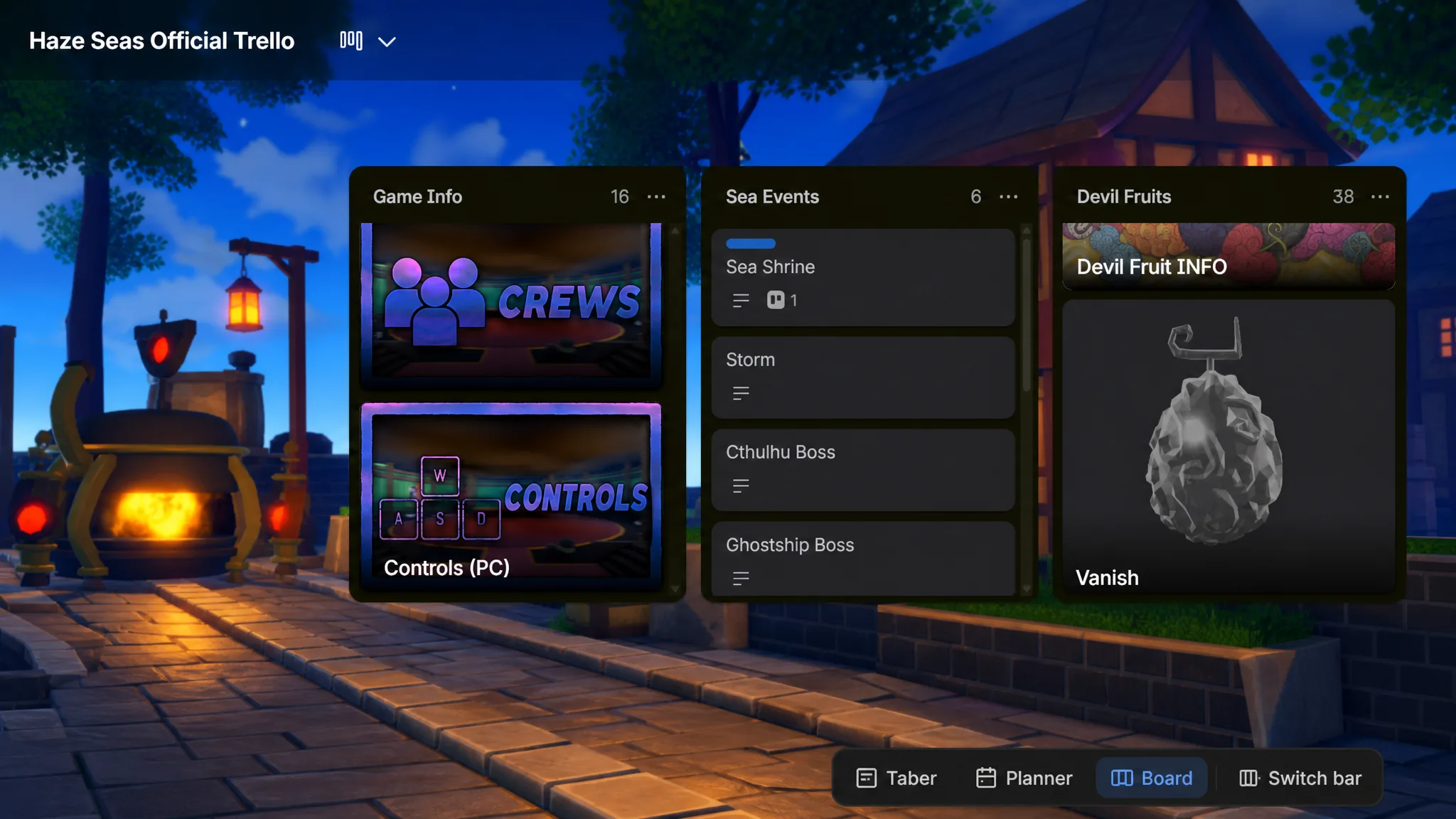
The rest of the columns break down the content you will actually grind. Use them to compare options before committing stat points or hunting an item.
- Sea Events — every event that can spawn across the three seas.
- Devil Fruits, Swords, and Fighting Styles — separate columns with each option and how it works.
- Races — the available races and their bonuses, so you know which to roll for.
- NPCs, Bosses, and locations — where key characters appear and how the islands connect.
If the board ever asks you to sign in or request access, it has been switched to private, usually while the developers update it. In that case, wait and check the Discord for the working link rather than joining an unofficial copy.
Haze Seas Discord server: where updates and codes drop first
The Haze Studios Discord is the fastest source for news. Patch notes, balance changes, maintenance notices, and new codes usually appear there before they show up anywhere else. To join, click the invite, accept the prompt, and open it in the Discord app.
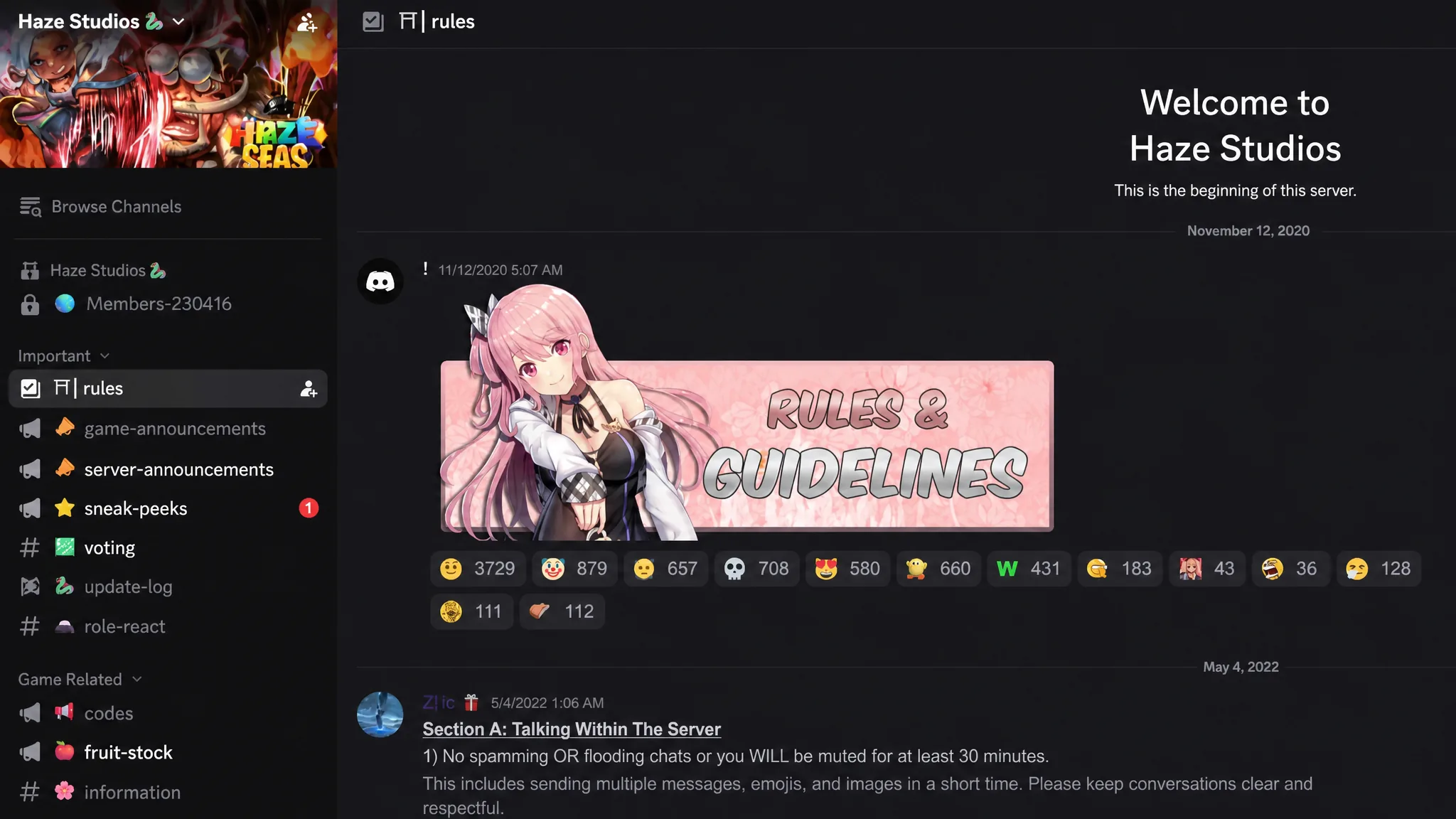
Once you are in, the server is split into channels by purpose. These are the ones worth checking regularly.
| Channel | What it is for |
|---|---|
| #game-announcement | Update news, hotfixes, and maintenance notices from the developers. |
| #codes | The latest Haze Seas codes, usually posted here first. |
| #fruit-stock | Live tracking of Devil Fruit stock. |
| #general | Open chat with other players. |
| #discussion-and-questions | Ask gameplay questions and get help. |
| #bug-reports | Report bugs and glitches you run into. |
Haze Seas wiki status
Haze Seas does not have an official wiki right now. A community-run wiki exists and can fill in some gaps, but it is not maintained by the developers, so treat anything there as unverified. For confirmed mechanics, the Trello board is the reliable reference, since the developers update it alongside the game.
Other official Haze Seas links
These are the remaining official pages tied to the game and the Haze Studios team. The ban appeals server is a separate Discord from the main community server, so use it only for appeals.
- Game page — play Haze Seas on Roblox.
- Roblox group — Haze Studios community page.
- Ban appeals — Haze Seas ban appeals Discord.
- YouTube — Haze Studios channel for showcases.
- X / Twitter — @Haze_Seas for news and codes.
Bookmark the Trello and the Discord first, since those two cover almost everything you will need while leveling, picking fruits and races, and redeeming codes. Community links can change during development, so if a page stops loading, confirm the current one through the official Discord before trusting any replacement.