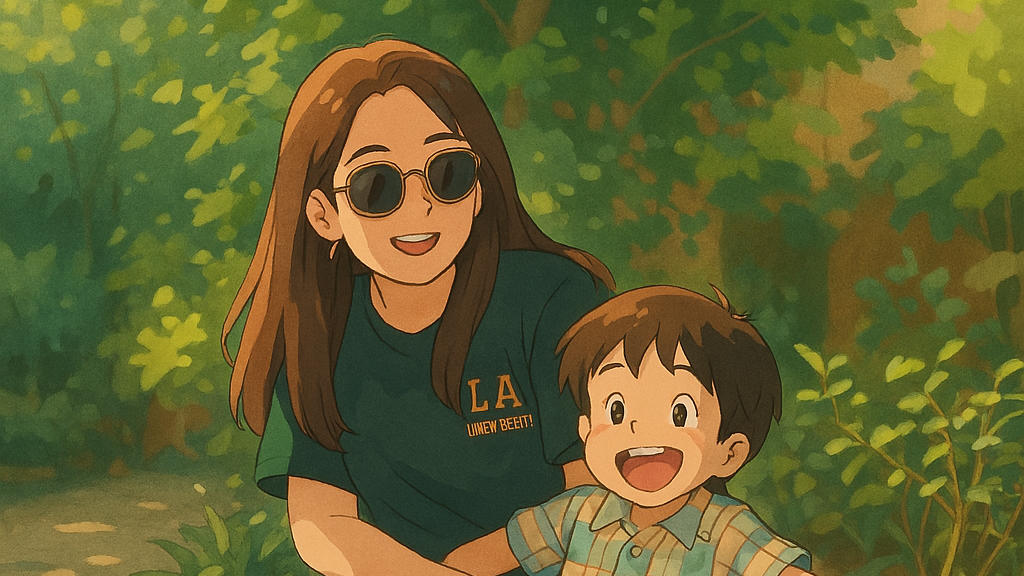
OpenAI recently rolled out a feature allowing ChatGPT users to create Studio Ghibli-style portraits, sparking a viral trend across social media. However, this feature is currently limited to paid subscribers, leaving free-tier users without easy access. Fortunately, several effective alternatives allow you to generate beautiful Ghibli-inspired images without paying for ChatGPT.
Method 1: Using Google’s Gemini AI
1Visit the
Gemini AI platform and log in with your Google account. Gemini offers free access and powerful image generation capabilities.
2Once logged in, open the chat interface and type a detailed prompt describing the Ghibli-style image you want to create. Be specific with your description—for example:
A Studio Ghibli-style scene featuring a serene forest with soft pastel colors, whimsical details, and hand-painted textures.
3Submit your prompt and allow Gemini to generate your image. You can refine your prompt if the initial results aren’t exactly what you’re looking for.
4After generating your image, download it directly and share it online or further edit it with other tools.
Method 2: Creating Images with Grok AI
1Head over to the
Grok AI website or access Grok via the X (formerly Twitter) platform. Grok, developed by Elon Musk’s xAI, provides free image generation features.
2Click on the paperclip icon to upload your existing photo or image you want to convert into a Ghibli-style artwork.
3Type a prompt instructing Grok to transform your image into a Ghibli-inspired style. For example:
Ghiblify this image with soft colors, whimsical details, and dreamy, hand-painted textures.
4Generate the image and, if needed, refine your prompt or edit the output until you achieve the desired look.
5Download the final image and use it as you wish.
Method 3: Experimenting with Leonardo.AI
1Sign up for a free account at
Leonardo.AI, a platform known for generating high-quality anime and artistic visuals.
2Choose an anime-style model or preset that closely matches the Ghibli aesthetic. Adjust the settings to emphasize soft lighting, vibrant colors, and hand-painted textures.
3Enter your prompt and generate the image. Leonardo.AI allows multiple iterations, so take advantage of this to fine-tune your results.
4Once satisfied, download your artwork and share it online.
Method 4: Using Bing Image Creator
2Enter a detailed prompt describing your desired Ghibli-style scene or portrait. Include elements like “soft pastel colors,” “dreamy landscapes,” and “whimsical characters” to guide the AI.
3Generate your images, review the outputs, and select the best result.
4Download your chosen image and use it for your projects or social media.
Beyond the tools mentioned above, several other free platforms can help you generate Ghibli-inspired art:
- Dream by Wombo: Available as a mobile and web app, it quickly transforms text prompts into anime or Ghibli-style images.
- Deep Dream Generator: Ideal for creating dreamy, painterly images reminiscent of Ghibli’s hand-painted style.
- Stable Diffusion Web Apps: Free apps that offer pre-trained Ghibli-style models to generate detailed anime aesthetics.
- Fotor AI Art Generator: Easy-to-use and provides free anime and painting-style image generation.
- Artbreeder: Allows mixing and editing of styles, providing a more customized approach to creating Ghibli-inspired artwork.
With these free and accessible tools, anyone can easily create captivating Studio Ghibli-style images without relying on a paid ChatGPT subscription. Now, you’re ready to join the trend and share your own whimsical creations online.