
Anthropic’s latest policy changes mean that chats and coding sessions with Claude—unless you intervene—are now eligible for use in future AI model training. This shift applies to users of Claude Free, Pro, and Max plans, and it introduces a five-year data retention period for those who permit data use. If you want to stop your conversations from being used in model training, you need to actively opt out. Here’s how to do it, along with important context on what these changes mean for your privacy.
Opt Out of Claude AI Model Training (Most Effective Method)
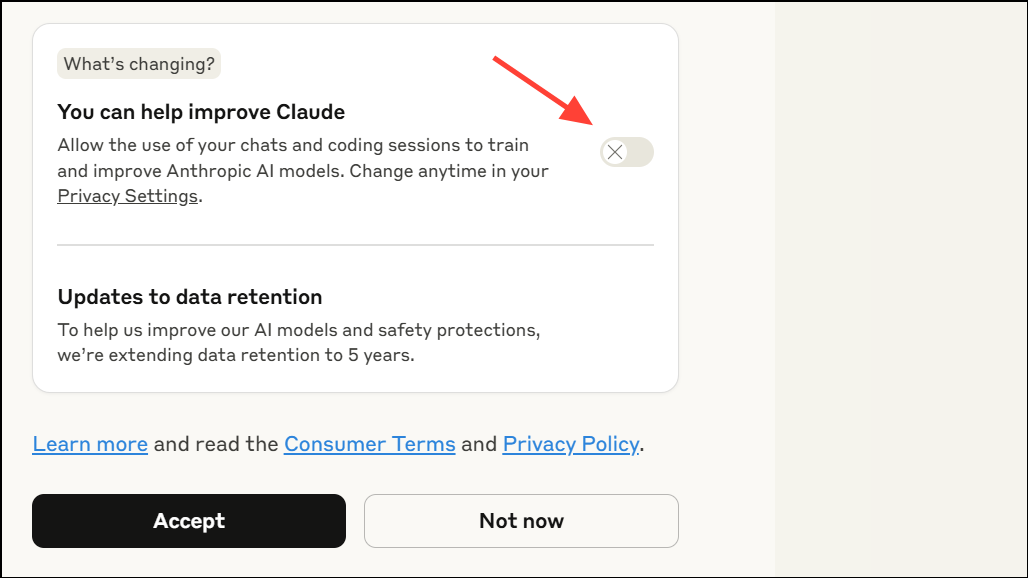
Settings > Privacy > Privacy Settings. Find the “Help improve Claude” or similar toggle and set it to off. This setting change will prevent future chats and coding sessions from being used in model training. However, any data collected while the setting was on may already be included in ongoing or completed model training cycles.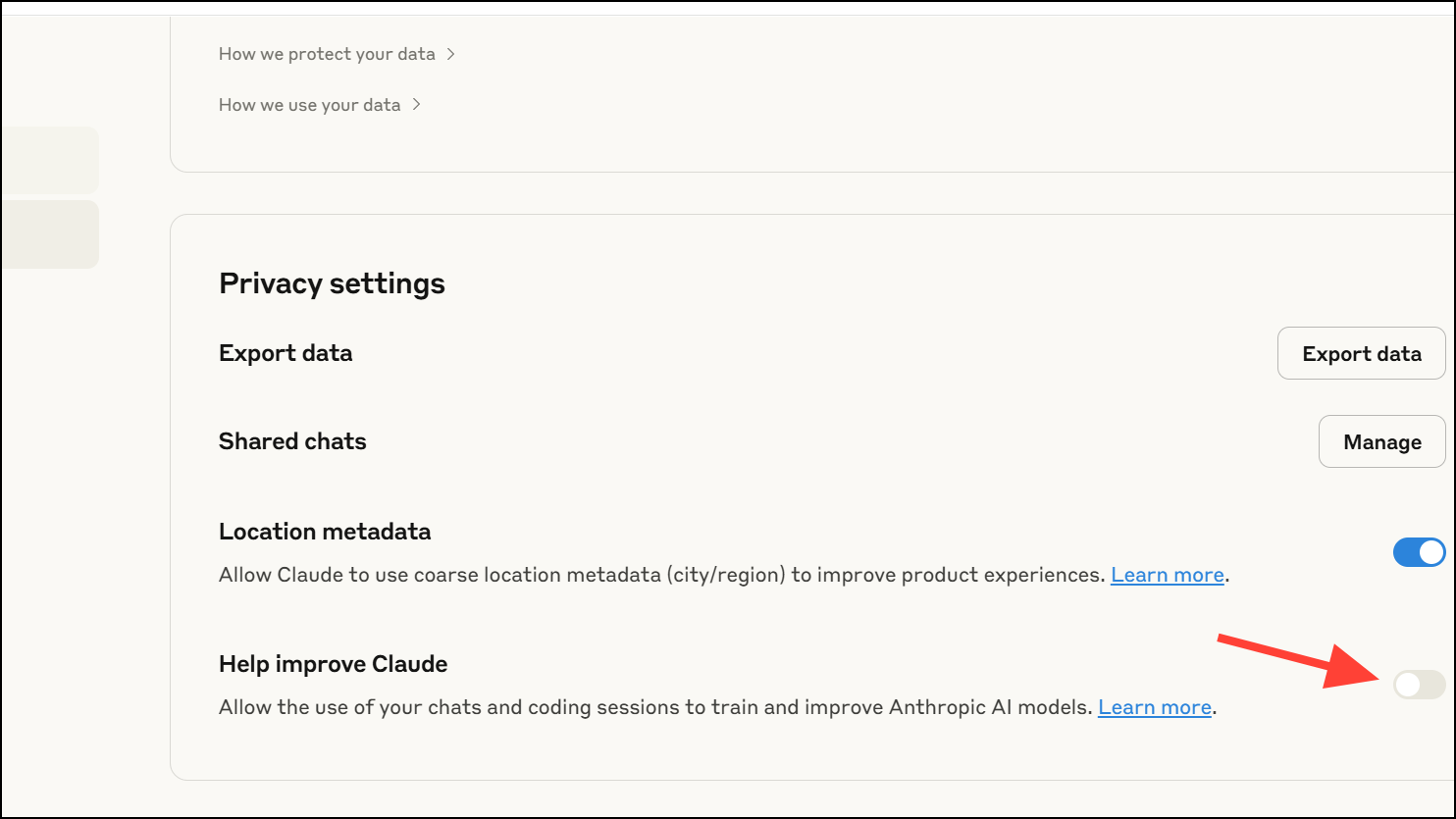
Use Enterprise or Commercial Accounts for Stronger Data Protections
Anthropic’s data training policies do not apply to Claude for Work, Claude Gov, Claude for Education, or API access (including via Amazon Bedrock or Google Cloud Vertex AI). These plans operate under separate commercial terms that prevent your chats from being used for model training. If you require a higher level of data privacy—such as for business or regulated environments—consider upgrading to a commercial or enterprise account. This option is more costly but offers contractual data protection not available on consumer plans.
Run AI Models Locally for Maximum Privacy
If you want to ensure your data never leaves your device, running AI models locally is the most robust approach. This method requires purchasing suitable hardware (such as high-performance GPUs), downloading open-source models, and configuring them on your machine. While this option provides total control over your data, it comes with trade-offs: higher upfront costs, technical setup, and potential limitations in model capabilities compared to cloud-based services. For those with strict privacy needs or technical expertise, local deployment is the only way to guarantee no third-party data collection or retention.
Key Considerations and Cautions
Anthropic’s opt-out system defaults to data sharing, so users who quickly accept new terms may inadvertently allow their chats to be used for training. Always check for small toggles or settings during account updates or signups. Note that opting out only affects new and resumed chats; data from sessions where sharing was enabled may already be included in existing models and cannot be retroactively removed.
Be aware that data retention for opted-in users is five years, while those who opt out revert to a 30-day retention window. Deleting specific chats or your account will prevent those conversations from being used in future model training, but may not remove them from models already trained on that data.
For users highly concerned about privacy, document your opt-out actions (such as taking screenshots of settings) in case you need to prove your choices in the event of a future dispute or class action.
By proactively managing your privacy settings or choosing alternative solutions, you can stop your Claude AI chats from being used to train Anthropic’s models and keep greater control over your personal data.