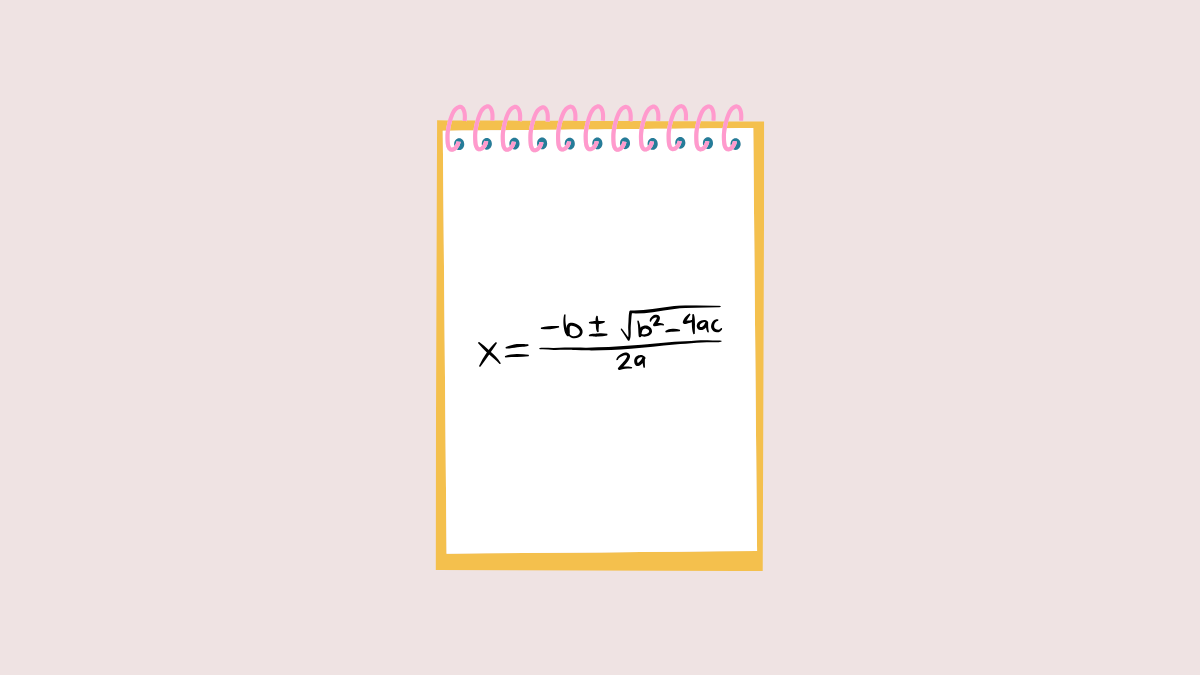
macOS Sequoia introduces a helpful Math Notes feature within the Notes app that lets you perform quick calculations, define variables, and solve mathematical expressions directly inside your notes. Whether you’re working on budgeting, studying for an exam, or handling everyday math tasks, this built-in functionality simplifies your workflow by eliminating the need for a separate calculator app.
Solving Math Expressions in Notes
Open the Notes app on your Mac. You can find it in your Applications folder or by using Spotlight search (
Command + Space).Create a new note by clicking the New Note button or open an existing one where you’d like to perform calculations.
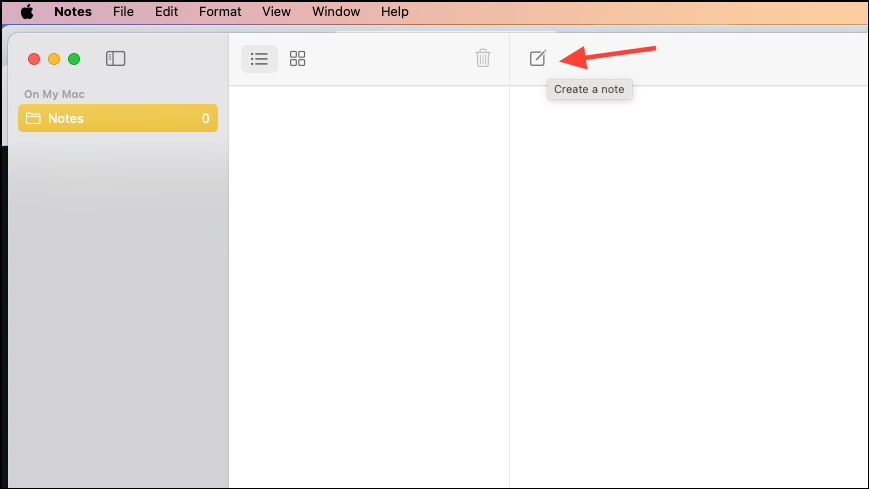
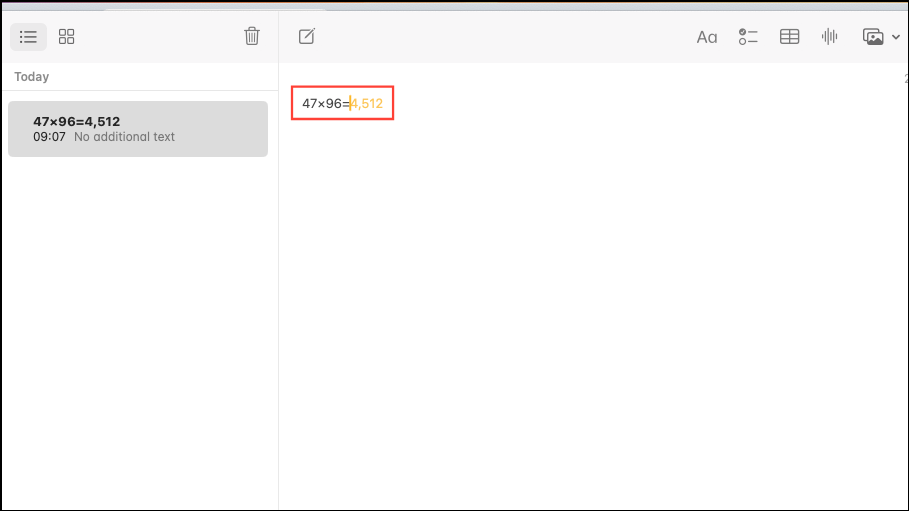
Type your math expression directly into the note, immediately followed by an equals sign (
=). For example, you could type (27/3)^2= or 47*96=By default, Notes will suggest the calculated result. Simply press the Return key to insert the answer inline within your note. If you prefer, you can configure Notes to automatically insert the result or disable suggestions altogether.
Defining and Using Variables
Variables help you simplify calculations involving repeated values or complex expressions.
To define a variable, type a letter or a word followed immediately by an equals sign and the value you wish to assign. For example, you might type
x=5 or Lunch=25. Notes will recognize the variable and highlight it to confirm.Once defined, you can use these variables in mathematical expressions. For instance, after defining
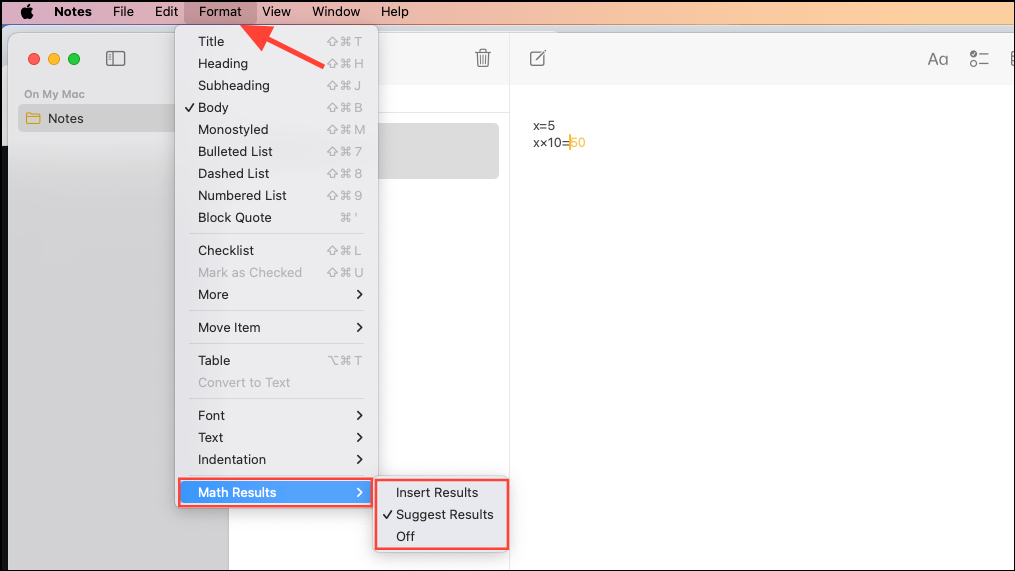
x=5, typing x*10= will automatically calculate and insert the result inline.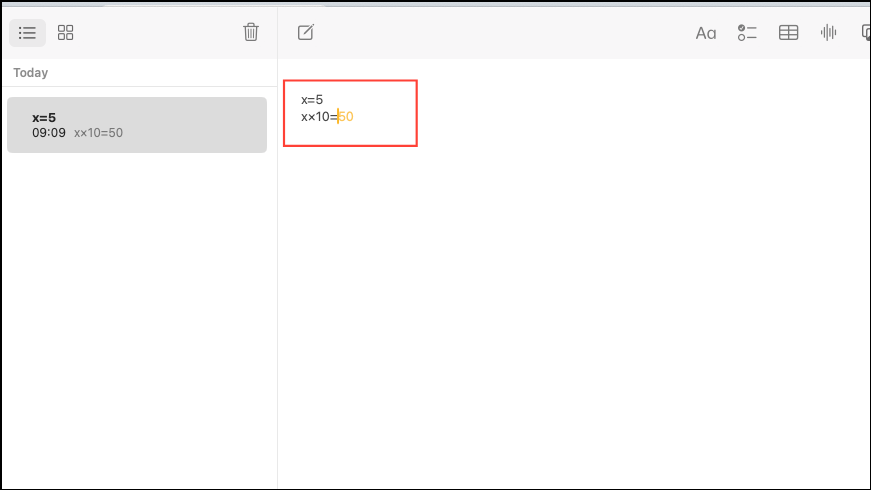
If you alter the value of a defined variable, all expressions using that variable will automatically update to reflect the new value. You can quickly adjust a variable’s value by double-clicking the number and using the arrow keys to increase or decrease it.
Customizing How Math Results Appear
The Notes app gives you control over how and when math results display in your notes.
- Insert Results: Automatically inserts results immediately after typing an equals sign.
- Suggest Results: Provides suggested results that you can insert by pressing Return.
- Off: Completely disables math result suggestions and insertion.
macOS Sequoia’s Math Notes feature streamlines your calculations, saving you time and effort. Give it a try next time you’re jotting down notes and need quick math solutions.