
Instagram’s mobile app is the standard method for posting Stories, but sometimes you might prefer using your PC or laptop. Whether it’s for convenience, workflow efficiency, or simply because your content is already on your desktop, there are reliable ways to post Instagram Stories directly from your computer. Below are three effective methods to accomplish this task.
Method 1: Using Browser Developer Tools (Chrome, Firefox)
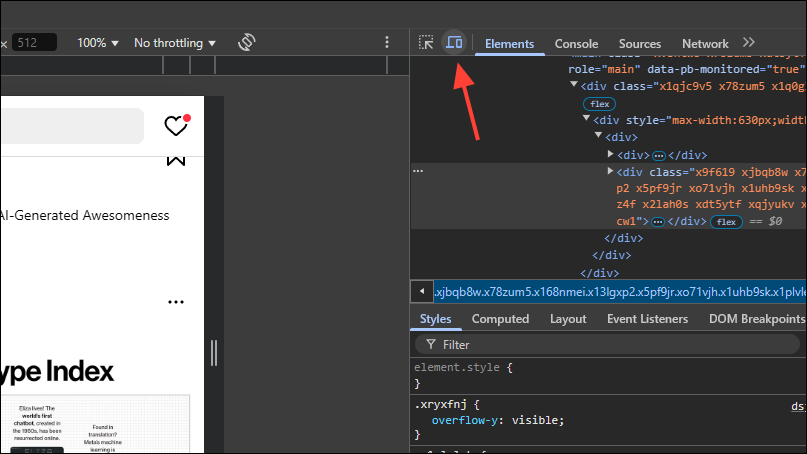
The quickest way to upload Instagram Stories from your desktop is by leveraging your browser’s developer tools to mimic a mobile device. This method bypasses Instagram’s desktop limitations by making the website think you’re accessing it from a smartphone.
Inspect to open the developer tools panel. Alternatively, use the shortcut Ctrl + Shift + I (Windows) or Cmd + Option + I (Mac).
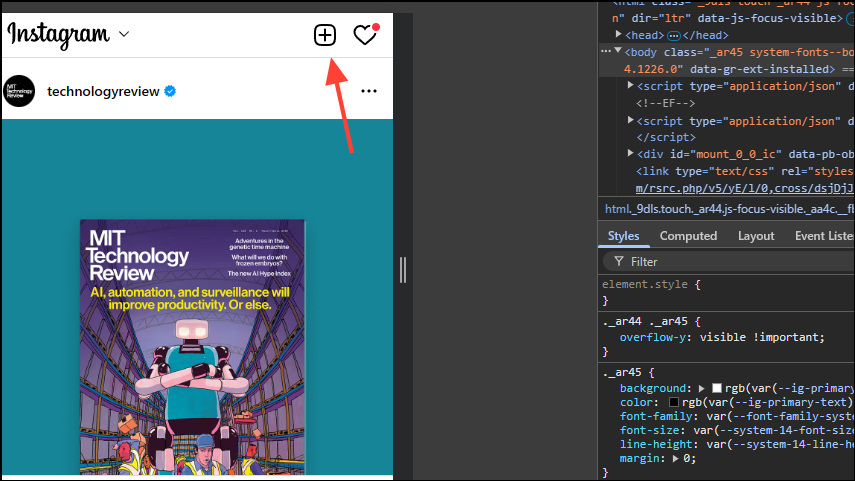
Please note, this method limits your editing capabilities. You won’t be able to add music, interactive stickers, or certain effects that are available in the mobile app.
Method 2: Using Third-Party Scheduling Tools (Metricool)
Another effective way to upload Instagram Stories from your desktop is by using third-party scheduling tools like Metricool. This approach not only allows you to post Stories but also schedule them for automatic publishing at a later time. However, you will need to convert your Instagram account to a professional account to use it.
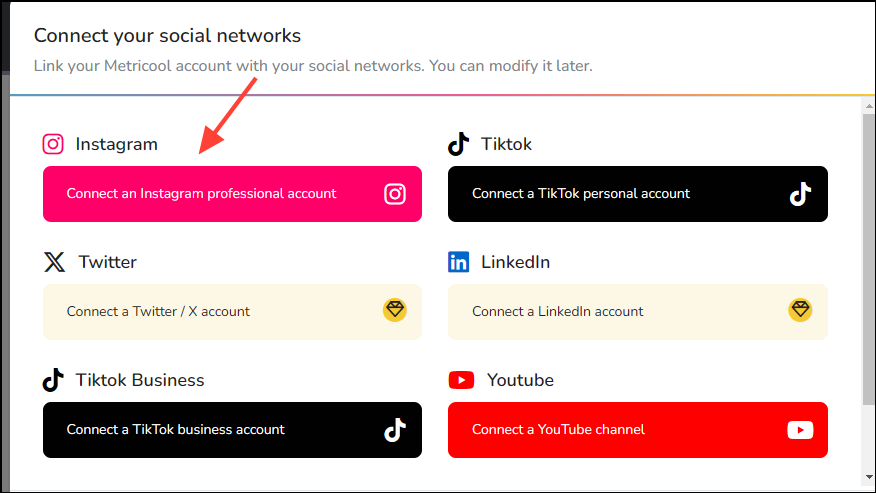
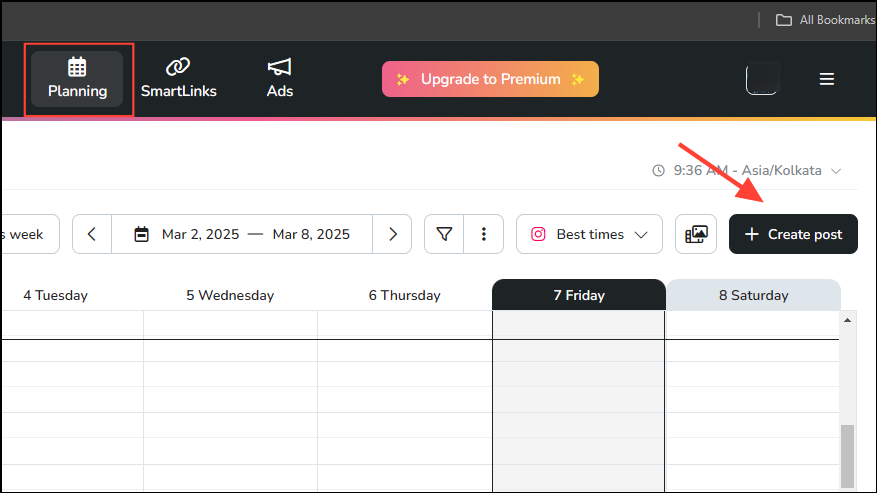
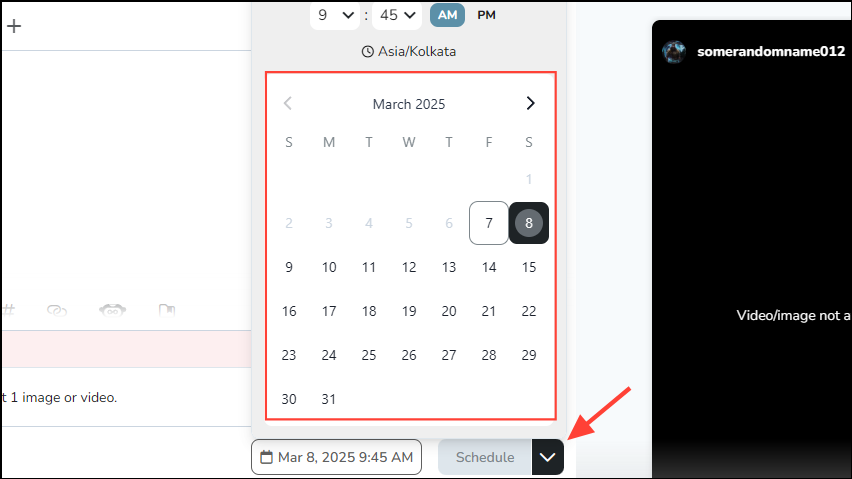
After posting, Metricool also provides helpful analytics like impressions, reach, replies, and viewer interactions, allowing you to measure your Story’s performance effectively.
Method 3: Using Dedicated Chrome Extension (StoryTeller)
If you prefer a browser extension for simplicity, the Chrome extension StoryTeller offers a straightforward way to upload Instagram Stories directly from your desktop.


This extension also includes options to switch between dark and light modes for a customized browsing experience.
With these methods, uploading Instagram Stories from your PC becomes simple and efficient, helping you streamline your workflow and manage your content more effectively.