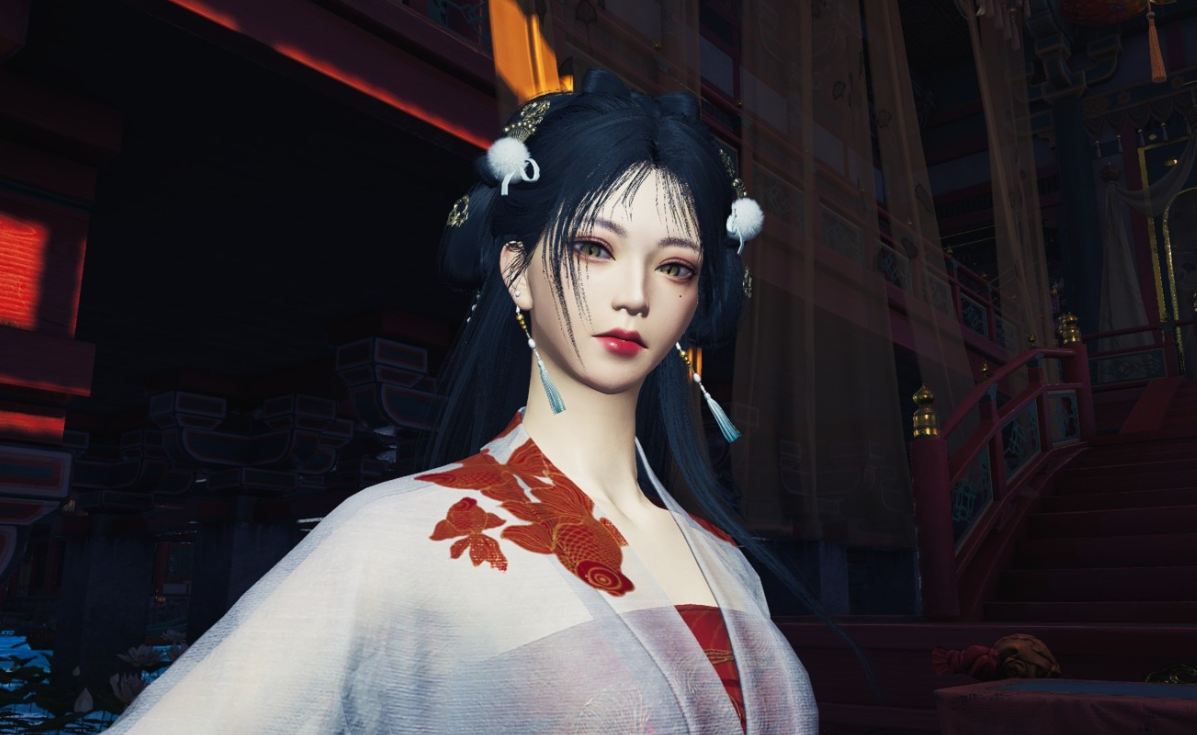
The Great Faceologist is a limited-time character customization contest in Where Winds Meet. It lives half in the event menu and half in the character editor, which makes it easy to miss key steps like where to add the required tag. The result is a lot of players uploading to the wrong gallery tab or publishing without the event tag and wondering why nothing counts.
The Great Faceologist event basics
The Great Faceologist runs as part of the Timeless Bonds Version 1.1 update. It focuses on appearance rather than combat: you create and share character faces and make-up looks through the in‑game gallery.
Key details:
- Event window: December 11–31, 2025 (UTC).
- Requirements: reach level 5 and complete the Qinghe main chapter “Another New Wing.”
- Entry point: the event center page or the Great Faceologist portal in the gallery.
- What counts: character appearance uploads that are explicitly tagged with “The Great Faceologist.”
Without the tag, a gallery post is just a regular appearance upload and will not be treated as an event submission.
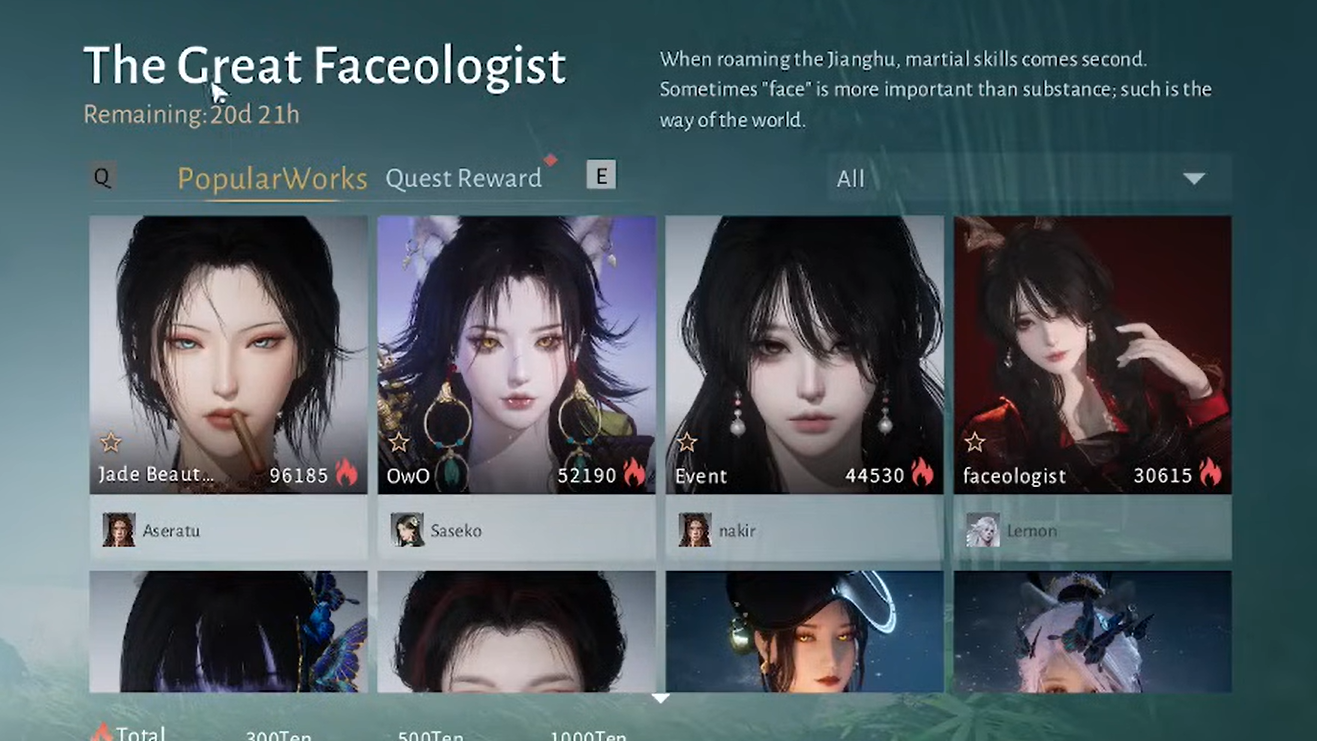
Where to upload for The Great Faceologist
The event does not use the outfit gallery. Submissions must come from the character appearance editor, specifically from the face or make-up edit screen.
The pattern is the same on PC and console, but labels and buttons can appear in slightly different positions. If an option looks missing, reopening the appearance menu or restarting the game often makes the tag box appear.
Upload a tagged face from the appearance editor (PC)
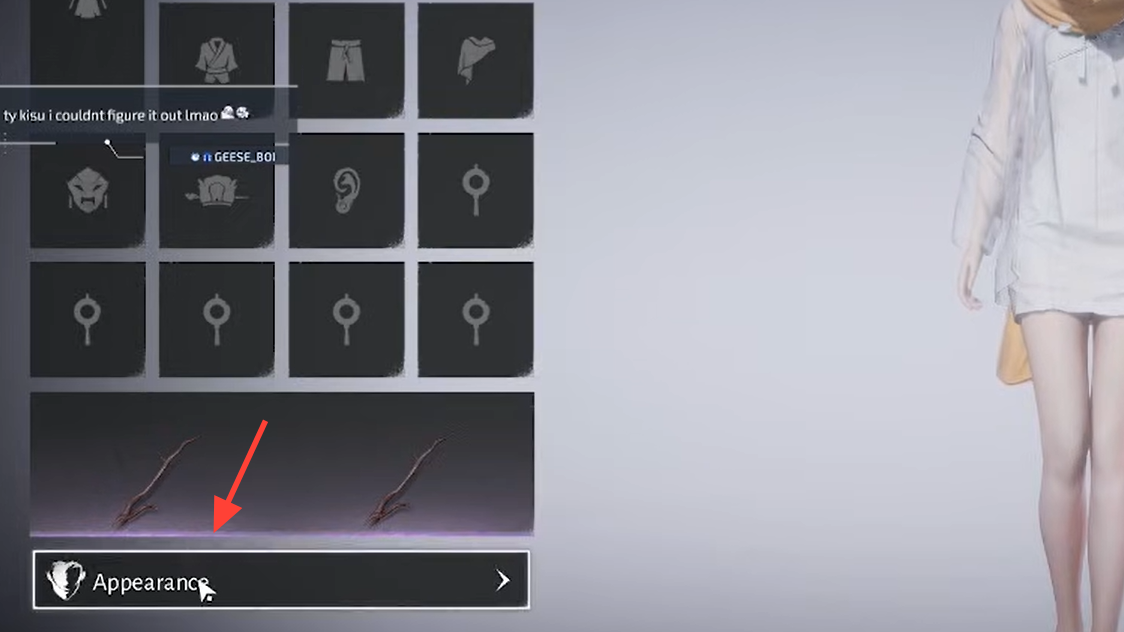
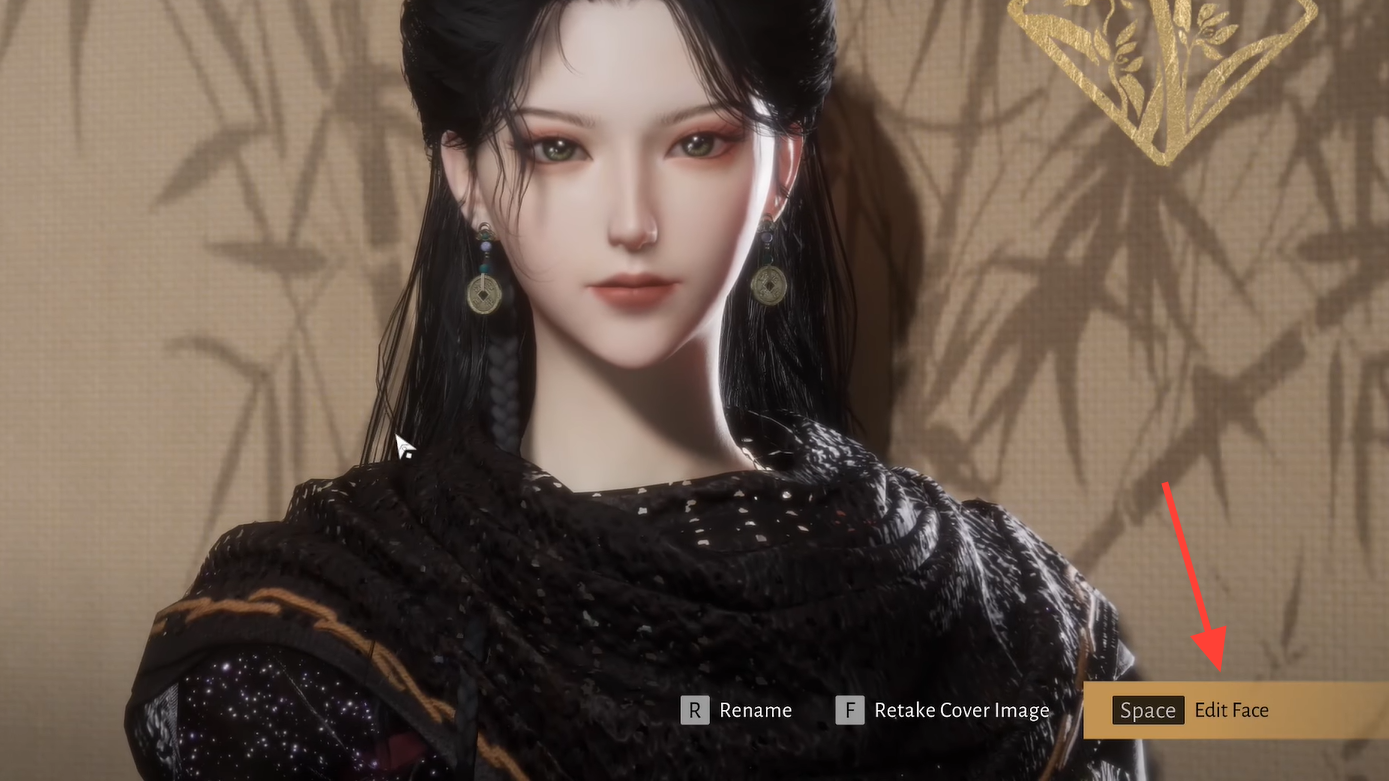
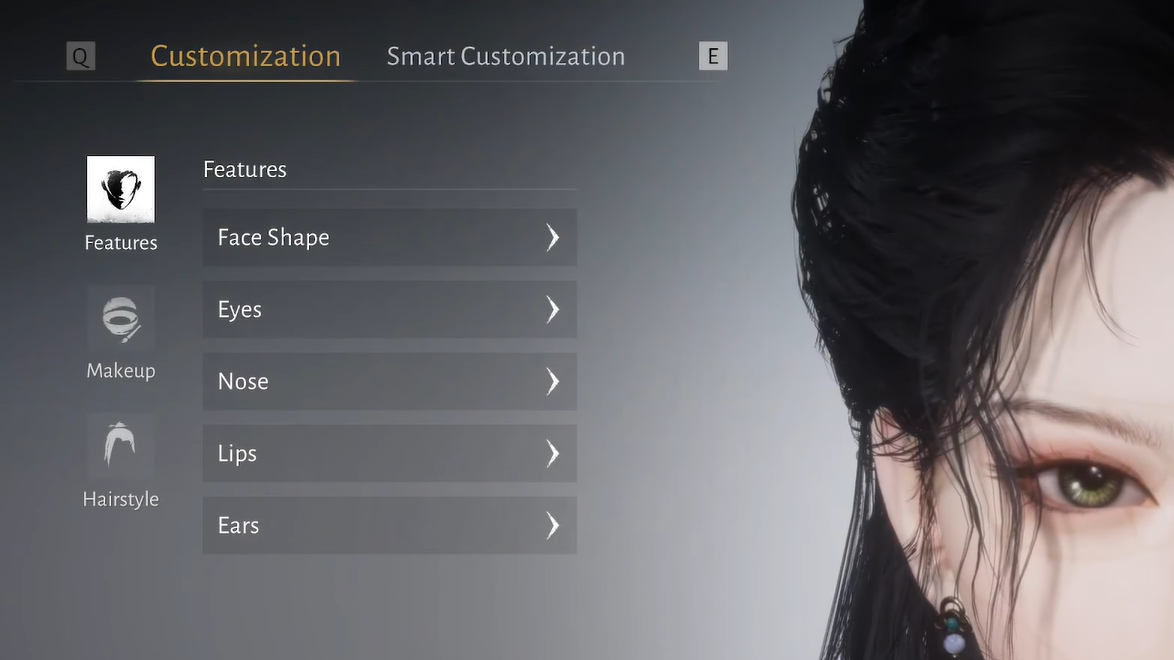
WASD to frame the shot you want. The preview frame is what the gallery will capture.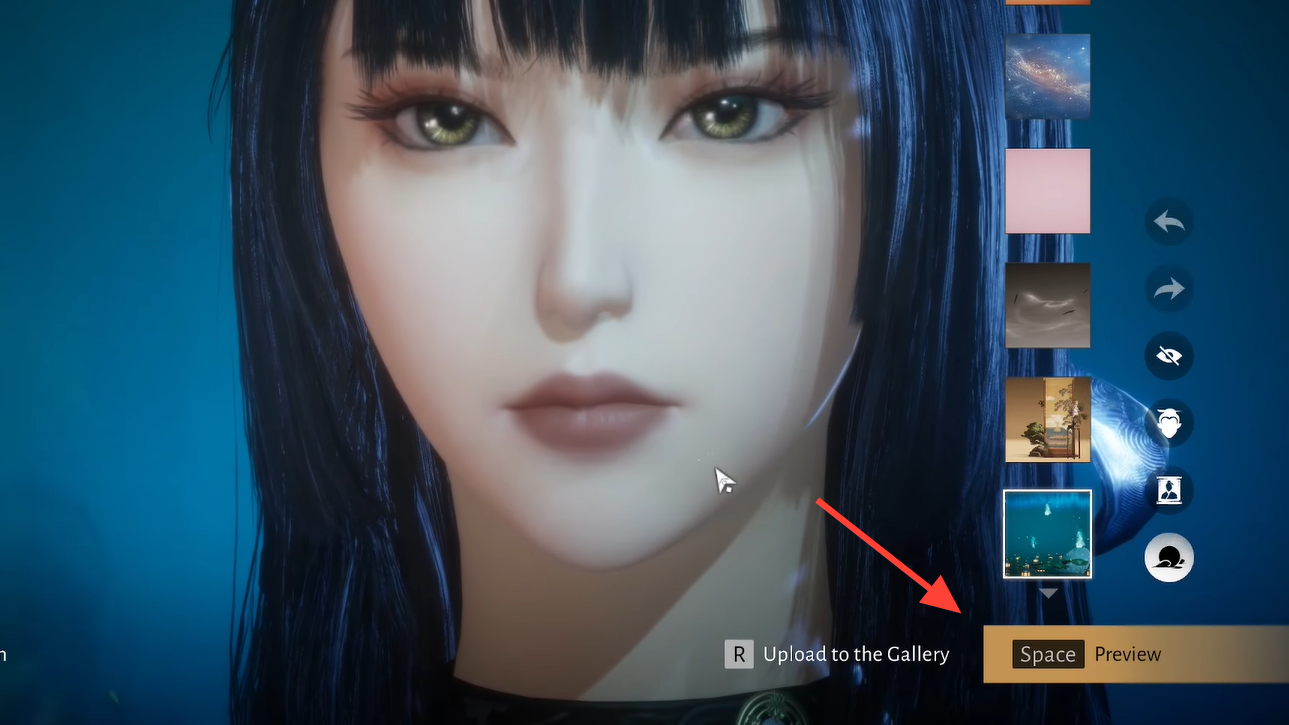
R to Upload to Gallery. The game takes a snapshot of the current preview and opens the gallery upload dialog.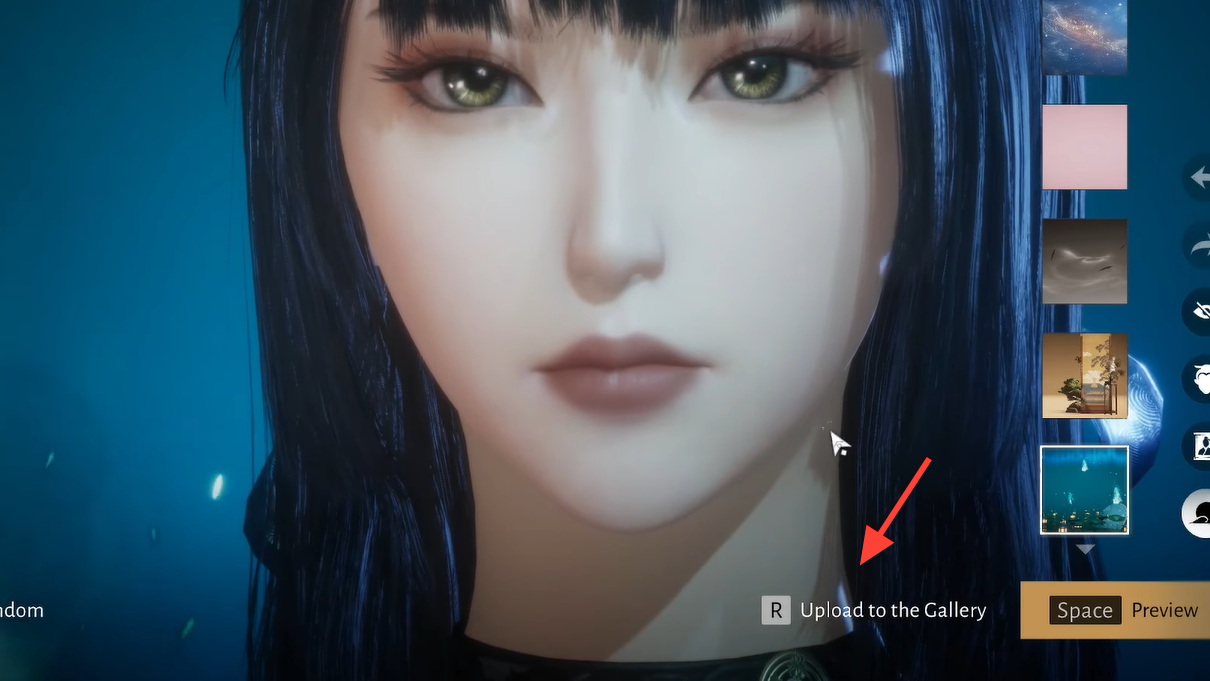
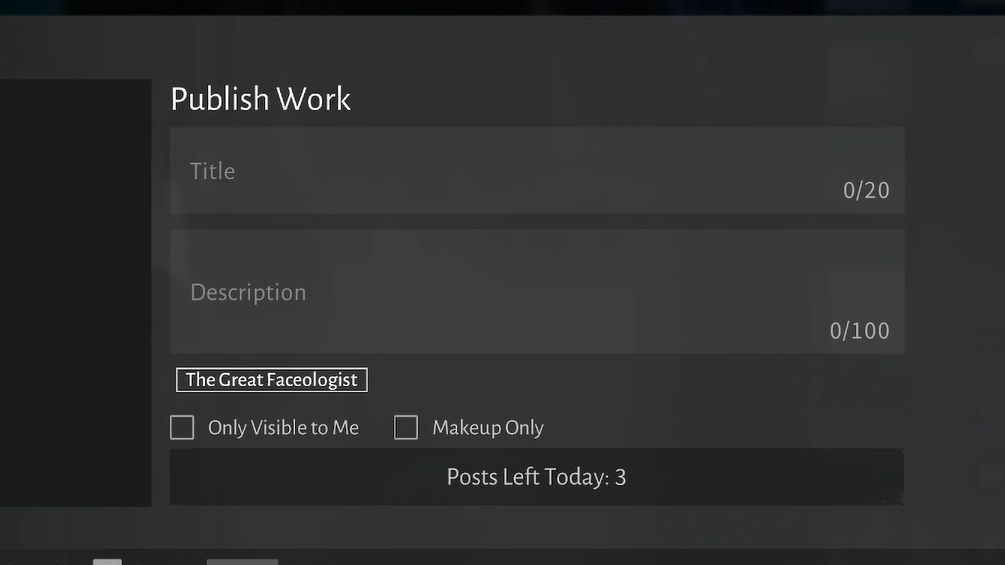
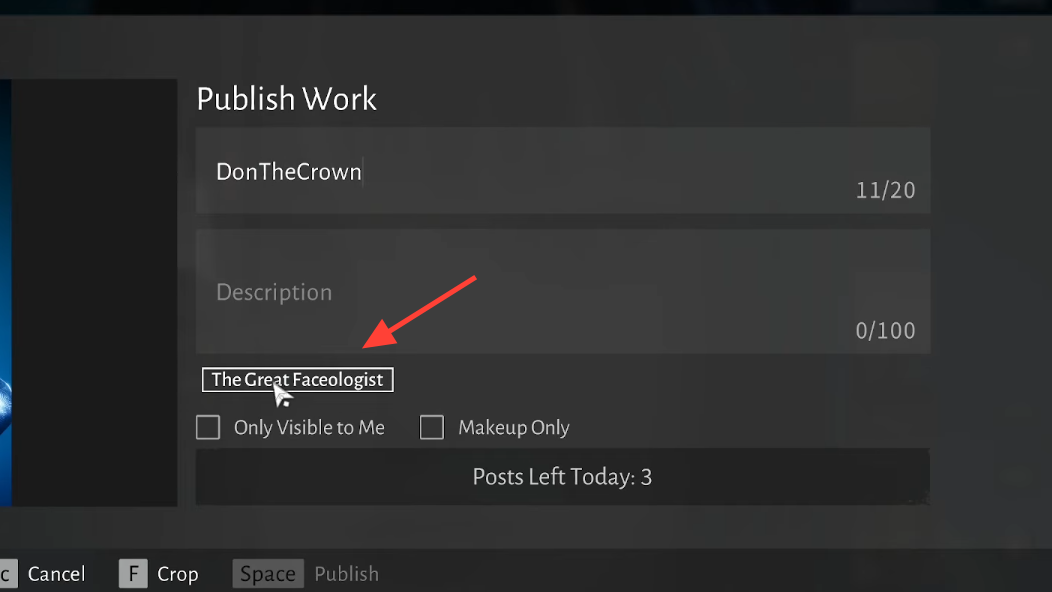
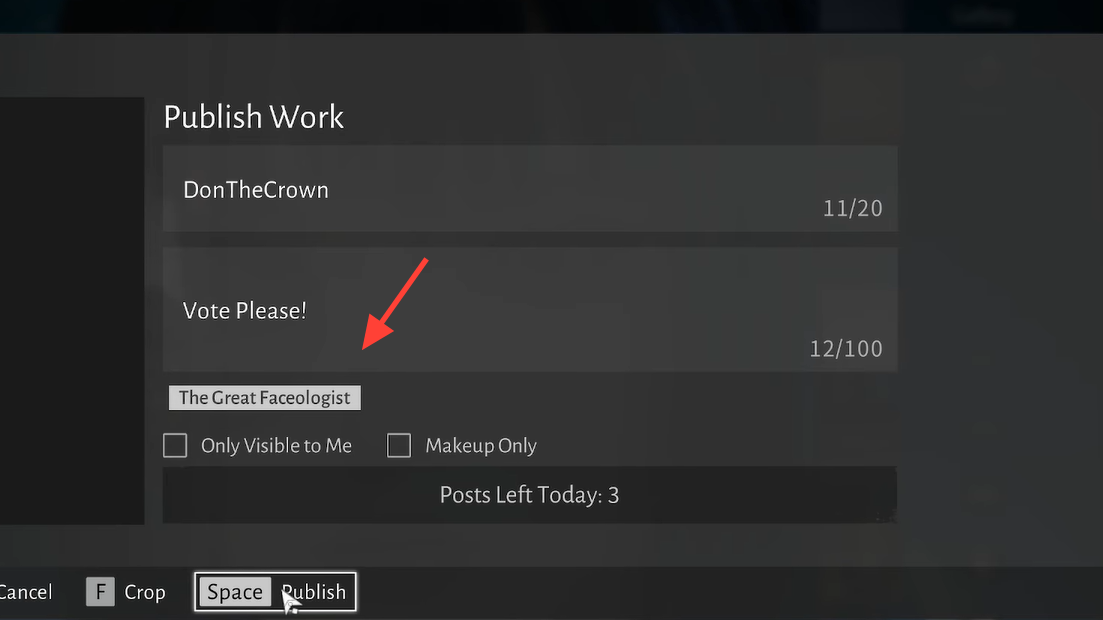
Space bar) to upload. The entry now appears in the gallery and is flagged for The Great Faceologist event.There is a daily cap on how many times you can publish to the event; current in-game behavior allows up to five posts per day.
Upload from make-up instead of full face
Some players see the event tag only when uploading make-up rather than a full appearance preset. If the tag is not present under the description field after following the steps above, switching to the make-up tab inside the appearance editor can expose the checkbox.
R to upload, then check for the [The Great Faceologist] tag under the description. If it appears here but not for presets, use this path for your submissions.Make-up saves currently do not cost in-game currency, so experimenting before publishing does not consume resources.
How to tag Great Faceologist entries on console
The flow on console matches PC conceptually, but the exact buttons change.
If the tag does not appear for full appearances, try the same flow from the make-up tab in the face editor; that is where many console players report seeing it first.
Why the outfit gallery does not work for this event
The game separates Outfit gallery entries from Appearance entries. The Great Faceologist is explicitly tied to appearance and facial customization. That is why the event tag never shows up on the outfit gallery upload screen.
If you only see the tag when working with make-up or face presets and not when sharing clothes, that is by design. For this event, always submit via:
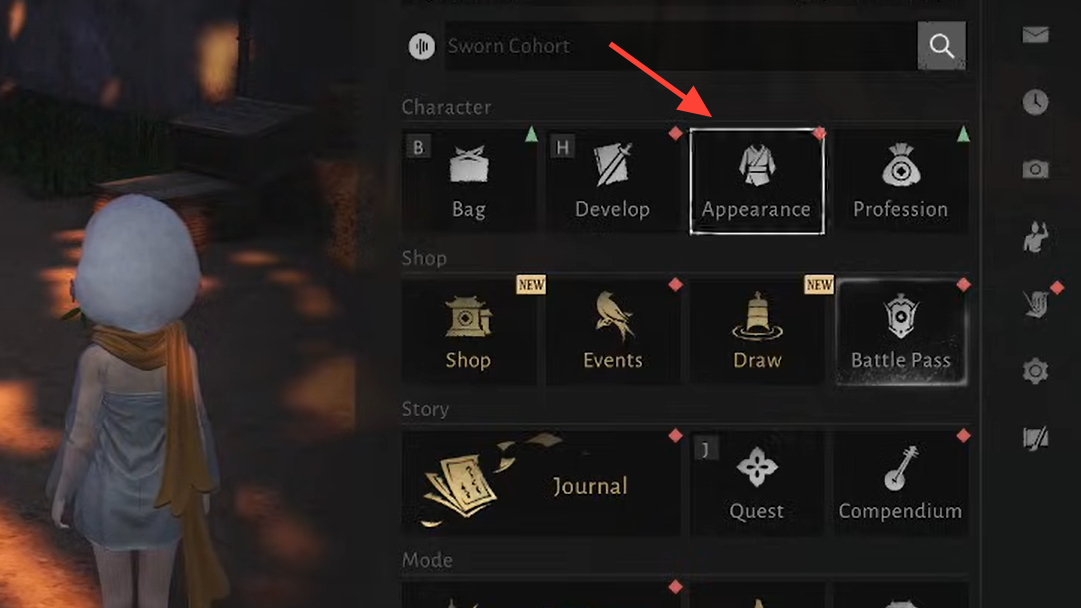
- Main menu Appearance → bottom “Appearance” button → Edit Face → Upload to Gallery.
Uploads from the outfit side remain valid gallery posts but are ignored by the contest logic.
Common issues and edge cases
“The Great Faceologist” tag is missing
If the upload dialog does not show the event tag under the description field, try the following in order:
“This work is already applied and cannot be uploaded”
Some players hit an error message stating that a work is already applied and cannot be uploaded. This usually means the current look has already been pushed to the gallery in its exact form.
Workarounds that align with current behavior:
- Adjust a small detail in the face or make-up (for example, a slider or color) and save as a new preset, then upload that version.
- Switch to a different preset, upload that, and then switch back if you want to keep using the original look in play.
This error does not affect eligibility for the event itself; it only blocks re-uploading an unchanged work.
Staying within the daily upload cap
Great Faceologist entries share a daily limit with other appearance uploads. Current behavior allows up to five posts per day for this event.
Because the limit is low, it is easy to waste uploads by forgetting to tick the tag before publishing.
To avoid that:
- Verify the [The Great Faceologist] tag is highlighted before every publish.
- Use preview to test framing and lighting before committing, so each upload is worth using one of your daily slots.
If you hit the cap, the gallery will simply refuse further uploads until the next daily reset.
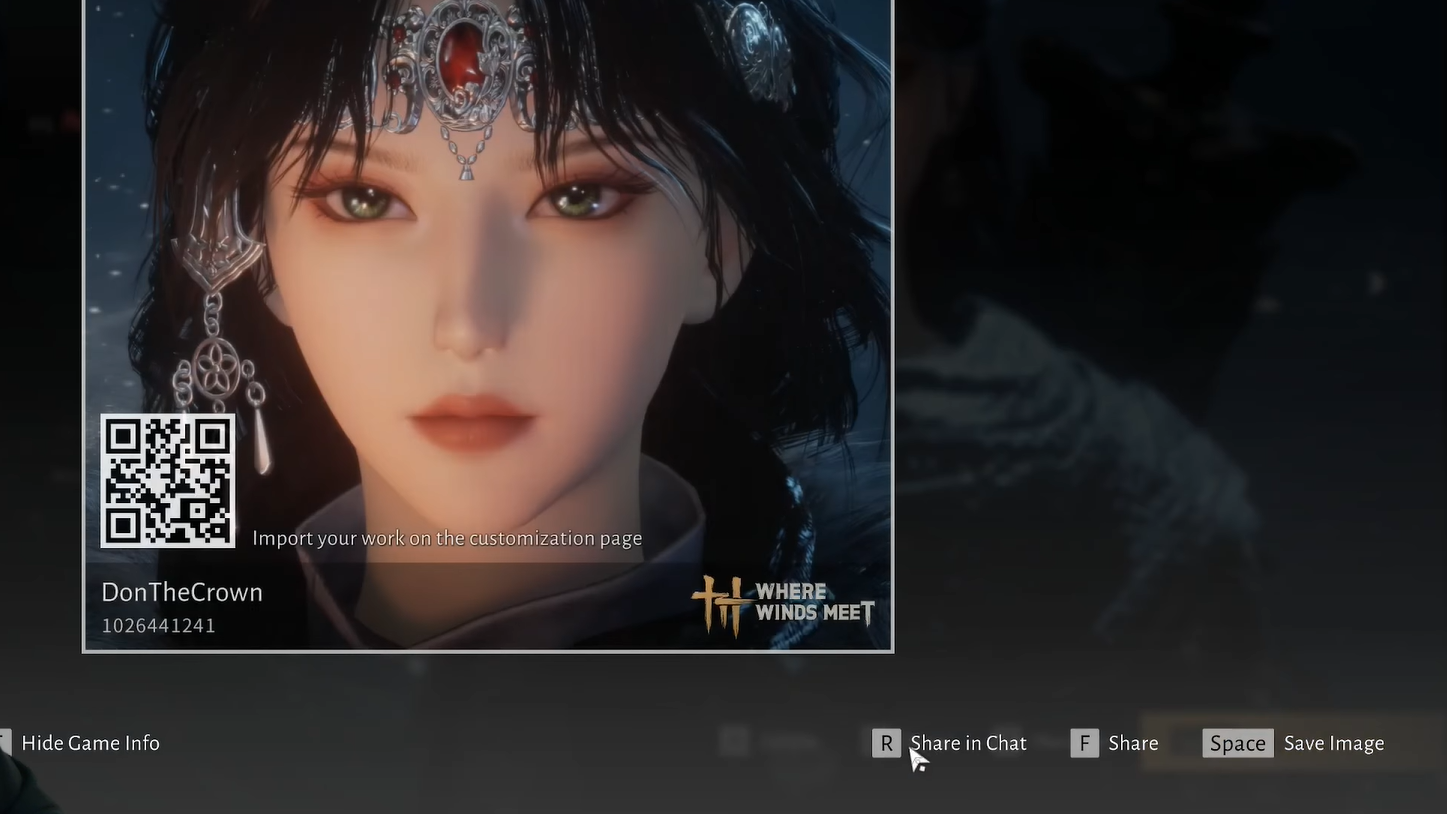
The Great Faceologist is built on tools that already exist in Where Winds Meet’s appearance system, but the event’s routing through the face editor and reliance on a manual tag makes it surprisingly opaque. Once you know that everything must go through Edit Face, and that the tag sits in a narrow strip between the description and privacy checkbox, submissions become routine — and you can spend the rest of the event iterating on the only stat that matters here: your character’s face.