Gaming Guide

Lumber Tycoon 2 in The Hunt: Roblox 20 – How to Complete the 2015 Quest

Chop wood, feed Geck's bin, and claim the Leather Adventure Backpack before the event ends on September 28th.

Chop wood, feed Geck’s bin, and claim the Leather Adventure Backpack before the event ends on September 28th.

Image: Defaultio

The 2015 stage of The Hunt: Roblox 20 hands you a short wood-delivery job inside Lumber Tycoon 2. You clear a quick minigame in the hub, jump into the game through the portal, and haul chopped wood to an NPC named Geck until his bin fills up. Finish it and you walk away with the Leather Adventure Backpack. The event runs until September 28th, 2026.

Quick answer: Beat Berezaa’s conveyor minigame in the hub, enter Lumber Tycoon 2, buy the Basic Hatchet for $12, then chop and drop about 20 wood pieces into Geck’s bin to fill the meter and unlock the reward.


What the 2015 stage asks you to do

This stage is a delivery task, not a sell task. You do not turn wood into money and spend it elsewhere. The wood itself is what matters, so you carry it straight to Geck’s bin and watch the meter climb. One trip is rarely enough, so keep feeding the bin until the meter reads full.
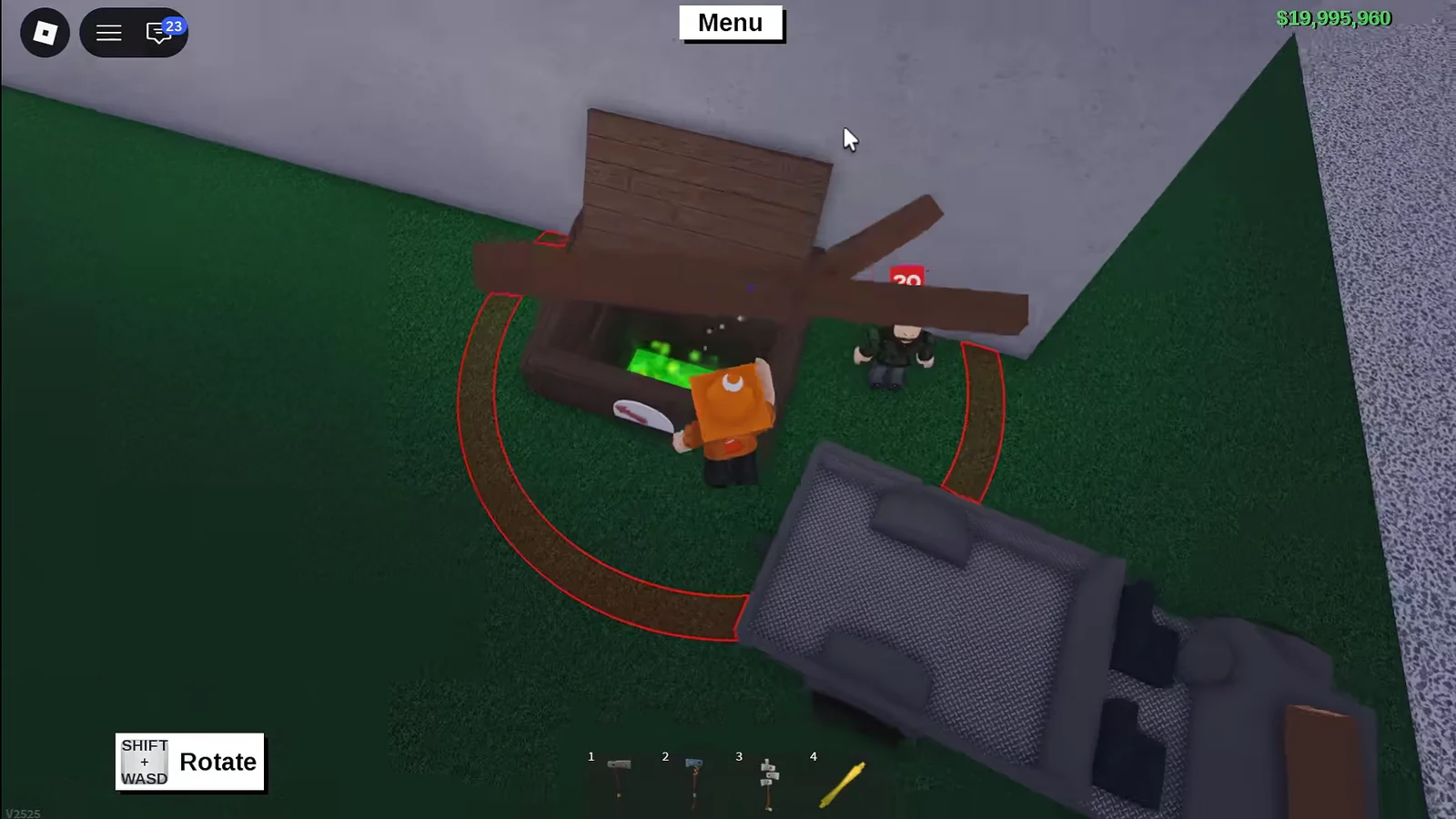
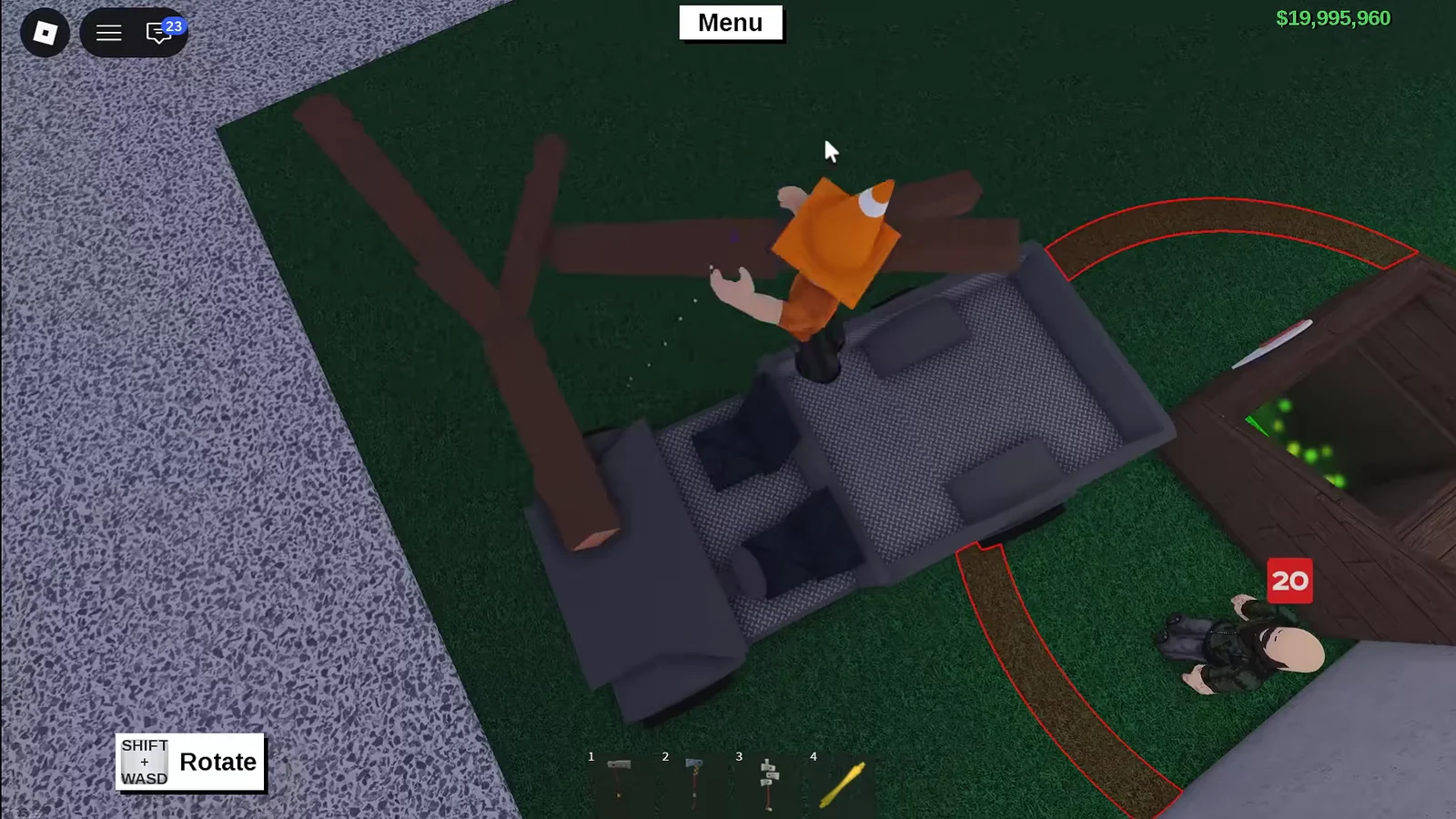
Filling the Wood Bin00:28Filling the Wood Bin
The goal is to fill the wood bin beside Geck; a truck speeds up gathering. Shown at 00:28 in Electro Tech’s video. Image: Defaultio

You need to chop the trees yourself. Loose wood pieces lying around belong to other players and will not count toward the meter, so do not waste time dragging those to the bin.


What you need before starting

  • Access to The Hunt: Roblox 20 hub and its Lumber Tycoon 2 portal.
  • The $20 joining bonus you receive on spawning in.
  • The Basic Hatchet, bought from Wood R Us for $12.
  • A vehicle is optional, but it lets you move more wood per trip.

How to complete the Lumber Tycoon 2 quest
In the 2015 hub, walk up to the Berezaa NPC standing by the conveyor belt. Press the glowing green button to run the processor minigame. Clearing it opens the way into the Lumber Tycoon 2 quest.
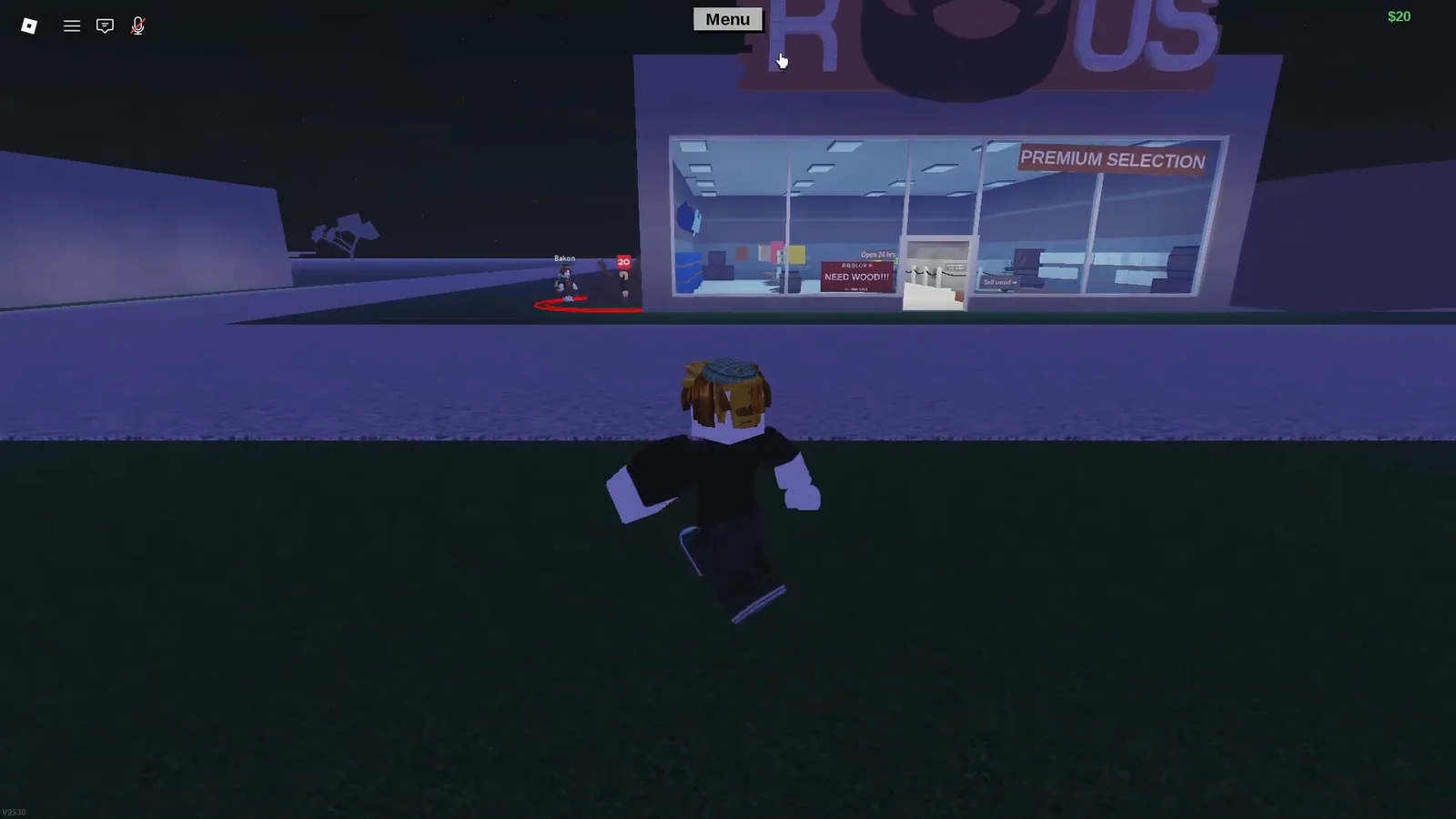
Step into the Lumber Tycoon 2 portal and confirm the teleport. You spawn just outside the Wood R Us store. If you have an existing save you want to use, open the menu and load your slot before continuing.
Spawning and Loading Slot00:35Spawning and Loading Slot
You spawn beside Wood R Us and can load a save slot from the menu. Shown at 00:35 in Lightning Windsor’s video. Image: Defaultio
Turn left from the store and find Geck next to his drop box. Talk to him to activate the wood request. A meter with a small red arrow on the front of the bin tracks how full it is.
Head back into Wood R Us. Pick up the boxed Basic Hatchet from the raft, set it on the counter, and buy it from Cashier Tom for $12. Press E to open the box, then press E again to pick up the Basic Hatchet into your inventory.
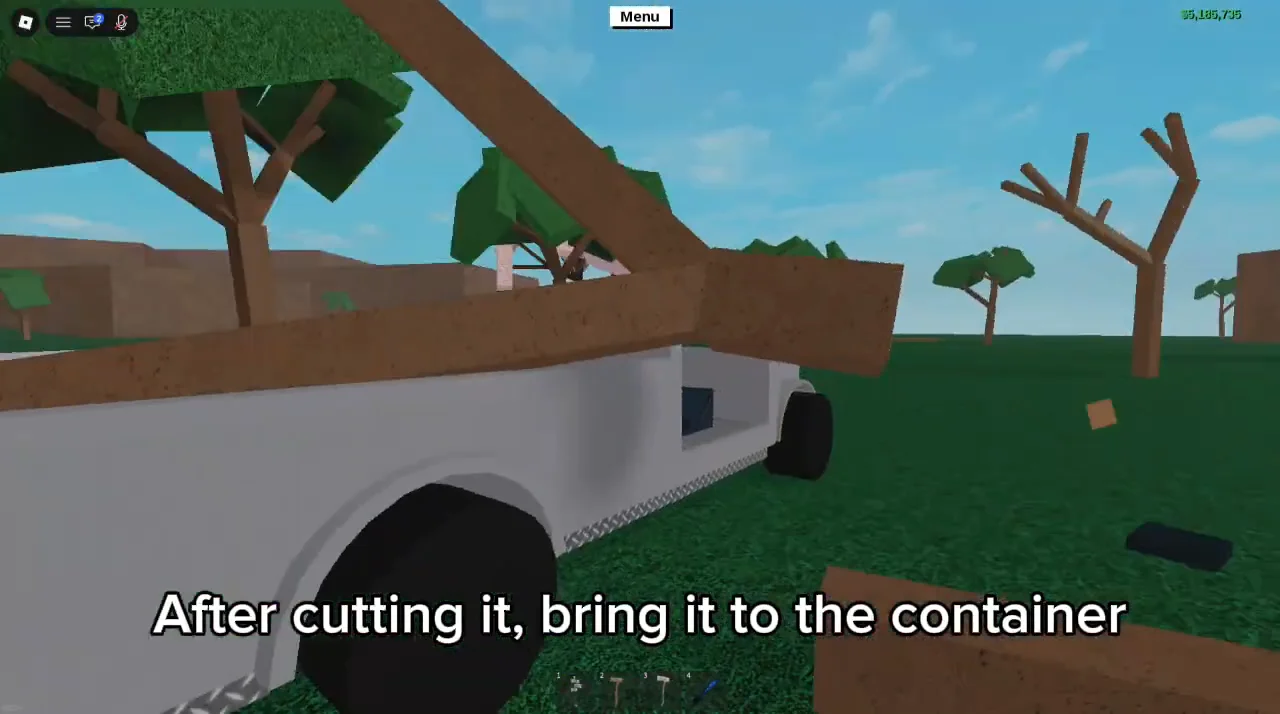
Leave the store, find a standing tree, and chop it down with the hatchet. A useful trick is to fell the whole tree, unequip the hatchet, and drag the entire trunk toward the bin so you make fewer trips.
Cutting and Transporting Wood00:29Cutting and Transporting Wood
Cut trees and load the branches, then drive them back toward the store. Shown at 00:29 in HyperMato’s video. Image: Defaultio
Carry or drive the cut wood back to Geck’s drop box. Larger sections can be trimmed down with the hatchet next to the bin so every piece fits through the opening.
Loading More Wood03:49Loading More Wood
Bring branches to Geck's box, trimming big pieces down to size first. Shown at 03:49 in Lightning Windsor’s video. Image: Defaultio
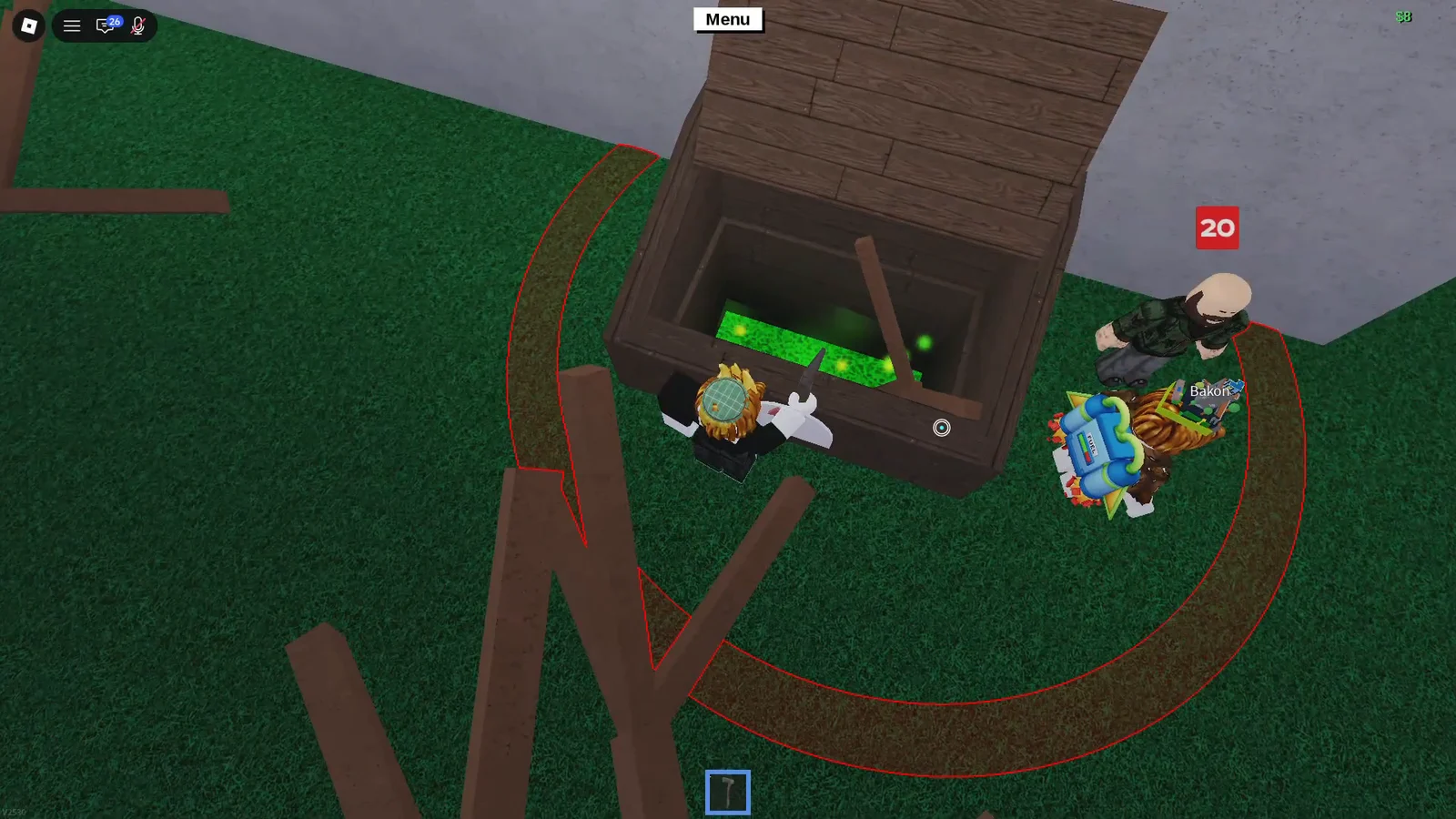
Drop each piece into the green glowing opening. Every accepted piece nudges the meter up. Keep going until the bin needs about 20 wood pieces, which usually works out to roughly two or three trees depending on how you cut them.
Depositing Wood00:27Depositing Wood
Each piece dropped inside raises the green meter. Shown at 00:27 in Electro Tech’s video. Image: Defaultio

A simple truck makes this faster because you can haul several pieces at once, but do not overstack it. Wood that spills out or gets stuck costs more time than a clean, repeatable trip.


How to know the quest is complete

Once the meter hits its rightmost point, the game shows this message: “The Lumber Tycoon 2 quest is complete! Go back to the hub, collect your reward, and keep moving through time.” Geck also leaves a collectible on the ground then.
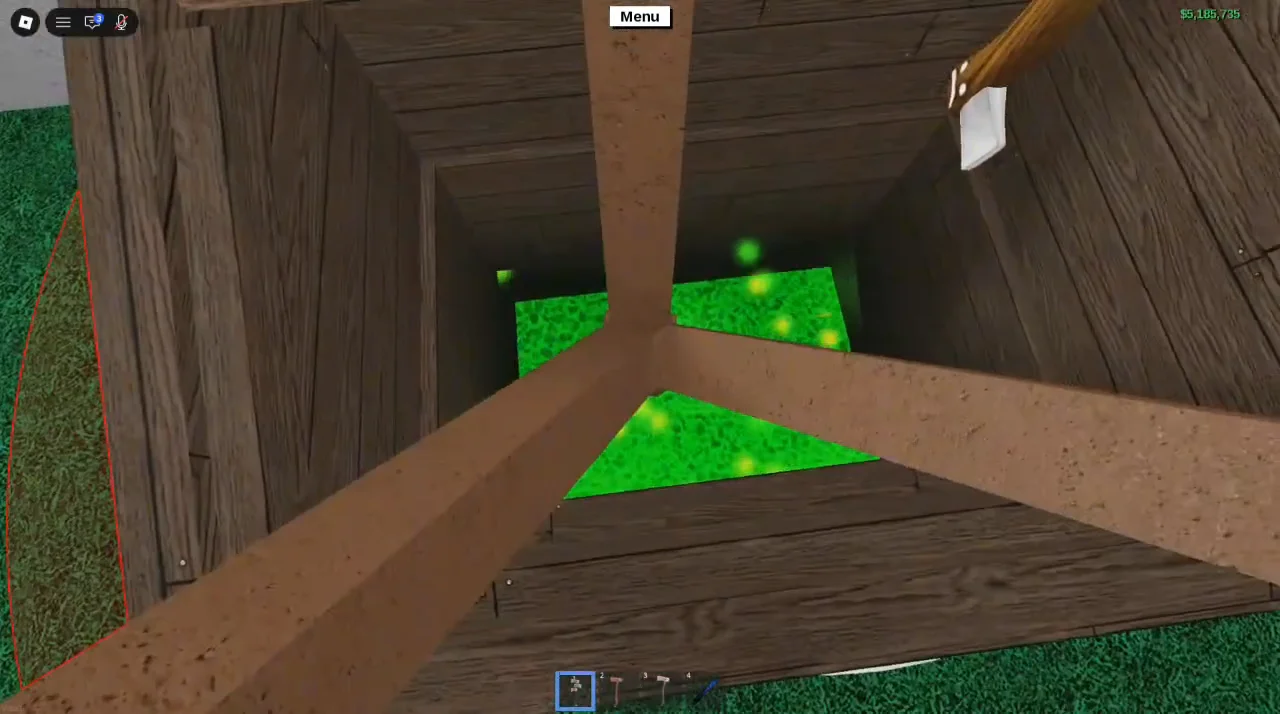
Depositing Wood into Container00:44Depositing Wood into Container
The front meter points fully right once the bin has enough wood. Shown at 00:44 in HyperMato’s video. Image: Defaultio

If the meter is not moving, make sure you are dropping wood into Geck’s bin and not a normal sell point, and that you chopped the wood yourself. A single accepted piece does not finish the task, so keep feeding the bin until the game marks it complete.


Claiming the Leather Adventure Backpack and badge

Open the menu and select the option to return to The Hunt: Roblox 20. Back in the 2015 hub, head to the Lumber Tycoon 2 portal. The Leather Adventure Backpack is displayed right behind that portal.

Interact with it to claim the UGC item. The matching badge is awarded in the same step, confirming your completion of the year. Grab both before moving on, since you cannot advance to the next era until this claim is done.

With the backpack and badge in hand, the 2015 era is finished and you are free to continue through the rest of The Hunt: Roblox 20.