

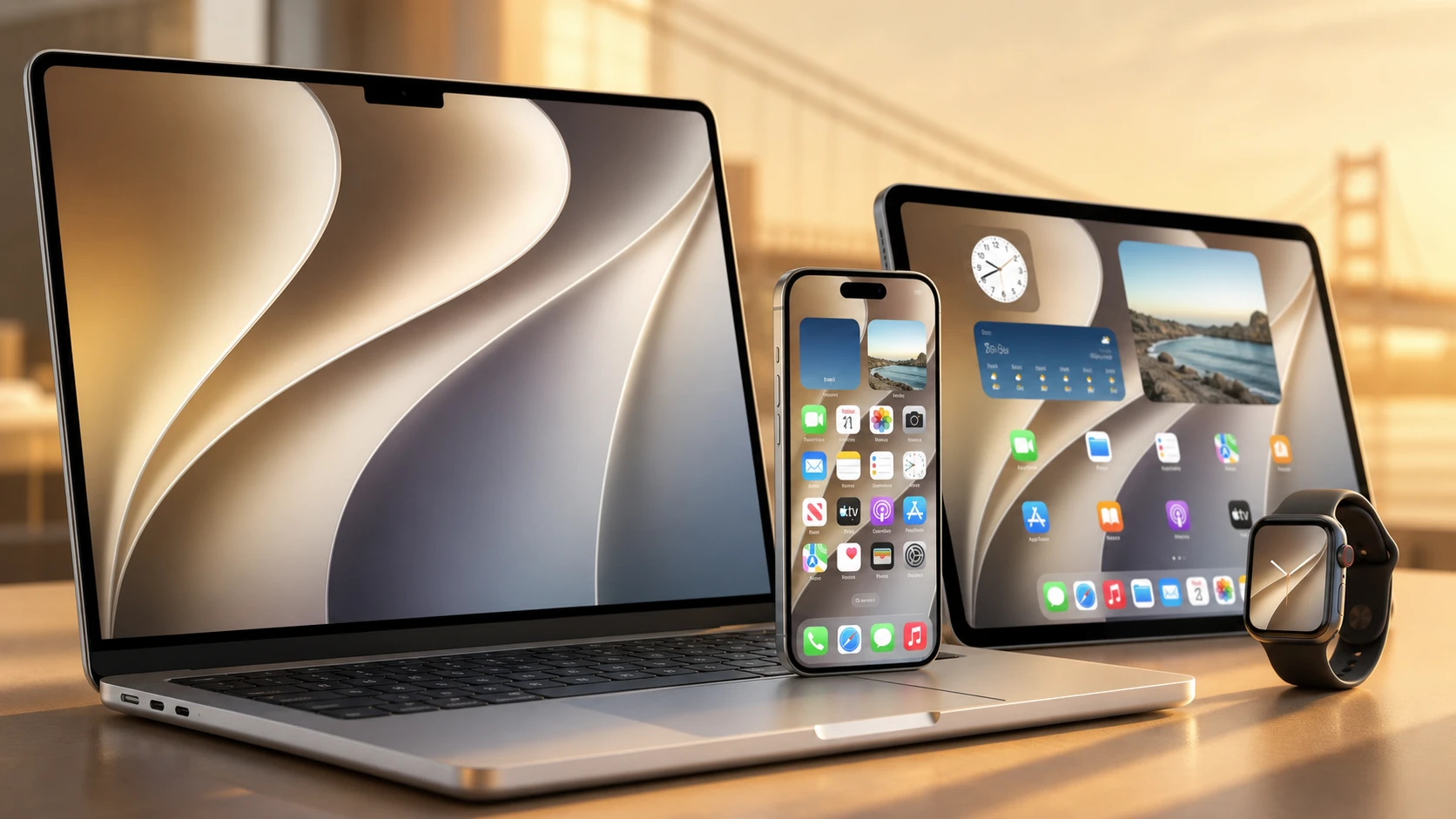
Apple unveiled macOS Golden Gate 27 at WWDC 2026, naming the next Mac release after another California landmark. The update centers on cleaning up the Liquid Glass design from last year’s macOS Tahoe, rebuilding how the Mac searches your files, and putting a new AI version of Siri at the heart of the system. It also marks the first macOS version that runs only on Apple Silicon.
Quick answer: macOS Golden Gate is macOS 27. It refines Liquid Glass with an intensity slider, fixes a fixed window corner radius, rebuilds Spotlight search, adds the Gemini-powered Siri AI app, and supports only M-series Macs. Developers can install the first beta now, with a public beta expected next month and the stable release in the fall.
Liquid Glass refinements and a new intensity slider
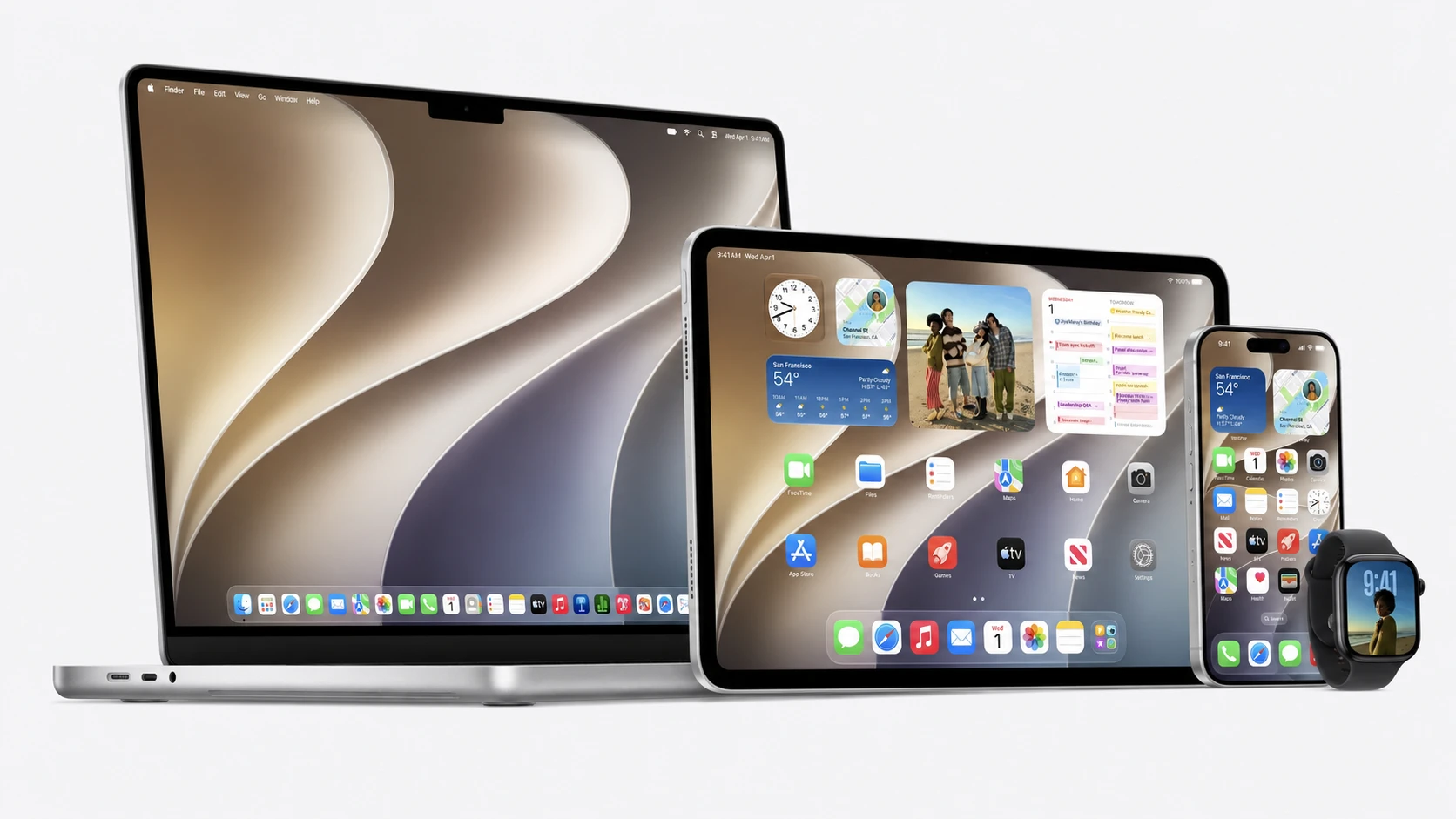
The biggest visible change is how Liquid Glass looks and behaves. After a year of complaints that the effect felt half-finished and hard to read in macOS Tahoe, Apple tuned the look of interface elements so they fit the design language more naturally.
You also get direct control over the effect. A slider in settings lets you move from ultra-clear to fully tinted, so you can dial back transparency where it hurt readability. System icons pick up an additional layer of Liquid Glass to look sharper, and the change carries across Apple’s other operating systems for a more consistent appearance.
Apple also addressed the inconsistent rounded corners that drew criticism last year. Golden Gate uses a fixed corner radius across system windows and apps, including apps that haven’t been updated for the new system. Smoother animations and faster content loading round out the visual work.
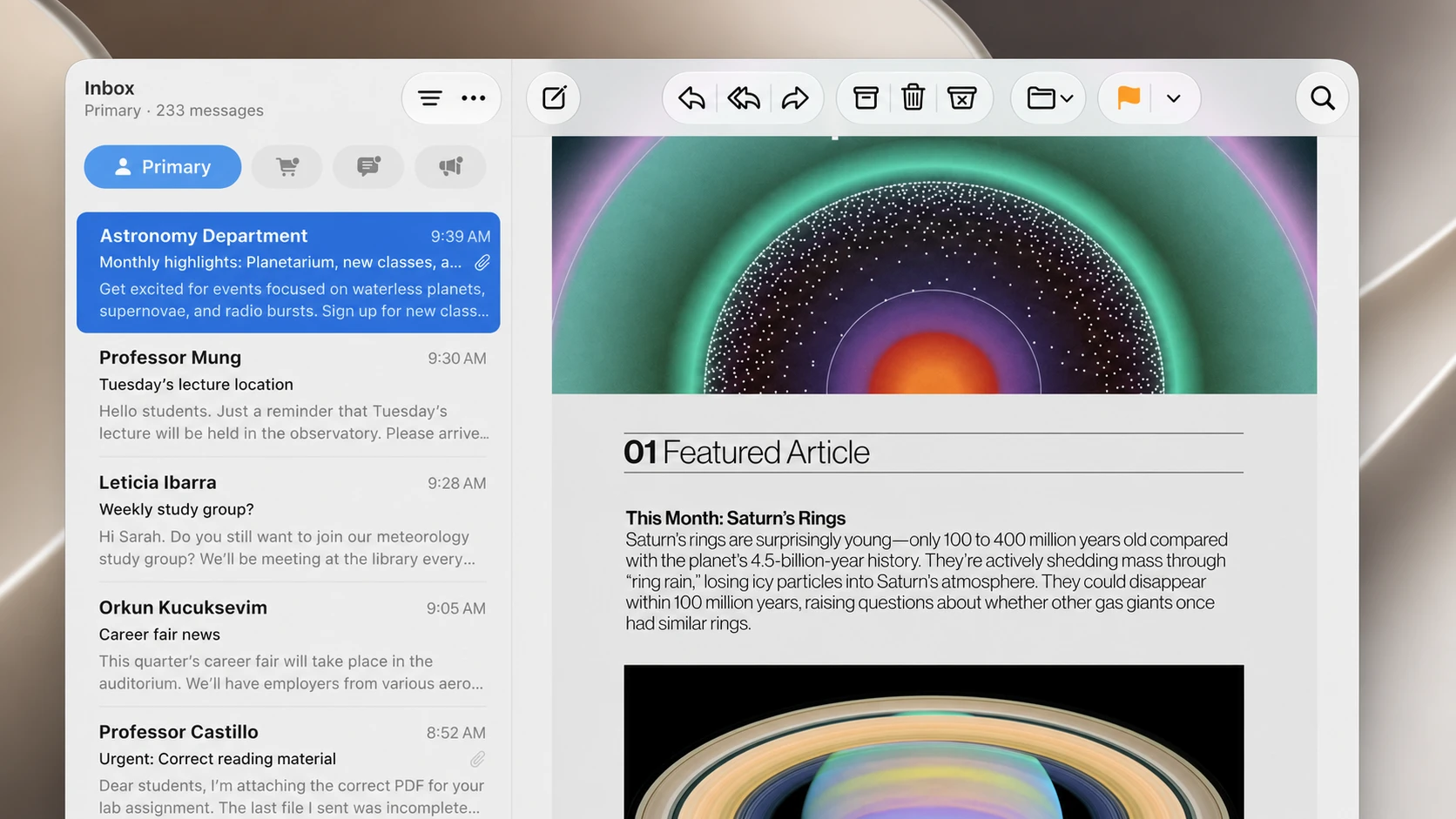
Apps now share a unified toolbar at the top of the window, and the sidebar expands all the way to the window’s edge. Apple says it focused on performance and dozens of underlying technologies this year, comparing the approach to Mac OS X Snow Leopard from 2009. Even routine tasks were tightened up, so creating a new user account is faster.
Rebuilt Spotlight and search
Apple rearchitected how the Mac indexes content. The goal is to fix a long-running problem where Finder and Spotlight would stop finding files, folders, and apps. The new search engine also serves as the foundation for the AI features arriving in Golden Gate.
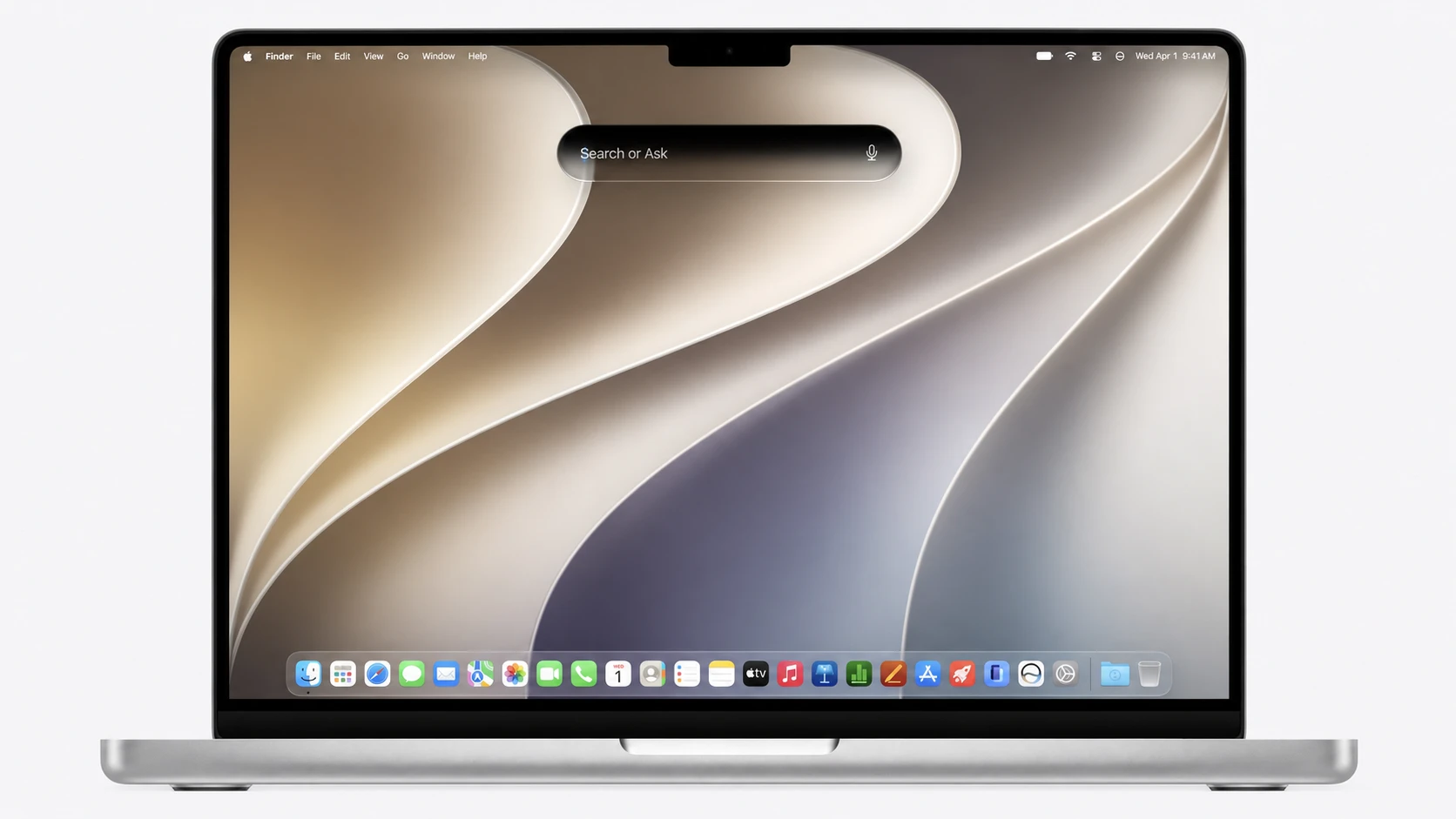
Spotlight now opens with a “Search or Ask” interface. You can look for something on your Mac or type a question, and the system routes AI-related requests to the revamped Siri.
Siri AI comes to the Mac
The headline addition is Siri AI, the Gemini-powered assistant built on Apple’s partnership with Google. On the Mac it lives inside Spotlight, much like it sits on the Dynamic Island on iPhone. When you type a question meant for Siri, the system recognizes it and hands the request to Siri AI.
From there, the conversation continues in a dedicated window. You can drag files, documents, and attachments into it for analysis. Siri AI draws on Apple’s on-device models, cloud models, your personal context, and web knowledge to answer. There is also a standalone Siri app with a chatbot-style interface that handles both text and voice prompts and keeps a history of past conversations.
Beyond answering questions, Siri AI can act across apps. It can draft emails, write messages, generate images, summarize information, and complete tasks from a single prompt. With on-screen awareness, you can ask about images or locations shown on your display. The voice is fully customizable, with controls for pace and expressiveness.
Visual Intelligence, Writing Tools, and Safari
Visual Intelligence gets a dedicated keyboard shortcut on the Mac. You can select any part of the screen and ask about it, get context, or trigger actions. In one demonstration, the feature pulled event details off the screen and added several calendar entries on its own.
Writing Tools are now powered by Siri AI. They can generate email drafts, rewrite text, and give feedback on a piece of writing. The tools learn your communication patterns and adjust tone based on who you are writing to.
Safari adds several Apple Intelligence features. It can automatically group open tabs into topics, and a new Notify Me option alerts you when a monitored web page changes. You can also describe an extension in plain language and have Safari build it for you.
Photos, Image Playground, Home, and Shortcuts
Photos gains generative editing tools. You can change aspect ratios, adjust perspective, and expand a photo beyond its original frame, with the system filling new areas so they look natural. A feature called Spatial Reframing uses Apple’s spatial models to adjust perspective and composition, and it works on both new and older photos. Image Playground adds new styles, editing tools, wallpaper creation, and updated developer APIs.
The Home app combines related smart home alerts into a single notification and adds clip highlights and contextual video search. Shortcuts now understands plain English, so you can describe an automation and have macOS build it for you.
Which Macs are not compatible
macOS Golden Gate runs only on Apple Silicon. It drops support for Intel-based Macs, making it the first macOS release built exclusively for M-series chips. The following models will not run it:
| Model | Year |
|---|---|
| Mac Pro | 2019 |
| 16-inch MacBook Pro | 2019 |
| 27-inch iMac | 2020 |
| 13-inch MacBook Pro | 2020 |
When you can install macOS Golden Gate
The first developer beta is available now. A public beta is expected sometime next month, and the stable version is set to arrive this fall. If you are enrolled as a developer, you can grab the first beta through the Apple Developer download page.
One regional caveat applies. Siri AI will not launch on iPhone and iPad in the European Union at release because of Digital Markets Act rules, a delay tied to the same assistant arriving across Apple’s platforms.
Taken together, Golden Gate is less about a dramatic redesign and more about repairing the rough edges of macOS Tahoe while moving Siri to the center of the Mac. The Liquid Glass slider, the fixed corner radius, and the rebuilt search address the loudest complaints from the past year, and the Apple Silicon requirement signals where the platform is headed next.