Barber Simulator puts you behind the chair of your own barber shop. Walk-in customers ask for a specific cut, trim or shave. You do the job with the tools on the bottom toolbar, then keep the place running by sweeping hair, taking out the trash and emptying the register between clients. Each finished customer pays and gives you a star rating. Serving customers and finishing Main Quests also levels you up, and new tools unlock as you go.
Quick answer: Seat a customer with E, cut exactly what they ask for, brush off the trimmings, then sweep, empty the trash and collect the cash. Reach Level 3 (Apprentice) to unlock the Razor.
How to serve a customer in Barber Simulator
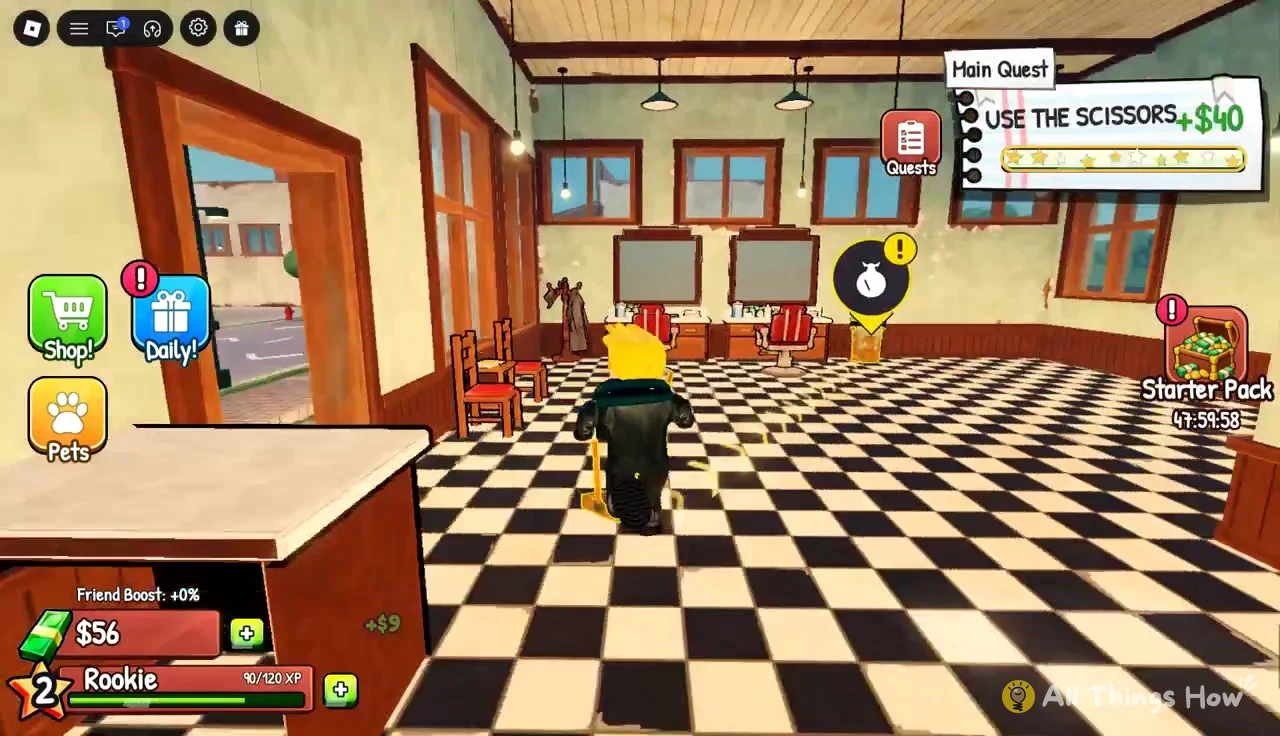
Customers either wait on the bench or come in at the front door. Their name floats above their head. Yellow arrows on the floor and yellow circles around things you can use show you where to walk next.
A 3-star rating means the job was done right. The Main Quest counter, such as SERVE CUSTOMERS 2/10, goes up by one after each served customer. If you leave a request half-done, you’ll know right away. Ben asked for “Clean shave, like the old days.” He only got shaving foam, so he left 1 star and the line “I’ll wear a hat for a while…”
Kids like Daisy can get restless in the chair. Give them a lollipop from the side inventory and they settle back down (“Okay… I’ll be good now.”).
Barber Simulator barber tools and clipper guards
All styling tools sit on the toolbar at the bottom of the screen in the chair view. Some are there from the start, and others unlock as you level up.
| Tool | Used for | Unlock |
|---|---|---|
| Scissors | Trims, fringes, bobs | Available early |
| Clippers | Buzzing sides, short cuts | Available early |
| Duster brush | Clearing hair off the customer | Available early |
| Lather brush | Applying shaving foam | Available early |
| Razor | Straight-razor shaving | Level 3 |
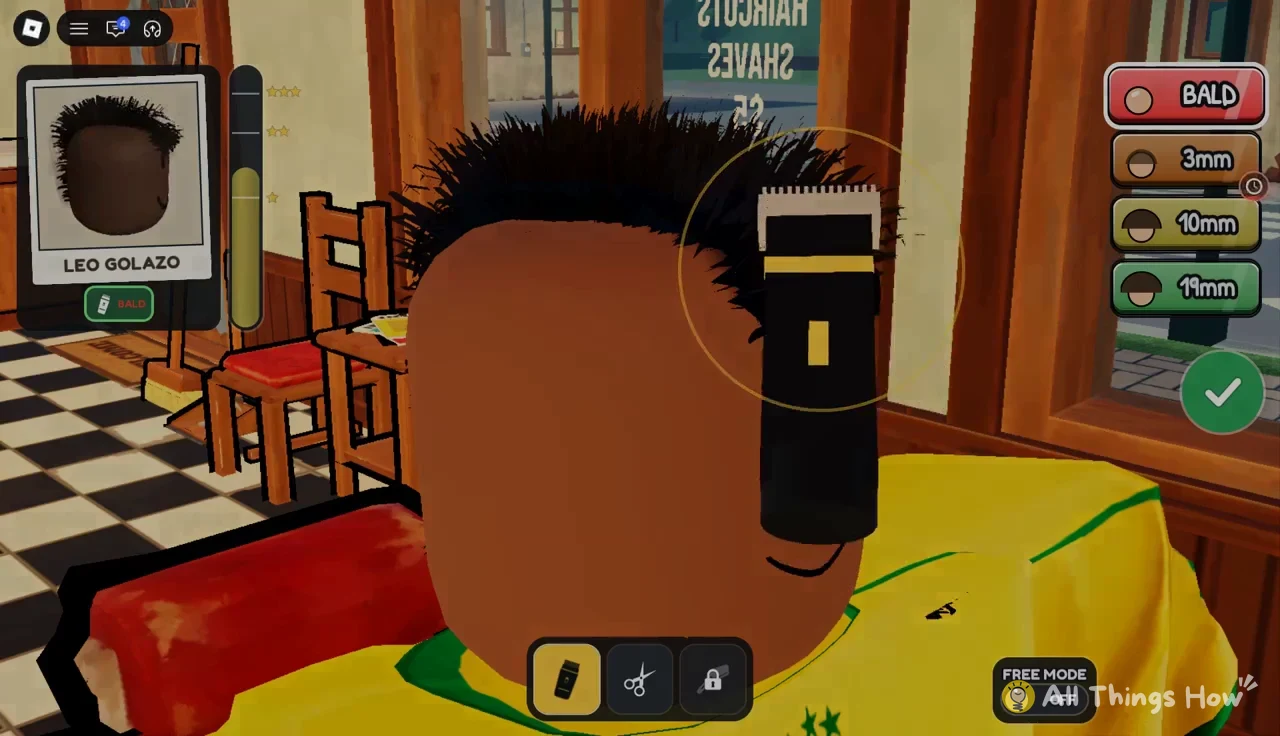
The clippers have four guard lengths: BALD, 3mm, 10mm and 19mm. Choose the guard before you start cutting. BALD takes hair down to the skin, which is what you need for the shaved sides of a mohawk. The longer guards leave more length behind.
Cleaning the shop and collecting cash
Every haircut leaves clippings on the checkered floor around the chair. Grab the dustpan and broom and sweep them up with the “E Clean” prompt. The game puts the broom in your avatar’s hand while you sweep. Payment doesn’t go into your balance by itself, either. Walk to the register on the counter and press E to collect the money each customer left.
The indoor trash can fills up over time. When it’s full, tie up the bag, pick it up with “E Grab”, carry it out the back door into the alley, and toss it into the green dumpster with “E Throw”. Emptying the trash counts toward your progress, and it’s one of the actions that can push you over a level threshold.
Leveling up and unlocking the Razor
Your rank starts at Rookie. Serving customers, finishing quests and doing shop chores all earn progress. When you hit Level 3, a “Level Up!” banner appears with “Level 3! New tool unlocked!”, your rank changes to Apprentice, and the RAZOR card shows the new tool. After that, the Razor is in your toolbar for straight-razor work.
Main Quests show on the left side of the screen and pay cash when you finish them:
- USE THE SCISSORS: +$40
- SERVE CUSTOMERS: tracked out of 10
- CLEAN SHAVE: 0/1, pays +$75
A 3-star haircut also earns you the “Three Stars!” badge, and a notice for it pops up at the bottom right of the screen.
Epic customers: Football Star Leo Golazo
When Leo Golazo arrives, he runs down the street in a yellow #10 jersey and the screen displays “EPIC! FOOTBALL STAR” during his short cutscene. He’s an Epic customer. After that, he joins the other customers in the waiting chairs, so press E to seat him as you normally would.
Leo asks for a “Punk mohawk! Big party tonight!” To do it, switch to the clippers, set the guard to BALD, and buzz both sides of his head down to the skin. Leave a strip along the top. Then go back over the sides and crown to clean up any stray patches. He’ll chime in while you work (“Hehe, that tickles!”, “You’re good at this!”).
Barber Simulator Daily Rewards
Open the Daily Rewards screen and press CLAIM to collect the current day’s reward. The rewards follow a fixed seven-day order:
| Day | Reward |
|---|---|
| Day 1 | $90 |
| Day 2 | Pet Roll |
| Day 3 | x2 Cash for 15 minutes |
| Day 4 | $260 |
| Day 5 | VIP |
| Day 6 | +100 XP |
| Day 7 | Sapphire Clipper |
A “Next Reward” timer counts down to the next claim. The same screen has a “WATCH AN AD!” option that doubles your cash for 5 minutes. After you claim Day 1, a pop-up reminds you about the free pet roll the next day, and you can pick “Remind me!” or “No thanks!”.
How to rename your barber shop
Your shop starts out named after your Roblox username, for example “RobloxWriter047’s Barbershop”. To change it, walk out the front door to the chalkboard sign, interact with it, and type a new name. Once you confirm, the new name shows on the sign out front.