To be able to move quickly and get baskets effectively in Practical Basketball, you need to learn and manage the controls properly. The game requires fast player movement for throwing the ball, passing to teammates, and performing various moves. There are several controls and these vary depending on which platform you are running the Roblox game on. That’s why this guide will help you master these controls in no time at all.
Practical Basketball PC Controls
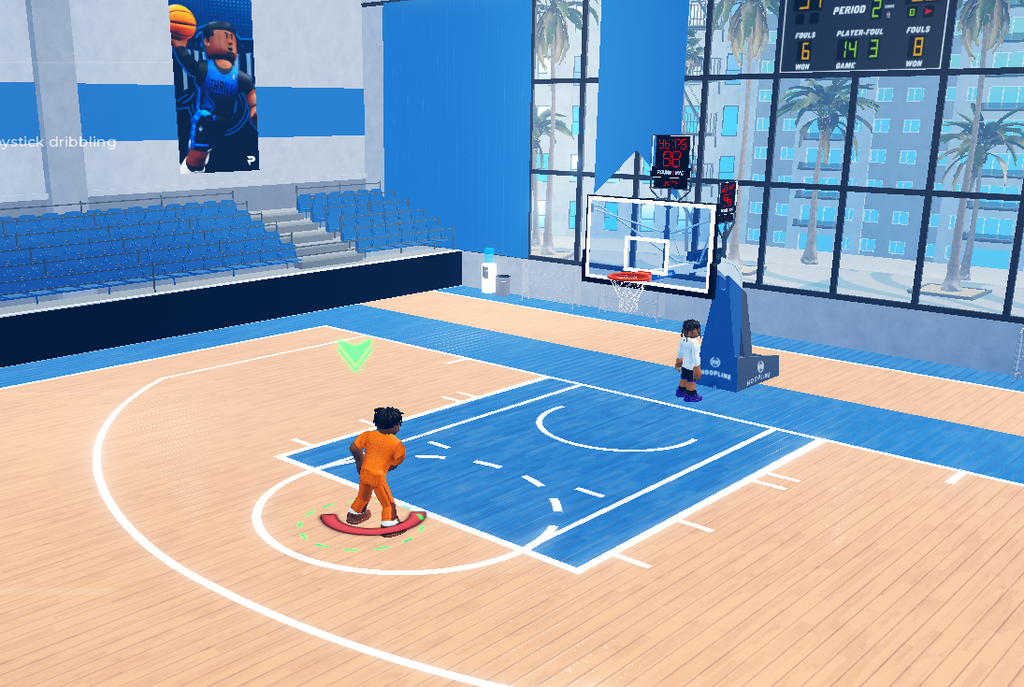
On PC, the game drops you into the tutorial when you start.
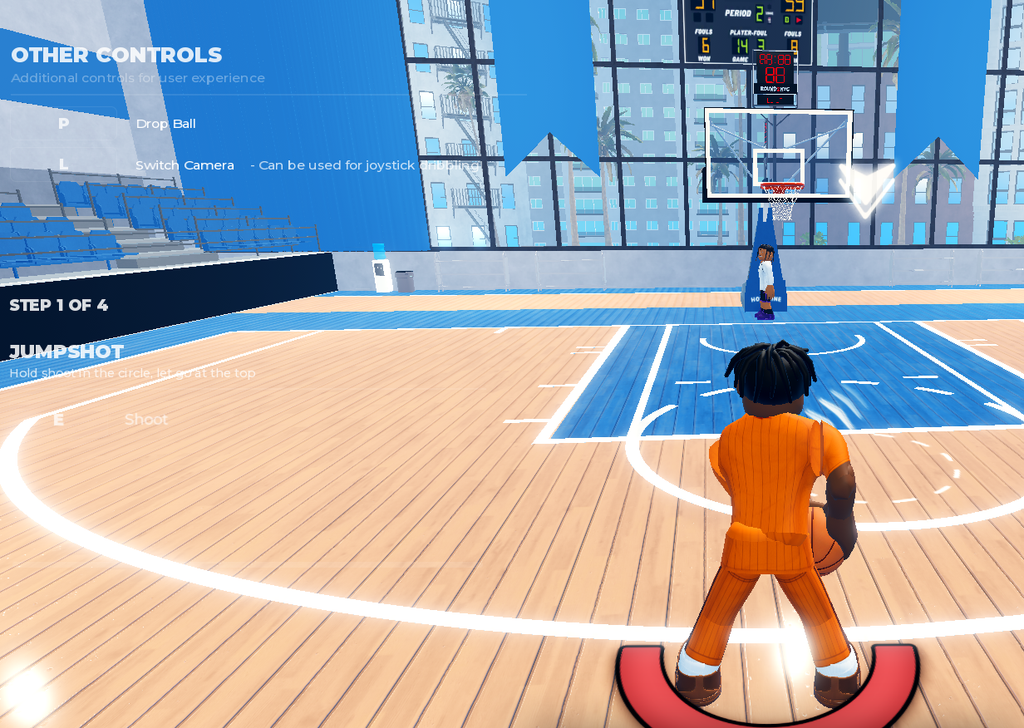
Shooting & Scoring
- Shoot / Layup: Hold
E(or holdEwhile running toward the hoop). - Pump Fake: Tap
Equickly or hold briefly. - Moving & Directional Shots: Use
Shiftcombined with movement keys (Shift+D+Efor right,Shift+A+Efor left,Shift+S+Efor fadeaway/backward). - Off Dribble: Combine movement keys
DorAwith holdingE.
Driving & Finishes
- Floater / Euro Step:
Shift+ double-tapE. - Driving Dunk:
Shift+Spacebarwhile running. - Standing Dunk: Hold
Spacebarnear the basket. - Jelly / Double Clutch: Press
QorFafter timing your animation. - Hop Step & Spins: Use
Shift+Efor hop steps, double-tapEfor spin gathers, or combine movement keys withShiftandEfor side steps and step-backs.
Passing & Teamwork
- Standard Passes: Number keys (
1–4) for overhead passes, double-tap for bounce passes,Shift+ number for chest passes, andShift+ double-tap for flashy passes. - Fakes & Alley-Oops: Hold
Q+ number for fake passes,Ffor self alley-oops, andT+ number to alley-oop to a teammate. - Screens: Hold
Tto set a screen.
Dribbling & Ball Handling
- Basic & Advanced Moves: Use
C/Zfor hand switches,Xfor step-backs/snatchbacks,Ffor spins/jukes, andVfor half-spins. - Complex Combos: Execute full spins via sequences like
C->X->Z, double-tapCfor double crossovers, or double-tapVfor sham moves. - Post Play: Hold
Gto post up and release to exit or execute post/release spins with directional keys.
Console Controls (Xbox / PlayStation)
- Shoot / Layup: Hold
X/⬜. - Pump Fake: Tap
X/⬜. - Sprint / Turbo: Hold
RT/R2. - Standing Dunk: Hold
Y/△near the hoop. - Driving Dunk: Hold
RT/R2+ pressY/△while running. - Switch Hands: Tap
B/◯. - Post Up: Hold
LT/L2. - Jelly & Double Clutch: Press
B/◯orX/⬜right after your initial layup/dunk animation starts. - Basic Dribble Moves (D-Pad):
- Crossover: Flick D-Pad opposite of the ball hand.
- Behind-the-Back: Flick D-Pad diagonally down-left or down-right depending on the ball hand.
- Step-back: Tap down on the D-Pad.
- Half-Spin: Tap up on the D-Pad.
Shooting & Scoring
- Shoot / Layup: Hold
E(or holdEwhile running toward the hoop). - Pump Fake: Tap
Equickly or hold briefly. - Moving & Directional Shots: Use
Shiftcombined with movement keys (Shift+D+Efor right,Shift+A+Efor left,Shift+S+Efor fadeaway/backward). - Off Dribble: Combine movement keys
DorAwith holdingE.
Driving & Finishes
- Floater / Euro Step:
Shift+ double-tapE. - Driving Dunk:
Shift+Spacebarwhile running. - Standing Dunk: Hold
Spacebarnear the basket. - Jelly / Double Clutch: Press
QorFafter timing your animation. - Hop Step & Spins: Use
Shift+Efor hop steps, double-tapEfor spin gathers, or combine movement keys withShiftandEfor side steps and step-backs.
Passing & Teamwork
- Standard Passes: Number keys (
1–4) for overhead passes, double-tap for bounce passes,Shift+ number for chest passes, andShift+ double-tap for flashy passes. - Fakes & Alley-Oops: Hold
Q+ number for fake passes,Ffor self alley-oops, andT+ number to alley-oop to a teammate. - Screens: Hold
Tto set a screen.
Dribbling & Ball Handling
- Basic & Advanced Moves: Use
C/Zfor hand switches,Xfor step-backs/snatchbacks,Ffor spins/jukes, andVfor half-spins. - Complex Combos: Execute full spins via sequences like
C->X->Z, double-tapCfor double crossovers, or double-tapVfor sham moves. - Post Play: Hold
Gto post up and release to exit or execute post/release spins with directional keys.
The console and mobile controls for Roblox Practical Basketball mirror the depth of the PC version, mapped intuitively to buttons and on-screen interfaces.
Console Controls (Xbox / PlayStation)
- Shoot / Layup: Hold
X/⬜. - Pump Fake: Tap
X/⬜. - Sprint / Turbo: Hold
RT/R2. - Standing Dunk: Hold
Y/△near the hoop. - Driving Dunk: Hold
RT/R2+ pressY/△while running. - Switch Hands: Tap
B/◯. - Post Up: Hold
LT/L2. - Jelly & Double Clutch: Press
B/◯orX/⬜right after your initial layup/dunk animation starts. - Basic Dribble Moves (D-Pad):
- Crossover: Flick D-Pad opposite of the ball hand.
- Behind-the-Back: Flick D-Pad diagonally down-left or down-right depending on the ball hand.
- Step-back: Tap down on the D-Pad.
- Half-Spin: Tap up on the D-Pad.
Mobile Controls
Mobile features a custom on-screen GUI overlay consisting of dedicated action buttons alongside a virtual joystick.
- Movement: Use the Virtual Joystick on the left side of the screen.
- Shooting & Layups: Hold the on-screen Shoot button.
- Pump Fake: Tap the Shoot button quickly.
- Dribble Moves: Mobile players utilize on-screen letters (
Z,X,C,V) that act as shortcuts for stationary combos:- C / Z: Right/Left hand hesitations or crossovers.
- X: Step-backs.
- CV / XX: Advanced size-up and “tween” (between-the-legs) animations.
- Passing: Tap the designated Pass buttons or teammate player icons above their characters to distribute the ball.
It is a good idea to try out the controls and practise the various moves for some time to get a hang of them. Once you master them, you will have an edge over other players and increase your chances of winning games.