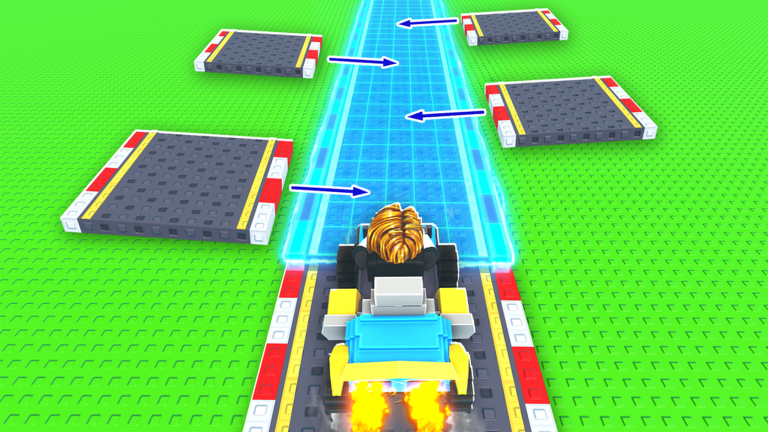
In Build a Racetrack, your income goes up as you add pieces to your track. Cars spawn on their own and drive your layout, and each piece you buy from the Track Shop adds a set amount of cash per car. After that, you can rebirth for a bigger plot, upgrade your cars, and stack cash boosts from friends and the game’s group.
Quick answer: Buy pieces in the Track Shop (Straight is $100 for +$15/Car, 90° Turn is $150 for +$25/Car), place them with 1 Build, and check back when the shop restocks every 5 minutes.
Track Shop prices, income and stock
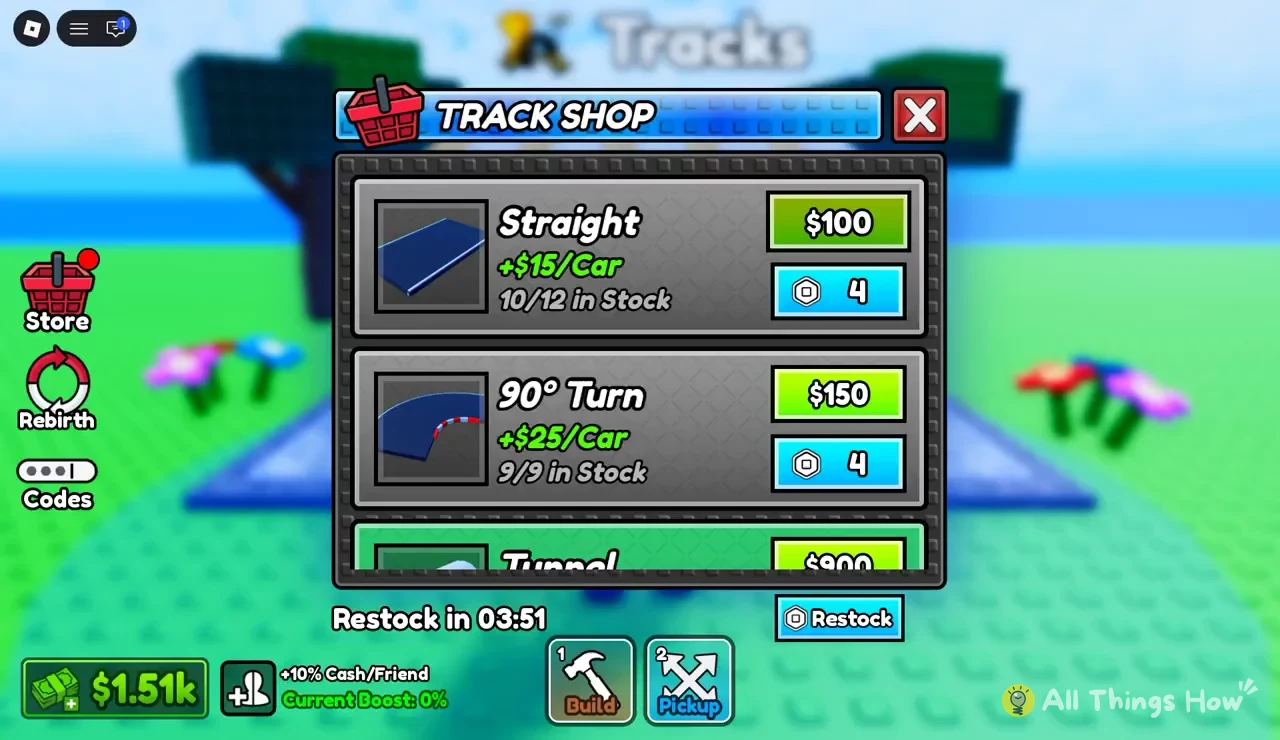
Each piece in the Track Shop shows four things: what it costs in cash, what it costs in Robux, how much it adds per car, and how many are left in stock. Stock is shown as available over the maximum, so “10/12 in Stock” means 10 of a possible 12 are still there to buy.
| Piece | Cash price | Income | Max stock |
|---|---|---|---|
| Straight | $100 (or 4 Robux) | +$15/Car | 12 |
| 90° Turn | $150 (or 4 Robux) | +$25/Car | 9 |
| Tunnel | $900 | Not shown | Not shown |
Per dollar, the 90° Turn pays a little better than the Straight. You get $25 per car for $150, or about 16.7 cents for every dollar spent, while the Straight gets you $15 for $100, or 15 cents per dollar. The turn also has a smaller stock cap of 9, so it can sell out before the straights do. The Tunnel costs $900, which is six times what a 90° Turn costs, so it’s a later buy once your cash balance can handle it.
Your current cash shows on the HUD next to the shop, for example $1.51k, so you can see right away whether you can afford a Tunnel or should keep buying cheaper pieces.
How to buy and place track pieces
1 to switch to the Build tool and place the new piece on your plot. Connect it to the rest of your track so cars can drive over it.2 for the Pickup tool to lift it, then switch back to Build and set it down again.Track Shop restock timer
The pieces in the shop rotate every 5 minutes. A countdown at the bottom of the Track Shop window (it reads “Restock in 03:51” partway through a cycle) shows how long you have until the next refresh, and when it hits zero the stock fills back up. If something you want is sold out, or isn’t in the current rotation, you can wait out the timer for free.
The Restock button next to the timer refreshes the shop right away, but it costs Robux. Since a full rotation only takes 5 minutes, it’s usually worth just waiting unless you’re about to place a specific piece.
Rebirth, car upgrades and breakdowns
Once your plot is full, the Rebirth button on the left side of the screen is how you keep growing. Rebirthing expands your plot, which gives you room for bigger, more complicated layouts and so more pieces earning per car. The Store and Codes buttons sit in the same column.
Cars can be upgraded too, and they can break down. A broken car needs fixing, so keep an eye on the cars running your track and repair them so they keep earning. Your track also keeps making money while you’re offline, so upgrades you buy before logging off keep paying until you come back.
Cash boosts in Build a Racetrack
Two boosts raise your income without buying anything:
- +10% Cash/Friend for each friend playing in your server. The HUD shows your total as “Current Boost,” which reads 0% when you’re playing alone.
- 10% extra cash, plus in-game rewards, for joining the game’s group, Finish Line Studio.
You can join the group from the Finish Line Studio community page on Roblox. For the friend boost, check that the Current Boost number has gone up from 0% once a friend joins. If it has, the bonus is active.