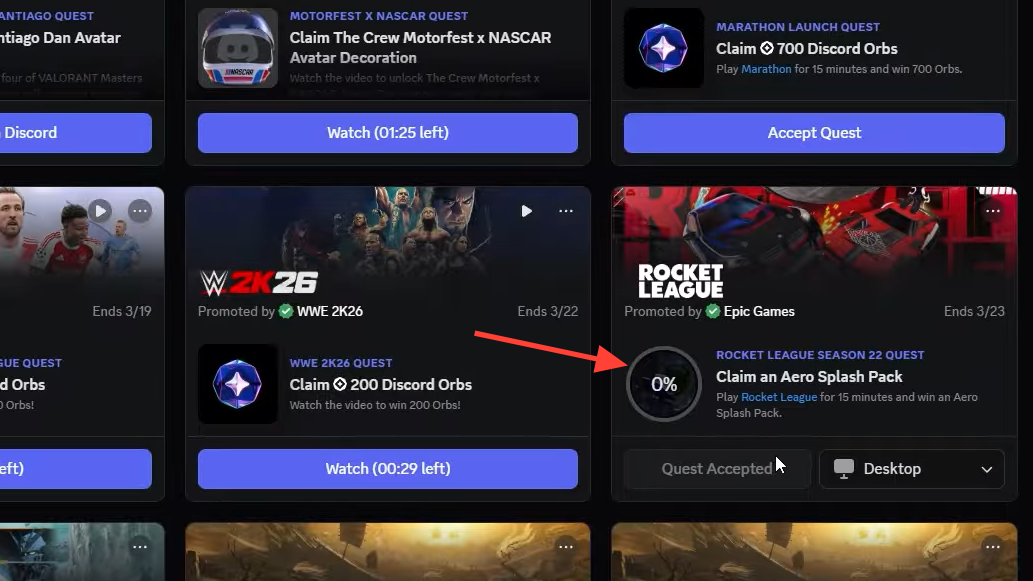
Rocket League Season 22 brought a limited-time Discord Quest that rewards players with a free cosmetic bundle called the Aero Splash Pack. The promotion works on both PC and console, and the only requirement is 15 minutes of playtime after accepting the quest through Discord. The quest expires on March 23, 2026, so you have about a week left to grab it.
Quick answer: Open Discord, navigate to the Quests tab, accept the Rocket League Aero Splash Pack quest, play Rocket League for 15 minutes, then claim your unique reward code and redeem it in-game under Settings → Extras → Redeem Code.
Aero Splash Pack rewards
| Item | Type | Paint |
|---|---|---|
| Aero Mage | Wheels | Titanium White |
| Big Splash | Goal Explosion | Sky Blue |
| Exotic Drop | Item Drop | Random |
The Aero Mage wheels are an esports-era design that many players never had a chance to pick up, and the Titanium White variant is one of the more sought-after colors. The Sky Blue Big Splash is a large animated water explosion that triggers every time you score. The Exotic Drop functions like a crate and grants a random item at Exotic rarity or above.
Requirements before you start
You need a Discord account and either the Discord desktop app or the mobile app. Your Epic Games account must be linked to your Discord account so the system can track your Rocket League playtime. If you play on PlayStation or Xbox, your console account also needs to be connected to your Epic Games account. Without these links in place, Discord cannot verify that you launched the game, and the quest progress bar will not move.
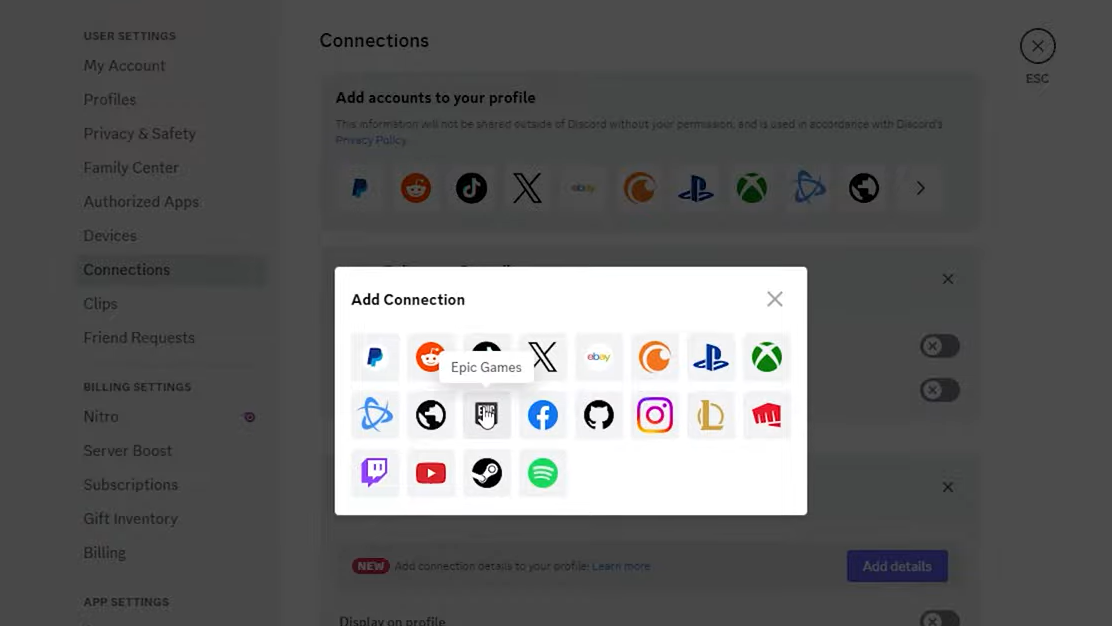
How to complete the Aero Splash Pack Discord Quest
Redeeming the code on console
Console players follow the same redemption path inside Rocket League. Navigate to Settings, then Extras, then Redeem Code. You can type the code manually using your controller if copy-paste is not available on your platform. Each code is unique and single-use, so it cannot be shared or reused by another player.
Troubleshooting missing rewards
If the items do not show up in your Garage after entering the code, try restarting Rocket League completely. On PC, also restart the Epic Games Launcher. Server synchronization can sometimes take a few minutes, especially during high-traffic periods. If the items still have not appeared after restarting, double-check that you redeemed the code on the correct account — the one linked to your Discord profile.
The Aero Splash Pack quest is one of the simplest free-item promotions Rocket League has run in recent memory. Fifteen minutes of idle time on the main menu is all it takes, and the painted Titanium White Aero Mage wheels alone make it worth the effort. Just make sure to finish before March 23, 2026 — once the deadline passes, the quest disappears from Discord and the codes can no longer be generated.