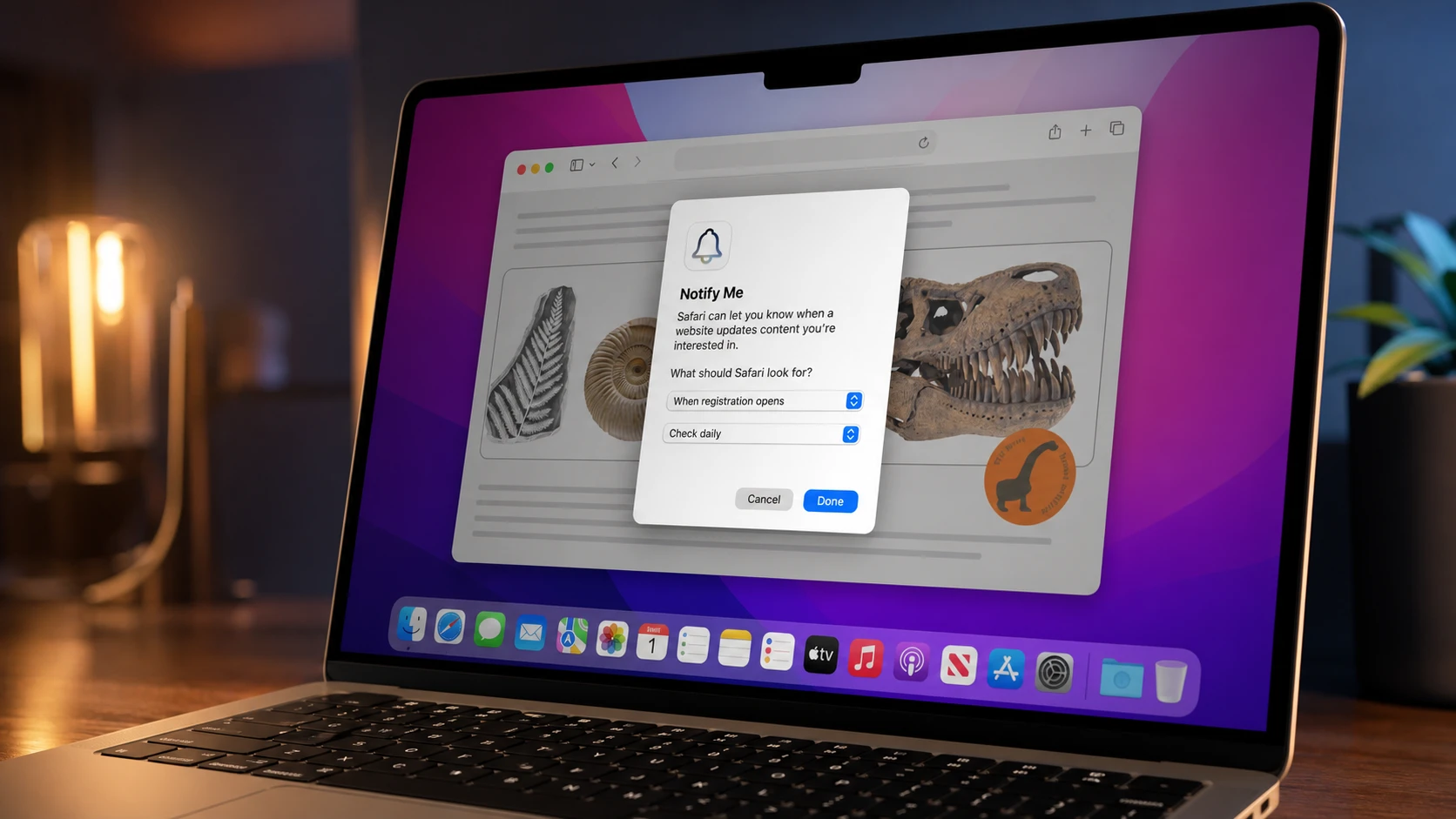
Safari is getting a built-in way to keep an eye on a webpage for you. With a new feature called “Notify Me,” the browser can repeatedly check a site in the background and alert you when something on the page changes, so you no longer have to keep reloading a page yourself.
Quick answer: Pick a webpage you want to watch, turn on “Notify Me,” and Safari checks that page on its own and sends you an alert when the content updates.
What “Notify Me” does in Safari
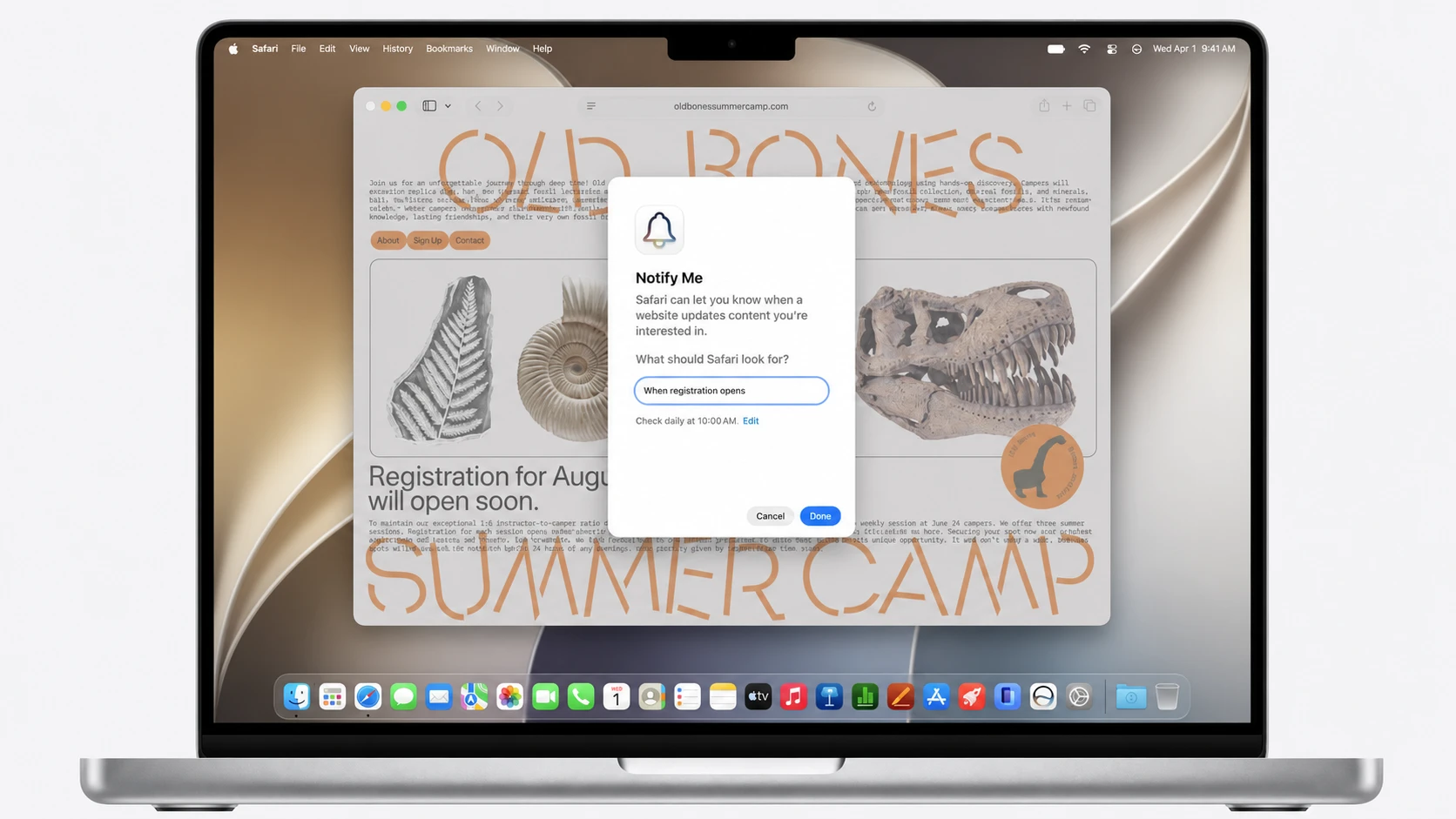
“Notify Me” turns Safari into a watcher for a single page. Instead of you sitting on a tab and hitting refresh, the browser keeps checking the page for you and only pings you when the page actually changes.
The clearest use is tracking a product that has been out of stock. You point Safari at the product page, switch on monitoring, and the browser tells you when the listing changes, such as when the item comes back in stock. The same idea works for anything that updates on a page over time.
How the monitoring works
The feature is built directly into Safari, so it does not depend on a third-party extension. You set it on a page you care about, and Safari handles the repeated checking on its own. When the content on that page shifts, Safari surfaces an alert to let you know.
Note: Because the checking happens for you in the background, you can close out of the constant refresh habit and wait for the notification instead of staring at the tab.
Other Safari changes arriving alongside it
“Notify Me” is part of a broader set of Safari updates Apple is rolling out. A few of those lean on AI to change how you handle pages and tabs.
| Feature | What it does |
|---|---|
| Notify Me | Monitors a chosen webpage and alerts you when its content changes. |
| Tab grouping by topic | Automatically organizes the tabs you have open into topics. |
| Custom extensions from text | Lets you describe what you want in plain language, and Safari creates a custom extension that adapts web pages to your request. |
When you can use it
These additions were detailed as part of Apple’s WWDC 2026 reveals and are tied to the upcoming version of Safari. They are not yet available to use today, and no separate public release date for the feature has been confirmed. Once it ships, you’ll be able to set “Notify Me” on a page and let Safari handle the watching for you.