Safari’s Distraction Control feature, introduced in macOS Sequoia, helps you temporarily remove annoying or distracting elements from webpages. Unlike traditional ad blockers, Distraction Control lets you manually choose exactly which parts of a webpage you want to hide, giving you precise control over your browsing experience.
Before you start, ensure your Mac is running macOS Sequoia or later. Distraction Control is also available on iPhones and iPads running iOS 18 or later.
Using Distraction Control on macOS Sequoia
The process to hide distracting elements in Safari on macOS Sequoia is straightforward. Follow these steps carefully:



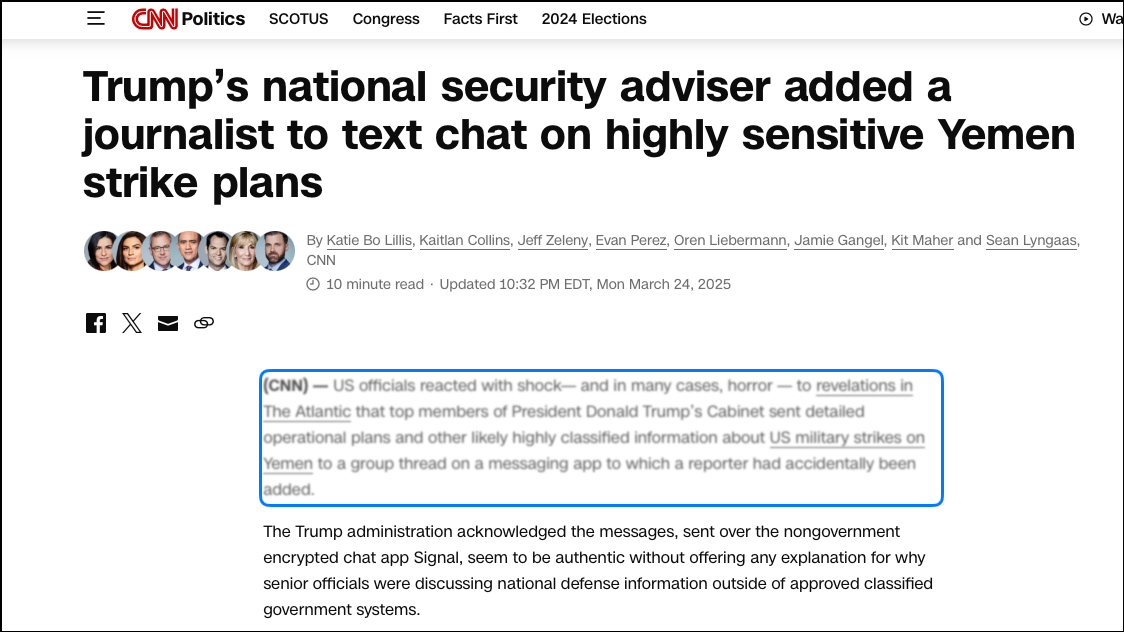
Hidden items typically remain hidden through page refreshes, provided the items themselves don’t change frequently. However, in some cases, dynamic ads or frequently updated elements may reappear after refreshing the page.
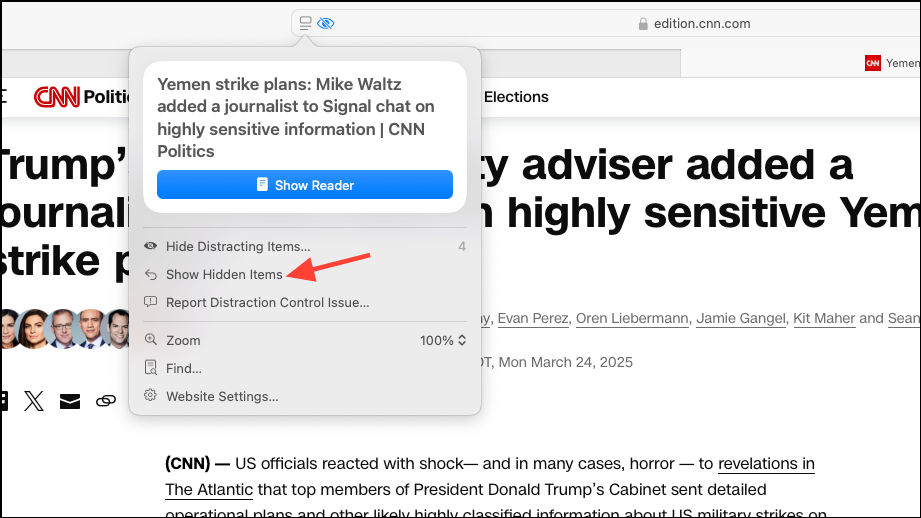
Restoring Hidden Items in Safari
If you want to bring back hidden elements, you can easily restore them:
Using Distraction Control on iPhone and iPad
Safari’s Distraction Control is also available on iOS 18 and iPadOS 18. Here’s how you can enable it on your mobile devices:
Aa icon) located in the Smart Search field.To restore hidden items on your iPhone or iPad, simply tap the Page Menu button again and select Show Hidden Items.
Tips and Troubleshooting
- If hidden items reappear after refreshing: This usually happens with dynamic content like frequently updated ads. In this case, consider using Safari’s built-in Reader Mode, which strips the page down to essential text and images.
- Difficulty selecting small elements: Zoom in on the webpage to select smaller or overlapping items more accurately.
- Missing Distraction Control option: Ensure your device is updated to macOS Sequoia (or iOS/iPadOS 18). You can check for updates by navigating to System Settings > General > Software Update.
Safari’s Distraction Control in macOS Sequoia provides a quick and intuitive way to declutter webpages, allowing you to focus better on reading, research, or work. Give it a try next time you’re browsing and see how much easier it is to concentrate.