Screen $aver is a simulation game built around a fake, retro-styled operating system desktop. Instead of controlling a character, you move a mouse pointer across a cyan desktop, open windows like Notepad and Calculator, and turn ordinary computer tasks into a way to earn virtual currency. The announcement trailer lays out that loop before pivoting into a horror-tinged twist involving malware.
Quick answer: Screen $aver is a retro OS simulation where you earn cash by typing text in Notepad and solving Calculator problems, spend it on upgrades and themes, then face a system-corrupting virus called [email protected].
How the money loop works in Screen $aver
The game boots into a simulated desktop, complete with a taskbar, a clock, a wallet counter, and a mascot assistant named Tug who greets you from the system tray with the tooltip “Good to see you User!” From there, the core of play is doing simulated office work.
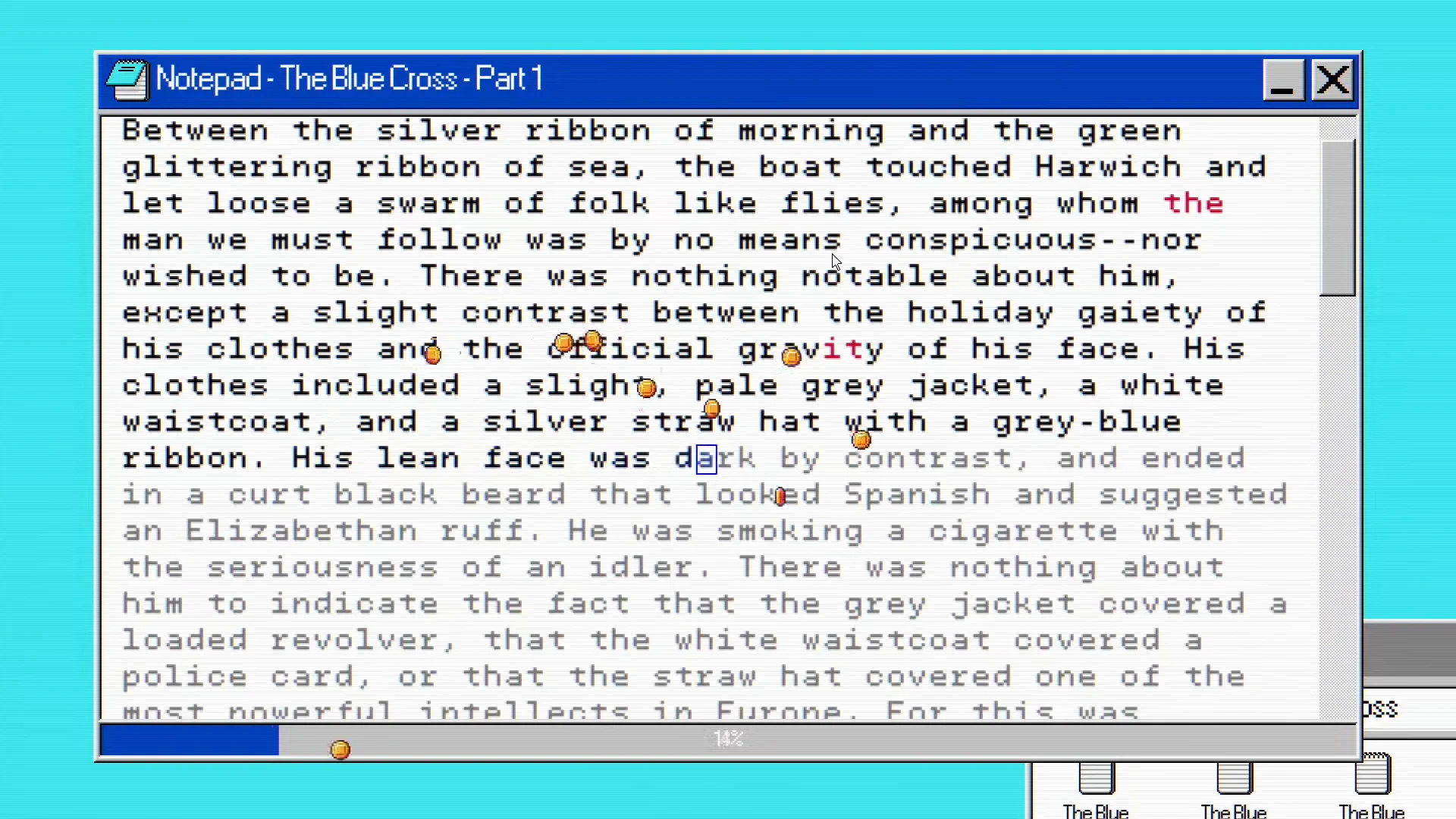
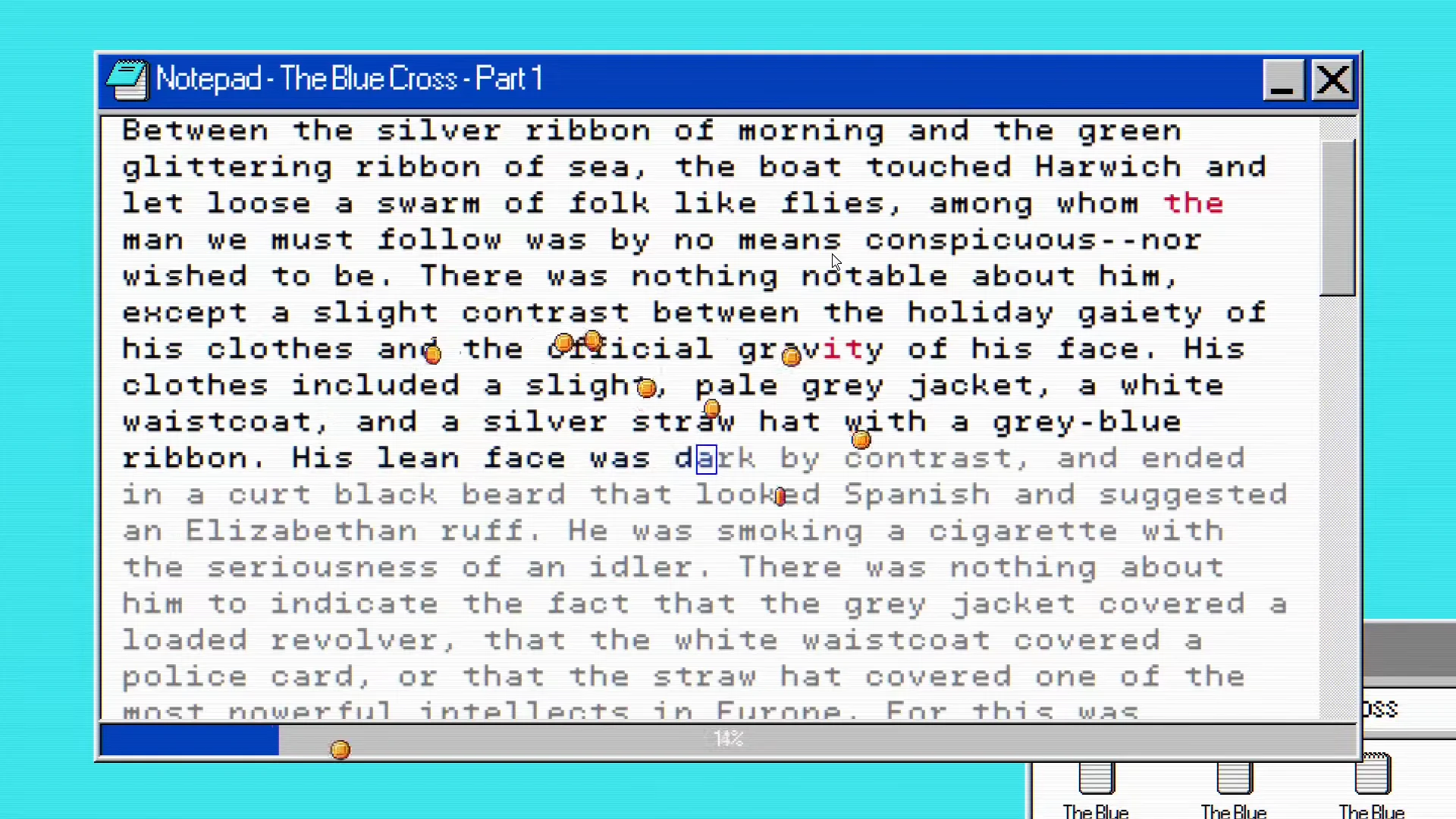
Typing text into Notepad generates cash, with falling coin particles spawning as characters are entered. A file extractor unpacks story text such as “The Blue Cross – Part 1,” which you then transcribe passage by passage to keep earning. The Calculator app offers a second income stream, presenting arithmetic challenges like “Calculate 413 * 468” that pay out when solved.
Upgrades, wallpapers, and OS updates
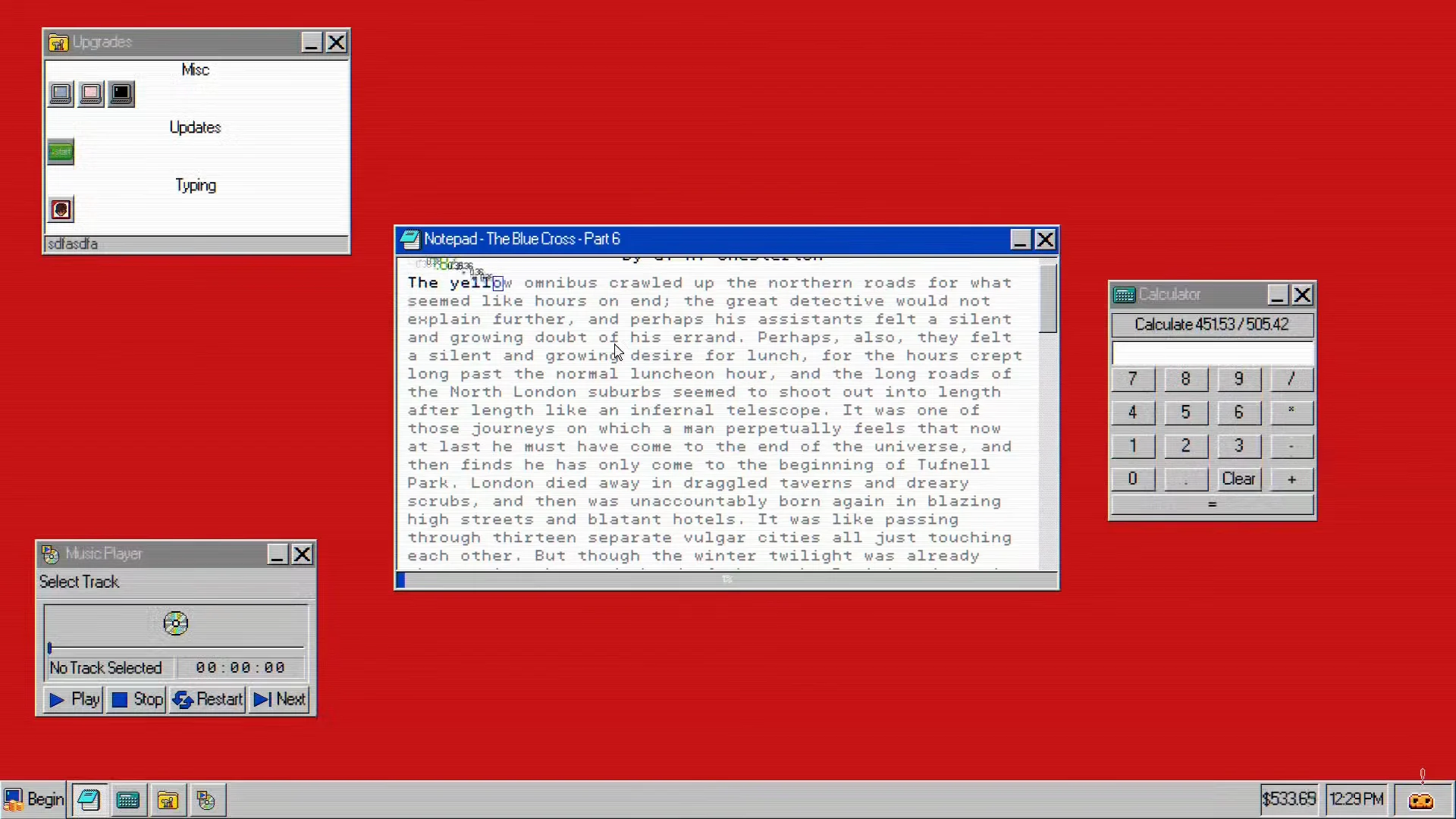
Money feeds into an Upgrades Control Panel that opens from the start menu once it unlocks. Purchases are sorted into categories including Typing, Applications, Misc, and Updates, and each one increases how much you earn or changes how the desktop behaves. The trailer shows several tiers with escalating prices and effects.
| Upgrade | Price | Effect |
|---|---|---|
| Motivating Motion | $1.75 | +150% money per character |
| Earnings Animation | $5.00 | +100% money per character |
| Intermediate Pay | $10.00 | +100% money per character |
| Deep Blue | $120.00 | Cosmetic theme |
| The Mavis Method | $150.00 | +100% money per character |
| Operating System Upgrade | $5,000.00 | OS version update (restart required) |
Cosmetic changes go beyond upgrades. Display Settings let you swap the wallpaper between themes named Cyan, Jungle, Banana, Carnation, and Cabin. The most expensive purchase shown, a $5,000 Operating System Upgrade, is gated behind accumulated XP and forces a restart, framing OS progression as its own reward tier.
As earnings climb past $1,000, the desktop fills with open windows. The trailer runs through a montage of a Music Player, Volume Control, a Business Calculator with an earn-rate readout, and multiple Notepads all running at once, showing how the game leans into cluttered multitasking as you scale up.
The [email protected] malware and Tug’s abduction
The trailer’s turn comes from the Downloads folder, which holds suspicious executables named “Money Maker.exe” and “Questionable Money.exe.” Tug warns against opening them with the pop-up “Do NOT run that, it does NOT look safe!” Running the file anyway triggers a terminal titled “System Interrupt” that reports a failed quarantine of a process called [email protected].
From there the terminal morphs into a glitching “NiGhtM@rE” interface that seizes control. On-screen messages walk through the takeover, from “YOUR COMPUTER NO LONGER BELONGS TO YOU” to corrupting files, hijacking network drivers, and redirecting outbound traffic. The malware then locates the OS personality, identifies it as “Tug,” and abducts the mascot into a “secure [email protected] vault” before the desktop collapses into a black screen.
The malware sequence is scripted as the trailer’s finale, establishing the threat and Tug’s kidnapping as the game’s central hook rather than a live gameplay warning.
Where to wishlist Screen $aver
Screen $aver closes on its logo and a speech bubble reading “Wishlist now on Steam!” The game is available for wishlisting on Steam, which is currently the way to track it ahead of release. No official launch date or time has been confirmed yet, so the money loop, cosmetic themes, and the [email protected] storyline shown in the trailer are what define the game for now.