Player combat in Slayers 2 is not something you have to live with. The game keeps a dedicated PvP switch in the on-screen sidebar, so you can drop out of open combat while you farm, quest, or wander between villages, then switch it back on when you want fights again. If you own a private server, you also get a blunter instrument: a chat command that kills or restores PvP damage for everyone in the session at once.
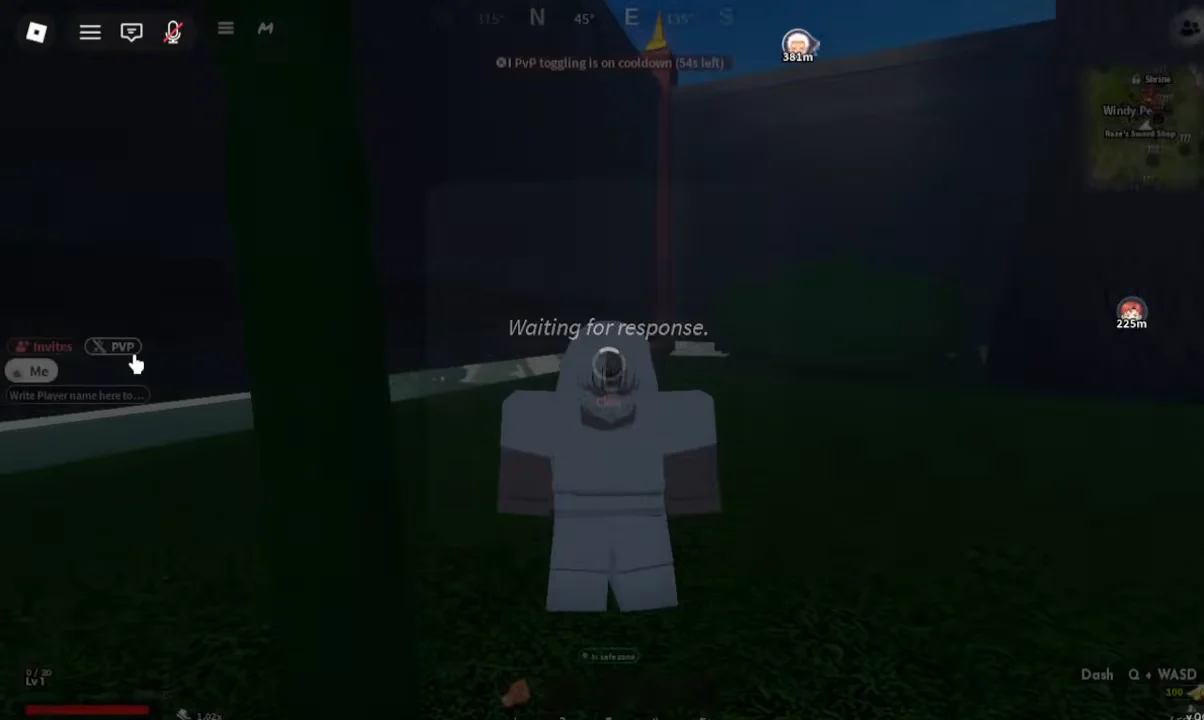
Quick answer: Open the left sidebar and click the PvP button below Invites to flip your combat state. On a private server, type /pvp off or /pvp on in chat instead.
Where the PvP button is in Slayers 2
The toggle lives on the left-hand sidebar that stays on screen during normal play, directly under the Invites entry. It sits alongside the rest of the game’s navigation, so you do not need to be in a safe zone or talk to an NPC to use it. Anywhere you can see the sidebar, including out in areas like Windy Peak, you can reach the switch.
The PvP toggle cooldown
You cannot spam the button. Immediately after a successful switch, the game throws up an on-screen message reading PvP toggling is on cooldown, and further clicks do nothing until that timer clears. It is there to stop players from disabling combat mid-fight the moment a duel starts going badly.
Set your combat state before you head into contested ground rather than after. If you flip it at the wrong moment, you are locked into that state until the cooldown expires.
Turning PvP on or off for a whole private server
Private servers handle this differently. Instead of each player managing their own state, the owner and any moderators control player-versus-player damage for the entire session through the in-game chat. Open chat, type the command exactly as written, and send it.
| Command | Effect | Who can use it |
|---|---|---|
/pvp on | Enables player-versus-player damage | Owner and moderators |
/pvp off | Disables player-versus-player damage | Owner and moderators |
/pve off | Removes every NPC from the server | Owner and moderators |
/pve on | Restores NPCs across the server | Owner and moderators |
The PvE pair matters more than it looks when you are setting up fights. Running /pve off strips NPCs out of the world, which gives you a clean arena where wandering enemies cannot wander into a 1v1 or a clan battle. Remember to switch it back on afterwards, otherwise the map stays empty for quests and farming.
A typical tournament setup runs in order: close the server with /access closed while you prepare, clear NPCs with /pve off, leave PvP disabled while players file in, broadcast the start with /announce, then enable combat with /pvp on and open the doors using /access friends or /access everyone.
Typos matter. A mistyped command simply will not register, and errors on player-management commands can hit the wrong account entirely.
How to confirm your PvP state changed
For the sidebar toggle, the Waiting for response pop-up appearing and then clearing is your confirmation that the server accepted the request. The cooldown warning that follows is a second signal — the game only enforces it after a switch has gone through, so seeing PvP toggling is on cooldown means the change registered.
On a private server, the check is simpler. After /pvp off, players can no longer damage each other; after /pvp on, standard combat rules apply again. If you want everyone to know the state has flipped before a match, pair the command with an announcement.
The rest of the sidebar menu
The same sidebar that holds the PvP switch also opens the menu containing Inventory, Skill Tree, Shop, Settings, and Back To Main Menu. It is worth knowing the layout, because the combat toggle sits in the same column you use for everything else during a session.
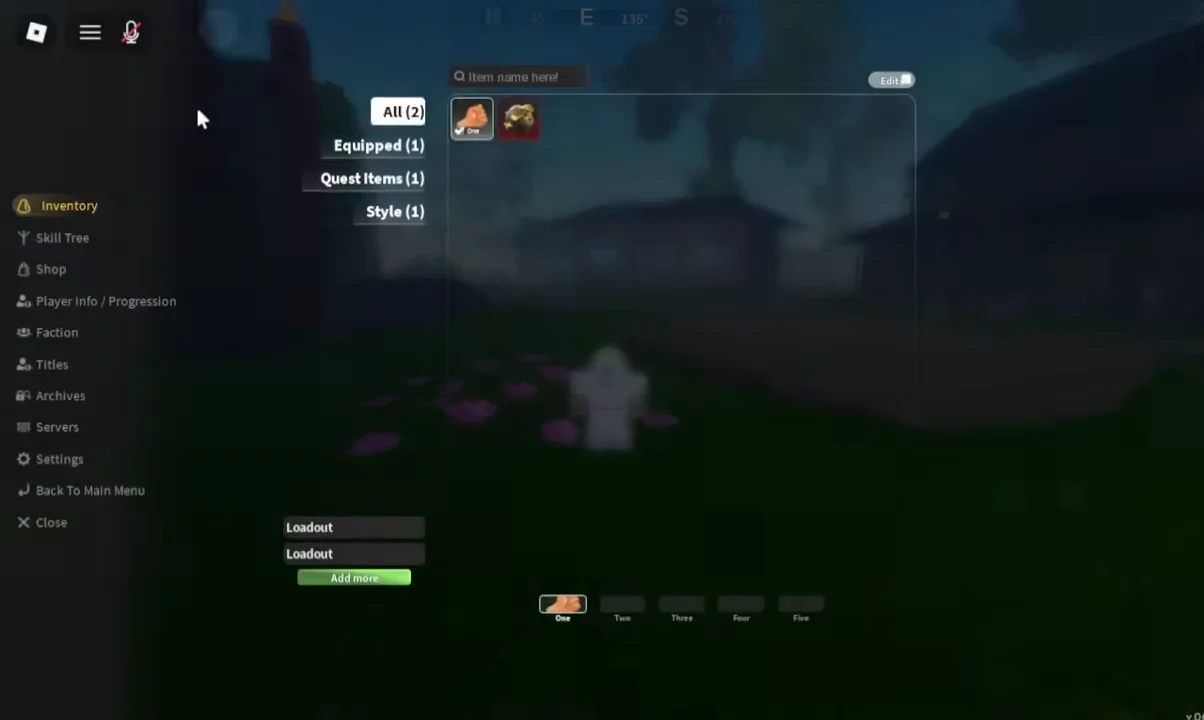
Choosing Back To Main Menu throws up a Go back to the main menu? confirmation before it does anything, then drops you into the Slayers 2 loading screen and out of the session. Since your combat state is tied to the server you are in, leaving is not a shortcut around the toggle cooldown — set PvP the way you want it before you commit to a session.