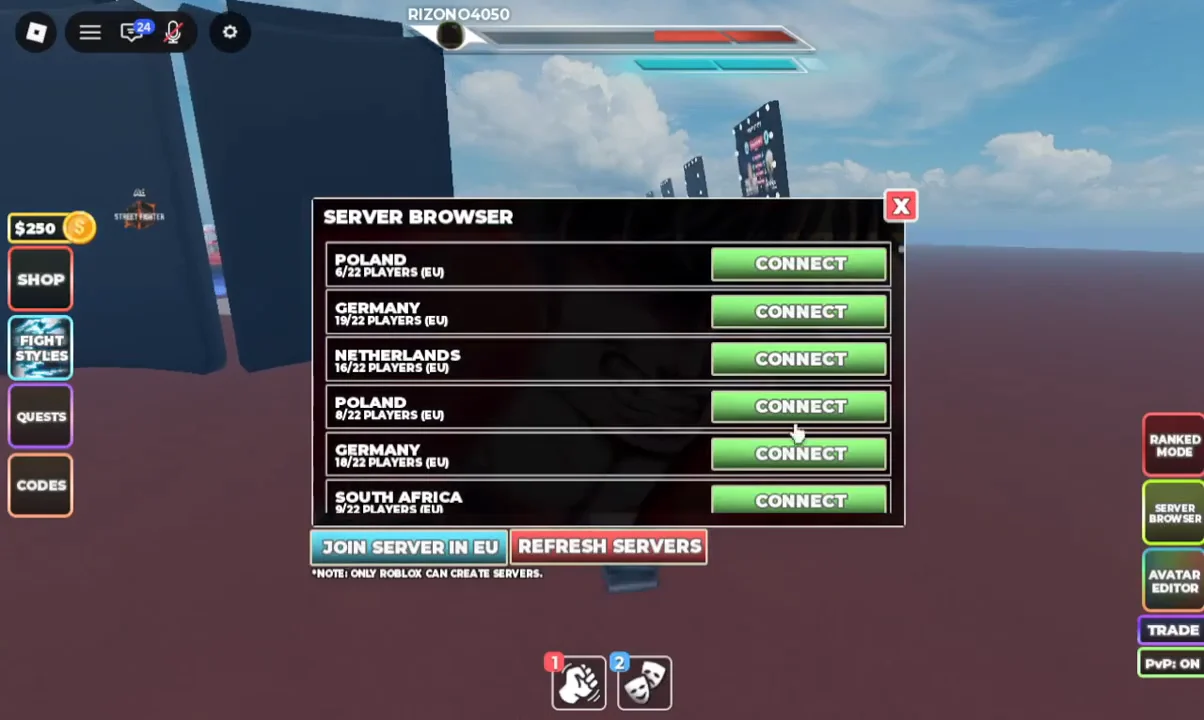
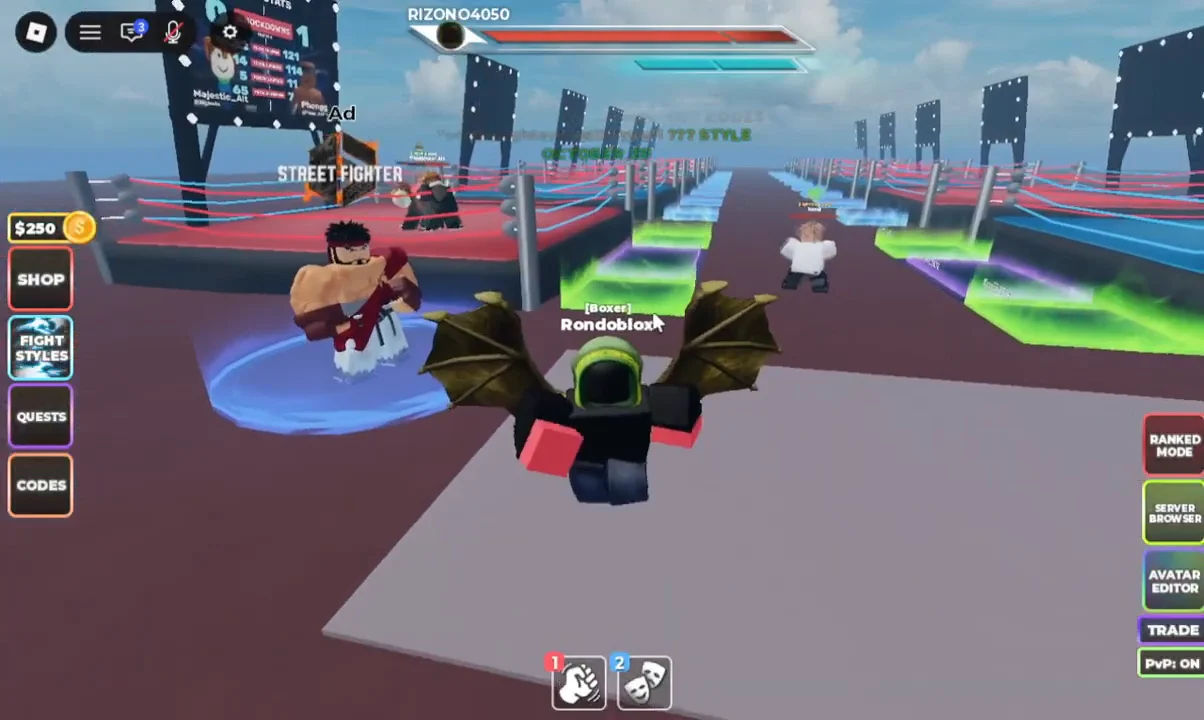
Switching lobbies in the STREET FIGHTER 6 x UBG event runs entirely through an in-game menu, so you never have to leave the Roblox experience or rejoin from the website. The Server Browser lists live regional servers with their current player counts and drops you into whichever one you pick.
Quick answer: Open the SERVER BROWSER button on the right-hand HUD, then click JOIN SERVER IN EU or the CONNECT button next to any listed server to move into a new lobby.
Change server through the Server Browser
Reading the server list
Each row names a country and a region tag, then shows the player count. Lower counts mean more open slots, while a server close to 22 players is nearly full. Use the counts to pick a quieter or busier lobby depending on what you want.
- Poland (EU) — shown with counts like 4/22 and 8/22 players
- Germany (EU) — 18/22 players
- Netherlands (EU) — 16/22 players
- South Africa (EU) — 14/22 players
If the list looks stale or none of the options suit you, press REFRESH SERVERS to reload the current lobbies and their player counts.
Only Roblox can create servers, so the browser shows the lobbies that already exist rather than letting you spin up your own.