Rest your cursor on an item in Valheim 1.0 and you may find a grey italic line tucked under the description reading “This item was summoned through cheating means.” It is the game’s way of saying that item did not come from honest play. The line is easy to miss, it spreads to anything made from a marked item, and it is tied to whether your character can still earn achievements.
Quick answer: Any item created with the spawn console command gets the tag, and so does anything crafted, cooked, or built from a marked material. While you carry a marked item, achievements are blocked for you until you drop it.
Turn on the console and confirm cheats
Spawning items needs the developer console, and the console needs to be switched on before the game even starts. To enable cheats, enter devcommands, try a cheat, then confirmcheats when the game refuses it.
-console to Valheim’s launch options in Steam before you open the game. Without it the F5 key does nothing. Load into a world, then press F5 to open the console. The prompt shows the build and the hint “type \”help\” – for commands”.devcommands and press enter. The console answers “Dev commands: True” along with a warning that using dev commands is done at your own risk. Opening the console and entering this command need no confirmation on their own.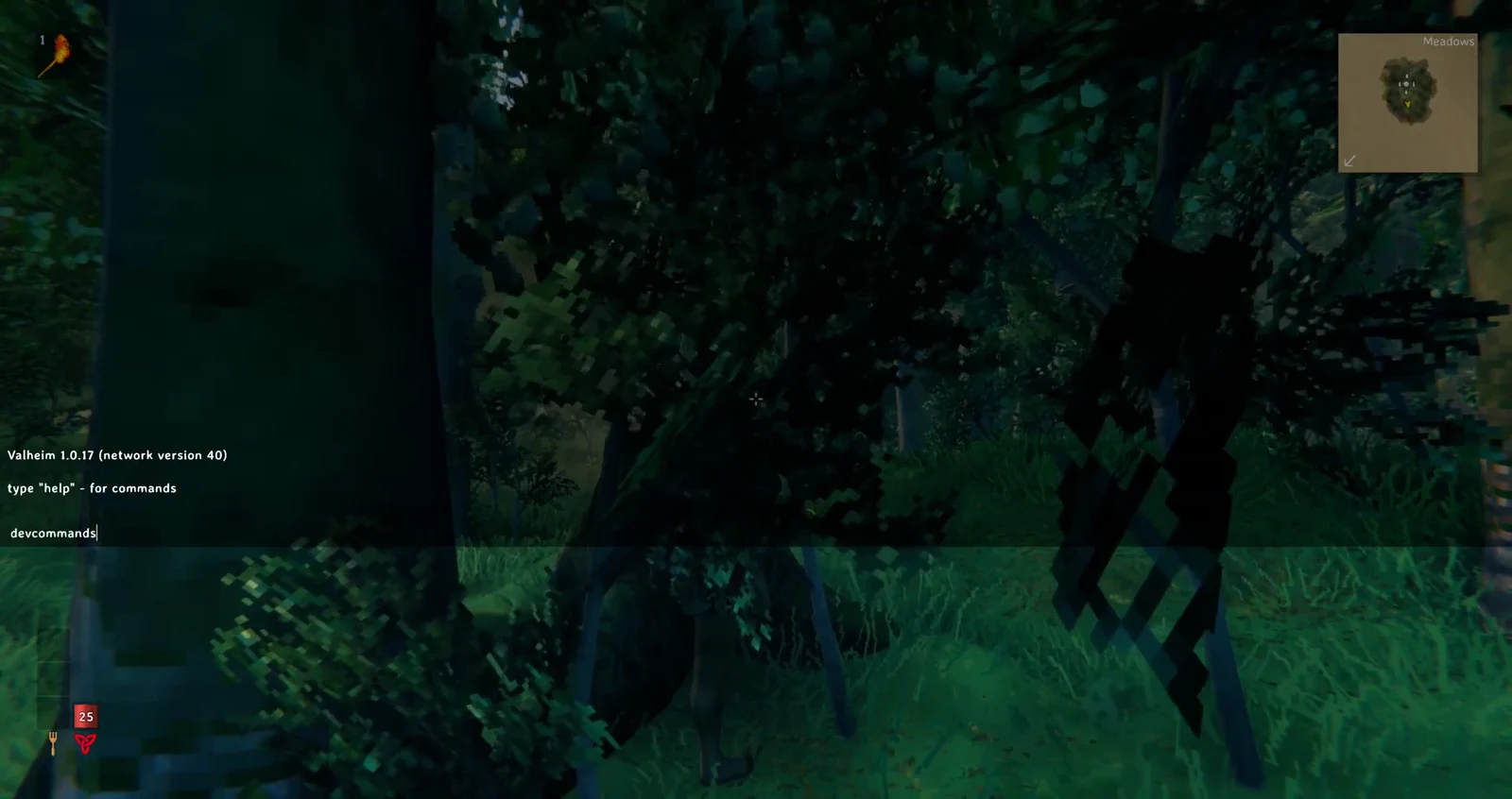
devcommands entered to enable developer commands.spawn Wood 10, and the game refuses it. The console prints that the command is a cheat and asks you to enter confirmcheats first, with a red line warning that cheats permanently disable the ability to unlock achievements for this character and this world. Nothing is spawned yet.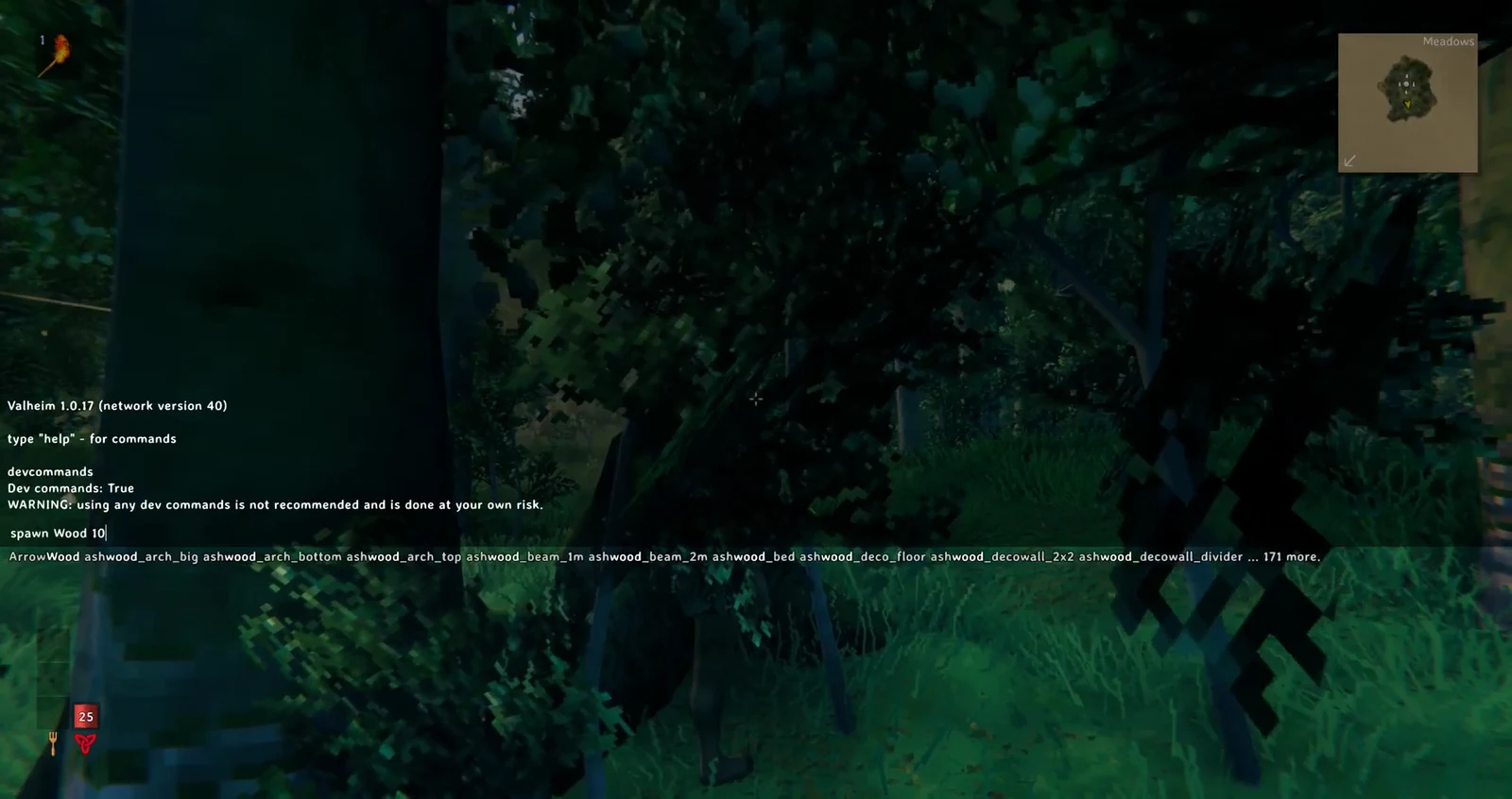
spawn Wood 10 before cheats have been confirmed.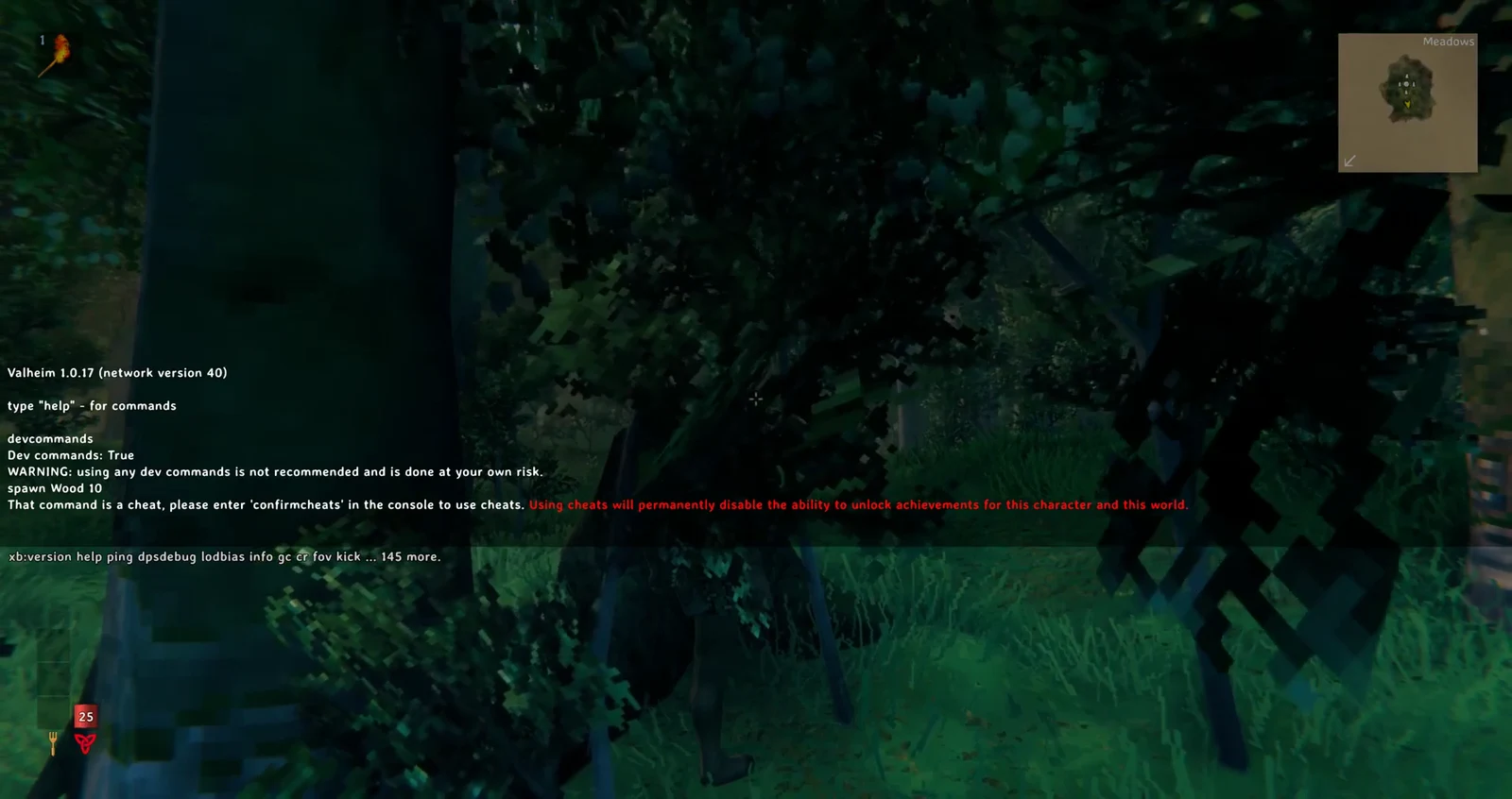
confirmcheats.confirmcheats. A red console message reports that using dev commands has permanently shut off achievement progress for that character. Cheats now work normally. Each character needs to confirm only once per world; after confirming, that character won’t be prompted again if dev commands are switched off and later re-enabled.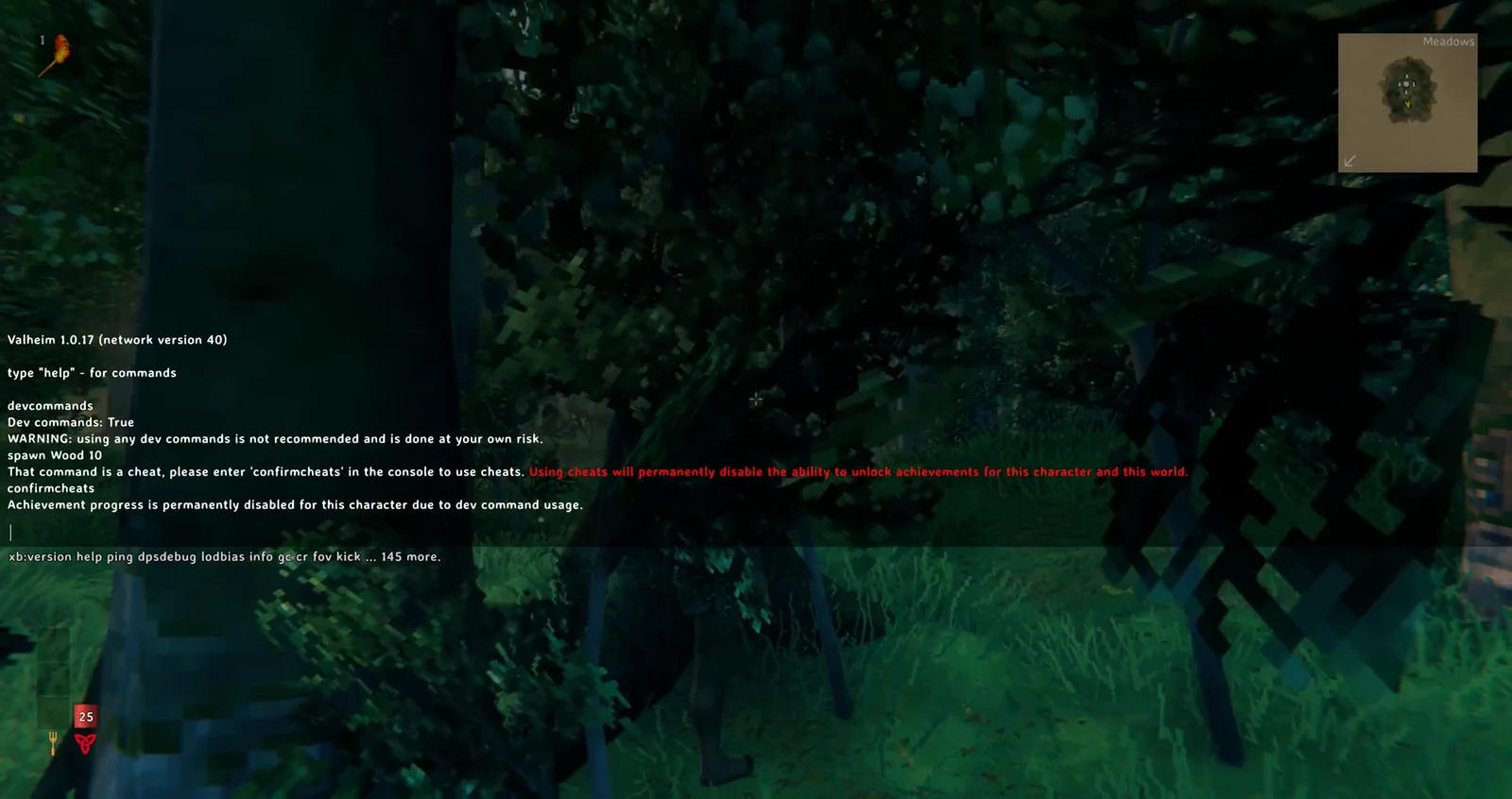
confirmcheats, cheat commands are permitted and achievement progress is locked.devcommands works as a toggle. Type it again during the current session to disable dev commands. Cheat attempts will then be silently discarded, with no refusal message.
Spawn an item and read the tag
The spawn command takes a name and, after it, an amount, a level, and a radius the items spread over. Add the letter p at the end and the game tries to pick the items straight into your inventory instead of dropping them on the ground. The full shape of the command is:
spawn <name> [amount] [level] [radius] [p/e/i]There is no quality argument. Add a final e to attempt to use or equip the spawned item; use i to spawn and pick it up only when you aren’t already carrying one. The following commands place their corresponding items in your bag:
spawn TrophyDeer 1 1 1 p
spawn RawMeat 2 1 1 p
spawn Wood 10 1 1 p
spawn Stone 8 1 1 p
Those four lines hand you one Deer Trophy, two Boar Meat, ten Wood, and eight Stone, with a “New item” notice sliding in for each. Open the inventory and hover over the Deer Trophy. Below its normal description sits the grey italic line: “This item was summoned through cheating means.” Every item you spawned carries the same mark.
Why crafting and cooking carry the tag forward
The mark transfers beyond the item that appeared in your inventory: anything crafted with marked materials inherits it. In the crafting list, choose the Hammer, requiring Wood x3 and Stone x2, and make it using the spawned stacks. After about three seconds, the progress bar completes and the Hammer appears in your hotbar. Making your first Hammer also immediately unlocks build pieces; notices identify the Campfire, Wood Stack, and Stone Pile.
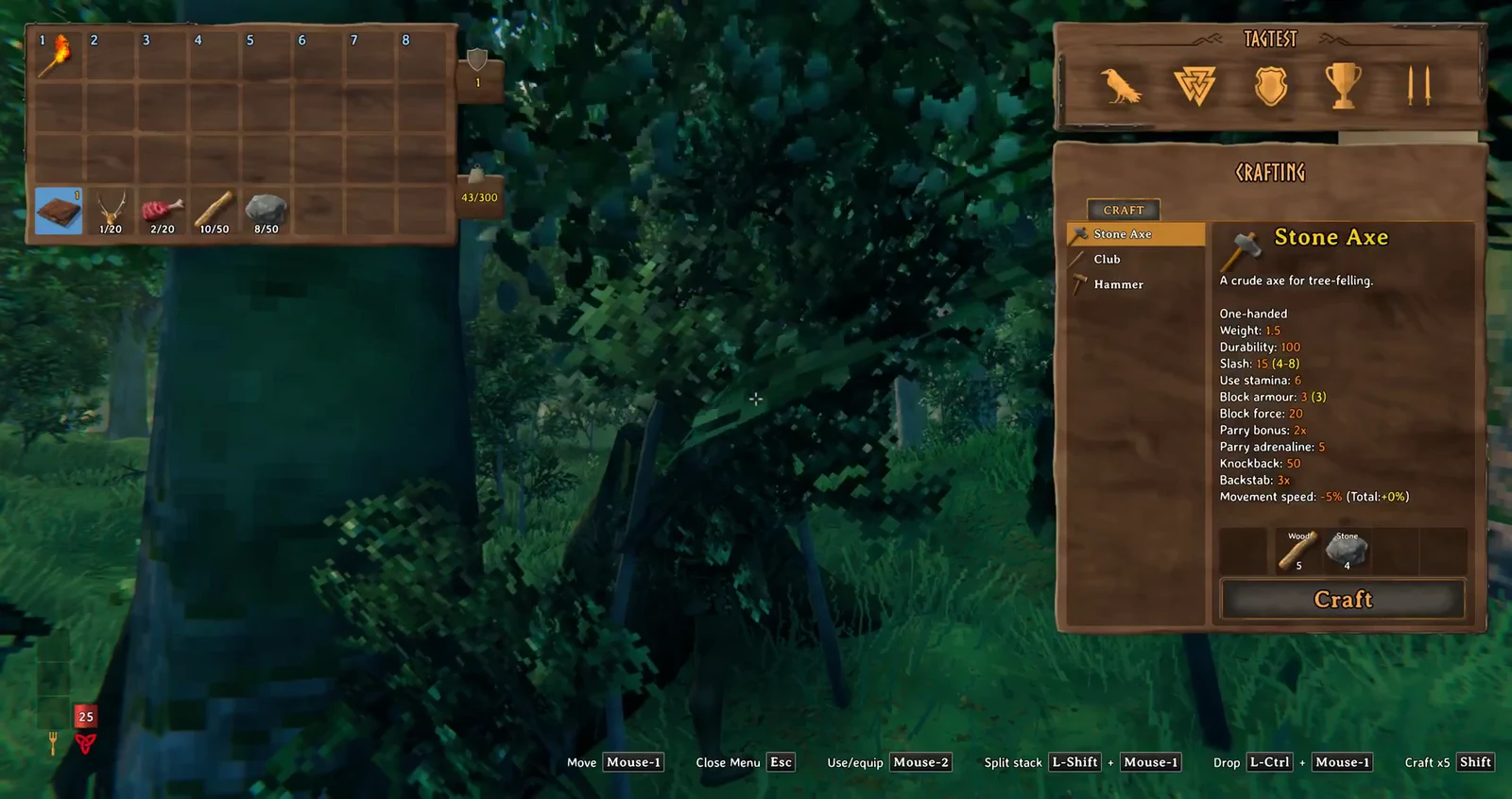
Hover over the finished Hammer and the same grey line is there, sitting between the description and the first stat. The tooltip even names you as the crafter and shows Quality 1 and Durability 100 percent, yet the tag stays. Cooking behaves the same way. Cooked Boar Meat made from spawned Boar Meat keeps the line, and it still gives Health 30, Stamina 10, a 20-minute duration, and 2 health per tick. Heating an ingredient does not clean it.
Refining a marked item at the Forge of Potential won’t remove its mark at any quality, even when upgrades take it beyond the usual maximum.
Every way an item picks up the mark
The tag spreads forward to items made from marked materials. These are routes that apply the mark:
- An item created with
spawn. - Anything crafted, cooked, or built from marked material.
- A clean stack that a marked item merges into, which tags the whole stack.
- Drops of a creature hit while a marked weapon was equipped, or while fly, god, or ghost mode was on.
- Anything bought from a trader with marked Coins, and the Coins from selling a marked item.
- Drops of a tree, rock, or built piece destroyed with a marked tool.
- Mead fermented from a marked base.
The effect is especially clear when stacks merge: put a spawned piece of Wood onto an unmarked Wood stack, and the whole stack takes on the mark. Other players can also see it by hovering over the item; it isn’t hidden from them.
What the mark costs, and how you clear it
Valheim 1.0 includes 53 achievements. Without the bypass, confirming cheats prevents that character and world from earning achievements. Simply carrying a marked item has a less lasting consequence: achievements are unavailable to you while even one marked item remains in your inventory. Remove the final one and eligibility returns. A message appears onscreen when you collect the first marked item, and another appears after the last is gone. Chest contents are excluded; only items on your character count.
There is a console switch that lets you earn achievements anyway. It needs devcommands first, and it is a toggle that also accepts 1 or 0:
yesiuseddevcommandsbutiwantmyachievementsanywayThis command disables the cheat checks and displays a single line: “Set cheat bypass to true”. With the bypass active, achievements are available, and the grey tooltip note disappears from every item, even those you already have. The mark remains attached to the items; disabling the bypass makes the note visible again. The option is saved separately for each player, so everyone in multiplayer must set it individually.
There is no known method for removing the mark from an item. The bypass only conceals its note and restores achievement eligibility. The routes above can put a marked item in your inventory.