VV Builder is a fan-made skill tree planner for VV: Ultimatum, the action RPG on Roblox built around the world of Bleach. It lets you map out a full character before you commit points in-game, then hand that plan to other players as a short code or a copy-to-clipboard link. The tool lives at vvbuilder.online and runs in a browser, so nothing needs installing.
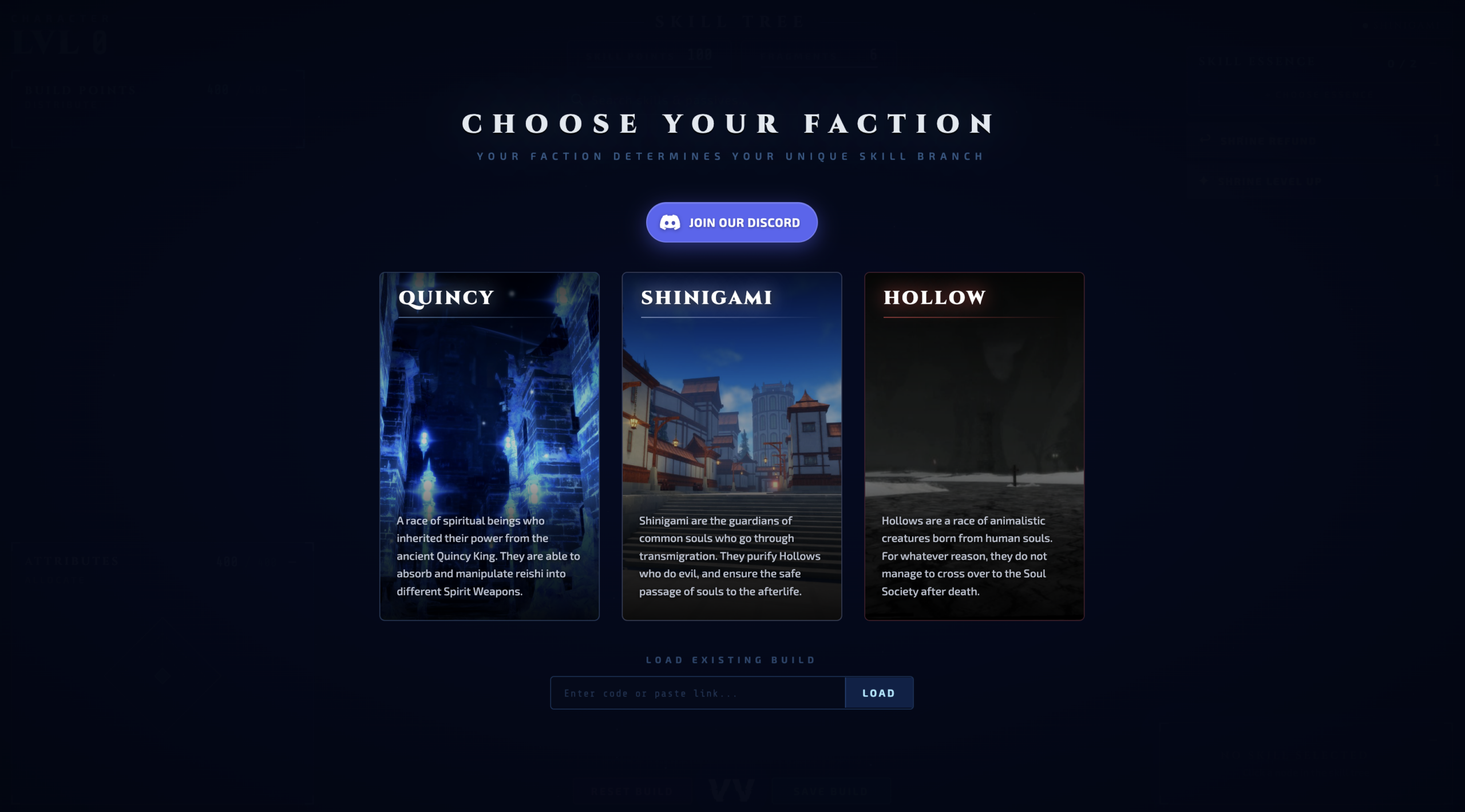
Quick answer: Pick one of three factions (Quincy, Shinigami, or Hollow), spend points across the skill tree and attributes inside a 400 Build Point budget, then export your build with the Save Build option to generate a shareable code or link.
What VV Builder lets you plan
The planner mirrors the systems you progress through in VV: Ultimatum, the Midnight Continent experience playable on Roblox. Your faction choice sets your unique skill branch, and from there you allocate points, attributes, and equippable pieces to shape how the character performs.
- Skill points across the full skill tree for your chosen faction
- Attribute points spread over Health, Reiatsu, Posture, and Shunpo Stamina
- Skill Essences and Spirit Charms in their dedicated slots
- A clan selection that ties into your character details
The three factions you can build for
Before anything else, you choose a faction. Each one has its own skill branch, so the rest of the build flows from this decision. The same three races define play styles inside the game itself.
| Faction | Identity |
|---|---|
| Quincy | Spiritual beings who absorb and shape reishi into different Spirit Weapons, inheriting power from the ancient Quincy King. |
| Shinigami | Guardians of common souls who purify Hollows and guide souls safely to the afterlife. |
| Hollow | Animalistic creatures born from human souls that never crossed over to the Soul Society. |
How the 400 Build Point budget works
Every build is capped at 400 Build Points, and that limit is the reason the planner is useful. You cannot max everything, so each point spent on offense is a point not spent on defense, mobility, or utility. Attributes also run on a 400-point allocation, with a baseline character starting near Health 200, Reiatsu 55, Posture 92, and Shunpo Stamina 30.
The skill tree side tracks Skill Points and Fragments separately, and you fit Skill Essences (up to two slots) and Spirit Charms (up to three slots) into your plan. A Shrine Refund option lets you reclaim an unlocked skill for free, which is handy when you are testing different point spreads without restarting from scratch.
How to save and share a build
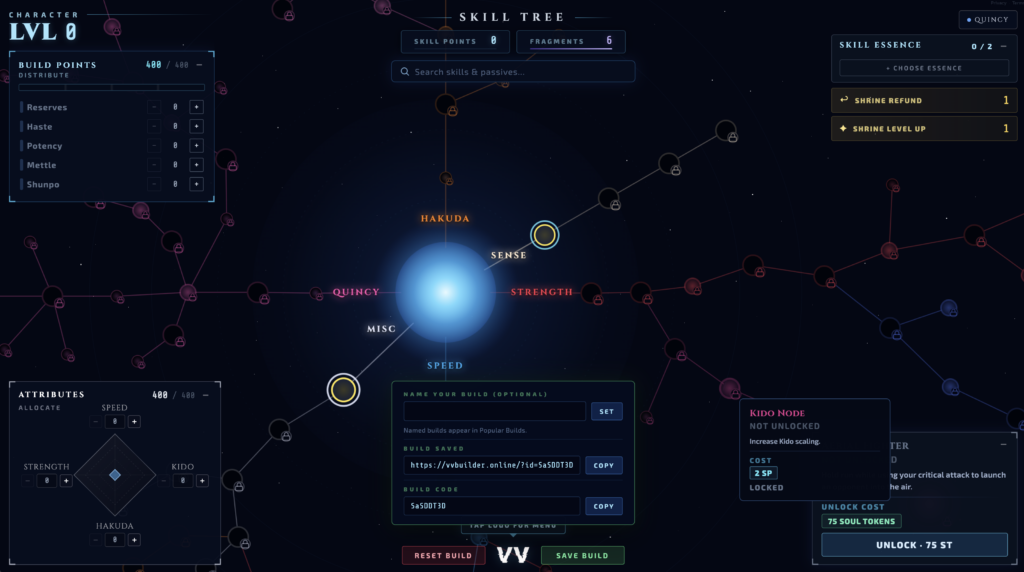
Finding community builds in the Popular Builds panel
Beyond personal planning, VV Builder has a Popular Builds panel that lists named community creations. You can sort it by Most Liked or Top Viewed and refresh the list to pull in newer entries. That makes the tool a way to study what other players are running for each faction, not only a place to draft your own setup.
Note: VV Builder is an independent fan project and is not affiliated with the developers of VV: Ultimatum or any related rights holder. Skill values and mechanics shown in the planner reflect publicly available information and in-game testing, so treat it as a planning aid and confirm anything important against the live game after an update.