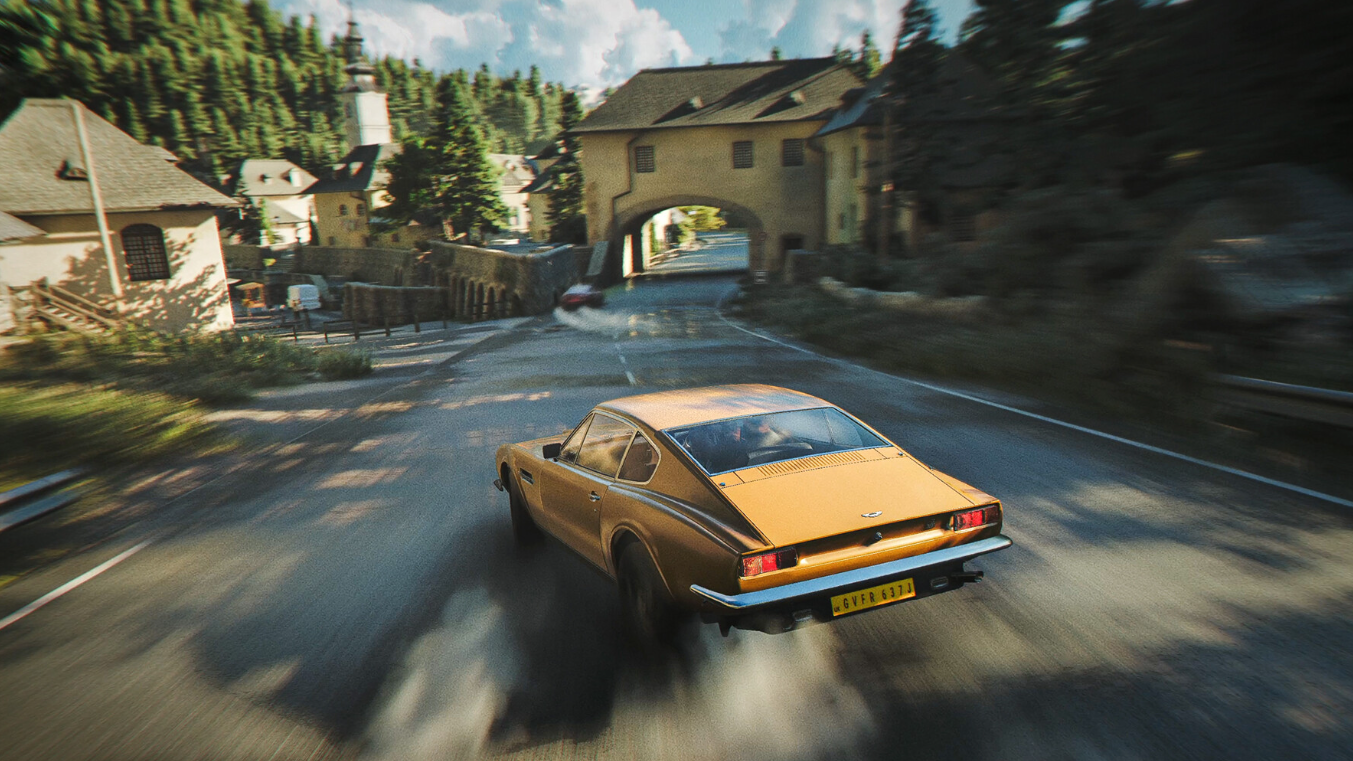
007 First Light runs on IO Interactive’s Glacier engine, which historically scales well across hardware tiers. The launch build skips Ray Reconstruction and Path Tracing, so even modest GPUs can push high frame rates once a few sliders are tuned. The goal here is to eliminate stutters, raise sustained FPS, and keep the cinematic look intact while James Bond globe-trots from polar ice to tropical resorts.
System requirements before you tune anything
007 First Light is not a punishing port, but it does expect 16GB of system memory and at least 6GB of VRAM for stable performance. A 4GB card will boot the game, though visual artifacts are likely. An SSD is strongly recommended to avoid long traversal hitches.
| Tier | CPU | GPU | RAM | Storage |
|---|---|---|---|---|
| Minimum | Intel i5 9500 / Ryzen 5 3500 | GTX 1660 / RX 5700 | 16GB | 80GB |
| Recommended | Intel i5 13500 / Ryzen 5 7600 | RTX 3060 Ti / RX 6700 XT | 16GB | 80GB |
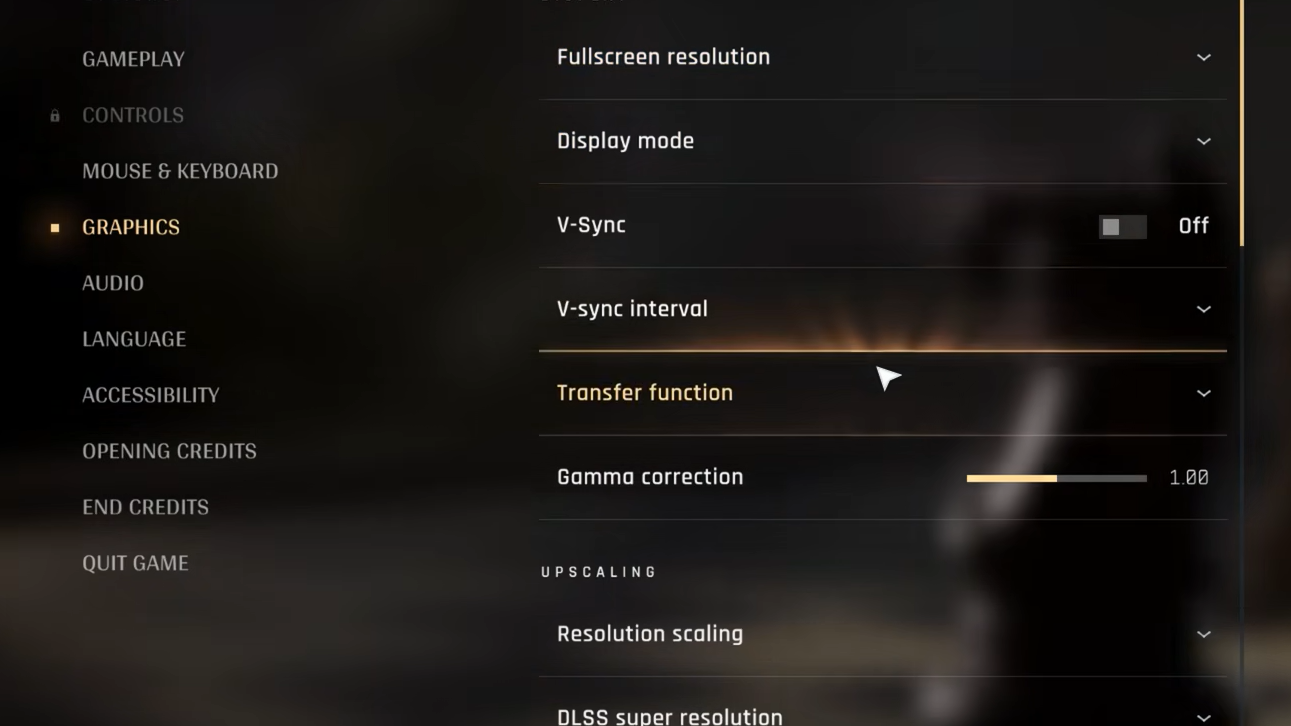
The in-game settings menu includes a live VRAM counter, which makes it easy to spot when textures or reflections are pushing your card past its comfortable limit. Use it as a reference while you experiment.
Best 007 First Light settings for a low-end PC at 1080p
If you are running a 6GB card like a GTX 1660, RTX 2060, RTX 3050, or an older AMD RX 5600 XT, target 1920×1080 with aggressive upscaling. The Low preset keeps the GPU breathing room while the upscaler restores most of the perceived sharpness.
| Setting | Value |
|---|---|
| Resolution | 1920×1080 |
| Display mode | Fullscreen |
| V-Sync | Off |
| Transfer function | 2.2 |
| DLSS / FSR | Performance |
| Frame Generation | 2x (RTX 40/50 only) |
| Texture quality | Low |
| Texture filter | Anisotropic 2x |
| Level of detail | Low |
| Terrain quality | Low |
| Shadow quality | Low |
| Volumetric fog | Low |
| Volumetric effects | Low |
| Global illumination | Low |
| Reflection quality | Low |
| Motion blur | Off |
| Fullscreen / Radial blur | Off |
| Film grain | Off |
| Chromatic aberration | Off |
Frame Generation requires an RTX 40 or 50 series card on the Nvidia side. AMD users on older Radeons can still tap FSR Frame Generation for a similar uplift. Leave V-Sync off unless screen tearing is intolerable, and rely on G-Sync or FreeSync if your monitor supports it.
Best 007 First Light settings for a mid-range PC at 1440p
Cards in the RTX 4070 or RX 7800 XT range comfortably handle 2560×1440 with a blend of High and Ultra. With 8GB or more of VRAM, you can lean into DLAA for cleaner edges instead of using upscaling for raw FPS gains.
| Setting | Value |
|---|---|
| Resolution | 2560×1440 |
| Display mode | Fullscreen |
| V-Sync | On |
| DLSS Super Resolution | DLAA |
| DLSS Frame Generation | 5x or 6x (RTX 50) |
| Texture quality | Ultra |
| Texture filter | Anisotropic 8x |
| Level of detail | High |
| Terrain quality | Ultra |
| Shadow quality | Ultra |
| Volumetric fog | High |
| Volumetric effects | High |
| Global illumination | High |
| Reflection quality | Ultra |
| Motion blur | Off |
| Post effects (blur, grain, CA) | On |
With Multi Frame Generation set to 5x or 6x on a 50-series card, sustained frame rates above 250 FPS are realistic. If stutter creeps in at busy locations, knock Volumetric Fog and Global Illumination down one notch. The visual hit is small, the frame pacing improvement is immediate.
Best 007 First Light settings for a high-end PC at 4K
A 16GB card, such as the RTX 5070 Ti or RX 9070 XT, can hold every slider at Ultra at 3840×2160 without sweating. Even maxed out, total VRAM usage tends to sit between 7GB and 10GB because the heavier ray tracing pipelines are not yet active.
| Setting | Value |
|---|---|
| Resolution | 3840×2160 |
| Display mode | Fullscreen |
| V-Sync | On |
| DLSS Super Resolution | DLAA |
| DLSS Frame Generation | 6x (or 5x) |
| Texture quality / filter | Ultra / Anisotropic 16x |
| Level of detail | Ultra |
| Terrain quality | Ultra |
| Shadow quality | Ultra |
| Volumetric fog / effects | Ultra |
| Global illumination | Ultra |
| Reflection quality | Ultra |
| Motion blur | On (optional) |
| Post effects | On |
DLAA produces the cleanest image at 4K because it skips the upscaling step entirely and applies neural anti-aliasing to the native render. Pair it with Dynamic Multi Frame Generation if you would rather set a target frame rate and let the driver decide how aggressively to interpolate.
Settings that matter most for FPS and stutter
Not every slider in 007 First Light costs the same in performance. A few options are responsible for the majority of frame time spikes. Adjust these first before fiddling with anything cosmetic.
| Setting | Performance impact | Recommendation |
|---|---|---|
| Shadow quality | High | Drop to High or Low first if FPS dips |
| Volumetric fog | High | Low on 6GB cards, High on 8GB+ |
| Global illumination | High | Low on weak GPUs, High elsewhere |
| Reflections | Medium | Ultra is affordable on 8GB+ |
| DLSS / FSR mode | Very high uplift | Performance for low-end, Quality or DLAA otherwise |
| Frame Generation | Very high uplift | Use as high as your GPU allows |
| Texture quality | VRAM-bound | Match to your VRAM budget |
The post-processing stack (motion blur, fullscreen blur, radial blur, wobble, film grain, chromatic aberration) costs very little in frame rate, but turning the lot off produces a sharper, more responsive image. Keep them only if you prefer the cinematic look.
Upscaling and Frame Generation choices
Nvidia DLSS, including the new Dynamic Multi Frame Generation, gives RTX 50 series users the largest headroom. DMFG only kicks in when the engine cannot hit your target frame rate, so it avoids unnecessary latency overhead during slower sequences. Older RTX 40 cards still benefit from 2x Frame Generation.
AMD and Intel users should pick FSR with the matching quality mode. FSR Performance pairs well with budget hardware at 1080p, while FSR Quality holds up at 1440p on 8GB cards. If you have an older non-RTX Nvidia card, FSR is the only Frame Generation option available.
Confirming the changes worked
Open the graphics menu and watch the VRAM counter as you load into a busy location like a tropical resort or the snow biome. On a 6GB card, aim for VRAM usage hovering around 5-6GB. On 8-12GB cards, 8-10GB is the sweet spot. Anything sitting at 95-100% will produce traversal stutter and texture pop-in.
Use an in-game overlay to verify FPS and frame time. Nvidia App users can press Alt+R for the performance overlay, while Radeon owners can press Ctrl+Shift+O. Stable frame times (a flat line on the graph) matter more than peak FPS numbers, especially during cutscene-to-gameplay transitions.
If you still hit hitches after tuning the in-game options, make sure your GPU drivers are current, switch the Windows power plan to High Performance or Ultimate Performance, and turn on Hardware-Accelerated GPU Scheduling under Windows display settings. IO Interactive is expected to add Path Tracing and Ray Reconstruction later, at which point these baseline settings will need a fresh pass to stay balanced.