Quick answer: The World Map is not the route. At a region’s area-map boundary, select the grey “Go To” exit icon; when the next region’s map appears, hold click on one of its rung bells.
In Phantom Blade Zero, the World Map can refuse to open any region, including ones you have already explored. The area map can still get you there, one region at a time.
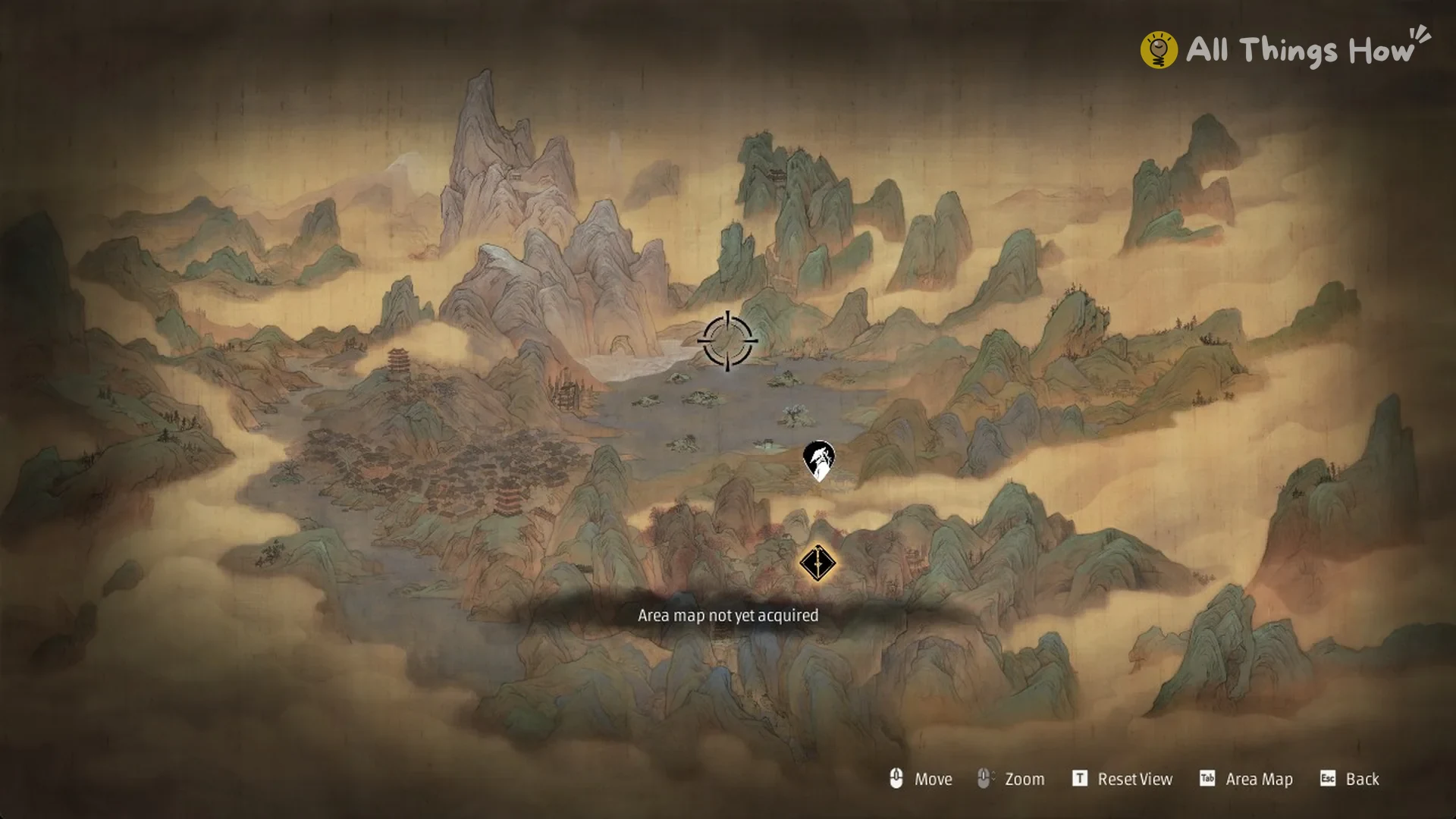
What the ‘Area map not yet acquired’ message looks like
The problem starts at a bell. Choosing Traverse opens the area map, and pressing Tab from there switches to the World Map.
The World Map displays no region name on hover. Selecting a region shows “Area map not yet acquired” along the bottom of the screen, even if you have visited that region before.
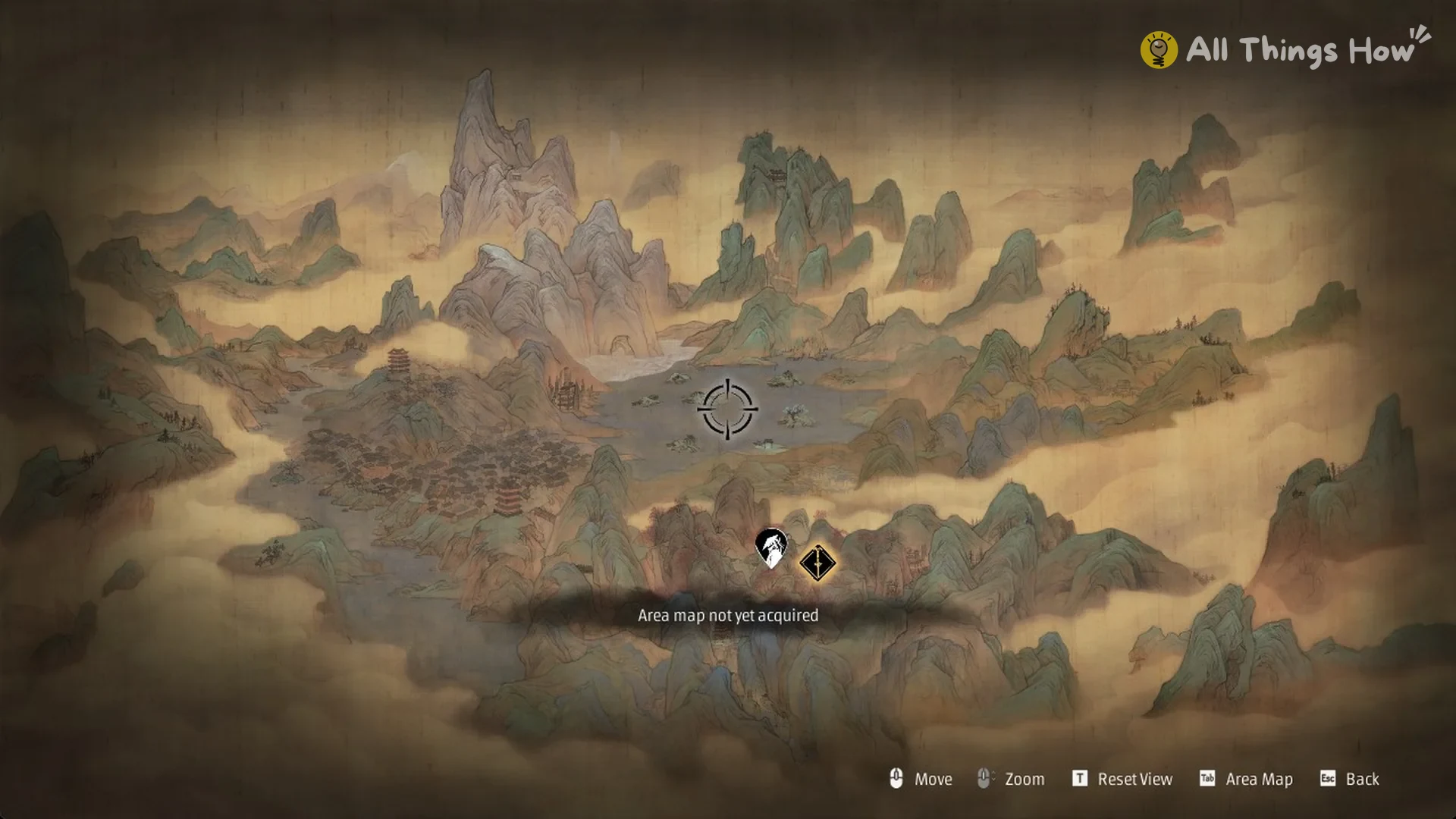
Restarting doesn’t clear it. Quitting to the desktop and launching the game again leaves the World Map in the same state, with the same message.
How to reach another region through the area map
Press Tab (Area Map) to exit the World Map; this returns you to the area map for the region where you are standing.
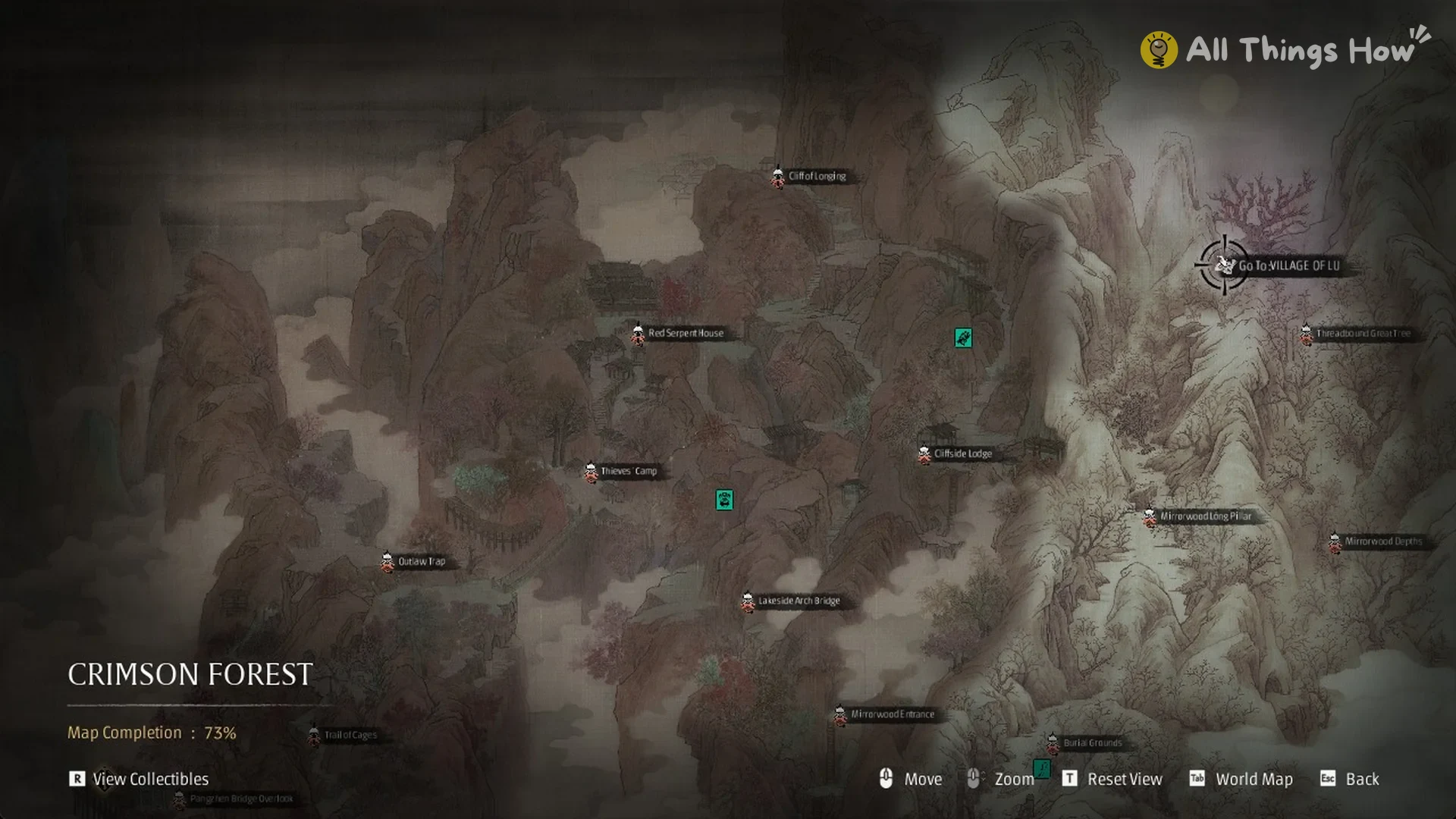
Use the mouse wheel to zoom out completely, then drag the map toward the region boundary to locate a grey exit icon. In the Crimson Forest, look near Threadbound Great Tree.
Hover over the icon to show its label. From the Crimson Forest, it reads “Go To: VILLAGE OF LU”.
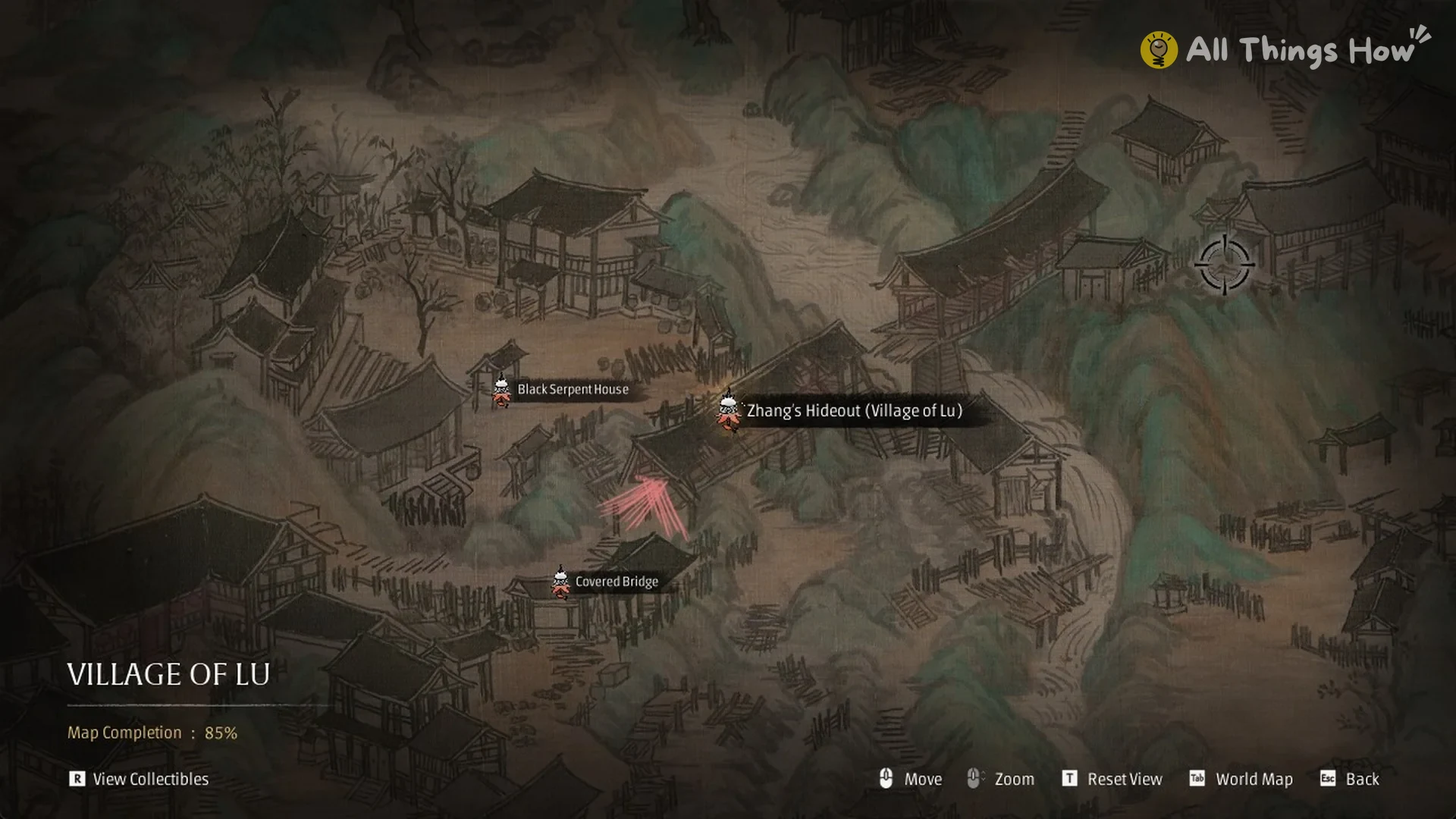
Click the icon. The screen switches straight to the Village of Lu area map, with its bells laid out, including Zhang’s Hideout (Village of Lu), Black Serpent House, and Covered Bridge.
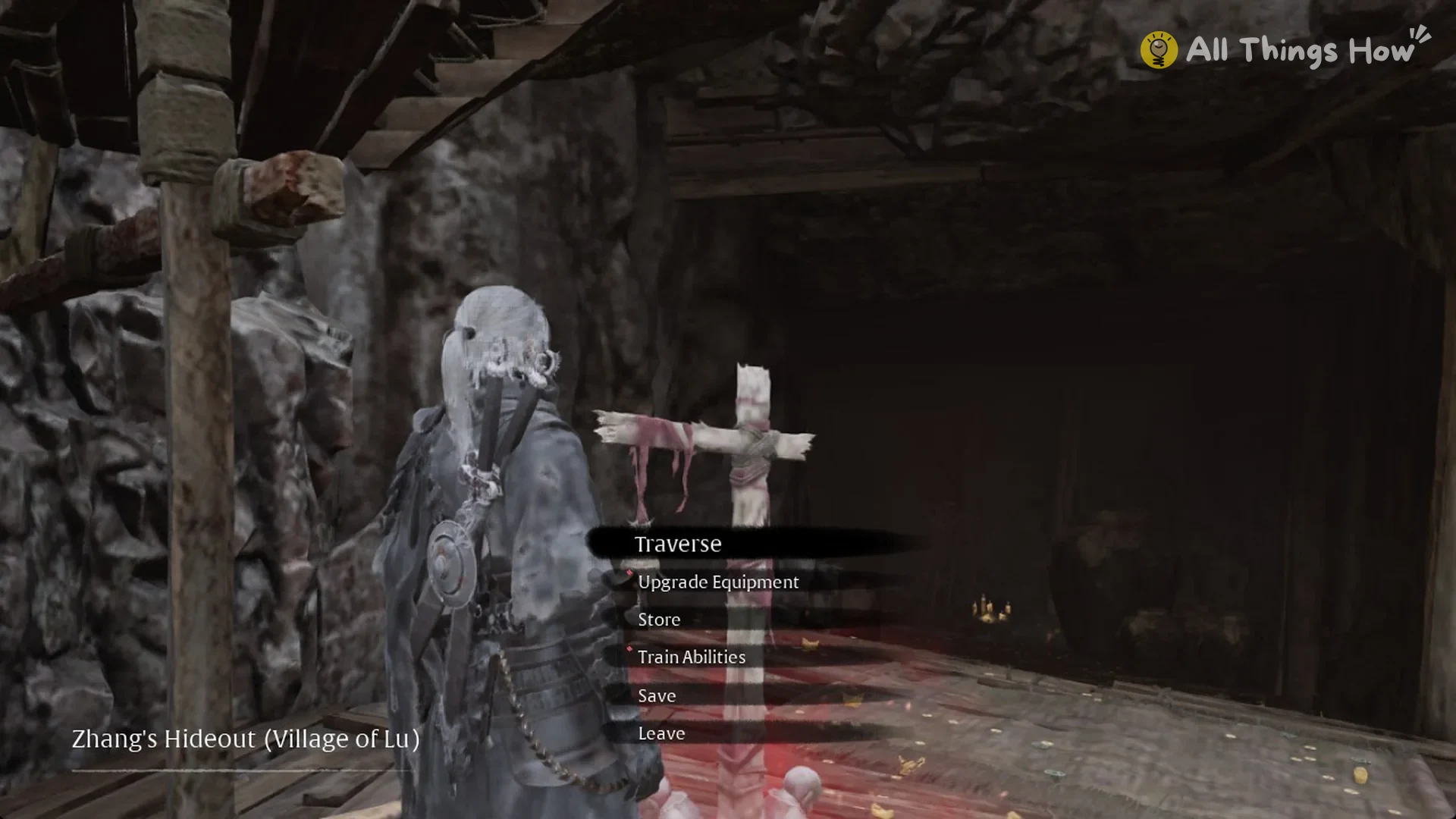
Hold click on a bell you have already rung, such as Zhang’s Hideout (Village of Lu). You arrive at that bell, and you can rest and open its menu as normal, which confirms the trip worked.
Going further than the next region
Reaching a new region doesn’t bring the World Map back. Opening it from the Village of Lu bell still returns “Area map not yet acquired”, so the exits on each area map remain your route between regions.
For longer trips, use this process in each region: open that region’s area map, locate the “Go To” exit icon, select it to load the following region’s area map, then travel to a bell there that you’ve already rung.