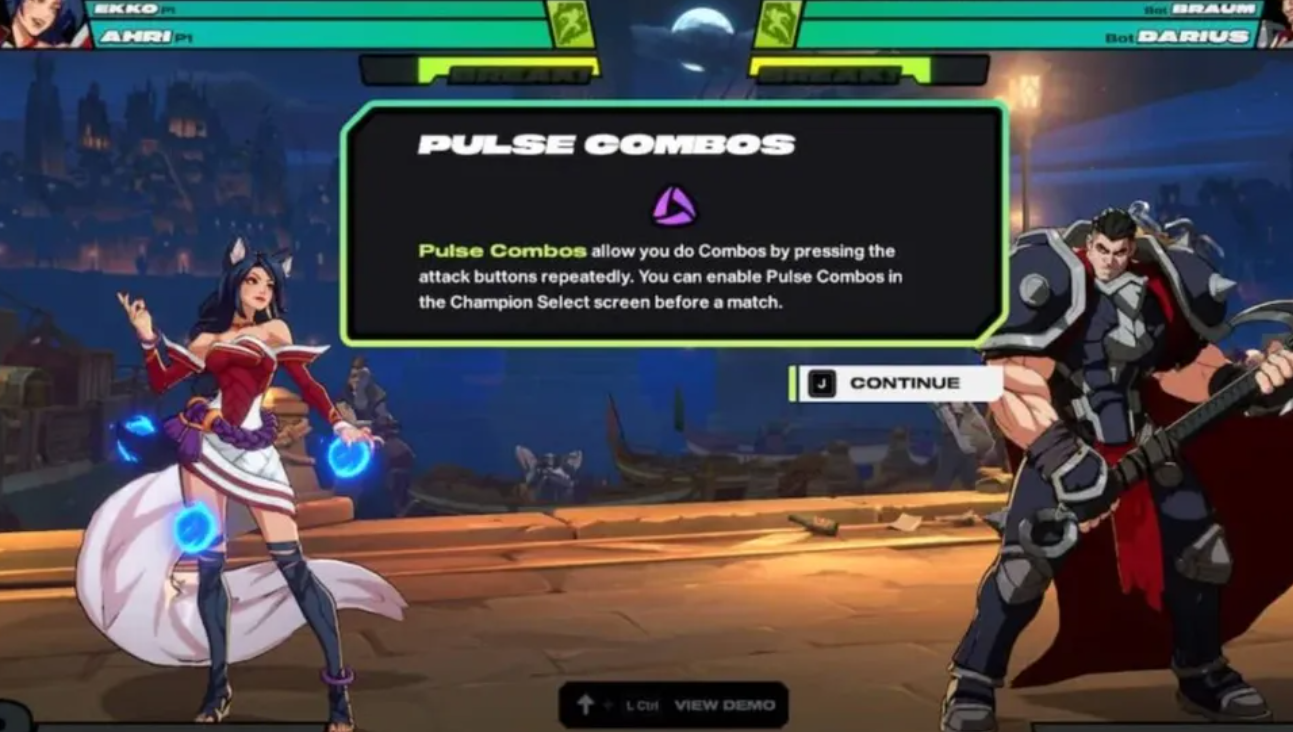
Pulse Combo is the game’s one-button autocombo. Repeatedly tapping Light, Medium, or Heavy strings a preset sequence that may end in a flashy finisher. It’s convenient for learning, but it can also spend Super meter when you don’t want it and override tighter manual routes.
Turn off Pulse Combo from the lobby settings
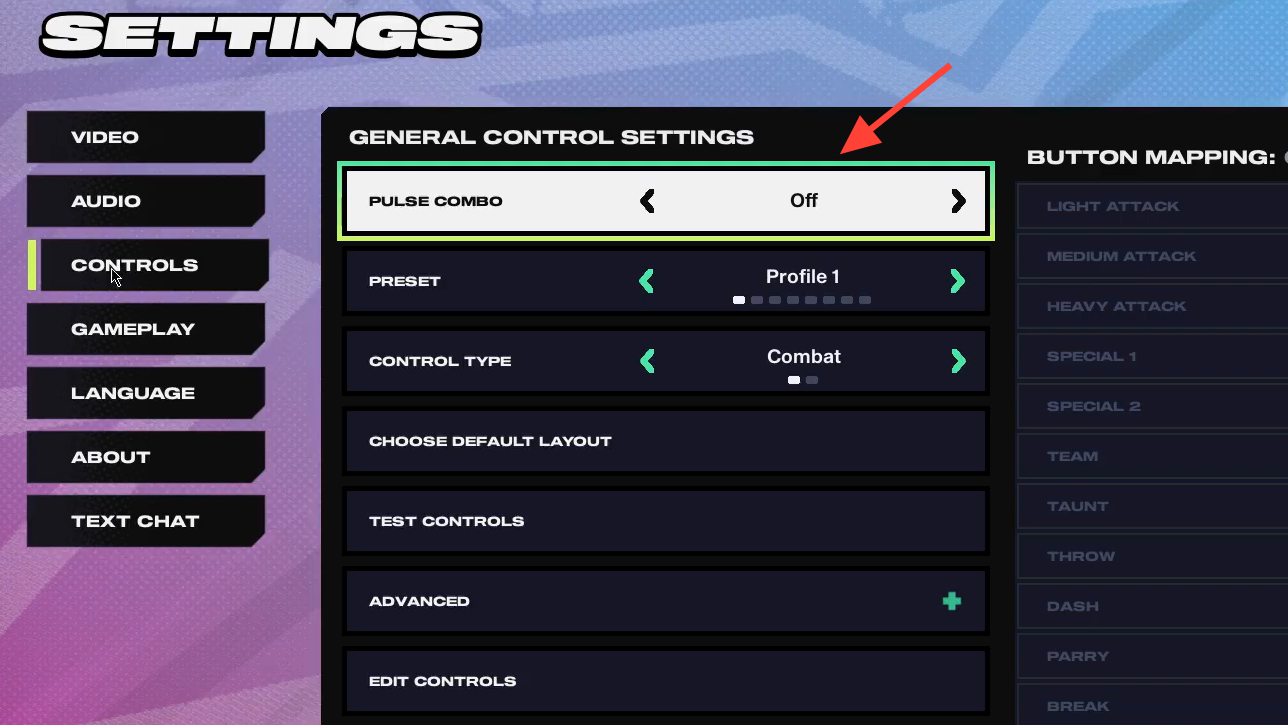
From the lobby (not inside a match), open the gear icon to view Settings. This is the fastest way to make a global change that applies to all modes.
Go to Controls. Pulse Combo appears at the top of this list, making it easy to find without scrolling through other options.
Highlight Pulse Combo and tap left or right to switch it On or Off. The change applies immediately—no confirmation is required—and you can toggle it back at any time.
Toggle Pulse Combo during champion select
At champion select, locate the Pulse Combo toggle on your side of the screen. This setting is available before the round starts.
Switch the toggle to On or Off based on your plan for the match. This is a per‑player choice, useful when pairing an experienced player with a newer partner.
Lock in your selection and proceed. The match will use the state you set here, without needing any extra confirmations.
When to leave Pulse Combo off
- Meter control: Autocombo finishers often spend Super meter. With Pulse off, you decide exactly when to spend bar.
- Manual routes: Inputs like quick double lights can auto‑convert into specials. Turning Pulse off preserves your intended links and cancels.
- Less predictability: Fixed autocombo routes are easy to scout. Disabling Pulse supports varied pressure and safer confirms on block.
Tip: After turning Pulse off, jump into Training and practice a few safe confirms that don’t spend bar on block. Record them and drill until the timing is automatic under pressure.
Quick reference: where you can change Pulse Combo
| Location | How to change | Scope | Confirmation |
|---|---|---|---|
| Lobby → Settings → Controls. | Highlight Pulse Combo and tap left/right to toggle On/Off. | Applies immediately to your play profile. | No additional confirmation. |
| Champion select. | Use the Pulse Combo toggle before the match starts. | Per‑player choice for that setup. | No additional confirmation. |
Use the lobby toggle for a set‑and‑forget change, or flip it at character select when swapping between casual play and serious practice.