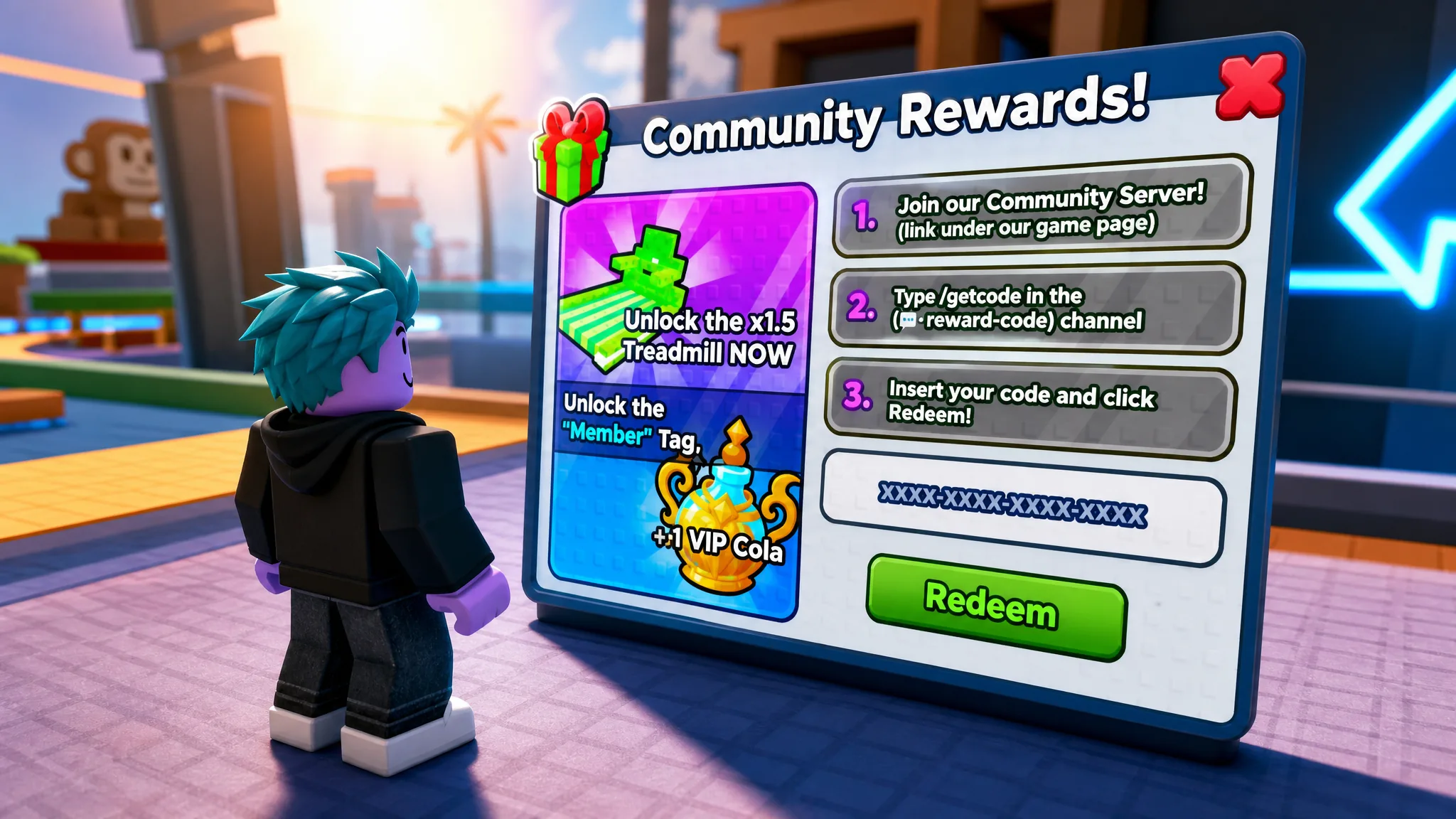
The Community Rewards code in +1 Speed Monkey Escape is not a public code you can copy from a list. It is a unique string the game’s Discord bot generates for your account, and it unlocks a x1.5 treadmill multiplier, a “Member” chat tag, and a one-hour 2x Wins potion. Because the code is tied to you, you have to join the official server and request your own before you can redeem it.
Quick answer: Open the +1 Speed Monkey Escape Roblox page, join the Community Server from Social Links, type /getcode in the #reward-code channel, copy the code the bot sends, then paste it into the Codes screen in-game and press Redeem.
What the Community Rewards code gives you
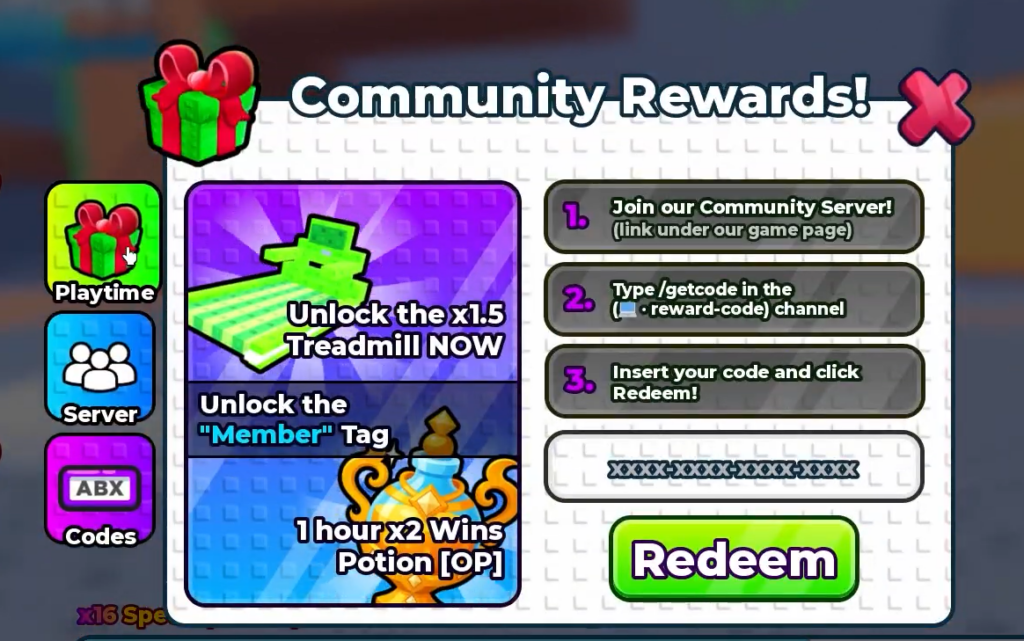
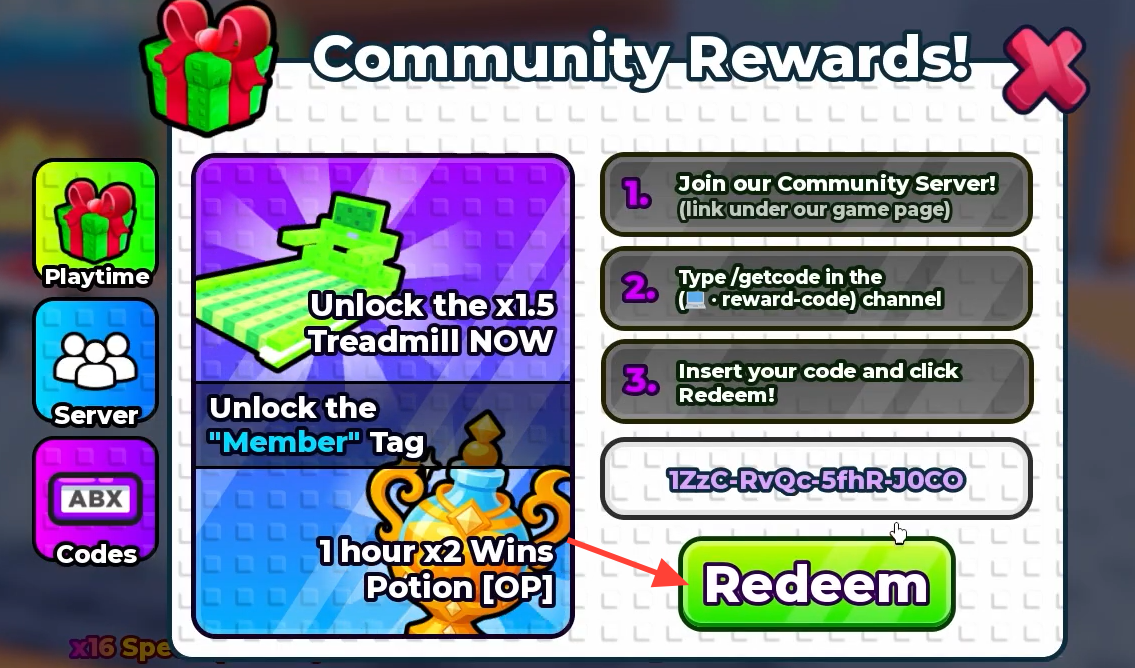
Everything comes bundled into a single code. Redeeming it once delivers all three rewards to your account, and the in-game menu labels them under “Community Rewards!”.
| Reward | Effect |
|---|---|
| x1.5 Treadmill | Permanent 1.5x multiplier on treadmill training |
| “Member” Tag | Adds a Member chat tag to your profile |
| 2x Wins Potion | Doubles Wins earned for 1 hour |
Generate your code in the Discord server
The bot only responds inside the game’s official Community Server, so you need to be in that Discord before you can request a code. The fastest route in is through the game’s own Roblox page.
#reward-code channel. This is the only channel where the code command works./getcode in the message bar and press Enter. The bot replies with a code that belongs only to your account, formatted like TzYc-frQe-GhfA-JOCD. Copy it exactly, keeping the dashes.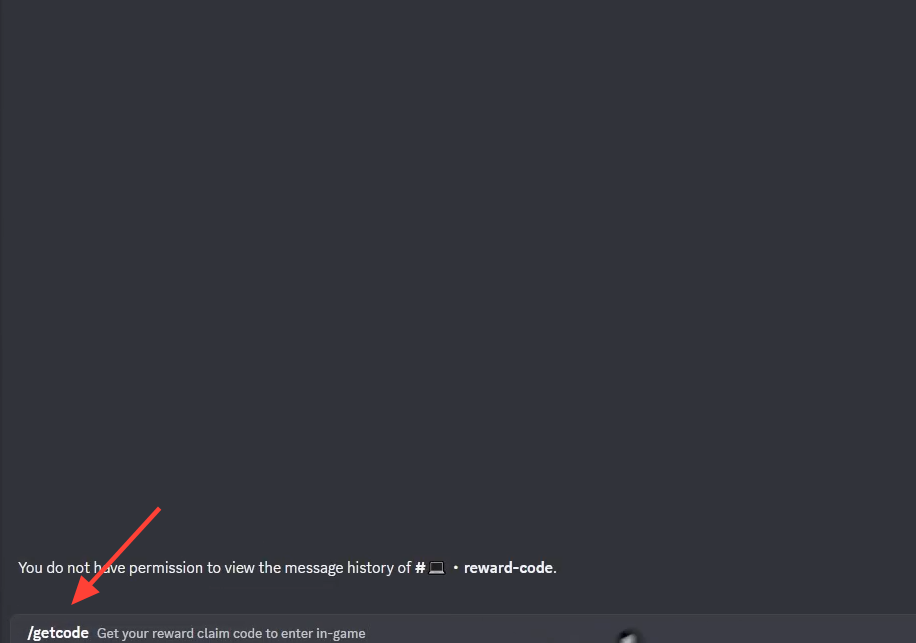
Redeem the code in +1 Speed Monkey Escape
With the code copied, jump back into the game to claim the rewards. The Community Rewards screen sits behind the Codes button on the left side of the screen.
How to confirm it worked
A successful redemption shows two on-screen confirmations: “Redeemed! You’re now a Member!” and “Claimed Free Treadmill!”. After that, the Member tag appears on your profile and the 2x Wins potion starts its one-hour timer.
If the code is rejected, the two most common reasons are a copy error or a code you already used. Recopy the full string from the bot, including every dash, and remember that a generated code only works once per account. This is separate from the regular public codes, which are entered on the same Codes screen but come from visit milestones and events rather than the Discord bot.