Missing important iMessage notifications can be inconvenient, especially when they’re set to ‘Deliver Quietly’. In this mode, notifications bypass the lock screen, don’t play sounds, and don’t show app badges, making them easy to overlook.
‘Deliver Quietly’ sends notifications directly to the Notification Center without alerting you. While this helps reduce interruptions, it may cause you to miss crucial messages if enabled for iMessage.
How to Turn Off ‘Deliver Quietly’ for iMessage
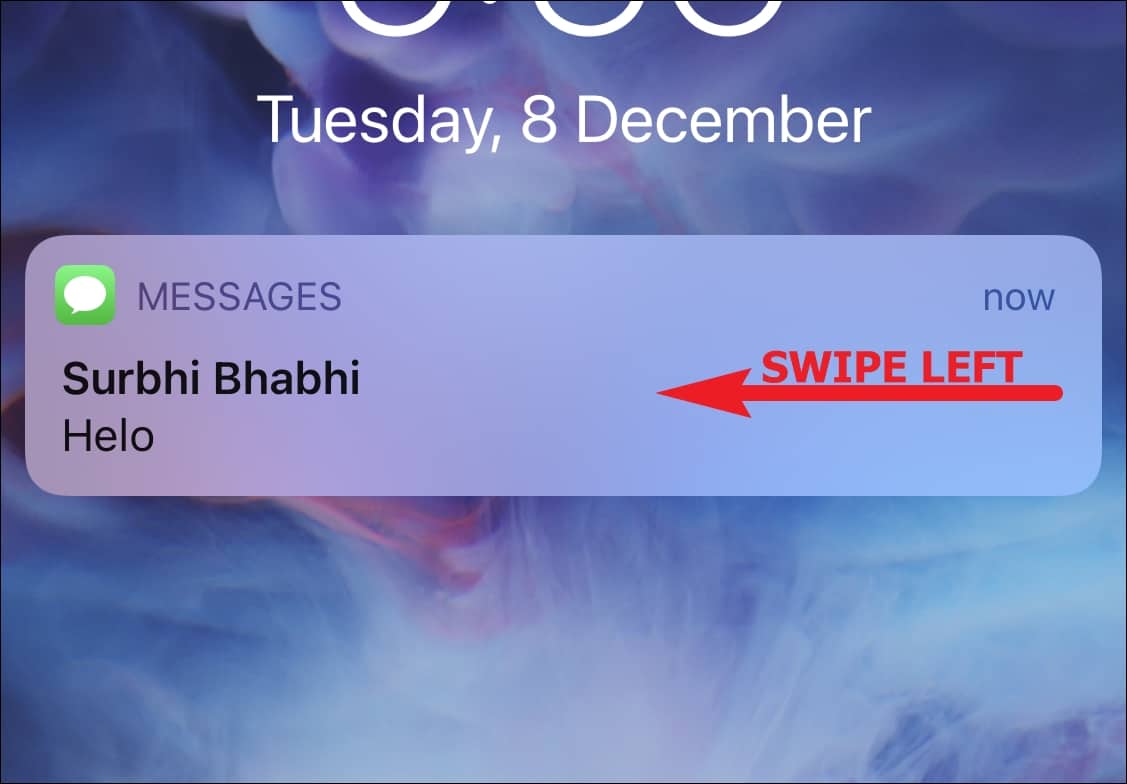
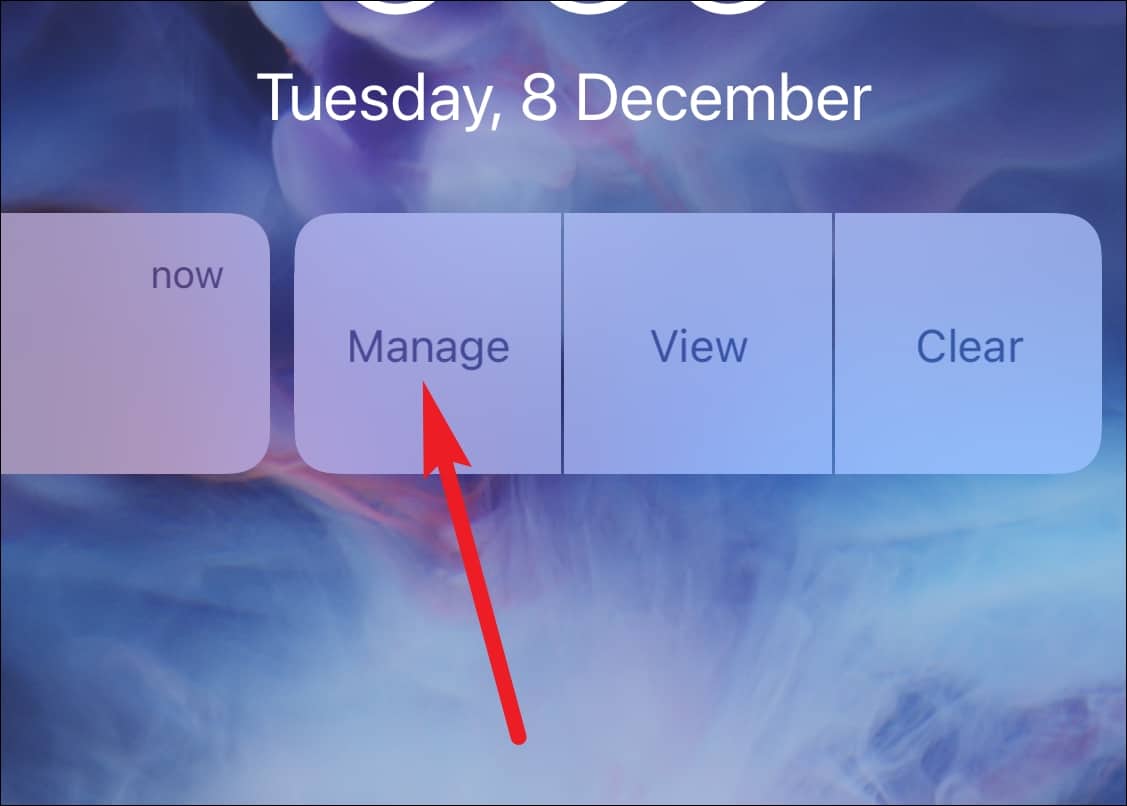
To ensure you receive all iMessage notifications prominently, you can disable ‘Deliver Quietly’ using the Notification Center or the Settings app. Here’s how:
Using the Notification Center
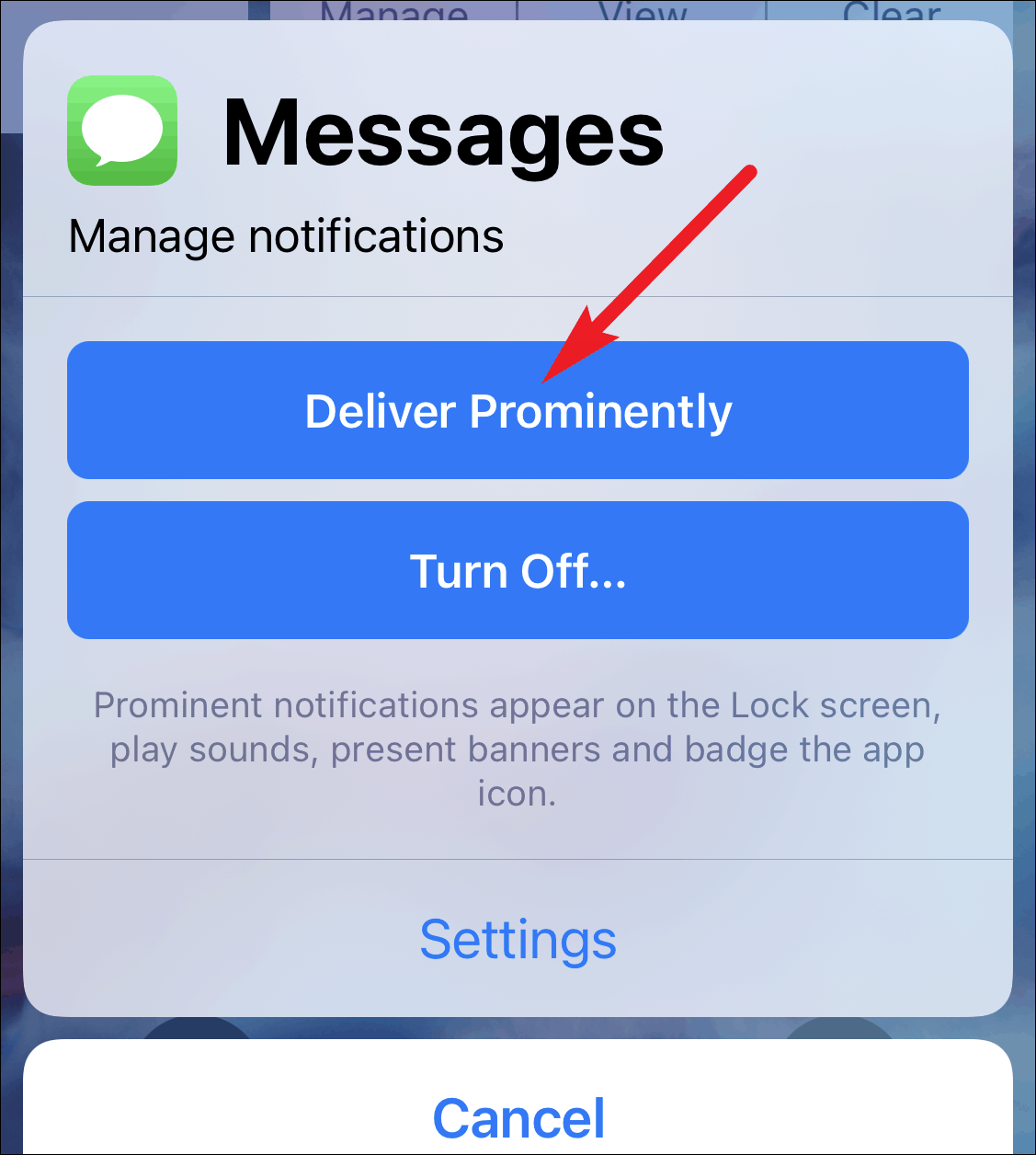
Through the Settings App
If no iMessage notifications are available in the Notification Center, you can turn off ‘Deliver Quietly’ via the Settings app.
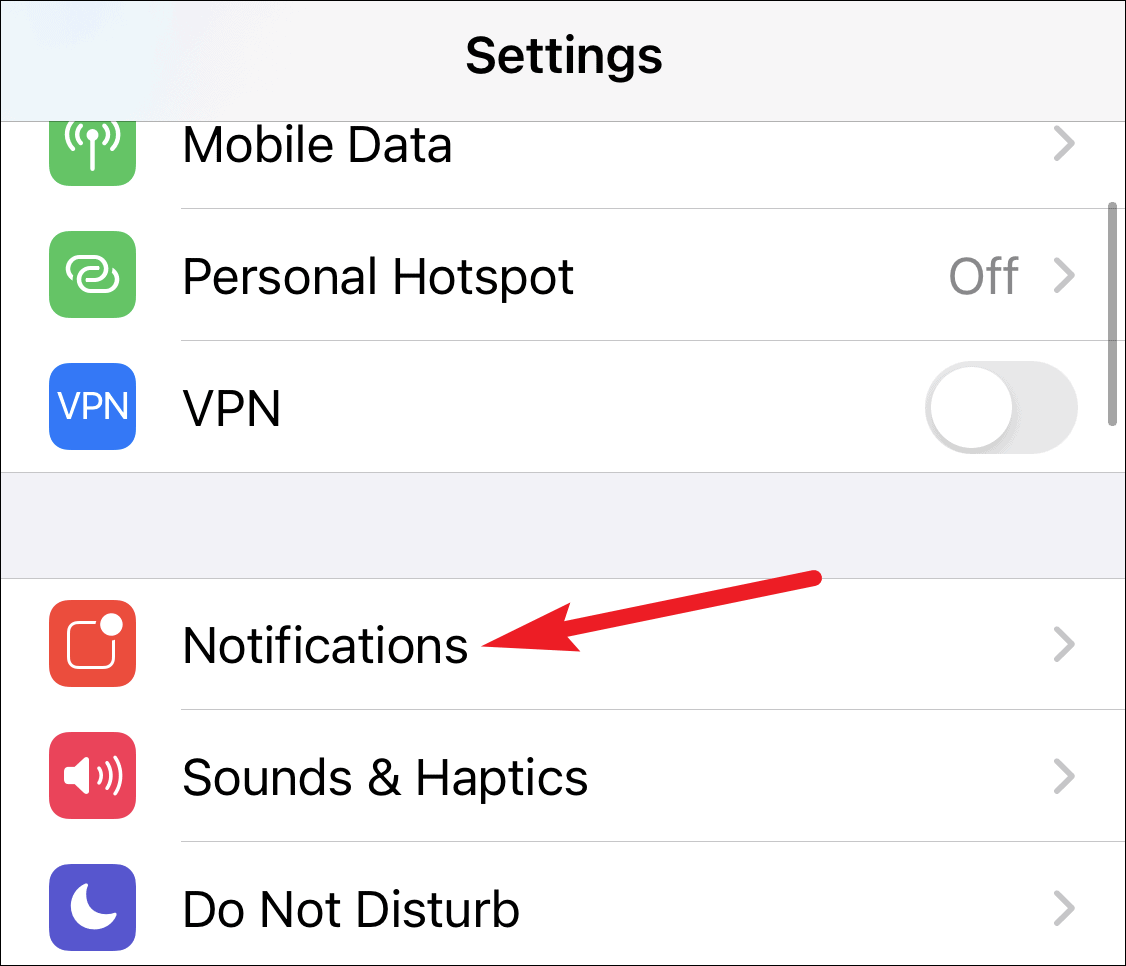
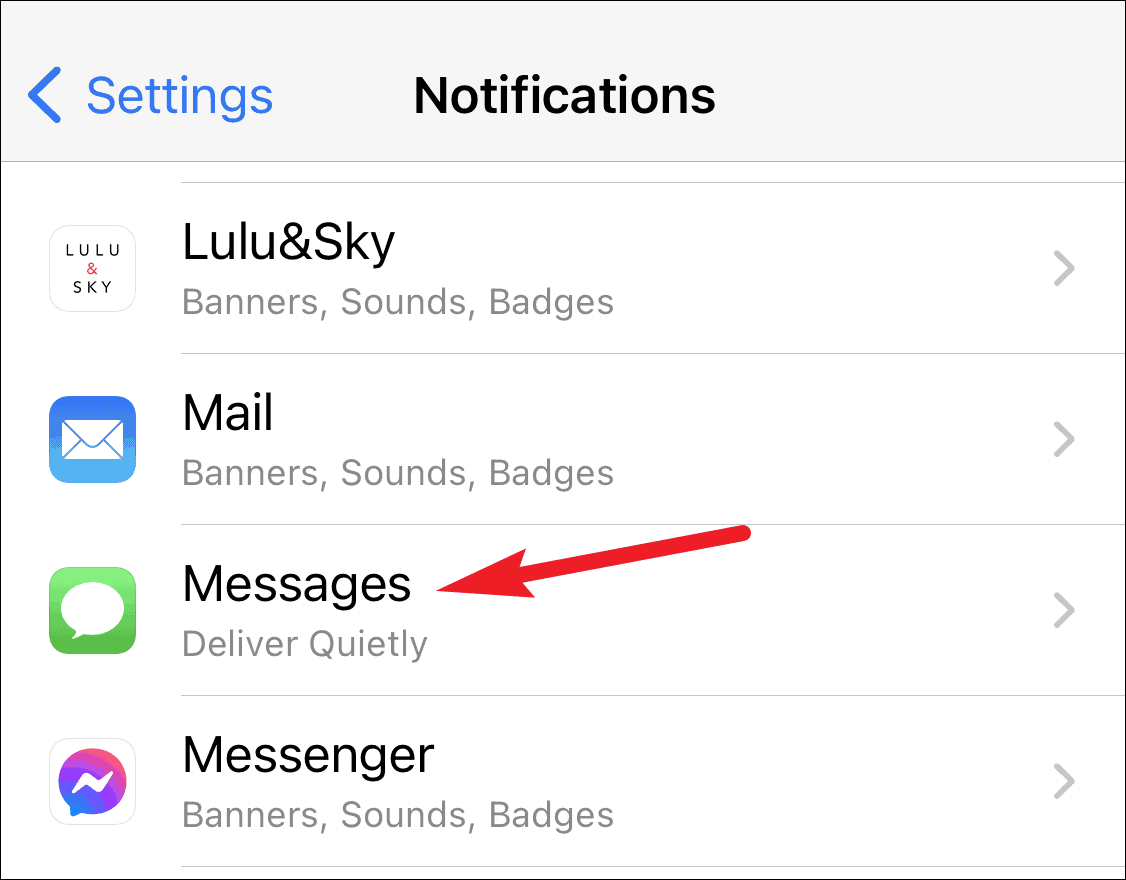
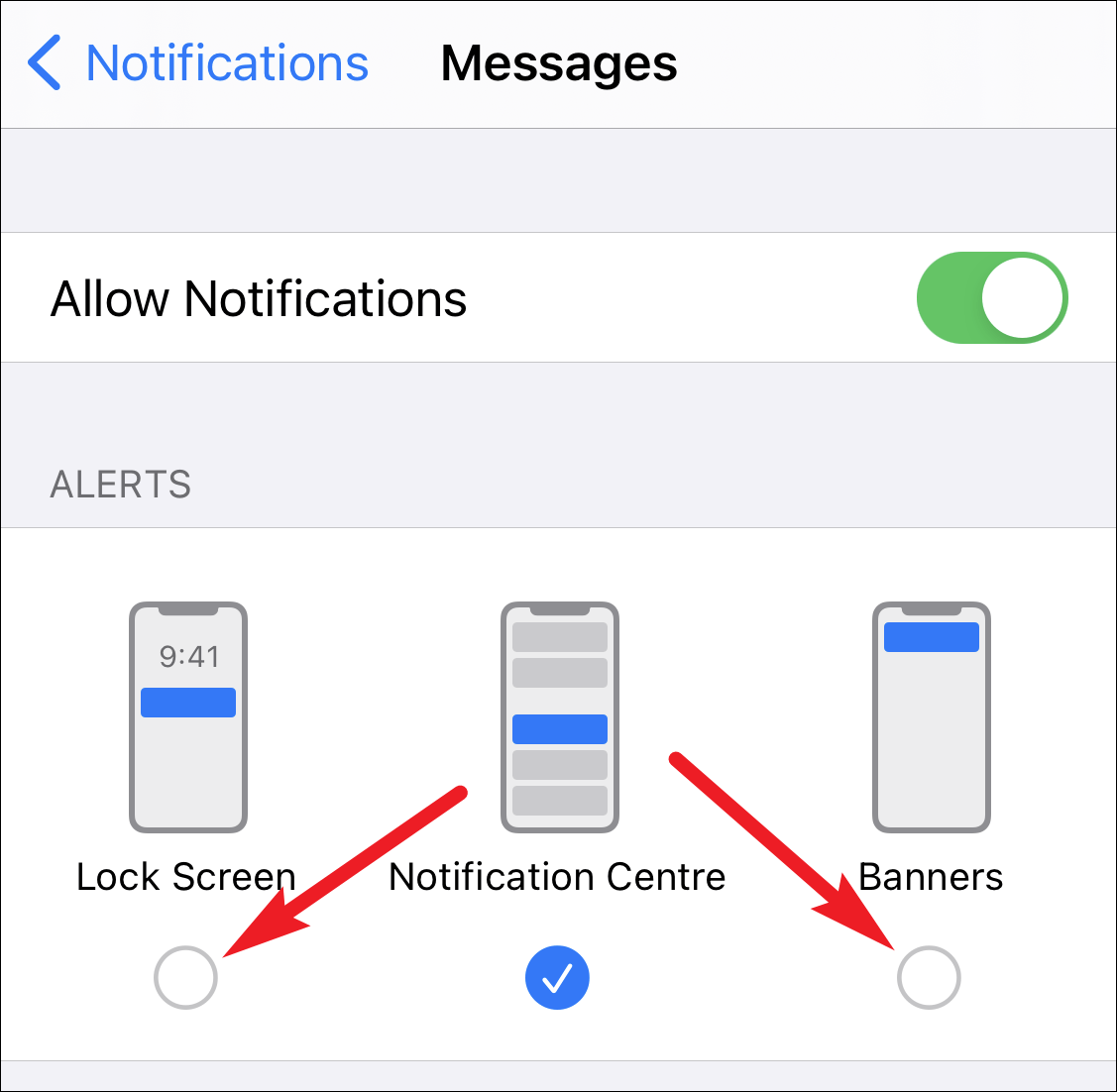
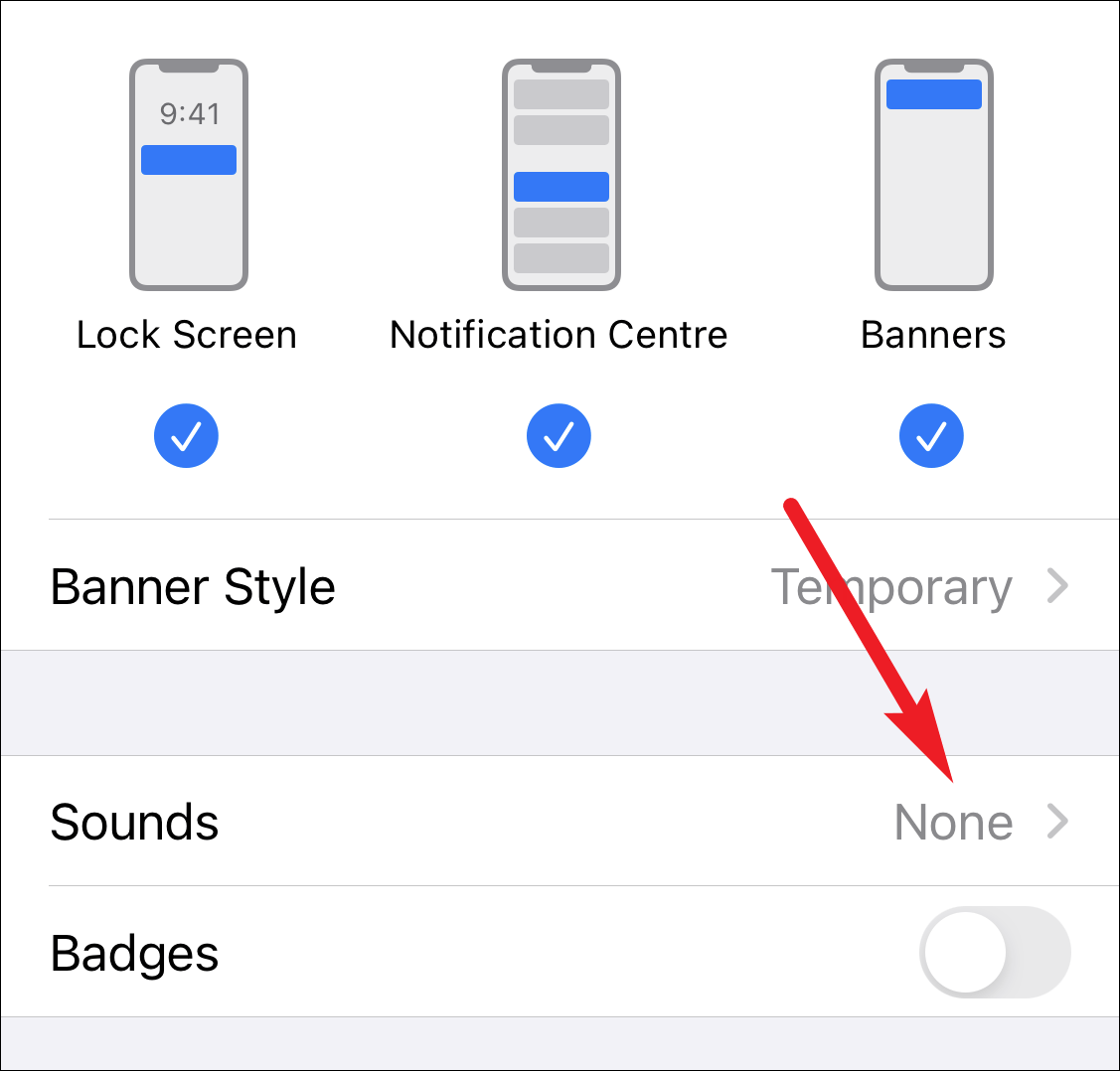
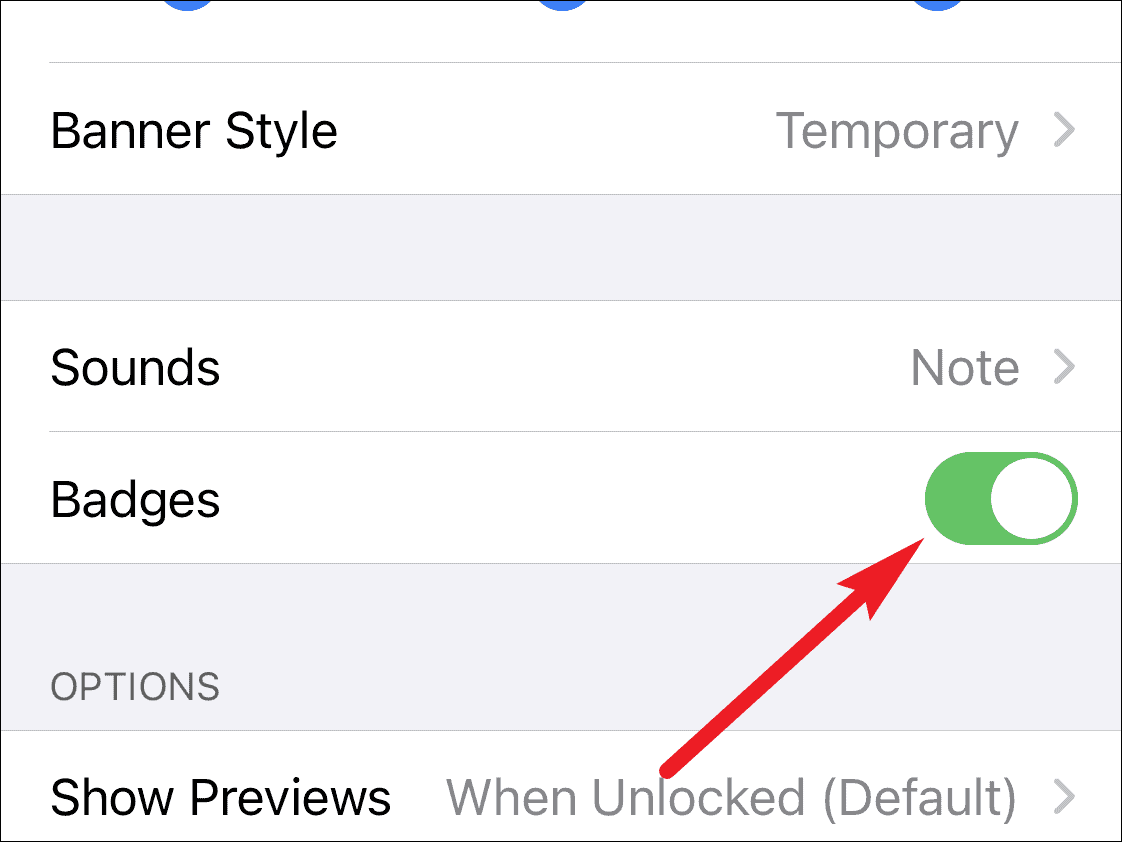
By adjusting these settings, iMessage notifications will once again appear prominently, with sounds, lock screen alerts, and app icon badges, ensuring you stay updated with all your important messages.
If you want to silence notifications from specific contacts or spam messages without affecting all iMessage alerts, you can hide alerts for individual conversations. This way, you won’t miss important messages from others. Learn how to hide alerts for specific message threads.