Slow browser launch times can impede efficiency, particularly when timely access to online resources is crucial. Microsoft Edge addresses this issue with its Startup boost feature, which accelerates the browser’s startup by preloading core processes immediately after you log into your computer.
This enhancement enables Microsoft Edge to launch more quickly by keeping essential browser processes running in the background, even when the browser isn’t open. As a result, when you decide to open Edge, it starts almost instantly, improving your overall browsing experience.
The Startup boost feature was introduced in Microsoft Edge version 88, initially available in Edge Canary builds. It is now available in the stable release of Microsoft Edge for all users.
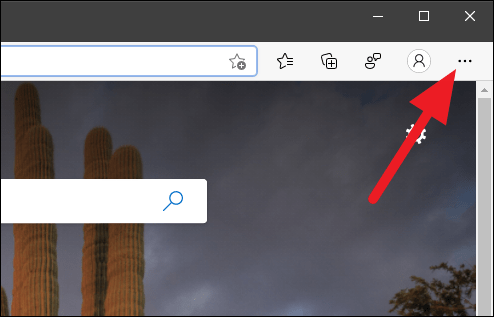
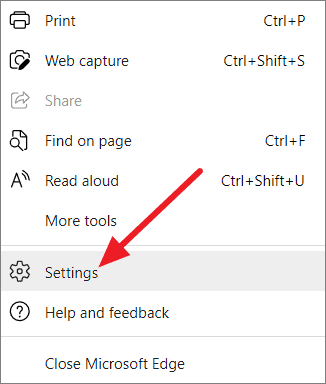
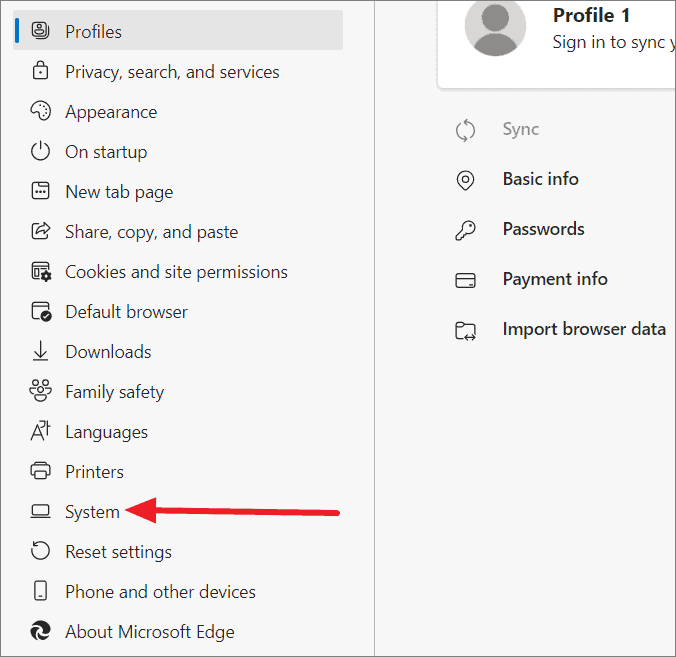
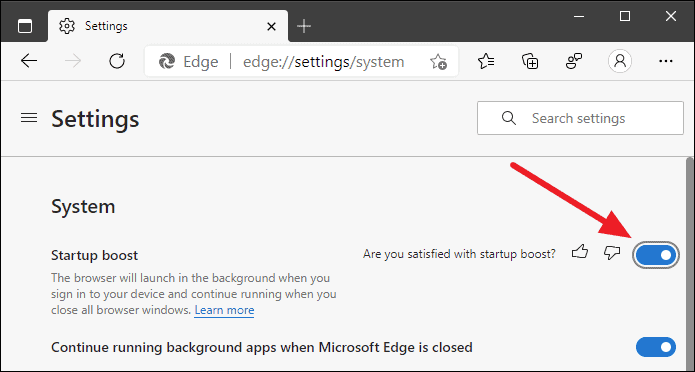
If you do not see the Startup boost option, try restarting Microsoft Edge completely by closing it from the Menu and relaunching it. The option should appear upon reopening the browser.
By enabling Startup boost, you can significantly reduce the time it takes for Microsoft Edge to launch, making your browsing experience smoother and more efficient. If you wish to disable this feature in the future, simply follow the same steps and toggle the Startup boost option off.