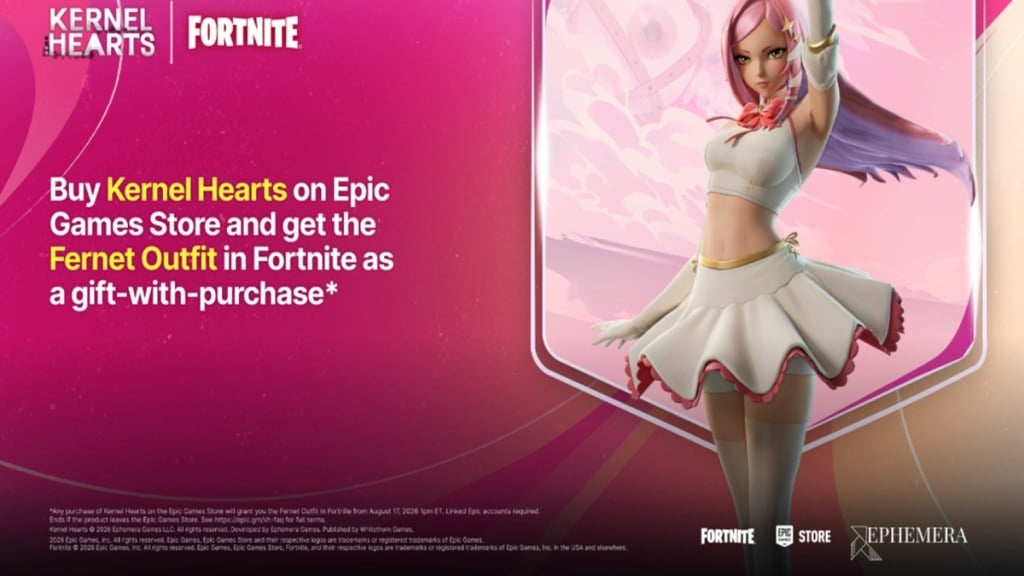
Fernet, the captain of the M.A.H.O.U. Squad in the roguelike action RPG Kernel Hearts, is now available as an outfit in Fortnite. You can add her to your locker without spending any V-Bucks, but the free route is tied to buying the game through the Epic Games Store.
Quick answer: Pre-purchase or buy Kernel Hearts on the Epic Games Store using the same Epic Games account you play Fortnite with, and the Fernet Outfit is added to your Fortnite locker.
What you need before claiming Fernet
The offer is a gift-with-purchase, so the reward only lands in the right place if a few conditions line up. Check each of these before you buy.
| Requirement | Detail |
|---|---|
| Store | Epic Games Store (app or website) |
| Account | Same Epic Games account you use for Fortnite |
| Purchase | Pre-purchase or buy Kernel Hearts ($19.99) |
| Offer window | Live since August 17 at 1:00 PM ET, continuing after the September 17, 2026 launch |
During the pre-purchase window, buying Kernel Hearts on the Epic Games Store is the only way to get the Fernet Outfit in Fortnite. If you use a different Epic account for the purchase, the skin goes to that account instead of the one you play on.
Claim the Fernet skin free through the Epic Games Store
How to confirm the skin worked
The Fernet Outfit appears in your Fortnite locker immediately after the Epic Games Store purchase completes. If you open the locker and the skin is there, the reward has registered correctly. There is no separate code to redeem.
If it does not show up, the most common cause is buying the game on a different Epic Games account than the one tied to Fortnite. In that case the outfit will have been delivered to the account used at checkout, not the one you play on.
Refunds and how long the offer lasts
The free outfit is linked to owning the game. If you refund Kernel Hearts, the Fernet Outfit is removed from your Fortnite locker. As long as the game remains on sale through the Epic Games Store, there is no expiration date on the free skin.
| Question | Answer |
|---|---|
| When is Fernet added to my locker? | Immediately after the purchase completes |
| Does the free skin expire? | No, while Kernel Hearts is for sale on the Epic Games Store |
| If I refund the game? | The Fernet Outfit is removed from your locker |
Buy Fernet in the Fortnite Item Shop instead
If you would rather skip the game and pay with V-Bucks, Fernet is also coming to the Item Shop. The outfit joins the Fortnite Shop on September 26, 2026 at 8:00 PM ET, priced at 1,500 V-Bucks.
Kernel Hearts itself launches on September 17, 2026 for PC via the Epic Games Store and Steam, PlayStation 5, Xbox Series X|S, and Nintendo Switch 2, so buying the game gives you both the skin and the full title once it releases.