Run a Dance Studio is a management sim on Roblox from Dance Interactive, and it hides almost nothing behind skill. There are no combos to learn and no keybind sheet to memorize. You walk around a studio with standard Roblox controls, tap menus, and grow a business: rooms get bigger, dancers get better, routines get saved, and competitions decide whether any of it mattered. The trap for new players is spending everything on decoration before the part that pays is even running.
Quick answer: Name your studio, set the floor and wall colors through Build, enrol every dancer slot you can afford into Studio 1, assign a teacher to that room, then save one solo routine and one group routine and sign up for a competition. Enrolment is what generates income — a room with empty slots pays nothing.
How to create your studio in Run a Dance Studio
The first thing the game asks for is a studio identity, and it is worth two minutes of thought because the name follows you into every competition board. Join from the official Roblox experience page, then work through the creation screen in order.
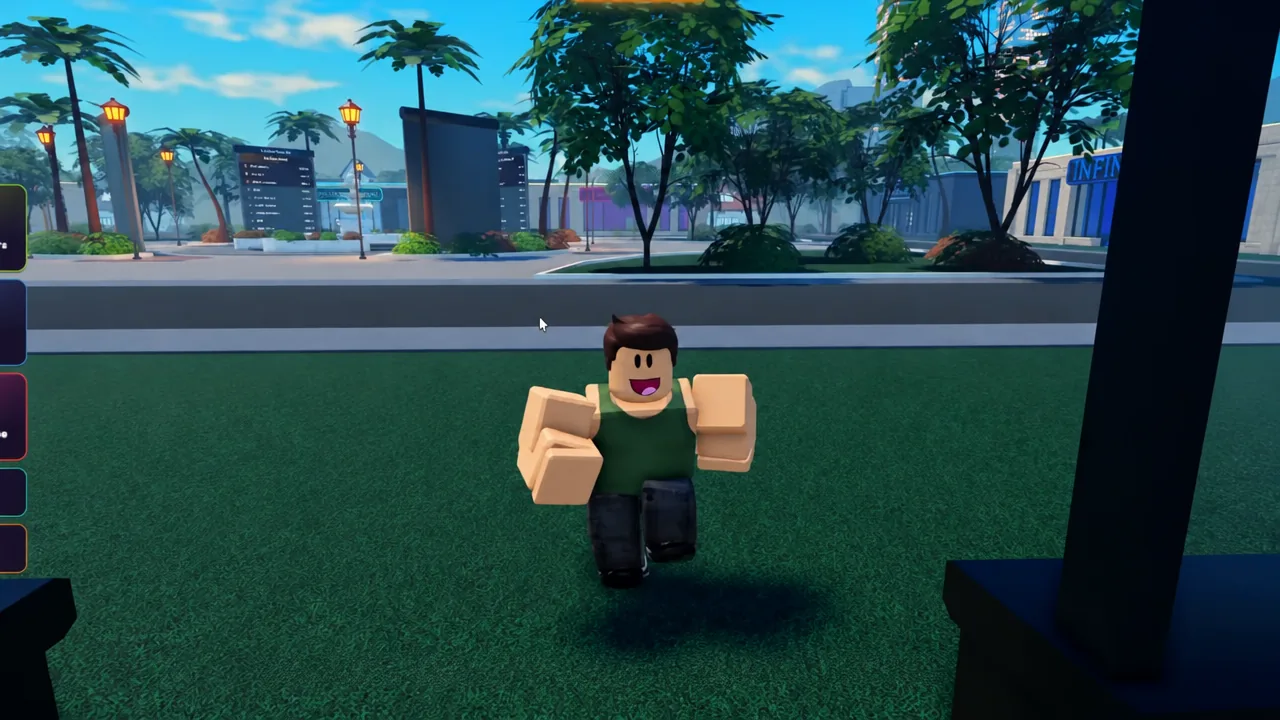
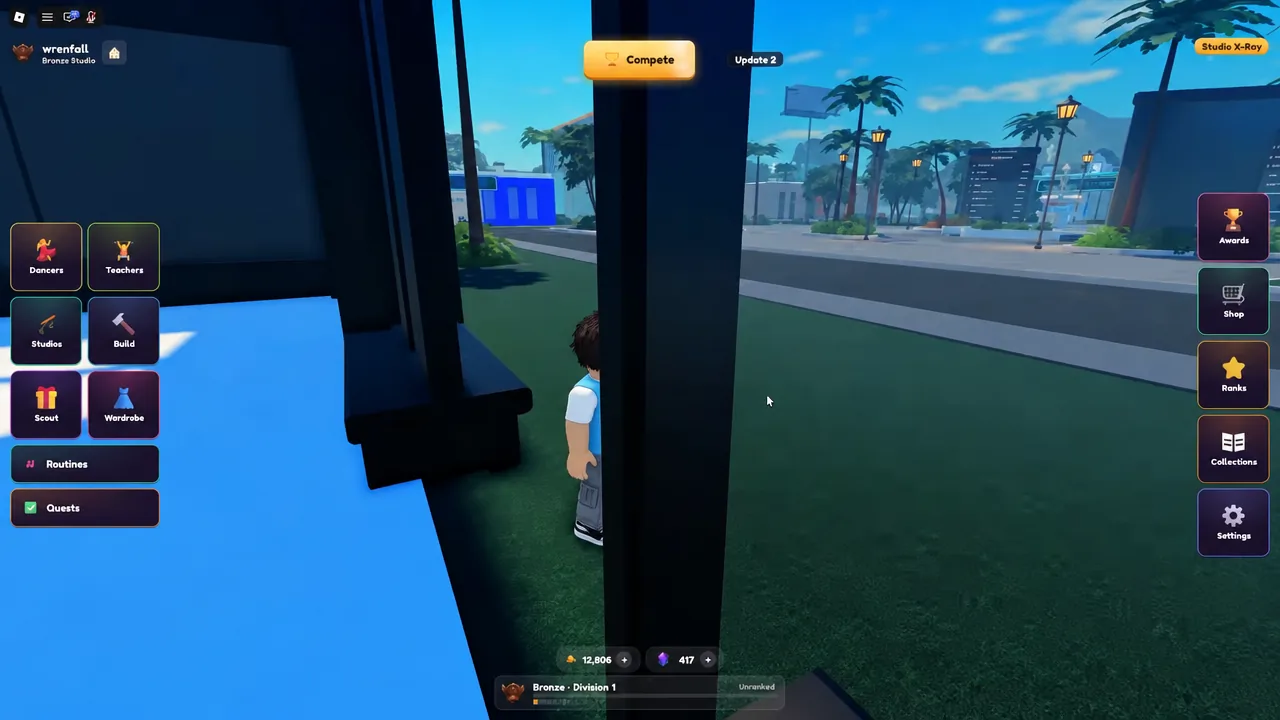
You land outside a finished building with your signage on it. That exterior is the confirmation the studio saved; from here everything happens through the menu bar, which holds Dancers, Teachers, Studios, Build, Scout, Wardrobe, Routines, Quests, Awards, Ranks, Collections, and Settings.
Enrol dancers and assign teachers
This is the part that actually pays, and it is the step most new owners skip. Open the Dancers menu to see your roster — you start with a handful of named dancers such as Nina Foster and Anna Lindberg — and enrol them into Studio 1. Each filled slot contributes passive income; each empty slot contributes nothing at all.
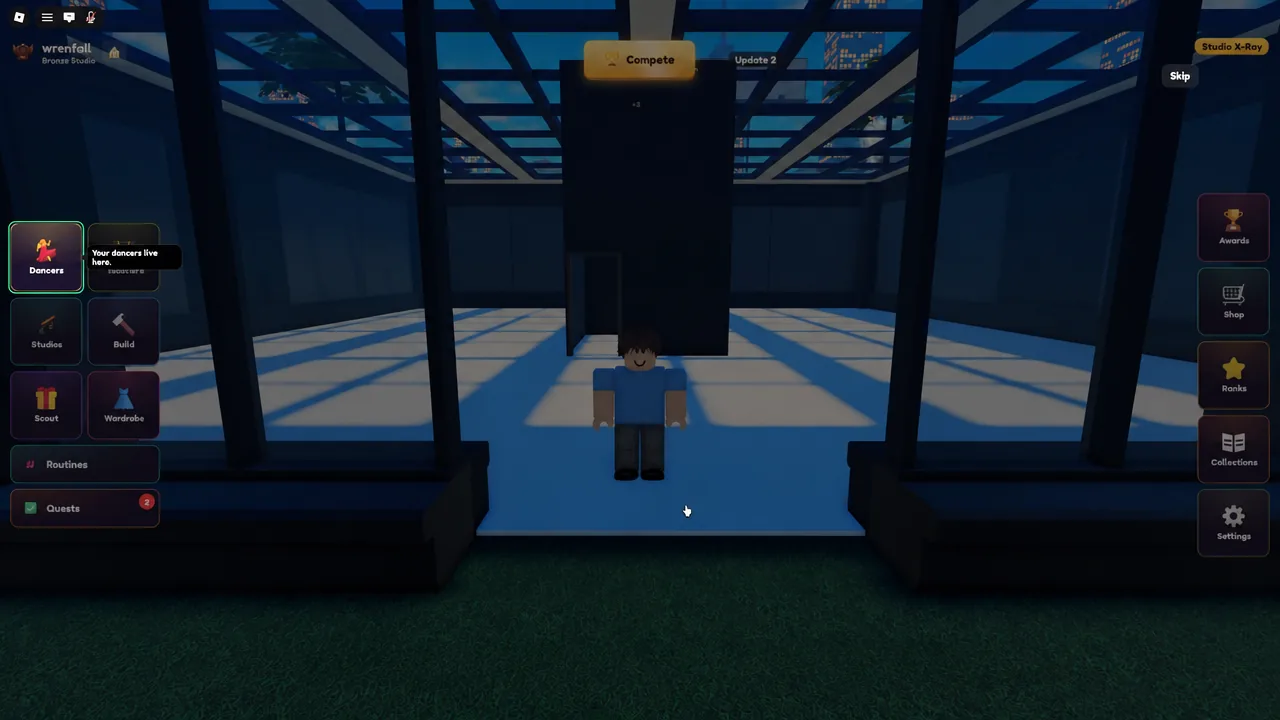
Then open Teachers and assign one — Vivienne Marsh is a common early pick — to the same room. Teachers raise dancer stats through training, so putting one on the dancer you intend to use as a soloist is more valuable than spreading attention thin. Train before you spend Gems on packs, not after.
You know it worked when the studio room shows occupied slots with dancer names attached and income starts accumulating without you doing anything. If nothing is ticking up, a slot is empty or no teacher is assigned.
Expand the studio with Build
Room size caps how many dancers you can hold, so expansion is an income upgrade disguised as a decorating tool. Build handles the structure and the DESIGN sub-menu handles floors, walls, materials, colors, and signage — that is also the correct answer whenever your studio simply looks wrong and you are tempted to reset. Resetting can wipe trained stats. Redesign or rename instead.
Spend on capacity and training equipment before furniture. And if you want layout ideas, walk into a neighboring player’s studio — the map is shared, other owners’ builds are visible, and copying a workable floor plan costs nothing.
Create a routine: solo and group
A routine is four decisions — dancers, music, formations, moves — and then a save. Save an ugly one early rather than perfecting nothing. You need both a solo path and a group path eventually, so build one of each.
Dynamic Cameras, added on 31 August 2026, exist specifically to record group routines. Use them after a piece is saved, especially once formation changes are part of the choreography.
Design costumes in the Wardrobe
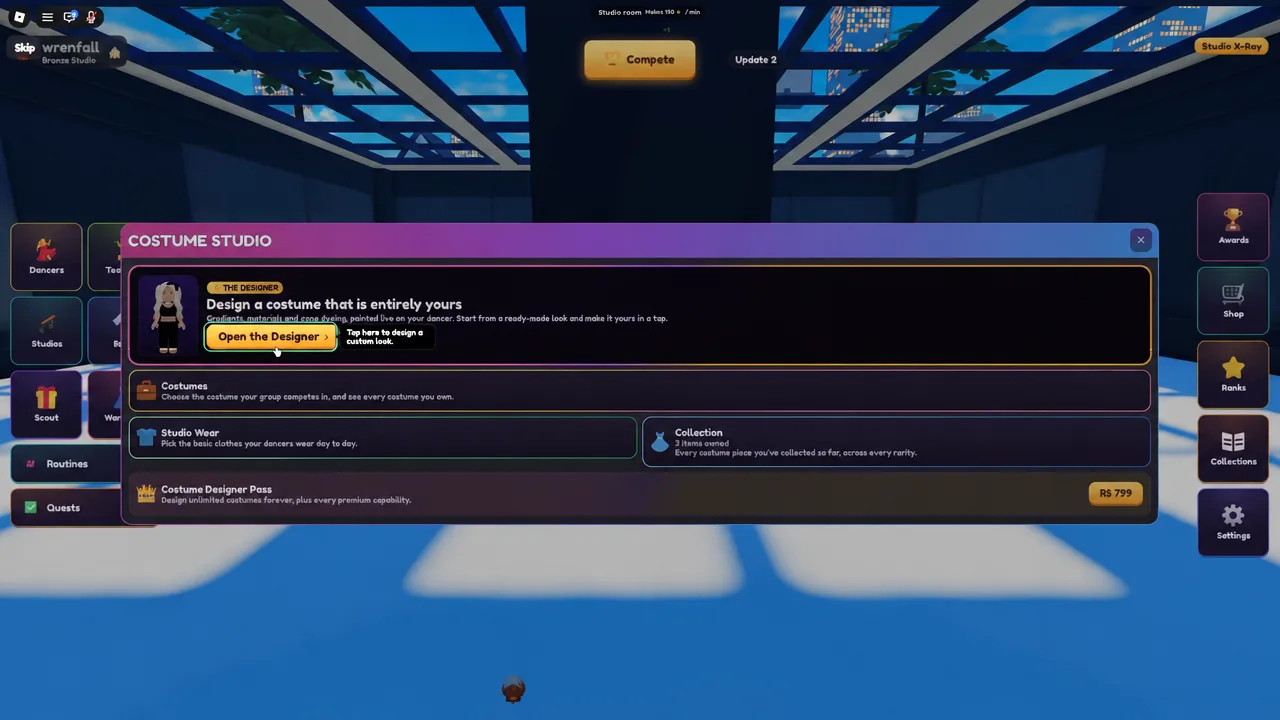
Costumes are handled through the Wardrobe, which opens into the Costume Studio. Hit Open the Designer to start a new outfit, then work through colors and patterns and save the result so it can be attached to a routine at sign-up. A simple two-tone scheme reads better on stage than a busy one.
Enter competitions and Roblox Awards
Competitions are the fastest way to convert a prepared team into currency, and they are the reason the sim has a ceiling at all. Servers hold ten players, but scoring is not local — everyone competes against the same shared board regardless of which server they are in, and ELO sits on top of that.
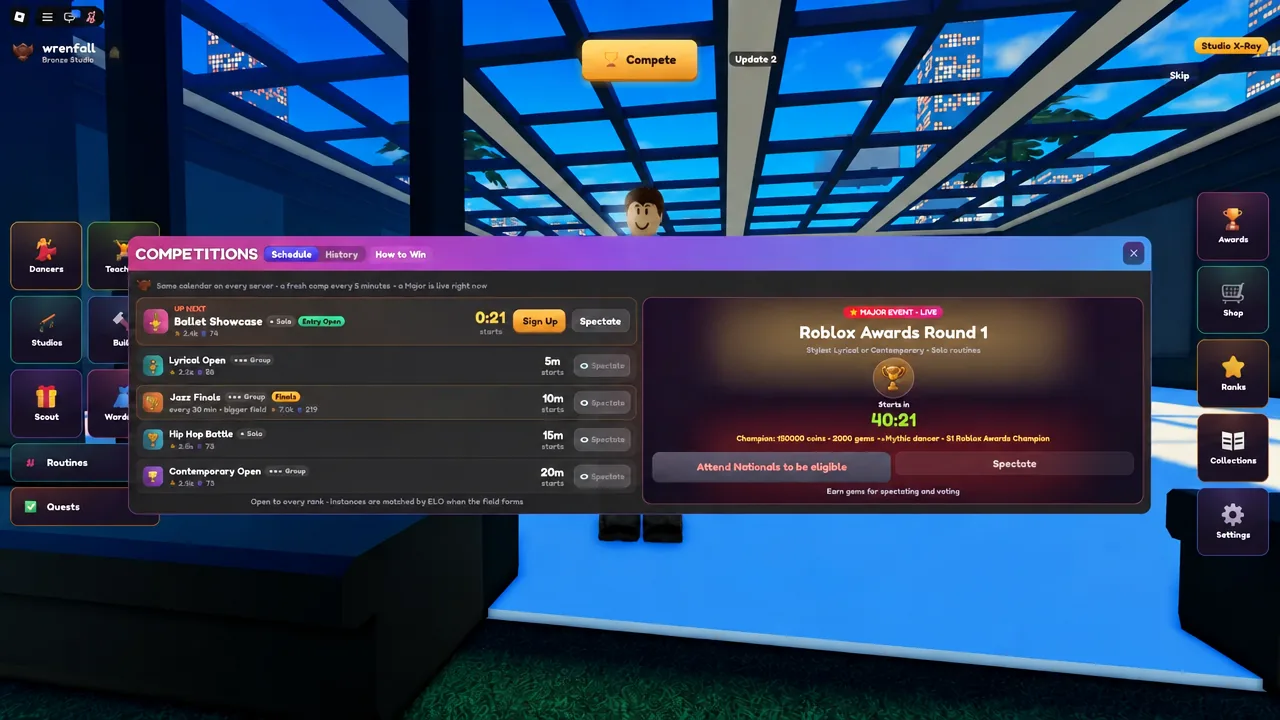
Roblox Awards sit above the regular circuit and require qualification through Nationals — one Solo Nationals result plus one Group Nationals result — feeding into a 24-entrant lobby. Enter at least one ordinary competition before that, so the submit screen is not unfamiliar on the night. No specific next Awards time is confirmed here; check the Schedule tab in game for the current window.
Cash, Gems, and Quest rewards
Two currencies do different jobs, and confusing them is the most expensive early mistake. Cash keeps the building growing. Gems open packs, and they are scarce enough that dumping them on the first thing you see is rarely worth it.
| Resource | Where it comes from | What to do with it |
|---|---|---|
| Cash | Enrolled dancers, studio income, competitions | Room expansion, capacity, training facilities |
| Gems | Competitions, the Quest tab (weekday rewards) | Packs for dancers, songs, costumes, teachers |
| Daily rewards | Daily login pack, starting at Day 1 | Free dancers and early packs — claim every session |
| Quests | Quest tab objectives, marked off as you play | Claim before spending your first Gem pack |
Quest Gems arrived on 31 August 2026 alongside Dynamic Cameras, and the tab is easy to forget once the studio loop is running. Open it before you buy anything — claiming a stack of Gems after you have already spent is a waste of a day’s rewards.
Gamepasses and what they change
Nothing in the first-hour loop requires Robux. The passes are accelerators and extra tooling inside menus you already use; none of them remap controls or unlock a system you could not otherwise reach.
| Pass | Effect |
|---|---|
| Routine Creator (799 Robux) | Raises saved routine slots to 10 |
| Auto-Collect (999 Robux) | Collects Cash without manual tapping |
| 2x Cash | Doubles Cash income |
| Studio Designer / Costume Designer | Extra tools inside the build and costume menus |
| VIP | Bundled owner perks |
Note: extra routine slots only matter once you have more than one routine worth keeping. Run a single saved piece through a competition first and see how it scores.
Codes
No working codes are confirmed for Run a Dance Studio at the moment. The redemption option itself lives in Settings under the Account tab, alongside the studio title and rename controls — enter the string exactly as written, capitalization included, and press Redeem.
Once you can open Build, enrol a full room, save a routine, and find the Quest tab without hunting, the tutorial phase is over. Everything after that is economy and choreography — bigger rooms, better-trained dancers, tighter formations — and the shared competition board is the only scoreboard that counts. Commands from other Roblox dance games will not work here; this one is menus, stats, and whatever you can get six dancers to do in time with the music.