Energy controls every activity in Lumi Master: reaching new areas, starting encounters, and catching creatures all require it. A run stops as soon as the meter is empty. Although the game provides plenty at no cost, many rewards are hidden in menus and must be collected manually.
Quick answer: Tap the Energy counter to open Get More Energy, then claim friend gifts (up to 100), the TouTou blimp (160), the shop’s free Daily Gift (20), and your Daily Task chests.
Start with the Get More Energy menu
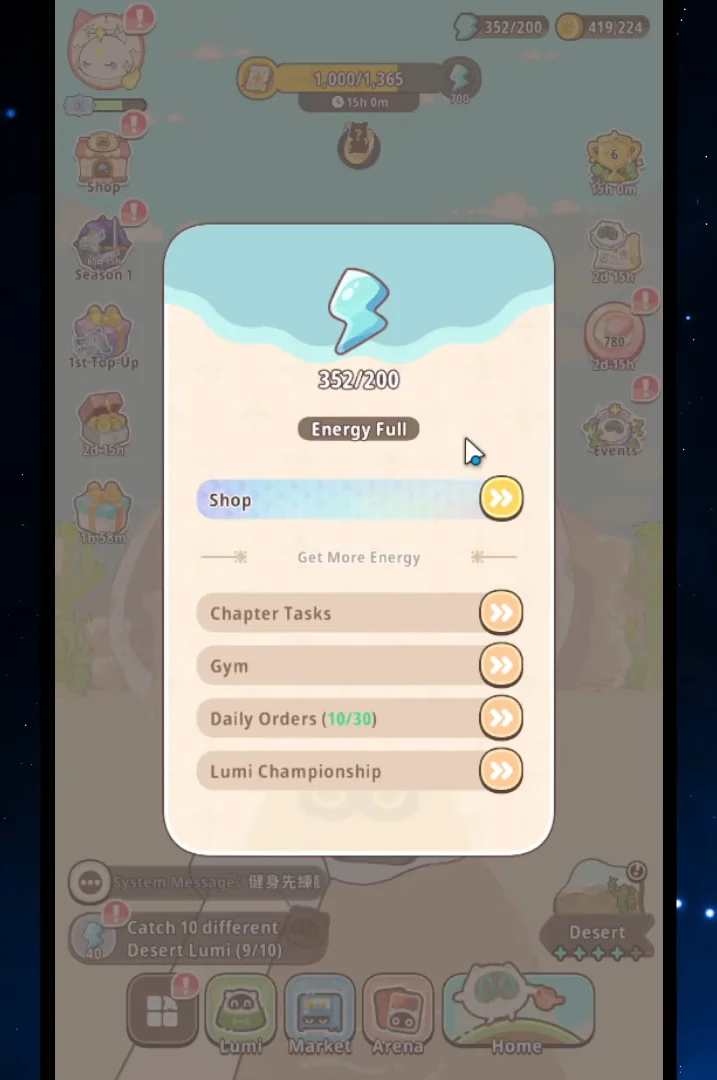
Tap the Energy counter at the top of the screen and a shortcut panel opens. It points at four of the game’s reliable Energy faucets — Chapter Tasks, Gym, Daily Orders and Lumi Championship — and each entry jumps straight into that activity. If you only have a minute to play, this panel is the fastest route to a refill.
Daily Energy sources and what each one pays
These reset every day and cost nothing but taps. Anything with an exclamation mark sitting on the home screen usually belongs on this list too.
| Source | Where | Energy |
|---|---|---|
| TouTou blimp | Floating over your home base | 160 instantly |
| Friend gifts | Friends list, Friend Moments | Up to 100 per day |
| Daily Task chest | Tasks menu, Daily tab | 100 plus cards and leaves |
| Daily Stellarization | Starlit Tree | 100 per task |
| Daily Gift | Shop, Featured Offers | 20, free |
| Today’s Orders | Order Board at home | Varies by dish |
| TouTou clues | Observatory | Varies |
Mail is the other easy one to miss. Launch rewards, event payouts and code redemptions all land there, often in large lumps, and they sit unclaimed until you open the mailbox.
The Order Board fills up if you leave it. Clear it every day so finished orders are not blocking new ones.
Quests: chapter, daily and growth tasks
Chapter tasks are the backbone of early progression and they pay Energy the whole way through. Finishing an entire chapter also unlocks the chapter reward bundle, which includes Lumi cards, ascension and levelling material, and evolution material. Open the chapter screen — Chapter 10 and beyond follow the same layout — and check the reward preview before you commit to a run.
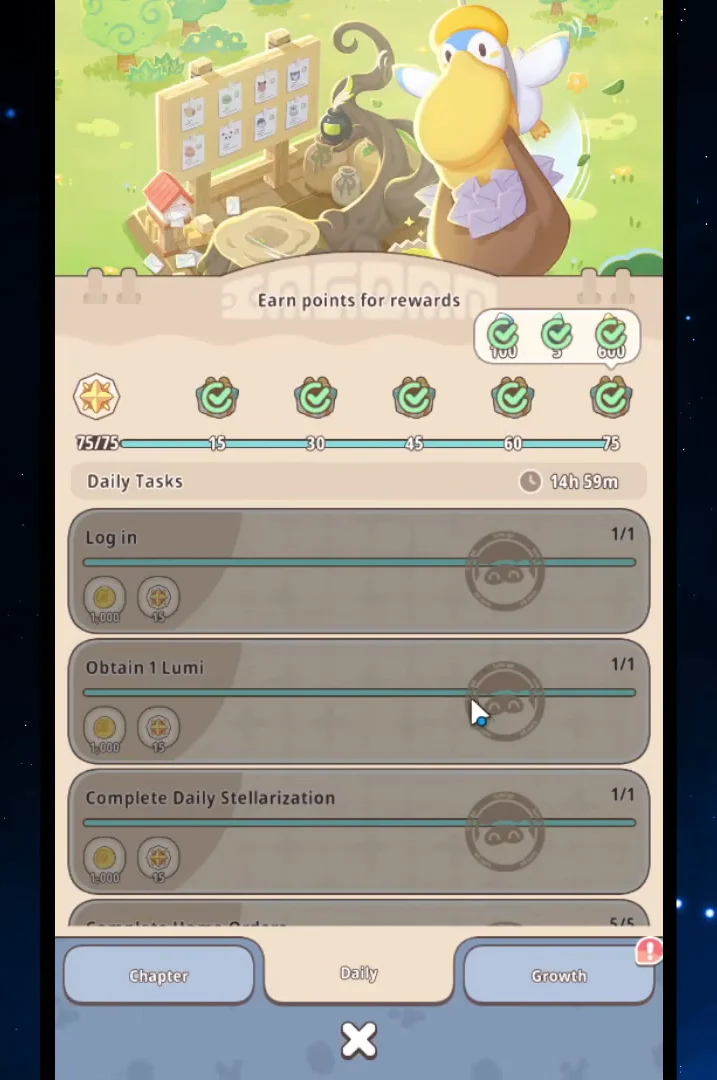
The Daily tab works on points. Every task you clear adds points toward milestone chests, and the final chest of the day contains 100 Energy along with Starcolor Lumi Cards and Starlit Leaves. You do not need to clear every task to reach it, but leaving the last few undone is where most of that Energy goes missing.
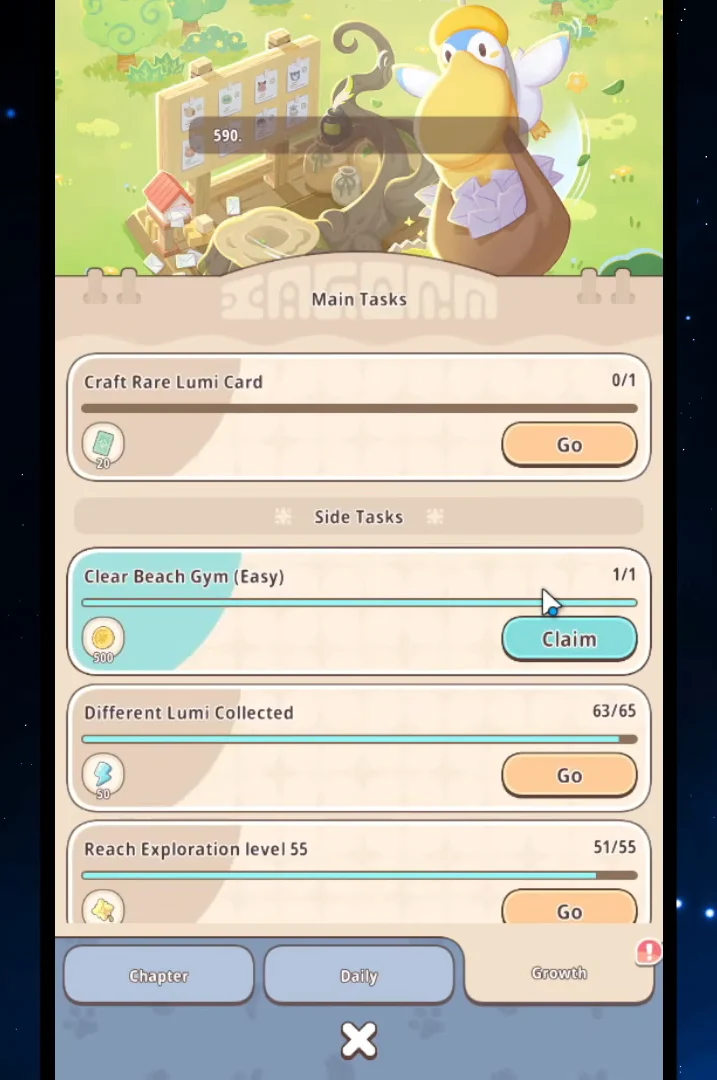
The Growth tab is the slower, chunkier version of the same idea. It splits into Main Tasks and Side Tasks — crafting rare cards, clearing gyms, working through the Stellarization Kick-off challenges — and each completion hands over extra resources. These do not reset daily, so treat them as a reserve you can cash in when you are short.
The free shop gift and Monthly Membership
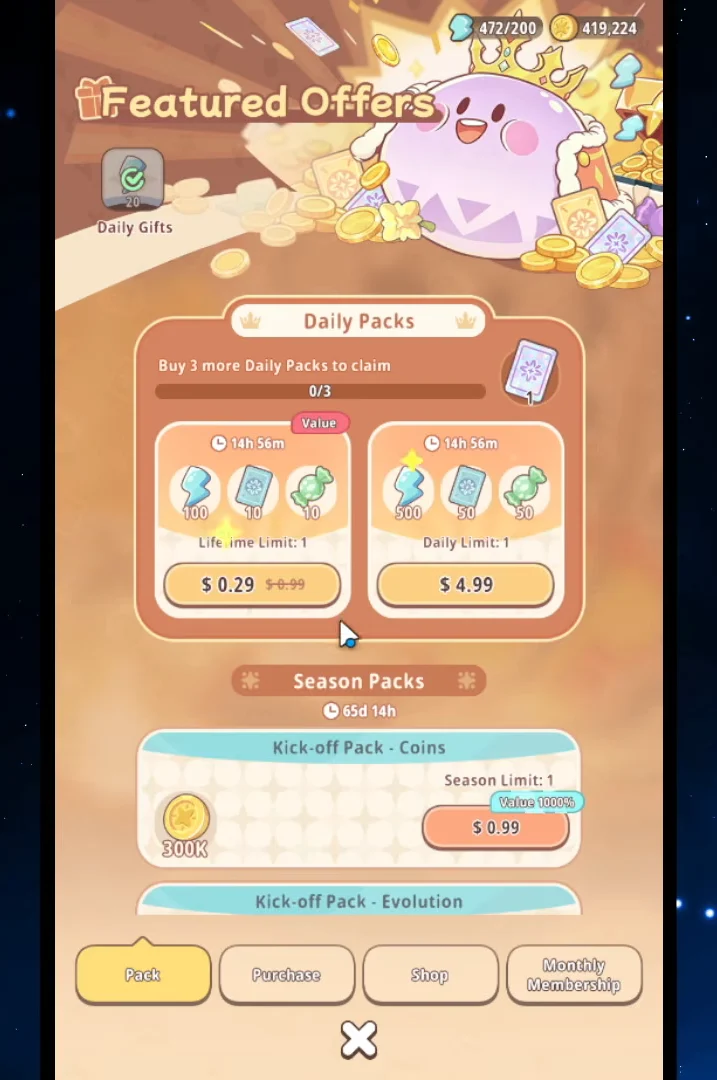
Featured Offers in the shop carries a Daily Gift that costs nothing and hands over 20 Energy. It is small, but it is free and it resets every day. The same page holds paid packs and diamond top-ups, plus the Monthly Membership, which raises your explore speed and adds a daily Energy allowance on top of everything else you claim.
Battle modes that pay Energy
Every combat mode pays something whether you win or lose, so the ones below are worth clearing as they unlock. Energy shows up in the milestone rewards rather than in every single fight.
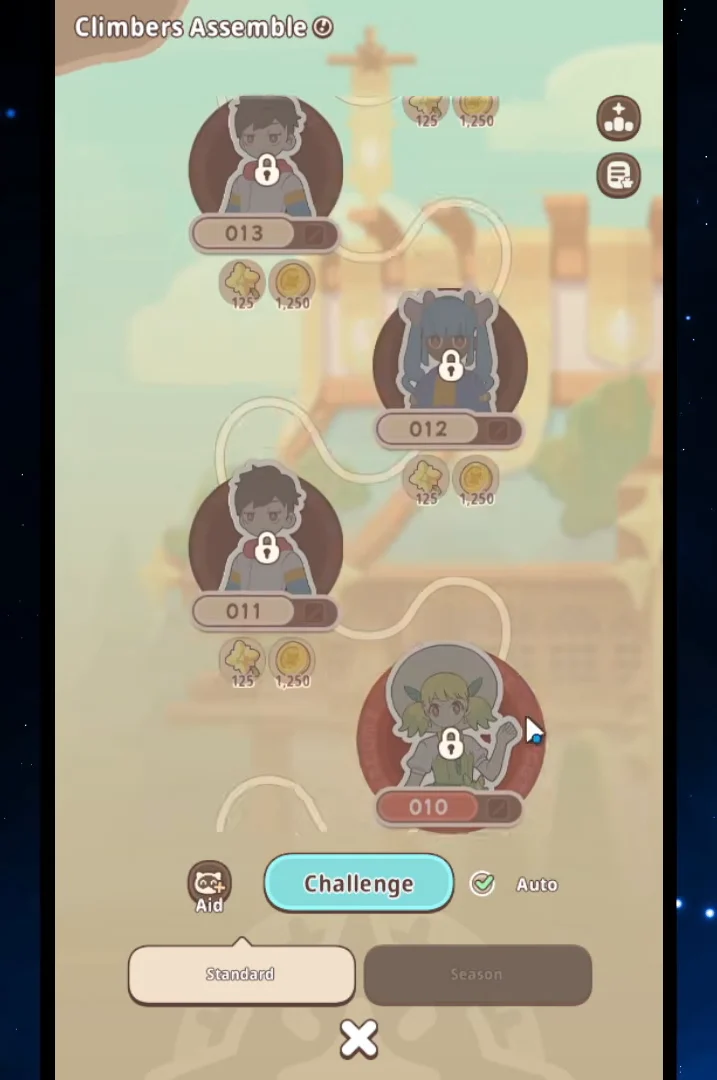
Climbers Assemble
Found under the Arena menu, this tower drops Energy on milestone floors. The quick battle option auto-challenges stages for you, so once your squad clearly outclasses the early floors you can clear a stretch of them without touching a fight manually.
Gym Battles
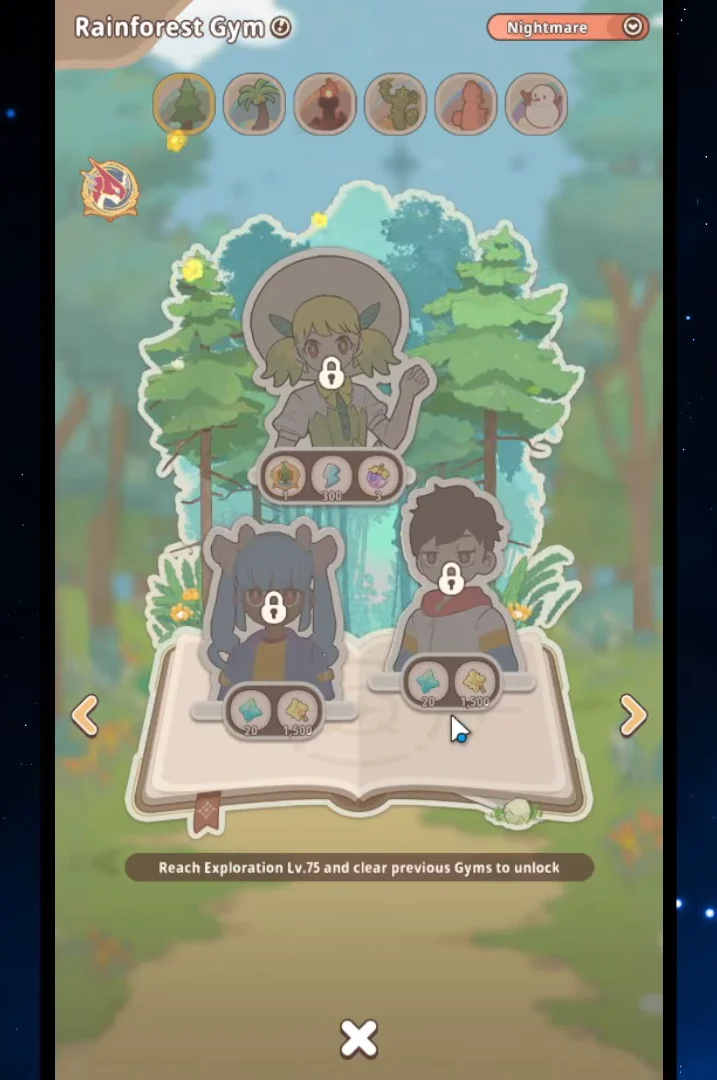
Also in the Arena tab, Gym Battles run across the Beach, Rainforest and Volcano Gyms at escalating difficulty. Clear rewards mix Energy with ascension materials, which makes them doubly worth doing — you are funding your next exploration run and your next level cap break at the same time.
Ladder and weekly tournament
The Ladder hands out Energy and Evolution Fruit at rank milestones, and there are separate weekly payouts for the solo and duo leaderboards. Rewards scale with rank, so this becomes a bigger source later rather than something to chase on day one.
Gallery milestones and the market trap
The Gallery catalogues every Lumi you own, sorted by rarity. Filling card slots builds progress points, and completing rarity bands pays out Energy and Rainbow Eggs. It is one of the few sources that rewards you simply for playing the game normally.
Market-purchased Lumi never count in the Gallery. Milestones accept only creatures you personally catch or hatch, so use market purchases as workers or breakthrough fodder and catch each new species yourself.
Home base: Order Board, Observatory and the Starlit Tree
Your base is quietly one of the better Energy generators once it is running. Check Today’s Orders at the Order Board, cook the requested dish at the Stove — a Fruit Salad order, for example — and turning it in pays Energy directly plus points toward milestone chests. Coins come along with it.
The Observatory holds TouTou clues that pay Energy when collected. While you are on the base, watch the sky: the TouTou blimp drifts overhead and tapping it hands over 160 Energy on the spot. It is the single largest one-tap payout in the game.
Use the Starlit Tree to turn unwanted Lumi into Energy. Stellarization objectives, including Eternally Frozen Crystals, award 100 Energy each. For every creature considered, first confirm whether the Gallery already contains it, whether evolution could add another Gallery entry, and whether it has value as a worker. Only trade it after all three checks fail.
Keeping the base fed matters too. Workers with a hunger level at zero stop producing, which cuts off the resources that feed back into orders and crafting. Place food in the restaurant and top them up when you log in.
Redemption codes for free Energy
Codes are released periodically and grant Energy and coins. They expire quickly, and each one can only be used once per account.
Codes currently circulating include LUCKY777, CATCHLUMI, LUMIMASTER2026 and GIFT100.
Spend Energy at a high compass multiplier
Collecting Energy is only half the problem. The compass multiplier decides how far each point goes, and tapping through exploration one step at a time is the most common way new players burn a full bar for almost nothing.
- 1 Energy: standard encounter, can yield a blue (rare) Lumi.
- 5 Energy: adds a chance at a gold Lumi.
- 10 Energy: adds a chance at rainbow Lumi.
- 20 Energy: catches two Lumi in one encounter.
- 50 Energy: catches five Lumi in one encounter.
Depositing resources at higher tiers gives back the same multiple of items, coins, and experience used to pay, so banking does not cost you anything. Since bosses arrive after a predetermined encounter count, using a large multiplier gets you to them much sooner. Reaching the ×1000 tier takes more than 5,000 Energy in the bank and a special buff.
Once your Energy exceeds its cap, its natural refill pauses. You can safely bank claimed rewards, but anyone depending on regeneration must spend enough to fall below the cap and keep the timer running.
How to confirm a claim landed
Every successful claim updates the Energy counter at the top of the screen immediately — the number ticks up as the reward animation plays. Claimed tasks grey out and lose their red badge, milestone chests on the Daily tab switch from locked to opened, and the TouTou blimp disappears from the sky until the next day. Code rewards are the one exception, since they route through your mailbox first and only hit the counter once you tap to collect them.
If the counter has not moved after a claim, the reward is almost certainly still sitting in the mailbox waiting to be collected.