Once your storage in Aniimo fills up with duplicates, the fastest way to separate the keepers from the clutter is the Rating filter inside the Aniimo Management screen. Rating reflects each catch’s Potential, so filtering by it groups your weakest copies together and leaves your strongest ones out of the view.
Quick answer: Open Aniimo Management by pressing P, tap the filter icon, pick your tiers under Rating, then press Confirm to show only Aniimo with those ratings.
What the Rating filter does
Rating is Aniimo’s measure of a creature’s innate Potential, and it is separate from Rarity. Filtering by Rarity groups creatures by their form or variant, while filtering by Rating sorts them by how strong a starting point they give you for training. That distinction matters when you want to find low-tier duplicates to release rather than rare forms you plan to keep.
There are four Rating tiers. From lowest to highest, they are Common, Good, Elite, and Perfect.
| Rating | Tier | Typical use |
|---|---|---|
| Common | Lowest | First candidates to filter out and release |
| Good | Low | Usually replaced once a stronger copy appears |
| Elite | High | Worth building around while you hunt Perfect |
| Perfect | Highest | Best starting stats; keep for long-term training |
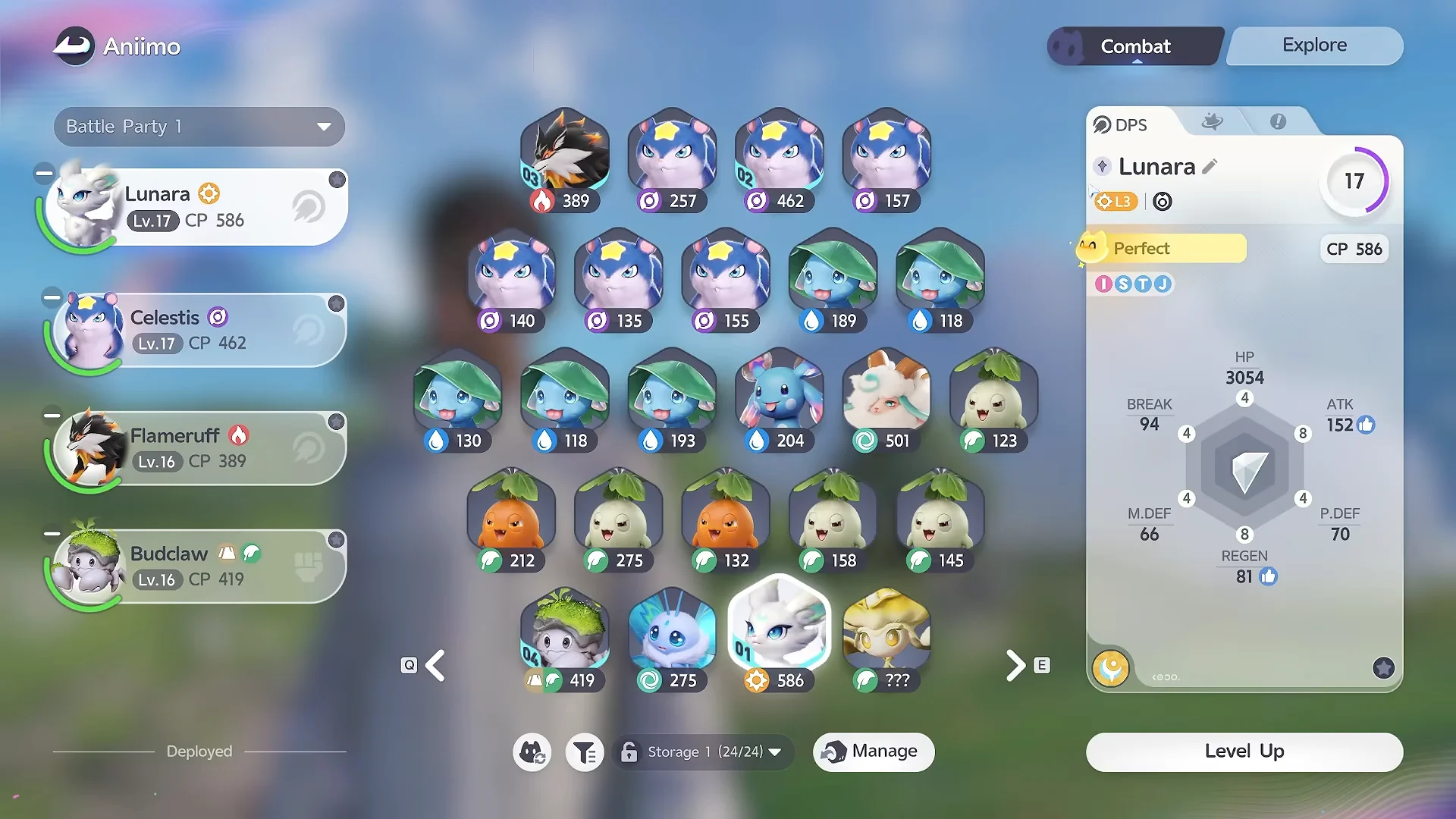
Filter your Aniimo by Rating
P or clicking the Aniimo icon in the upper-right corner of the screen. This brings up the grid of every Aniimo you have caught across your storage pages.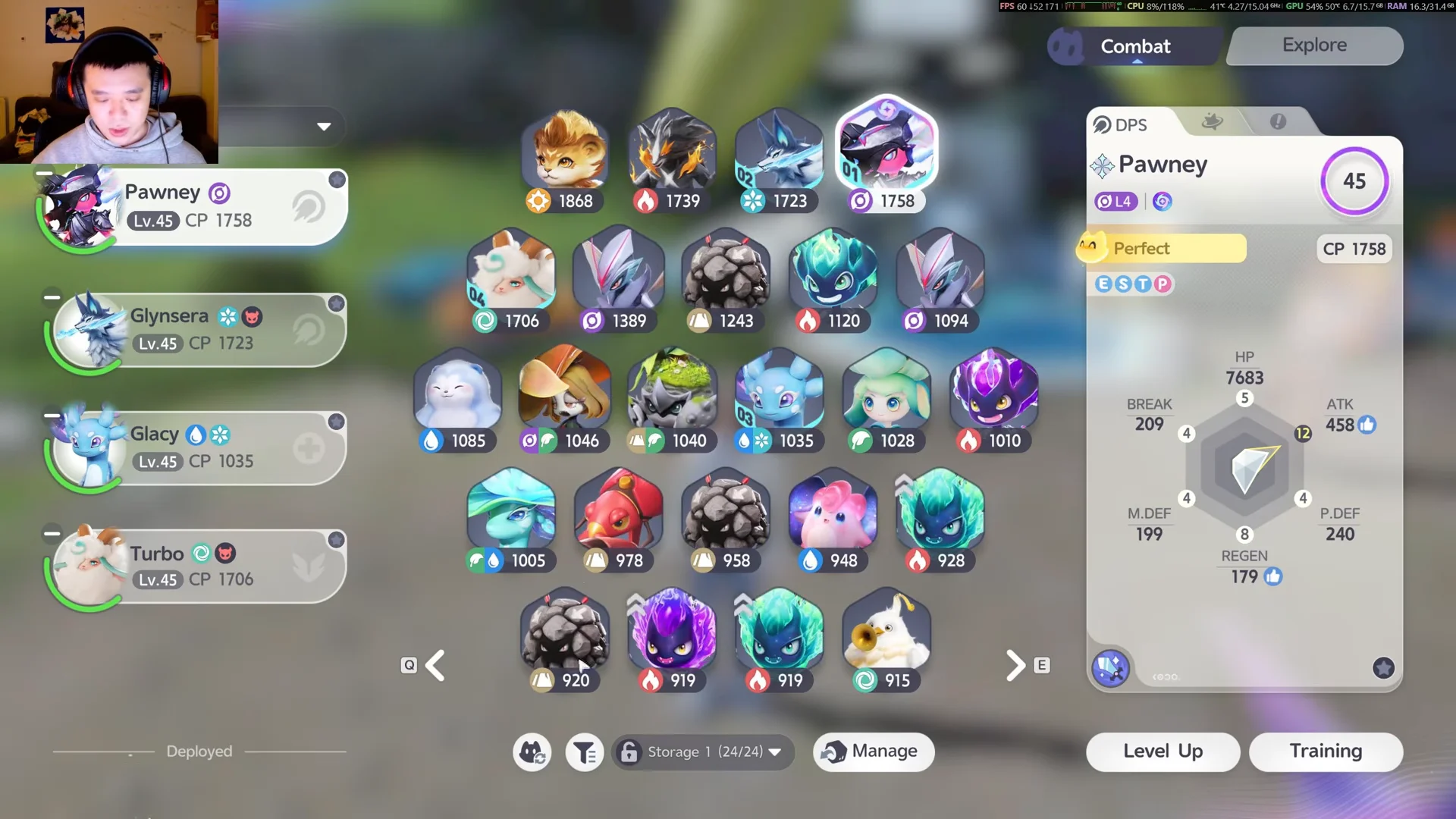
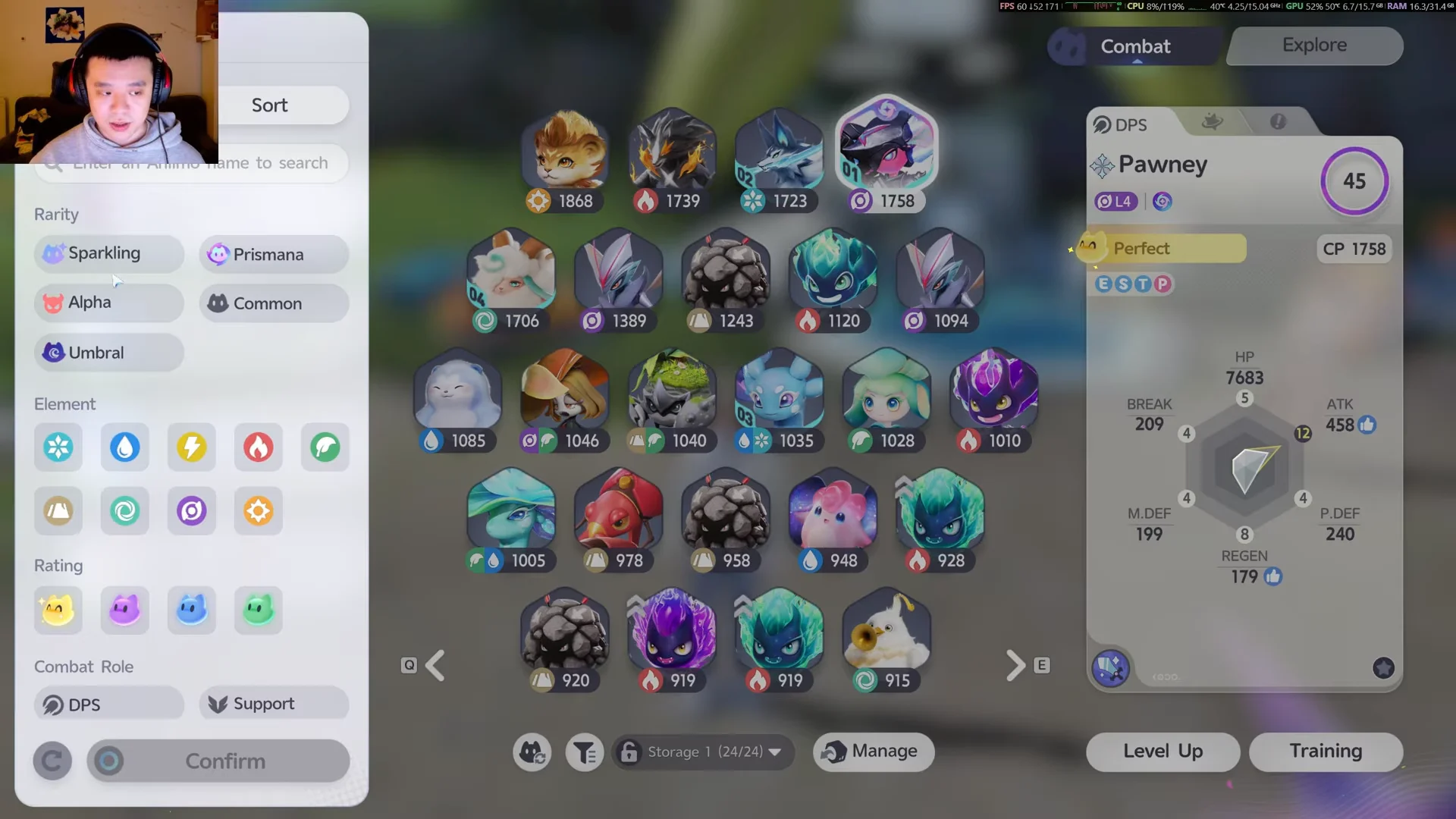
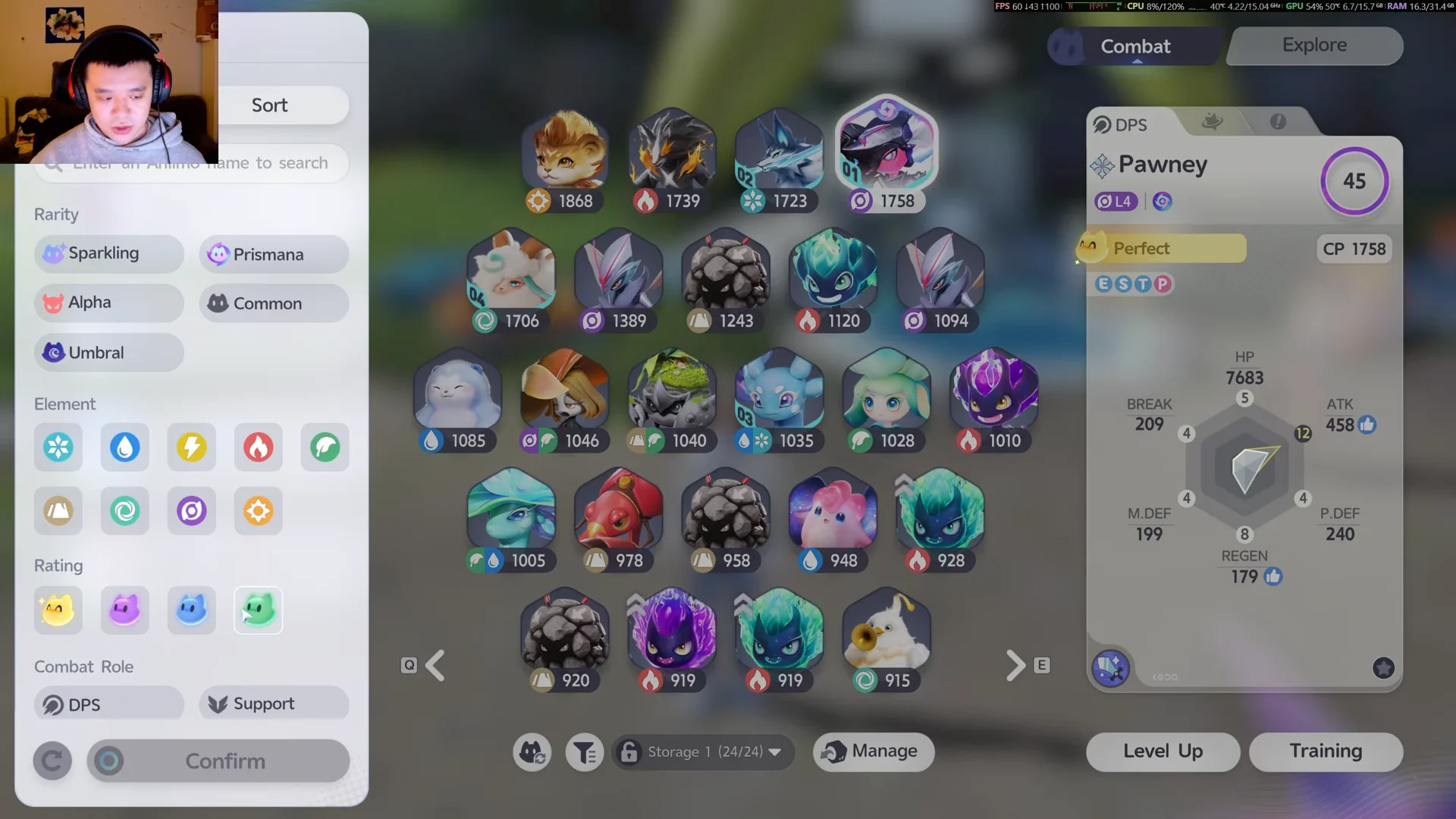
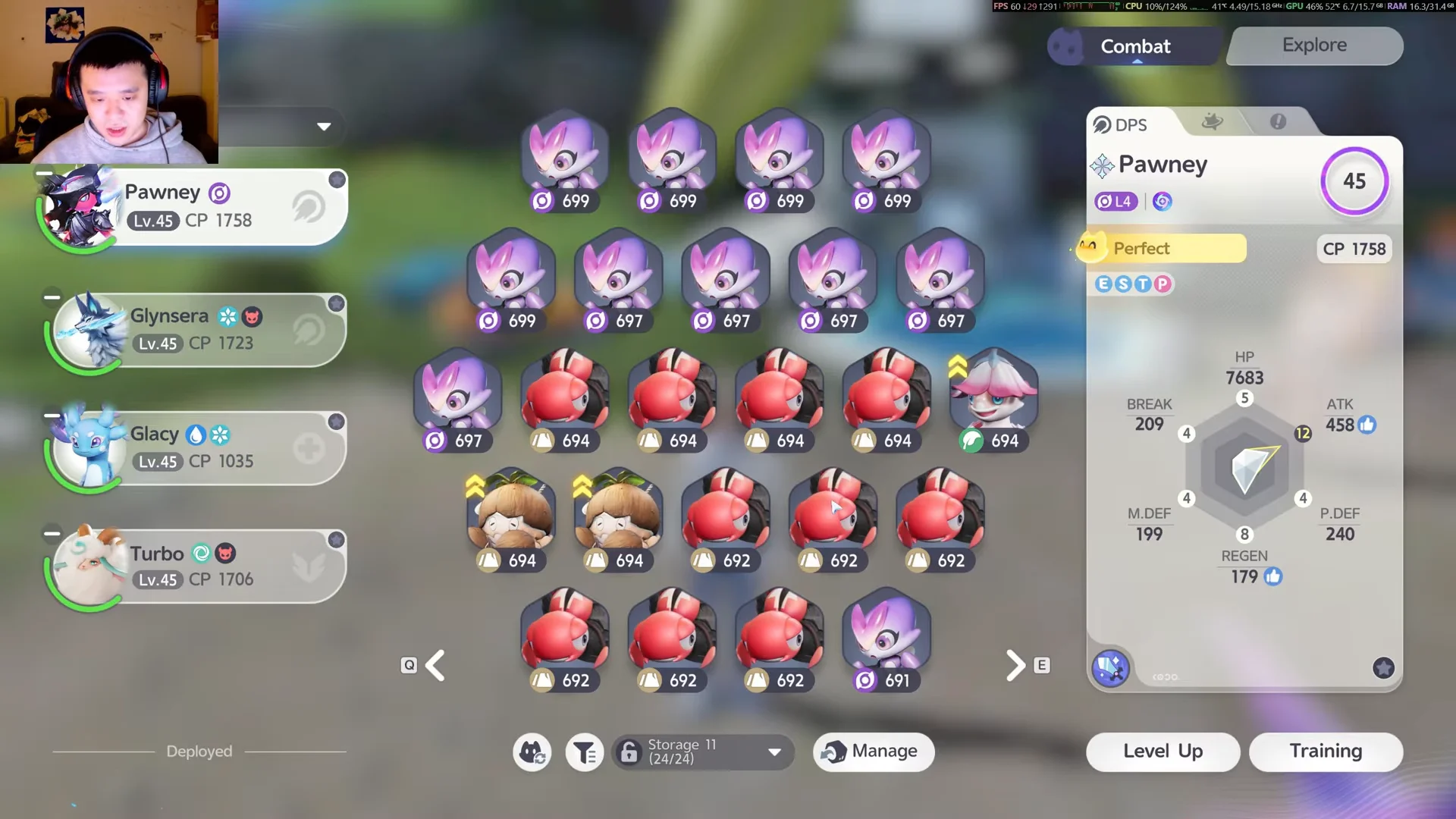
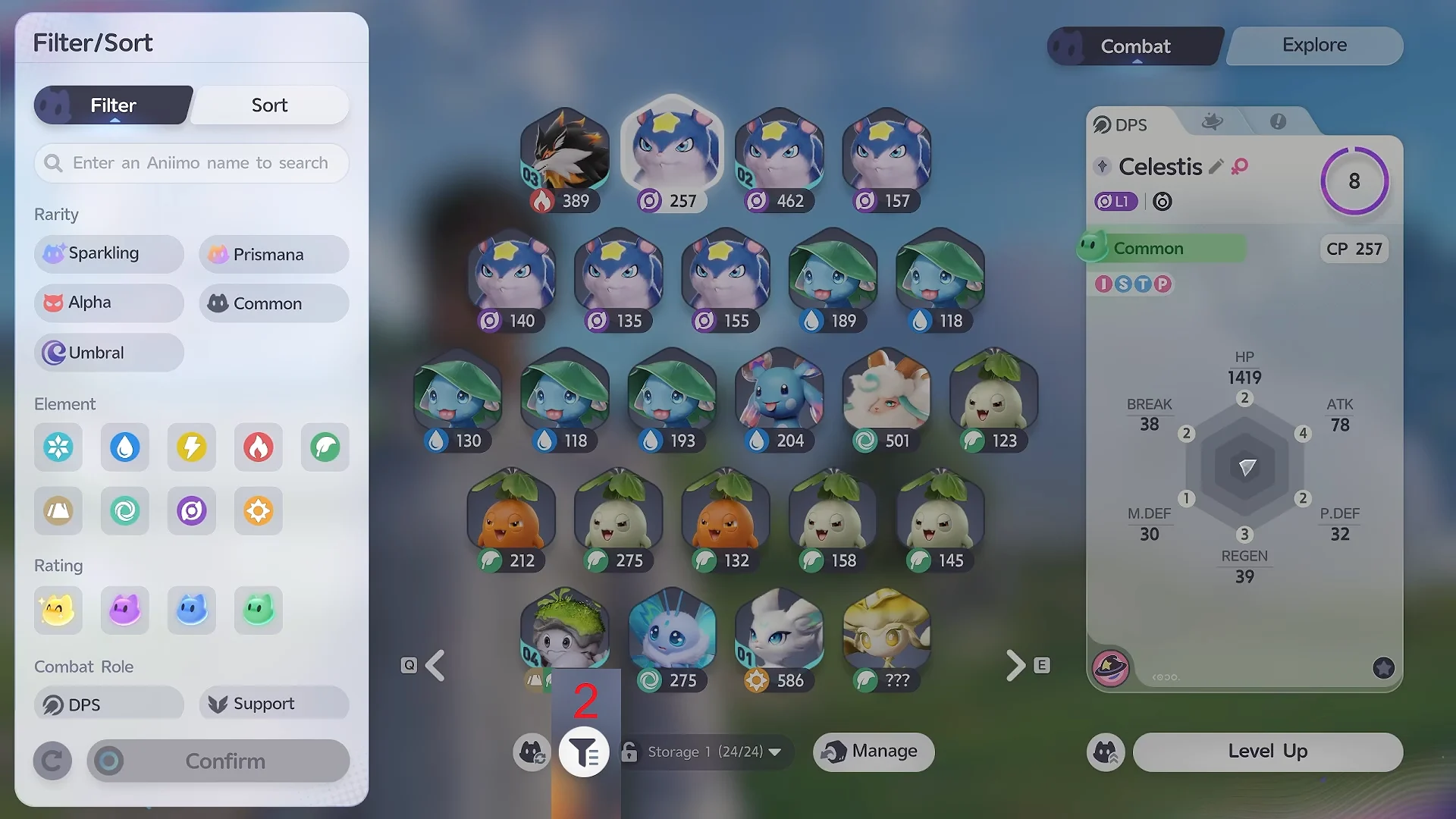
Reverse the same steps to isolate your best catches. Filtering for Perfect alone shows only your top-Potential Aniimo, which makes it easy to decide who deserves training resources.
Confirm the filter worked
You will know the filter is active when the storage pages redraw to show only the ratings you chose, with all other Aniimo hidden from view. From here you can click Manage to select creatures in bulk, deselect any you want to keep, and release the rest to receive their farewell gifts.
Reopen the filter panel and clear your Rating selections at any time to return to the full storage view. Because the filter only changes what is displayed, it never moves or removes anything on its own, so it is safe to switch between tiers as often as you need while sorting your collection.