
Wings are part of your Daeva in AION 2, and the collection opens far earlier than most players expect. The feature is available in the early campaign, and every set has its own way of being earned, from story ascension to shop purchases and crafting.
Quick answer: Wings become available near quest five, at about level 5. Open the main menu and choose the Wings tab, then select a wing and check its Source tab for the specific quest, shop, or crafting method required.
When wings unlock
The Wings system becomes available during early character progression, around the fifth quest (about level 5). At that point the Wings menu is populated with every set in the game, both the ones you already own and the ones still locked behind a requirement.
Open the main menu in the top-right corner and choose the Wings button. A scrollable collection of wing sets appears on one side, while the opposite side previews your character wearing the highlighted set.
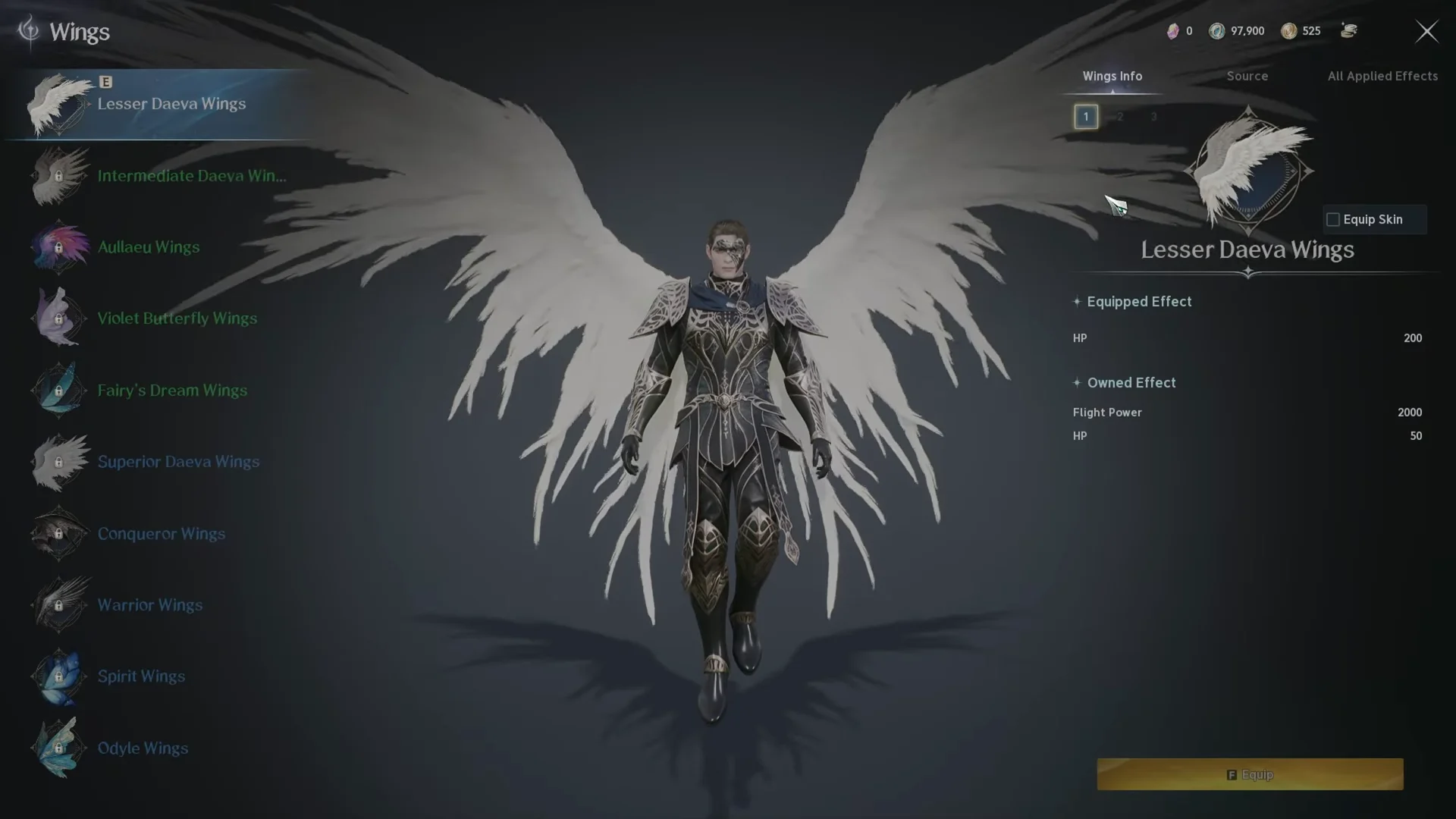
Equipped Effects vs Owned Effects
Each wing set carries two separate kinds of stat bonuses, and understanding the split matters more than the wing’s appearance.
- Equipped Effect applies only while that specific set is worn. Conqueror Wings, for example, give Boss Attack 80, Boss Defense 400, and Defense Bonus 300 when equipped.
- Owned Effect is a permanent passive that stays active once you acquire the set, and it stacks with every other set you own. Lesser Daeva Wings alone contribute Flight Power 2000 and HP 50 this way.
Owned Effects stack, so every additional wing you collect boosts your baseline stats, including wings you do not equip. Use the All Applied Effects button at the top right to view the combined passive bonuses from all the wings you own.
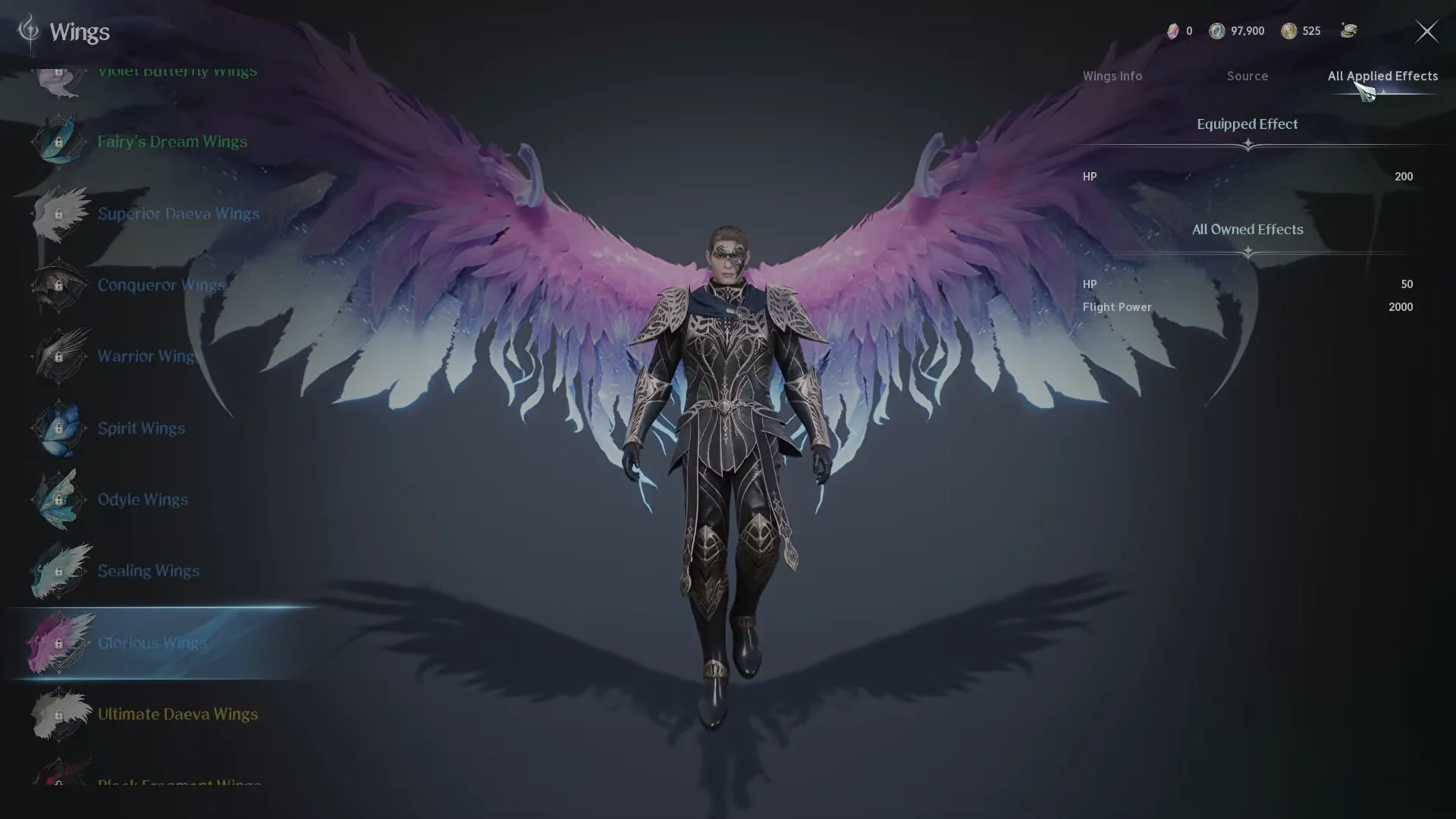
Use the Source tab to find any wing’s requirement
The fastest way to unlock a specific set is to read exactly what it needs, and the game tells you directly.
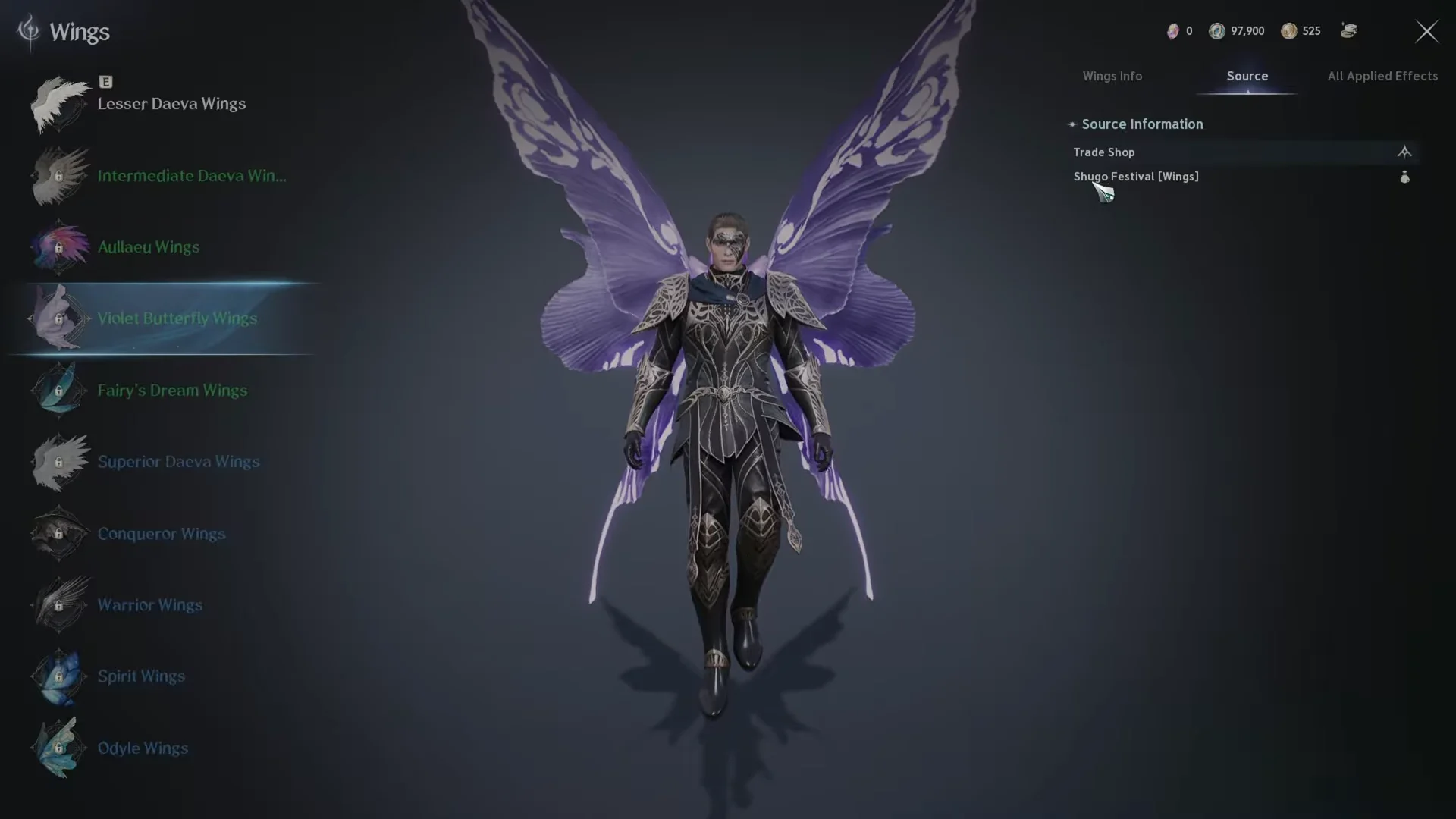
For Violet Butterfly Wings the Source tab points to the Shugo Festival [Wings] trade shop and notes they become available after completing the “Visions in Smoke” quest. Reading the tab first saves you from chasing the wrong activity.
Every way to acquire wings
Wing sets fall into a handful of acquisition paths. The table below groups the main routes with representative sets and what each one asks of you.
| Path | Example wings | Requirement |
|---|---|---|
| Ascension quests | Intermediate, Superior, Ultimate Daeva Wings | Complete the matching ascension quest |
| Story quests | Lesser Daeva Wings, Aullaeu Wings | Finish a set campaign quest |
| Festival / trade shops | Violet Butterfly, Spirit, Springflower Butterfly | Buy after a prerequisite quest |
| PvP / activity shops | Warrior, Brawler Wings | Spend Abyss, Arena, or Battlefield tokens |
| Substance Morph | Kromede, Sealing, Glorious, Black Fragment | Combine base materials in the Substance Morph menu |
| Chests / cubes | Fairy’s Dream, Odyle, Radiant Love | Open Poko’s Skin Bundle or a Hidden Cube |
Ascension and story quests
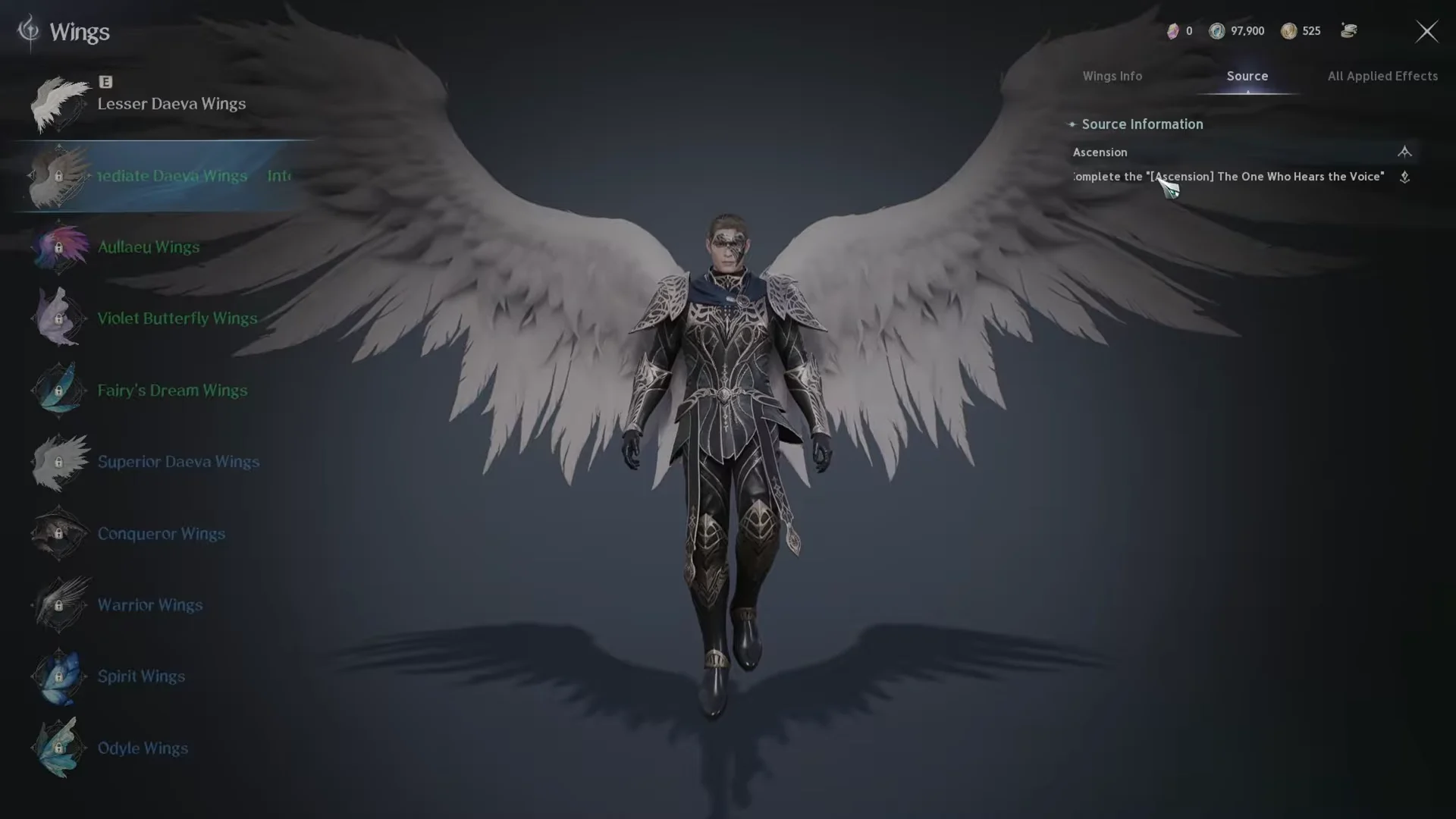
The most reliable early wings come from campaign progress. Ascending grants base Daeva wings, and each tier is tied to a named quest. Intermediate Daeva Wings unlock by completing “[Ascension] The One Who Hears the Voice”, Superior Daeva Wings from “The One Who Dreams”, and Ultimate Daeva Wings from “The One Who Witnesses the Nightmare”.
Shop purchases
Several sets are bought rather than earned outright. Festival and specialty merchants such as the Shugo Festival [Wings] shop sell cosmetic and stat wings once you clear their gating quest. PvP-focused sets like Warrior Wings are stocked in the Abyss, Arena, and Battlefield shops and cost tokens you earn from those activities.
Crafting through Substance Morph
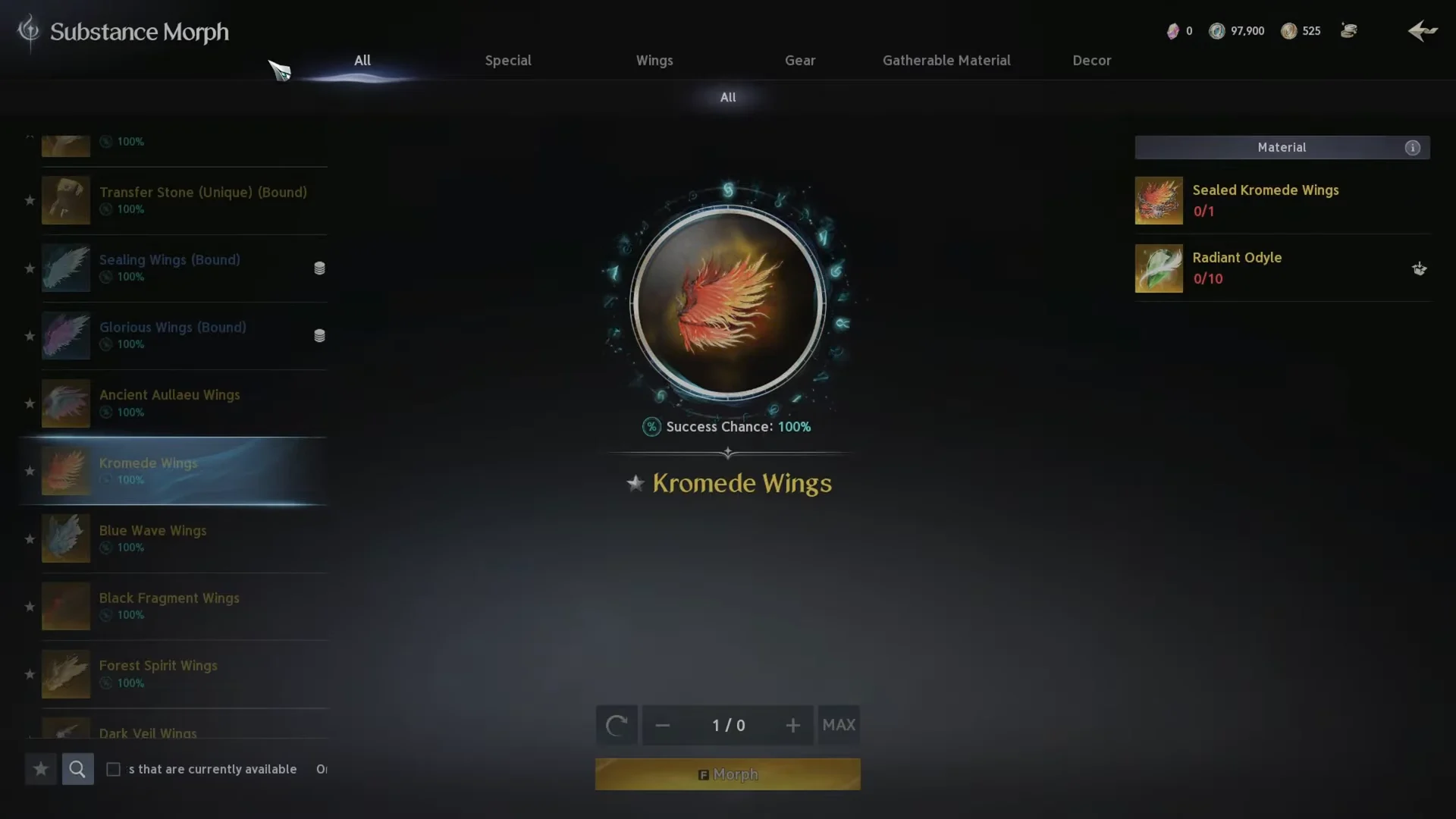
Some of the most powerful wings come from combining base components in the Substance Morph menu. The Kromede Wings recipe requires Sealed Kromede Wings x1 and Radiant Odyle x10, with a 100% success chance displayed. Other morphed sets use the same approach, pairing a wing-specific base material with Odyle.
Chests and Hidden Cubes
A few sets drop from containers. Poko’s Skin Bundle can contain Fairy’s Dream Wings, Odyle Wings, and other sets alongside lower-rarity rewards. Hidden Cubes can also produce wings such as Radiant Love Wings, though those drops are rare, so improve a cube’s odds with a key before opening.
Confirm a wing is unlocked
Once you meet a set’s requirement, it stops showing as locked in the Wings list and its Owned Effect immediately joins your passive totals in the All Applied Effects panel. To gain its Equipped Effect, open the set and use Equip Skin so your character wears it. If a set still reads as locked, its Source tab requirement has not been fully met yet.