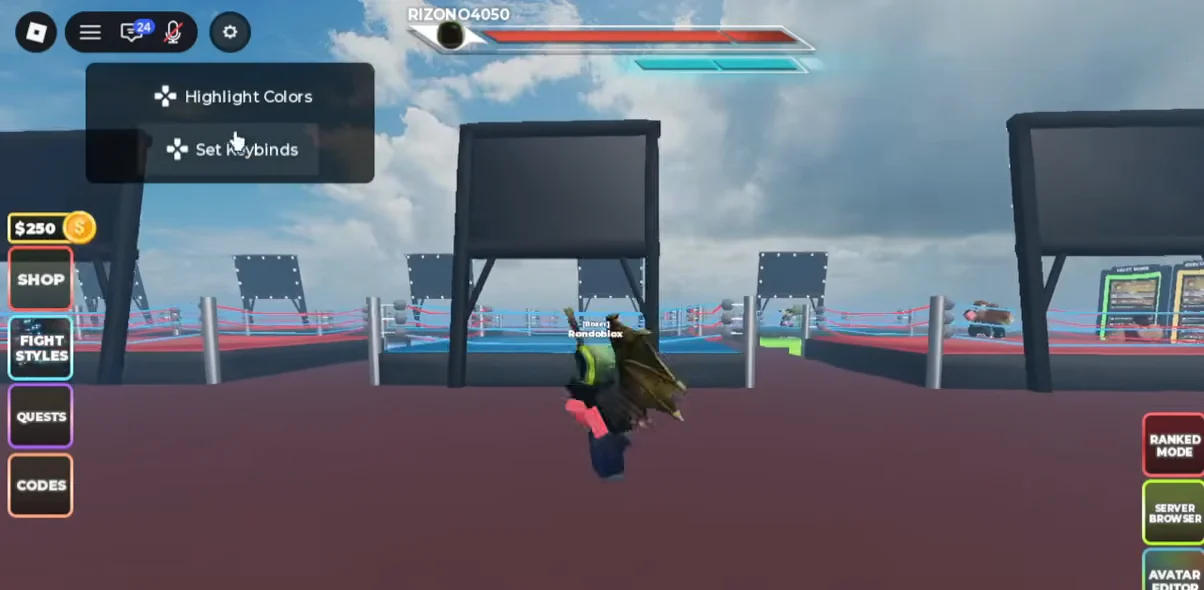
Street Fighter 6 x UBG lets you remap every combat action from a single menu, so you can move Block, Dash, Ultimate and your attacks onto keys that fit your hands. The controls live behind the settings gear on the main HUD, and every change needs to be saved before it takes effect.
Quick answer: Use the gear at the screen’s upper-left corner, select Set Keybinds, choose the action to remap, press its replacement key, and click SAVE.
Default keyboard keybinds
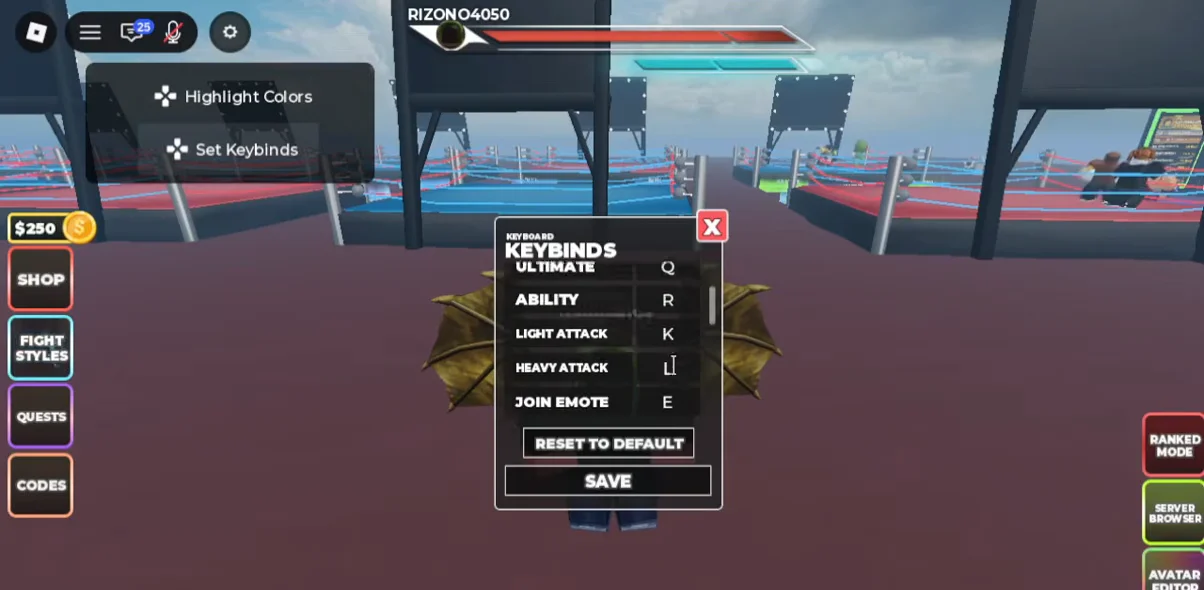
Before remapping anything, it helps to know where each action sits by default. These are the starting bindings shown in the Set Keybinds menu.
| Action | Default key |
|---|---|
| Dash | Space |
| Block | F |
| Ultimate | Q |
| Ability | R |
| Light Attack | K |
| Heavy Attack | L |
| Join Emote | E |
Light Attack and Heavy Attack also respond to the left and right mouse buttons during a match, so the K and L bindings act as keyboard alternatives for the same punches.
How to change a keybind
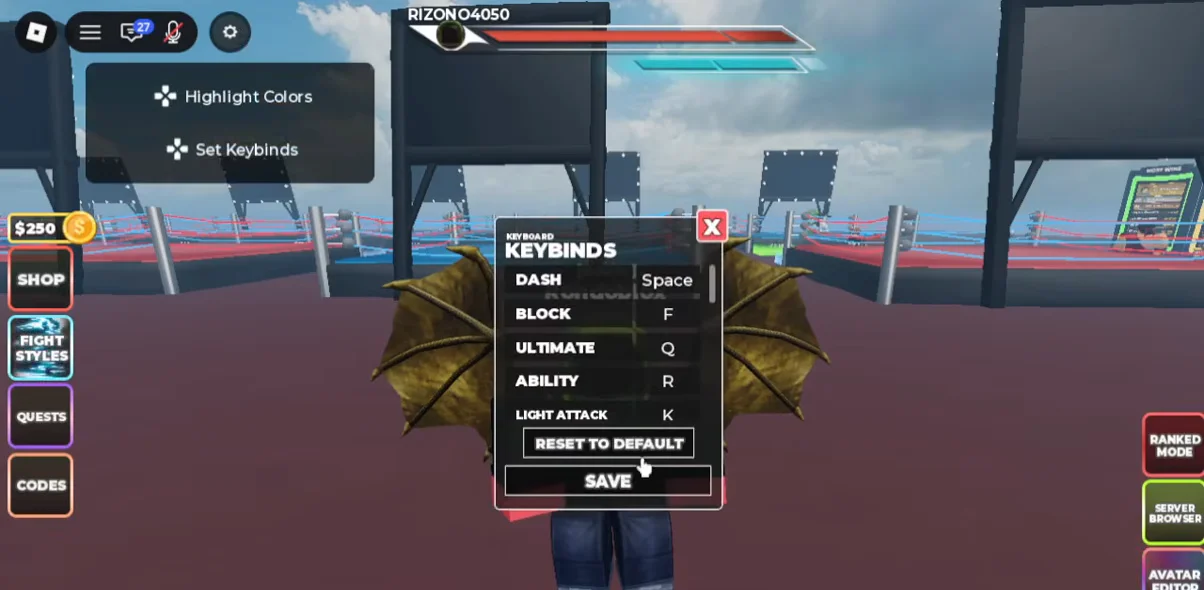
Confirm the change worked
After saving, the action’s input field shows the new key instead of the old one. Reopening Set Keybinds should still display your updated binding, confirming the change held rather than reverting when you closed the menu.
If you want to undo everything, the Set Keybinds menu has a RESET TO DEFAULT button that restores the original keys, so you can experiment freely and roll back in one click.
With the layout set, the same keys drive every fight. Block holds a combo, Space dashes out of heavy wind-ups, and Q unleashes the Ultimate once your meter is full, now mapped to whatever keys you find most comfortable.