Anime Zero guilds can hold up to 60 players, who can team up for raids and daily quests and compete on a weekly leaderboard for Coin, EXP, and item drop bonuses. A single button on the screen’s right edge opens the guild system, where you can create a group or join one that’s recruiting.
Quick answer: Press the Guilds button on the right HUD, then use the Create tab to start one for 10 million Coins or 350 Robux, or the Browse tab to join an existing guild for free.
Open the Guilds menu
Everything starts from the Guilds button, the green icon showing three silhouettes on the vertical menu bar at the right edge of the screen. Pressing it opens a window with four tabs: Browse, Create, Invites, and Ranking. Browse lists guilds you can apply to, Create builds a new one, Invites holds pending offers, and Ranking shows the leaderboard and its reward breakdown.
Guild creation cost and member cap
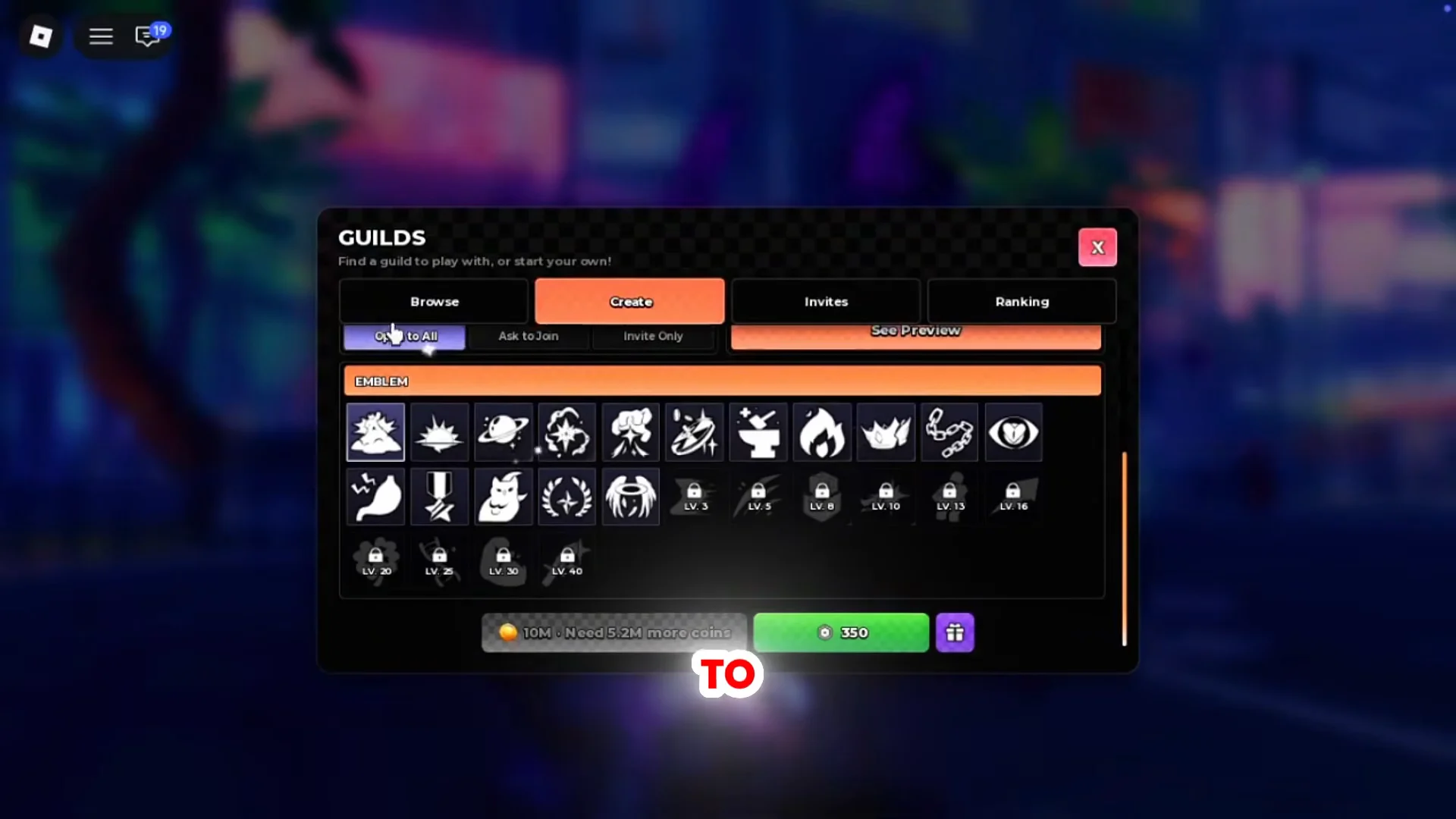
Making your own guild takes 10,000,000 Coins or 350 Robux. The Coin price is the free route if you are willing to grind, while Robux is the shortcut for players who would rather skip the farm. A single guild holds up to 60 members, which is enough room for a full friends list or a small community.
Clear out your important upgrades first. Ten million Coins is a heavy outlay, so make sure your weapons, accessories, and other priorities are settled before you spend that much on a guild.
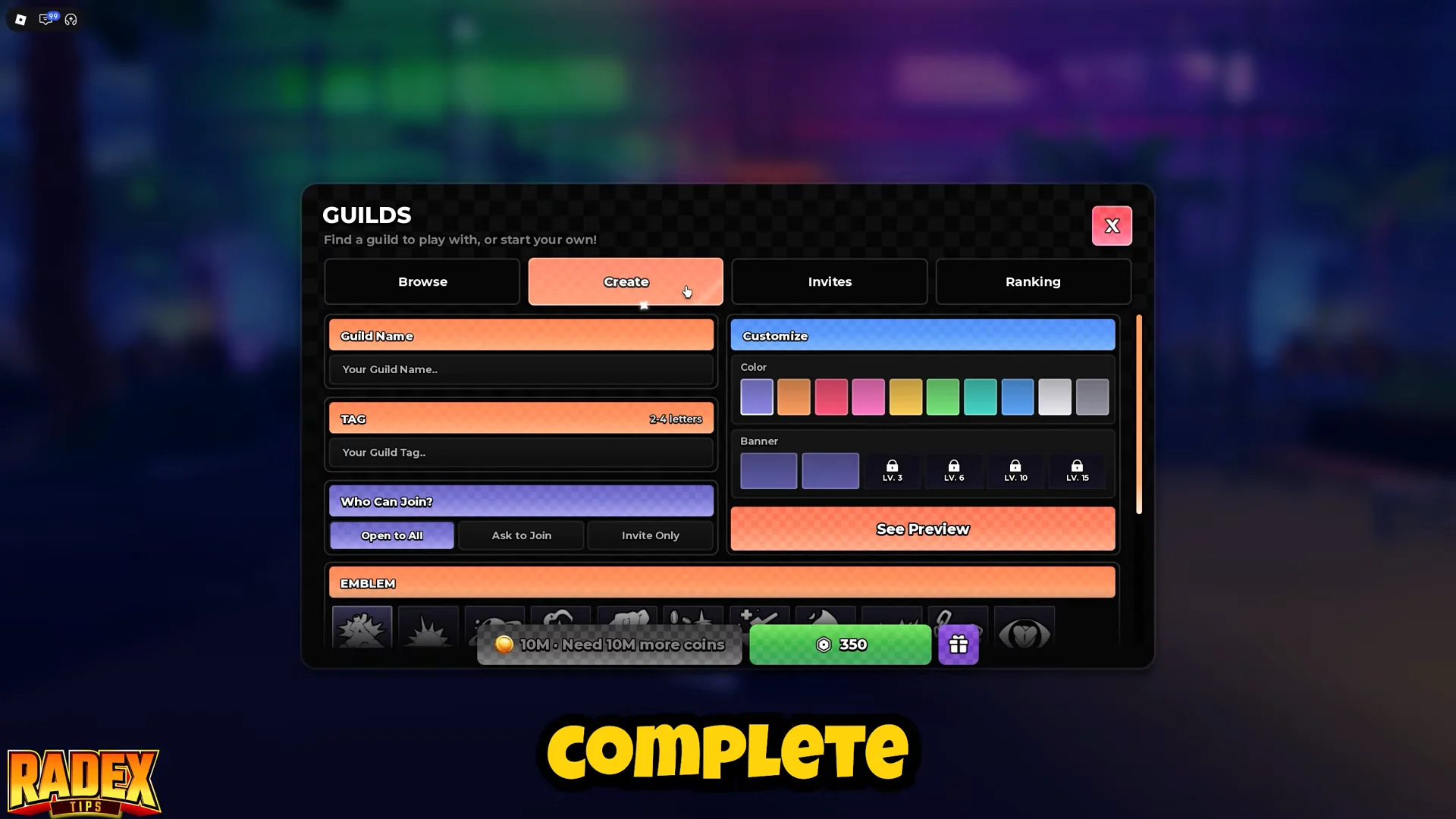
How to create a guild in Anime Zero
The three joining methods explained
The recruitment setting you choose at creation decides how new members get in. It also shapes who ends up in your roster, which directly affects leaderboard performance.
- Open to All lets anyone join instantly. It fills seats fastest but tends to pull in inactive members.
- Ask to Join makes players send a request that the owner approves. It balances growth with control and suits most guilds.
- Invite Only restricts entry to people you invite directly. Best for friend groups, but recruiting takes more effort.
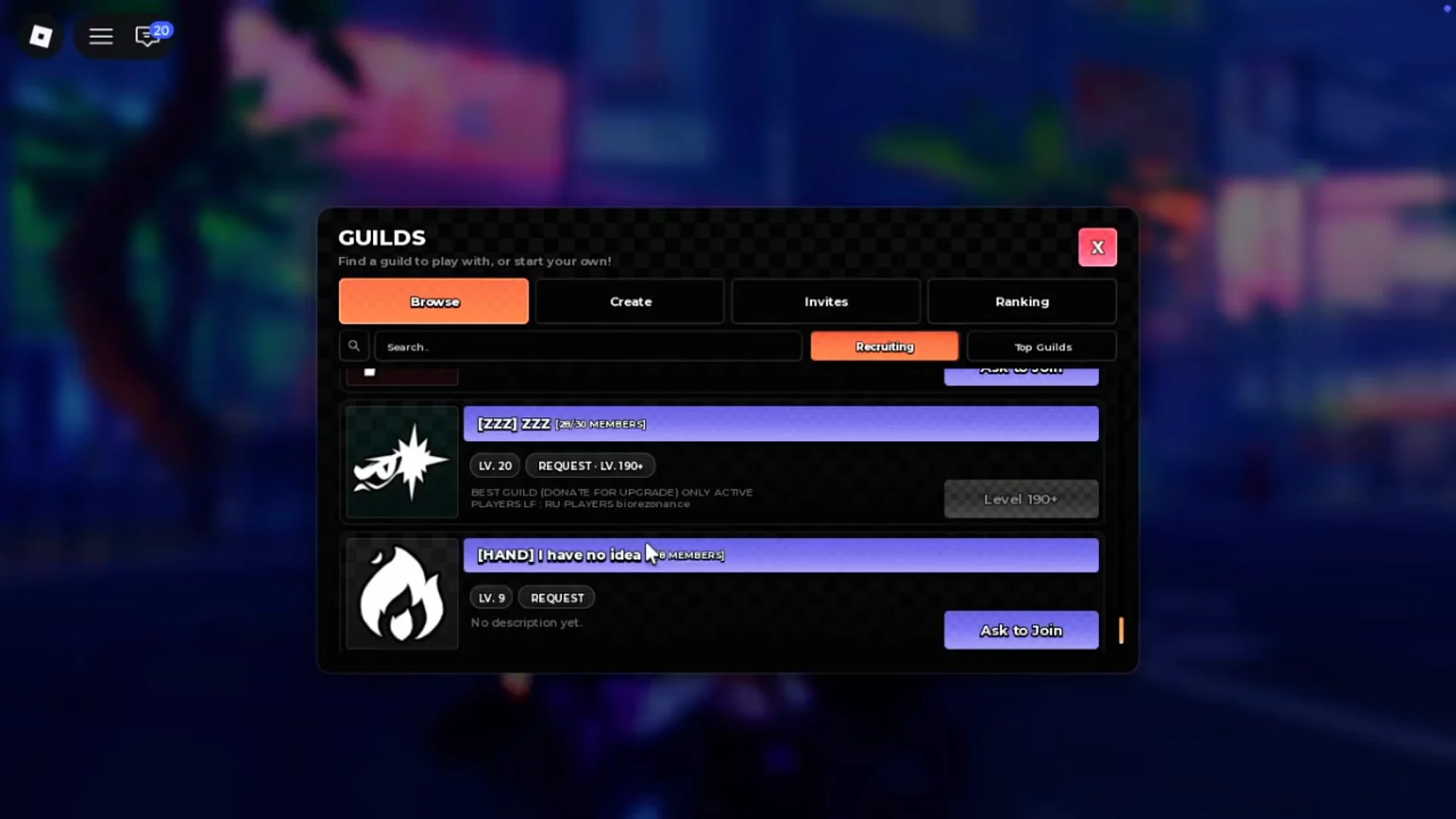
How to join an existing guild
You do not have to spend a single Coin to use guilds. Joining one that is already active is the practical choice for newer players, since it drops you straight into raids and leaderboard contribution.

How to earn Guild Points
Guild Points are earned through two activities while you belong to a guild, and determine your score on the weekly leaderboard.
- Raids are the main source. Bring a strong loadout and coordinate with teammates, since raid content can be tough.
- Daily quests add steady points. They reset every day, so logging in regularly keeps your contribution ticking up.
Consistent participation matters more than roster size. A smaller group that shows up for raids and clears daily quests often outscores a full guild packed with inactive members.
Weekly leaderboard rewards
Guilds that finish in the top 10 each week earn Tokens plus percentage boosts to Coins, EXP, and item drop rate that apply to every member. The higher the finish, the stronger the bonus.
| Rank | Coin / EXP | Item Drop | Tokens |
|---|---|---|---|
| 1st | +15% | +10% | 1,000 |
| 2nd–3rd | +10% | +6% | 150–800 |
| 4th–10th | +5% | +3% | 400 |
You can track where your guild sits under the Ranking tab, which splits into This Week, Last Week, and All Time views.
To qualify for a week’s rewards, you need at least 3 days of membership in that guild during the week. Joining late means you must wait for the next cycle.
Whichever route you take, the system rewards turning up. Create a guild if you have the Coins and want control over its name, tag, and recruitment, or join an active one in the top ranks if you would rather skip the cost and start earning bonuses right away.