Fortnite’s Horror in Fortnite Twitch Drops campaign gives away two Halloween cosmetics, the Nitemare Grin Spray and the animated Window Lurker Emoticon. You don’t buy anything. You need a linked Epic Games account, about an hour of watching a participating stream, and two clicks on Twitch’s Claim button. The campaign started on October 16th and closes early on Monday, October 19th. That leaves less than a day to finish.
Quick answer: Link Epic Games in Twitch Settings > Connections, then watch a Drops-enabled Horror in Fortnite stream. Claim the spray at 30 minutes and the emoticon at 60 minutes in your Drops Inventory.
Horror in Fortnite rewards and watch times
Watch time stacks. The same viewing session counts toward both rewards, so one uninterrupted hour gets you everything.
| Reward | Type | Rarity | Watch time |
|---|---|---|---|
| Nitemare Grin | Spray | Uncommon | 30 minutes |
| Window Lurker | Emoticon (animated) | Uncommon | 1 hour total |
Both items arrived in Chapter 7, Season 4. Window Lurker works in Battle Royale, Save the World, Creative, and Fortnite Festival. It doesn’t work in Rocket Racing, LEGO Fortnite, or Fall Guys.
When the Fortnite Twitch Drops end
The campaign closes on Monday, October 19th at 2:58AM ET. You have to finish watching and press Claim before then. Progress you earned but didn’t claim is lost when the campaign ends.
| Time zone | Campaign end |
|---|---|
| US Eastern (EDT) | Oct 19, 2:58AM |
| UTC | Oct 19, 6:58AM |
| UK (BST) | Oct 19, 7:58AM |
| Central Europe (GMT+2) | Oct 19, 8:58AM |
Twitch shows a countdown on the campaign card. If it ever disagrees with the times above, go by the countdown.
Link your Epic Games account to Twitch first
Twitch can only send drops to a Fortnite account it knows about. Link the accounts before you start watching. In Twitch, open your profile menu, go to Settings > Connections, find the Epic Games entry, and click Connect. You can also start the link from Epic’s Fortnite Twitch Drops page. You only have to do this once, and it carries over to future campaigns.
Link the Epic account that holds your Fortnite Locker on the platform you actually play on. If you link the wrong account, the cosmetics go to that account instead.
How to earn and claim the Nitemare Grin Spray and Window Lurker Emoticon
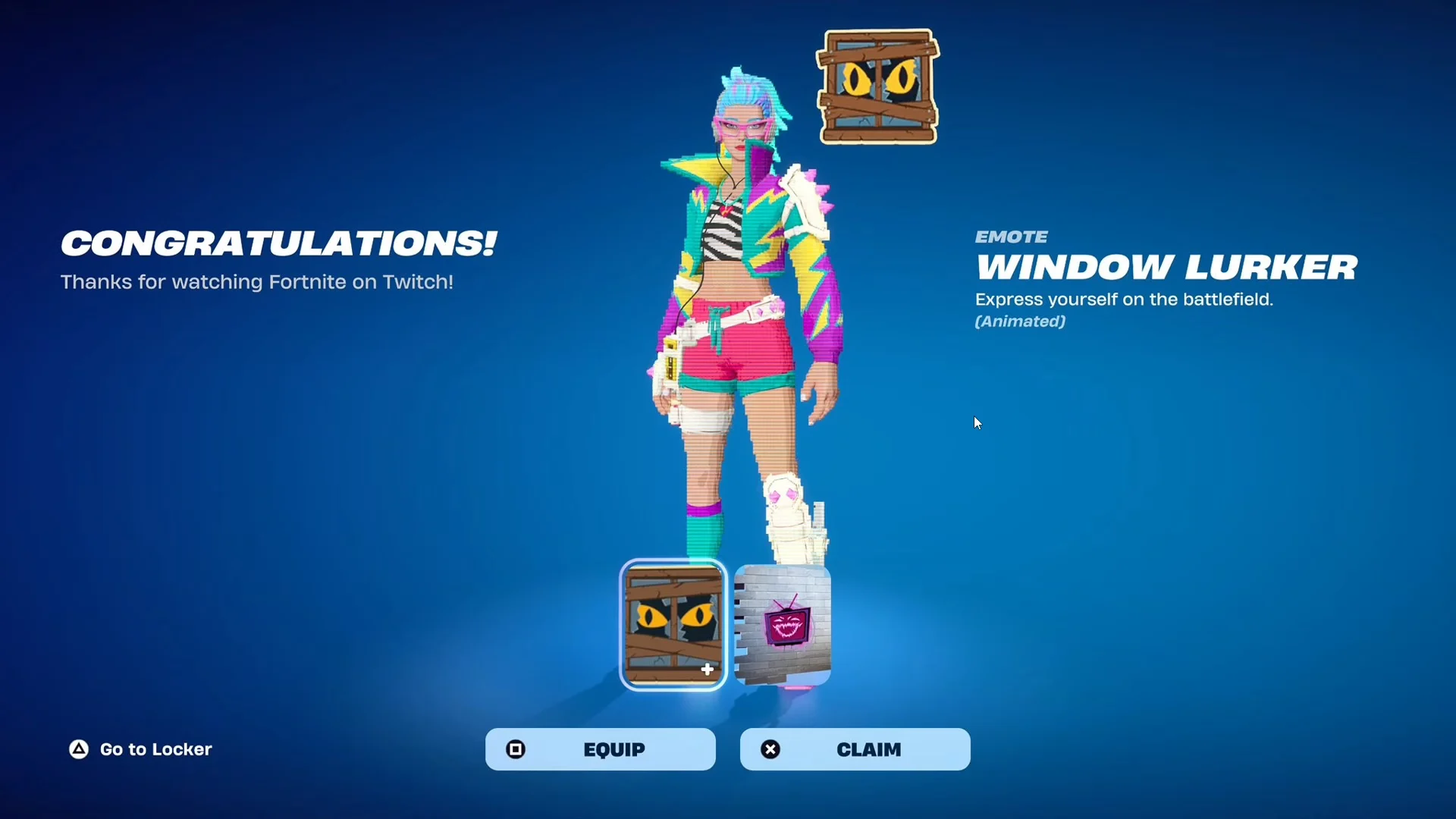
If you don’t see the pop-up, restart Fortnite and look in your Locker. Nitemare Grin is in the Spray slots, and Window Lurker is under Emoticons. Also check the Claimed section of your Twitch inventory to confirm both claims went through.
Why Fortnite Twitch Drops progress stalls or items don’t appear
- The stream doesn’t have drops enabled for Horror in Fortnite. Not every Fortnite broadcast counts.
- You’re watching a VOD or clip. Only live streams earn progress.
- The stream is playing in a background tab instead of your active window.
- Twitch is linked to a different Epic account than the one you play on.
- The bar reached 100 percent, but you never pressed Claim.
- The account is a Cabined Account and needs a parent or guardian to finish setup first.
If you miss the deadline, these items may still come back. Epic says the Horror in Fortnite rewards aren’t exclusive to this campaign and could appear in a future drop campaign or in the Item Shop. There is no confirmed date for either.