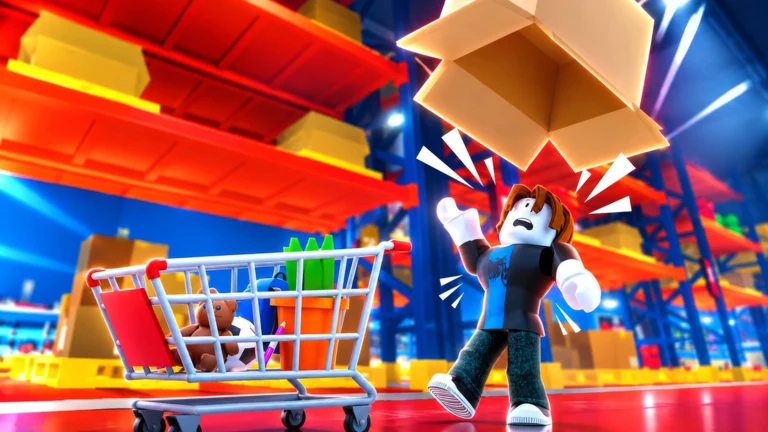
Pick ‘N Pack is a Roblox warehouse game about one loop that keeps getting faster. You take a customer order, push a cart through a shared warehouse, grab the right goods off pallets, then bring everything back to your own plot to pack and cash out. Almost every system sits on top of that loop: cart upgrades, a skill tree, timed warehouse events, and later unlocks like a shipping truck and drones. The build shown here is Version 1.0.9, and an early session gets from the tutorial to Level 2 in under ten minutes.
Quick answer: Each Pick ‘N Pack order follows the same loop. You claim it at your plot’s order board, collect items with a cart, tip the cart into the packing machine, and hand the box in at cashout for money and XP.
Pick ‘N Pack order loop: From order board to cashout
Every player gets a plot with an order board, a packing machine and a cashout station. The warehouse itself sits apart from the plots, and a glowing teleport pad moves you between the two. Neon floor arrows and yellow highlights on the shelves point you toward where to go next.
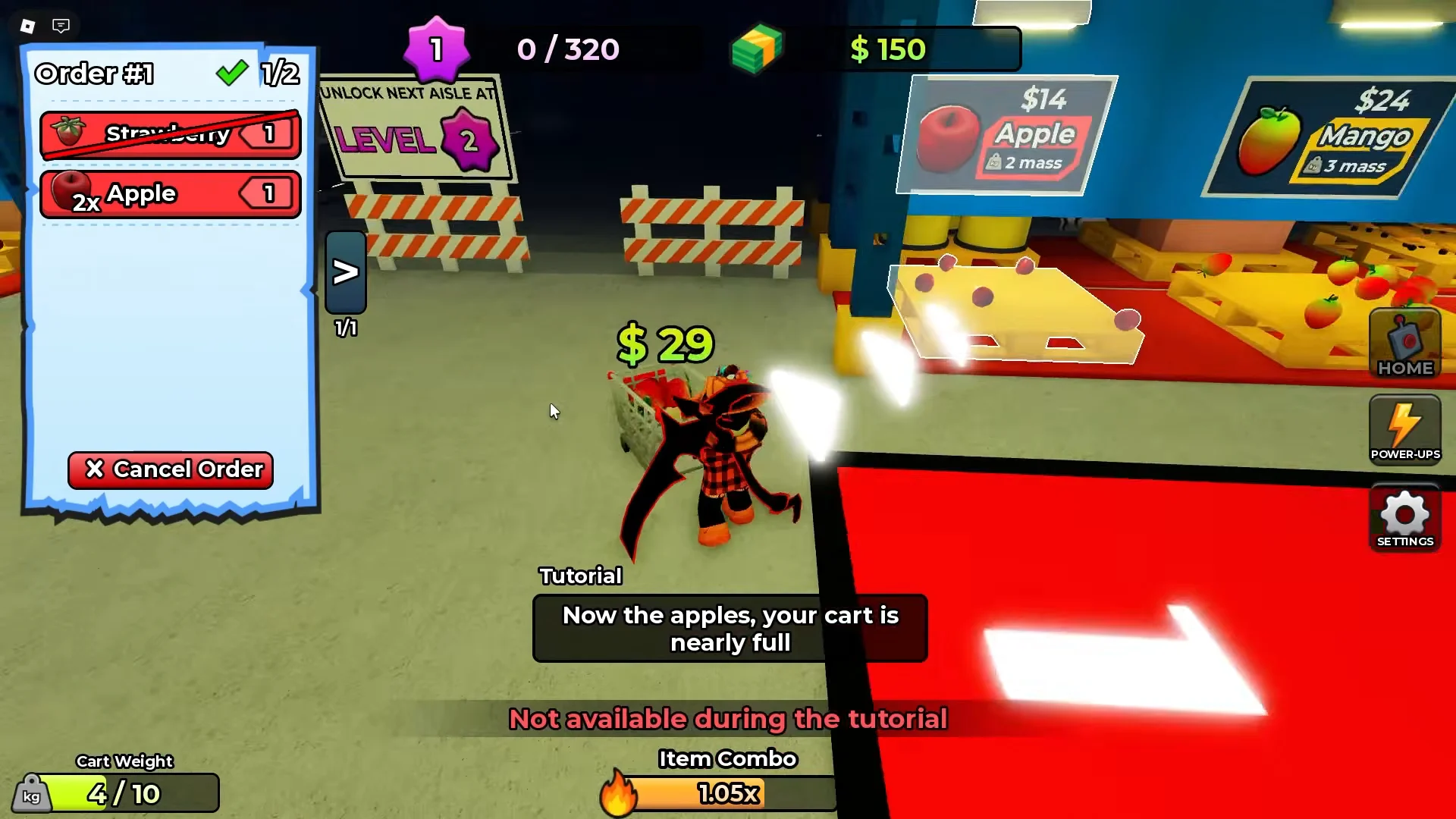
An order is a short shopping list. Early ones are simple pairs like Strawberry and Apple or Bananas and Pineapples. Later ones mix in non-food stock such as Scooters and Skateboards. You grab a shopping cart on the way into the warehouse and load items straight from their pallets. When a pallet runs dry, the game says so with “This pallet is empty!”
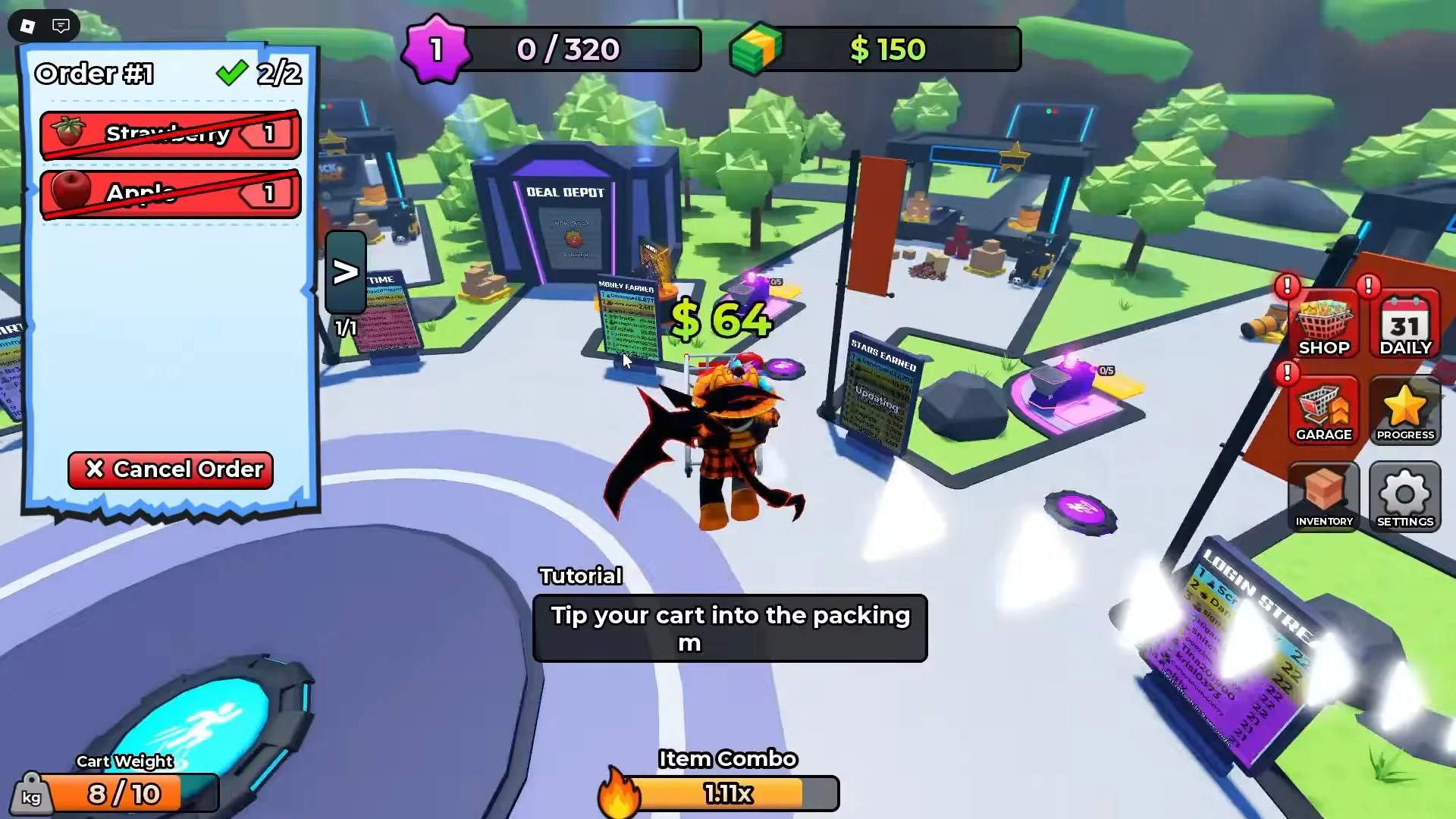
Back at the plot, you tip the whole cart into the packing machine. You don’t hand items over one by one. Once the box is packed, you stand on a pad to pick it up and carry it to cashout. The tutorial ends with a line that sums up the design: “That’s the loop! Go claim your next order, and have fun!”
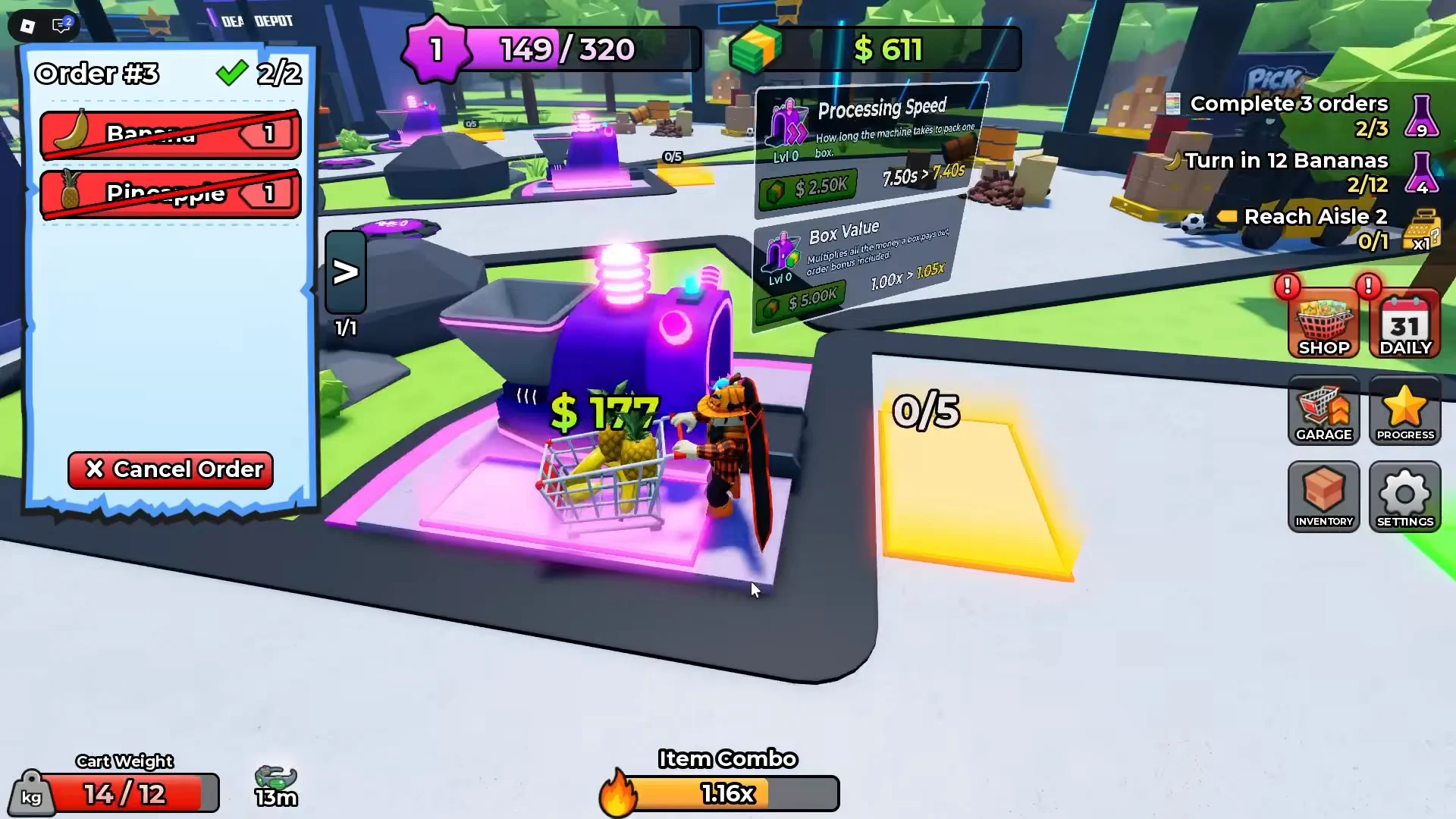
Big orders don’t always fit in one trip. On a heavy order of Bananas, Coconuts and Scooters, the cart hit its weight limit, so the job took several runs. Each load went into the packing machine in batches, and only then did the order complete.
Pick ‘N Pack payouts and order bonuses
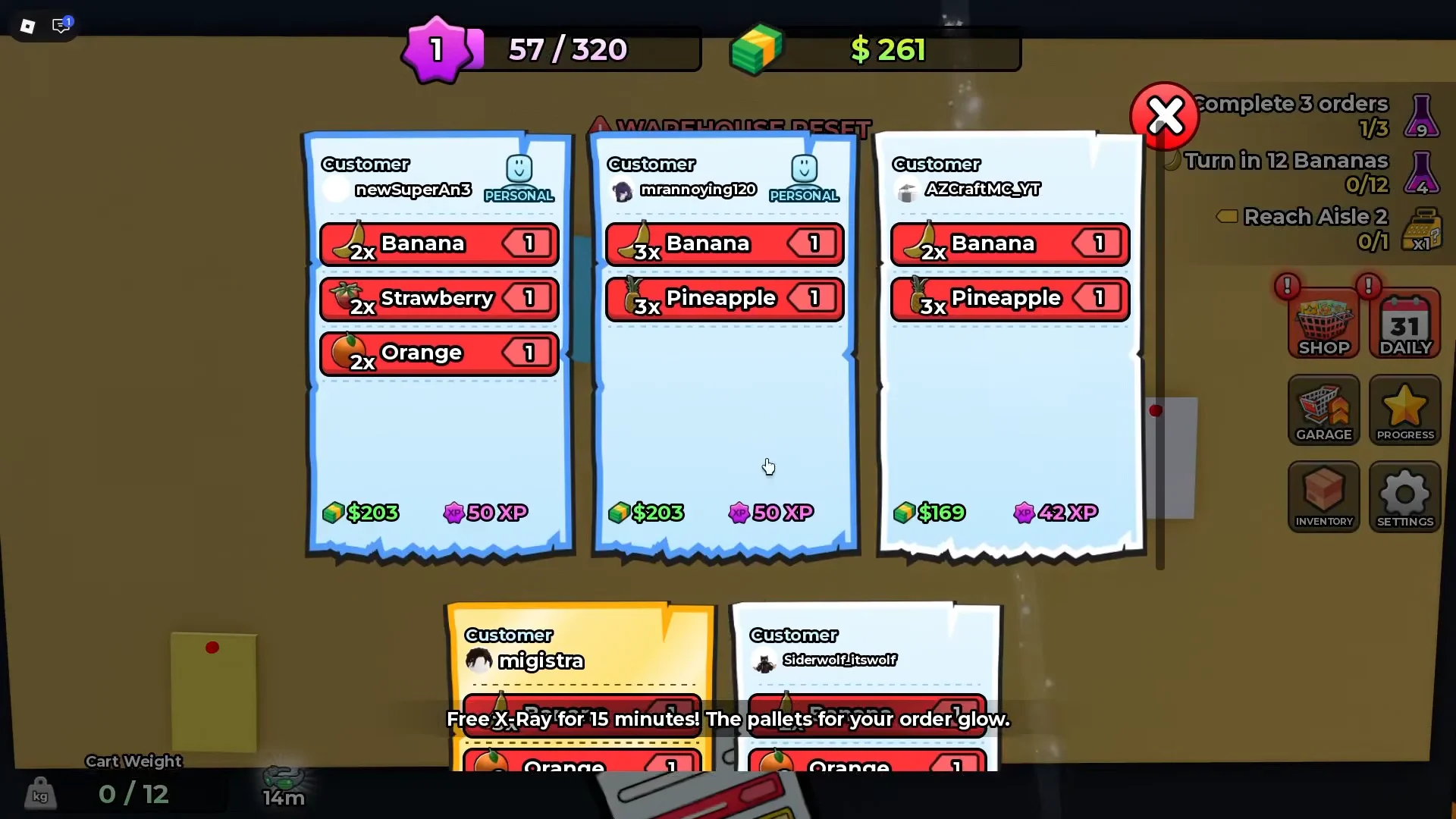
The order board shows several customer orders at once, each with its item list and payout. That lets you weigh a quick two-item job against a bigger one that pays more.
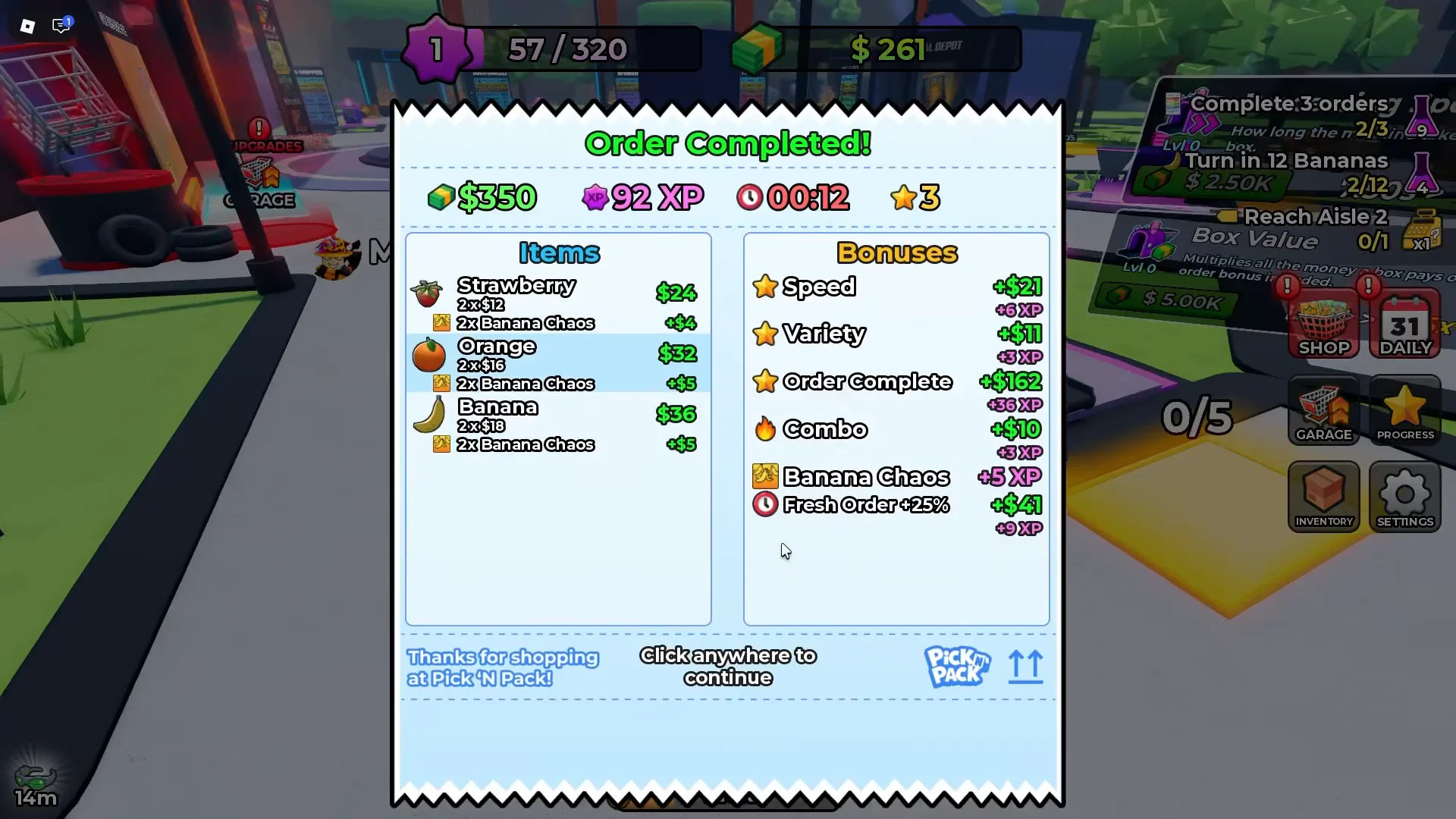
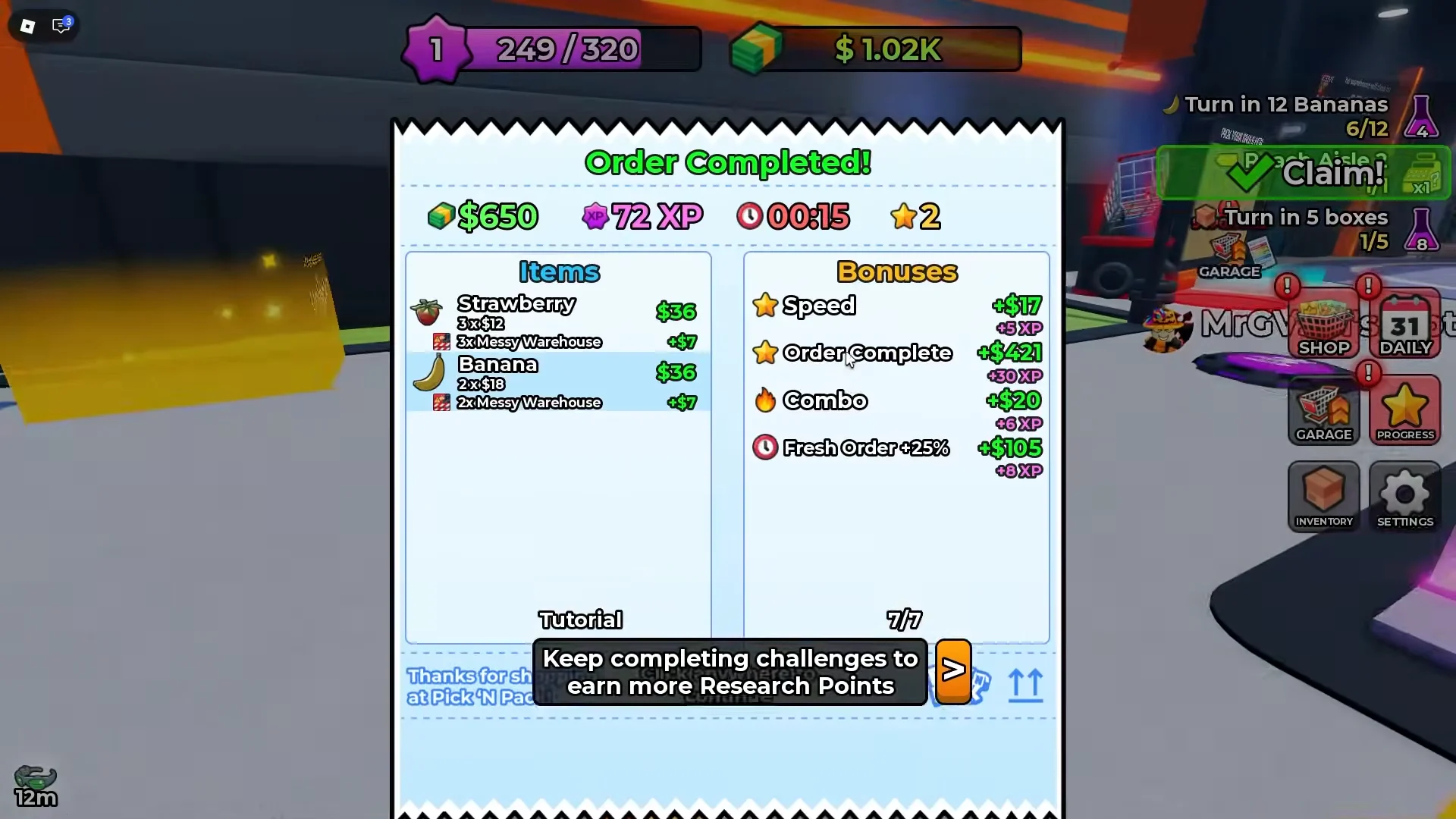
Payouts are built from each item’s base value, with bonus multipliers stacked on top. In-game, the tutorial says it this way: “Every item pays out, and bonuses stack on top.” The bonus types that feed into an order’s total are:
- Speed
- Variety
- Overload
- Combo streaks
- Fresh Order
Real results from an early session show how much these totals can swing:
| Order | Contents | Payout | XP |
|---|---|---|---|
| Order #2 | Fruit order | $350 | 92 |
| Order #4 | Banana, Strawberry | $650 | 72 |
| Order #5 | Bananas, Coconuts, Scooters | $328 | 68 |
| Order #7 | Pineapple, Coconut run | $458 | 101 |
| Order #8 (Rush Hour) | Watermelon, Strawberry, Skateboards | $2,848 | 155 |
The jump on Order #8 comes from the Rush Hour event, covered below, which doubles both money and XP from orders. Completed orders end on an “Order Completed” screen that shows the cash and XP you earned.
Cart Speed and Mass upgrades in the Garage
The cart is the main thing holding you back. Each cart has a Speed rating and a Mass rating, which is how much it can hold. Load past that limit and the game warns, “You are over encumbered! You’ll start walking slower.” Push it further and the packing side refuses outright with “This won’t fit! Empty your cart!”
Upgrades are bought in the Garage on your plot. The tutorial sends you there right after your first payout to buy a Mass upgrade for $100, with the reminder that “More capacity means more items per trip.” The starting Basic Cart has these limits:
| Basic Cart stat | Base | Max | Tier costs shown |
|---|---|---|---|
| Speed | 40 | 50 (+2 per tier) | $60, $81, $100 or 9 R$ |
| Mass | 10 | 20 | $100, $130, $180, $240 or 9 R$ |
Both stats on the Basic Cart can be maxed early. That happened before the first five minutes were up, which tells you the game expects you to move on to other carts. The Garage lists two right away:
- Race Cart: unlocks for $5.00K or 24 R$.
- Blend Cart: free if you like the game, join the “Blend Productions” group, and claim it.
Warehouse restock closures and events
The warehouse doesn’t stay open forever. It closes on a countdown to restock, and you can be caught out by it. One early order was claimed just before a closure, so the player had to wait outside until the doors reopened. Timing your claims around the reset timer becomes part of the job fairly quickly.
Sometimes the warehouse reopens with a special event running. Two showed up in a single short session:
| Event | Effect on play | Reward modifier |
|---|---|---|
| Messy Warehouse | Hazards drop across every aisle far more often | 1.2x money from items |
| Rush Hour | Orders arrive fast; lasts three minutes | 2x order money, 2x order XP, 1.25x golden order chance |
Rush Hour is short, but it pays. The $2,848 order in the table above was completed during one. Messy Warehouse gives a smaller boost and makes the aisles harder to get through.
Research Points and the Skill Tree
Challenges sit alongside the order loop. Completing them earns Research Points and crates. One early reward was an Aisle 2 Crate, and Aisle 2 opens at Level 2, which is where the Scooters are stocked. Research Points are spent in the Skill Tree.
The first skill the game steers you toward is Bulk Contracts. It adds +4% money from completed orders. It’s a small, permanent boost to every payout, and the prompt that follows it says more Research Points come from doing more challenges.
Pick ‘N Pack unlocks: Shipping Truck, drones and rebirths
Signs around your plot show what comes next. None of these are reached in the first session, but they show where the game is going: from running every errand yourself toward a more automated operation.
| Unlock | Requirement | What it does |
|---|---|---|
| Shipping Truck | Level 3 | Ship boxes for extra cash |
| First drone | 1 Rebirth | Fetches order items and delivers them |
| Rebirth plot upgrades | Rebirths | Multi-story automated warehouse plot |
There’s also a free X-Ray boost early on that lasts 15 minutes and makes the pallets for your current order glow. It cuts down on searching while you’re still learning the warehouse layout. By the end of an eight-order opening session, the account had reached Level 2 with more than $5,600 and 24 stars.
Pick ‘N Pack vs. Pack an Order!
Despite their similar-sounding titles, Pick ‘N Pack and Pack an Order! are different games. Pack an Order! is a cooperative toy-store game by the group lost to pc to game. Its teams search shelves for toys, pack each box by hand, and load delivery trucks as they compete for leaderboard times. The available upgrades are Speed, Reach and Carry Capacity. Pick ‘N Pack, by contrast, builds progression around a plot. It features cart stats, a Skill Tree, warehouse events and rebirths, while its challenges revolve around restock timers and weight limits—not a team racing against the clock.
That split explains most of what makes Pick ‘N Pack feel the way it does. Each upgrade either lets the cart carry more or move faster, and each event changes how much one trip is worth. The loop never really changes. What changes is how much each pass through it pays.