Grinding trait rerolls in Anime Mysterious mostly means repeating the same loop. You check the shop every hour, clear challenges, and replay event stages. Xenith’s AM Macro is a standalone Windows program that runs that loop for you. It can walk your character to the Gem Shop, buy what you’ve picked, swap teams, run challenges, and farm Story, Mysterious, Raid, or Boss Event stages. It also reconnects to a private server if you get dropped. It’s promoted as producing more than 250 trait rerolls per day.
Quick answer: Buy the Donator[AM] gamepass, verify in the Xenith Macros Discord, download the .zip from #am-download, activate it with a key generated from your PC ID, then press F1 to start.
Xenith’s AM Macro price and what you need
The macro isn’t free. Access is tied to a Roblox gamepass called Donator[AM], created by Xenith Studios Group. The store page lists it at $5, but you actually pay in Robux.
| Requirement | Detail |
|---|---|
| Gamepass | Donator[AM] (Type: Pass) |
| Price | 150 R$ |
| Price with Roblox Premium | 120 R$ |
| Discord | Xenith Macros server membership |
| Current build | Xenith's AM Macro v1.4 |
Automation tools like this operate outside the game itself. Make sure using one is allowed under Anime Mysterious‘s rules and Roblox’s policies before you run it on your main account.
How to buy, download, and activate the macro
Setup happens in three places: the store site, Roblox, and Discord. The license key is locked to your PC, so you need the program open before you can generate it.
#bot-commands. Run /verify to prove you own the gamepass.#am-download channel. When this was written, the file was Xenith's AM Macro v1.4 EXE.Xenith's AM Macro.exe. The folder also holds files like settings.ini and am_license.json, so keep them together.#bot-commands and press Get Key. Select Anime Mysterious and paste your PC ID. If you change computers later, the bot also has a Reset PC option.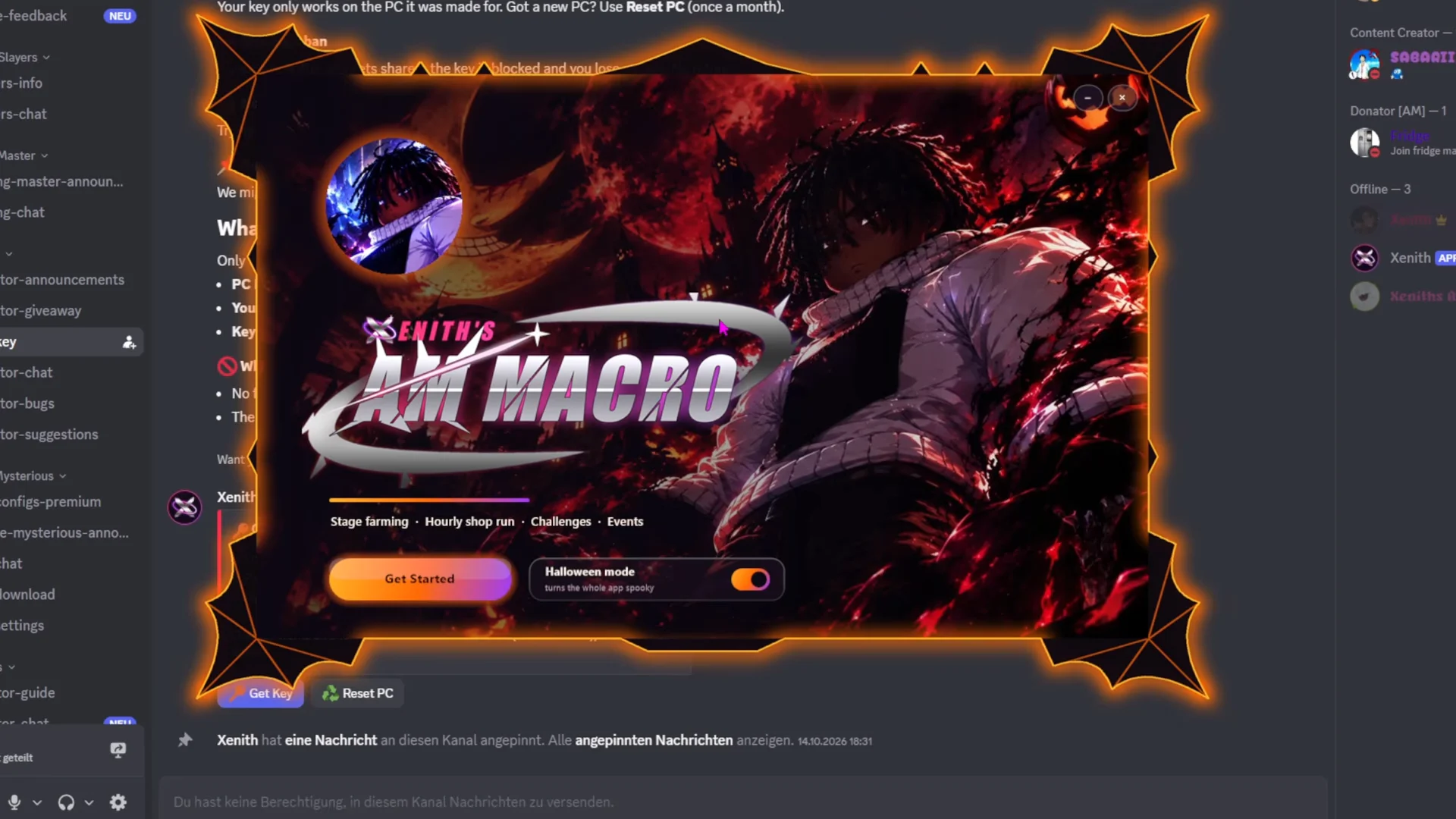
What each tab in Xenith’s AM Macro controls
The interface has six tabs. Most of your setup happens in Farm and Shop. The others decide what the macro does between farming runs and how it recovers when something breaks.
| Tab | Controls |
|---|---|
| Home | Shop timer, status, Start, Test shop |
| Farm | Mode, map, Act, difficulty |
| Shop | Hourly runs, currency, target items |
| Extras | Daily, Weekly, Regular challenges |
| Teams | Loadout swaps per mode |
| Settings | Themes, hotkeys, private server |
Home
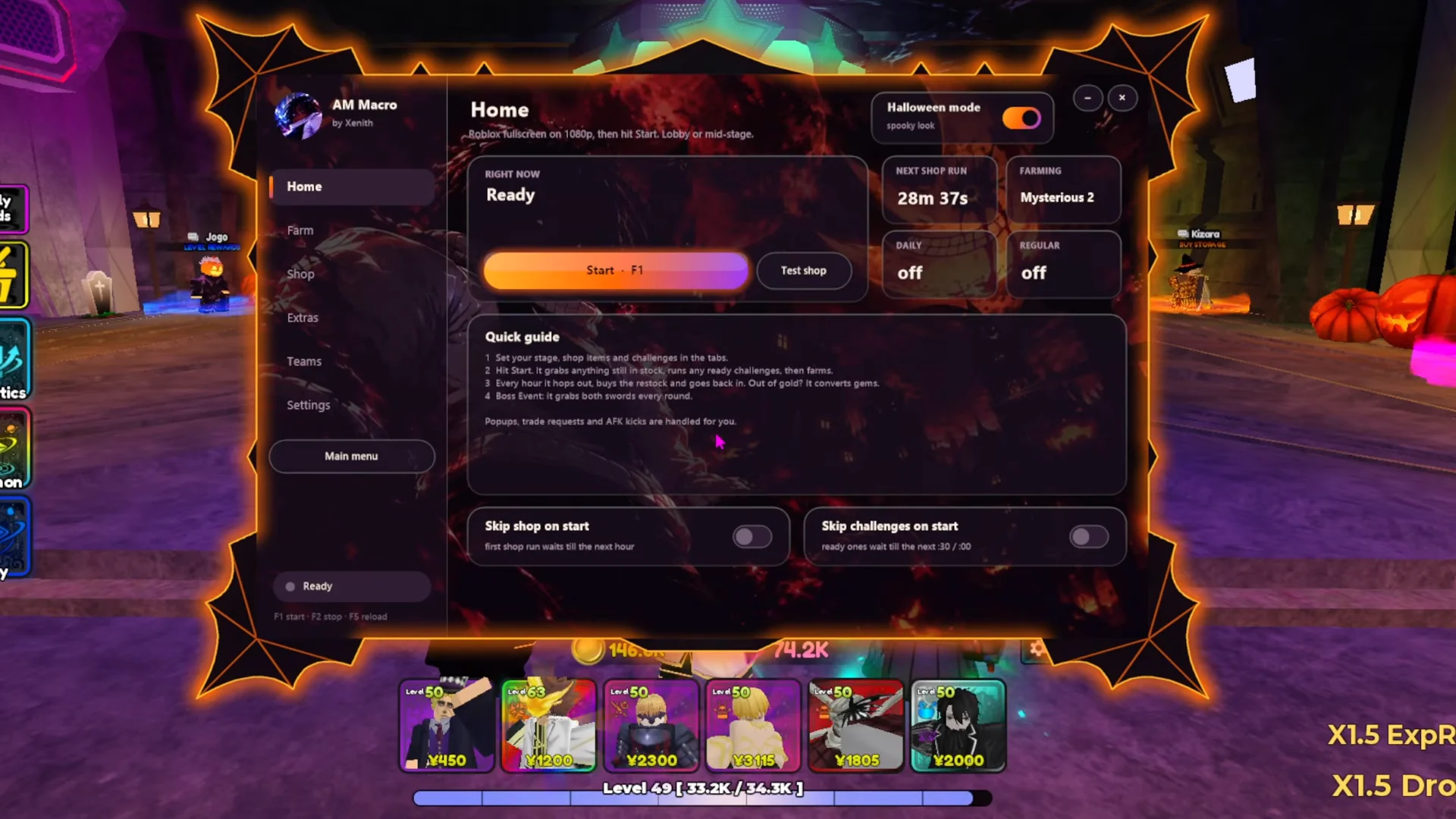
Home is the dashboard. It counts down to the next shop run, shows status indicators, and has the Start button (F1 by default) plus a Test shop button. Two toggles, Skip shop on start and Skip challenges on start, let the macro jump straight into farming instead of doing errands first.
Farm
Farm sets what the macro grinds between errands. You choose a target mode (Story, Mysterious, Raids, or Boss Event), then a map, an Act number, and a difficulty: Normal, Difficult, or Nightmare.
Shop
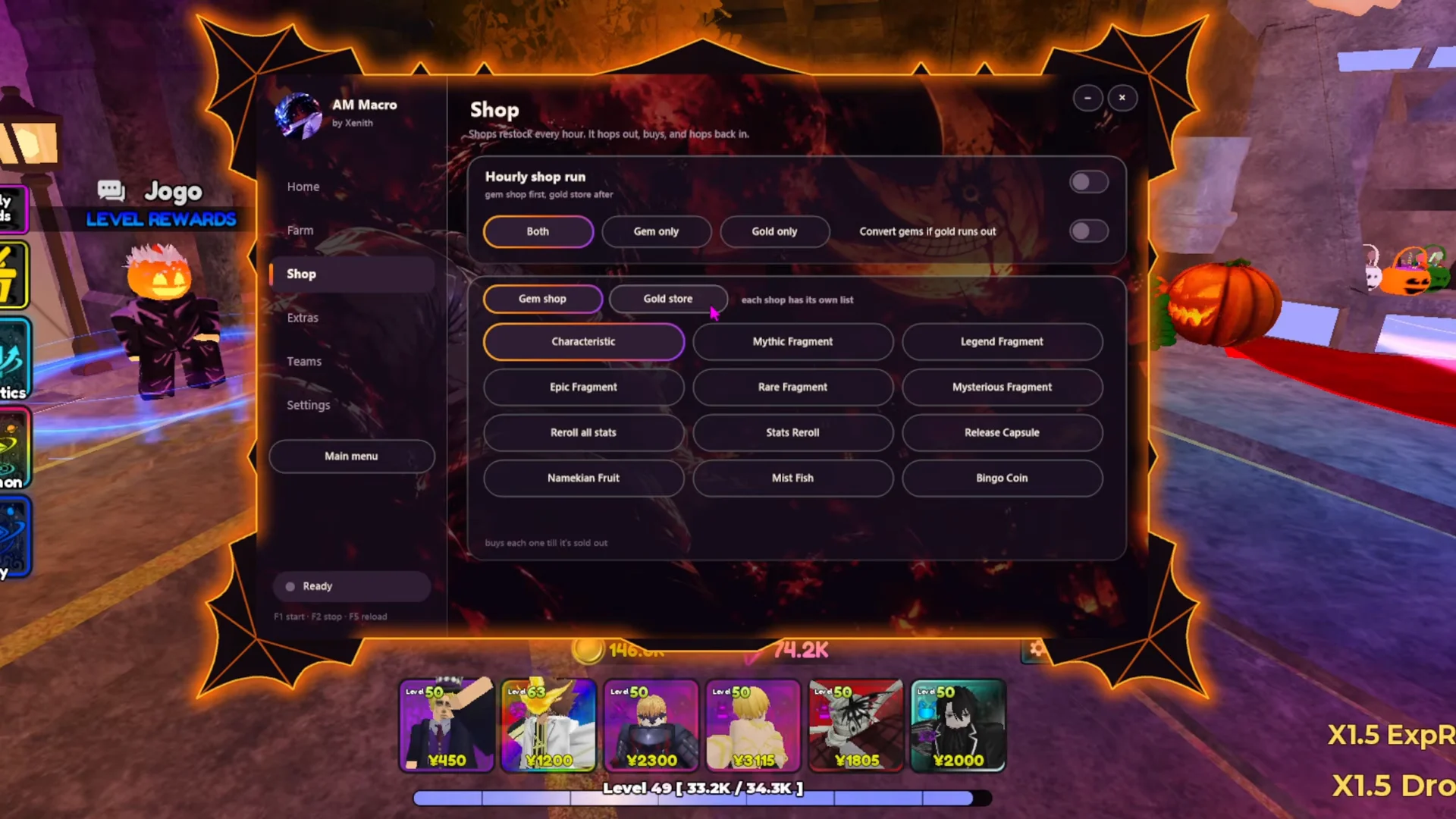
This is where the reroll gains come from. With Hourly shop run enabled, the macro walks to Buma every hour and buys only the items you’ve ticked. You can limit it to the Gem shop or the Gold store. Turn on Convert gems if gold runs out to keep purchases going when gold runs dry. Buyable targets include Stats Reroll, Reroll all stats, Characteristic, and the Rare, Epic, Legend, Mythic, and Mysterious Fragments.
Extras and Teams
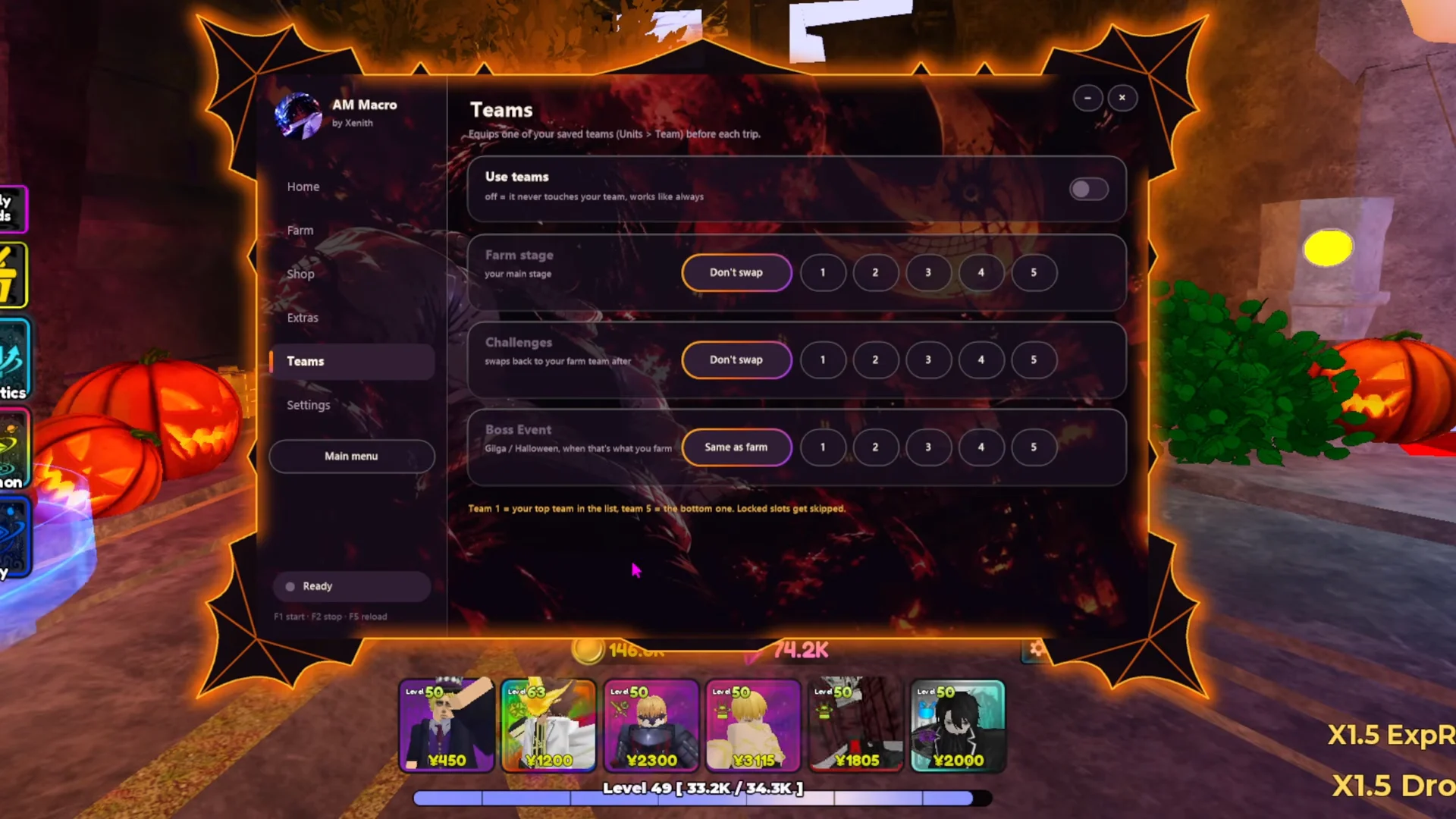
Extras slots Daily, Weekly, and Regular challenges in between farming sessions. Teams turns on Use teams, so the macro can load a different party for farm stages, challenges, and boss events. Pick Don't swap for any mode where your current lineup should stay.
Settings
Settings has five color themes (Sakura, Ice, Mono, Ember, and Venom) and your hotkey bindings. For overnight runs, the important option is Private server. Paste in your private server link, and the macro rejoins it after a disconnect, crash, or server restart.
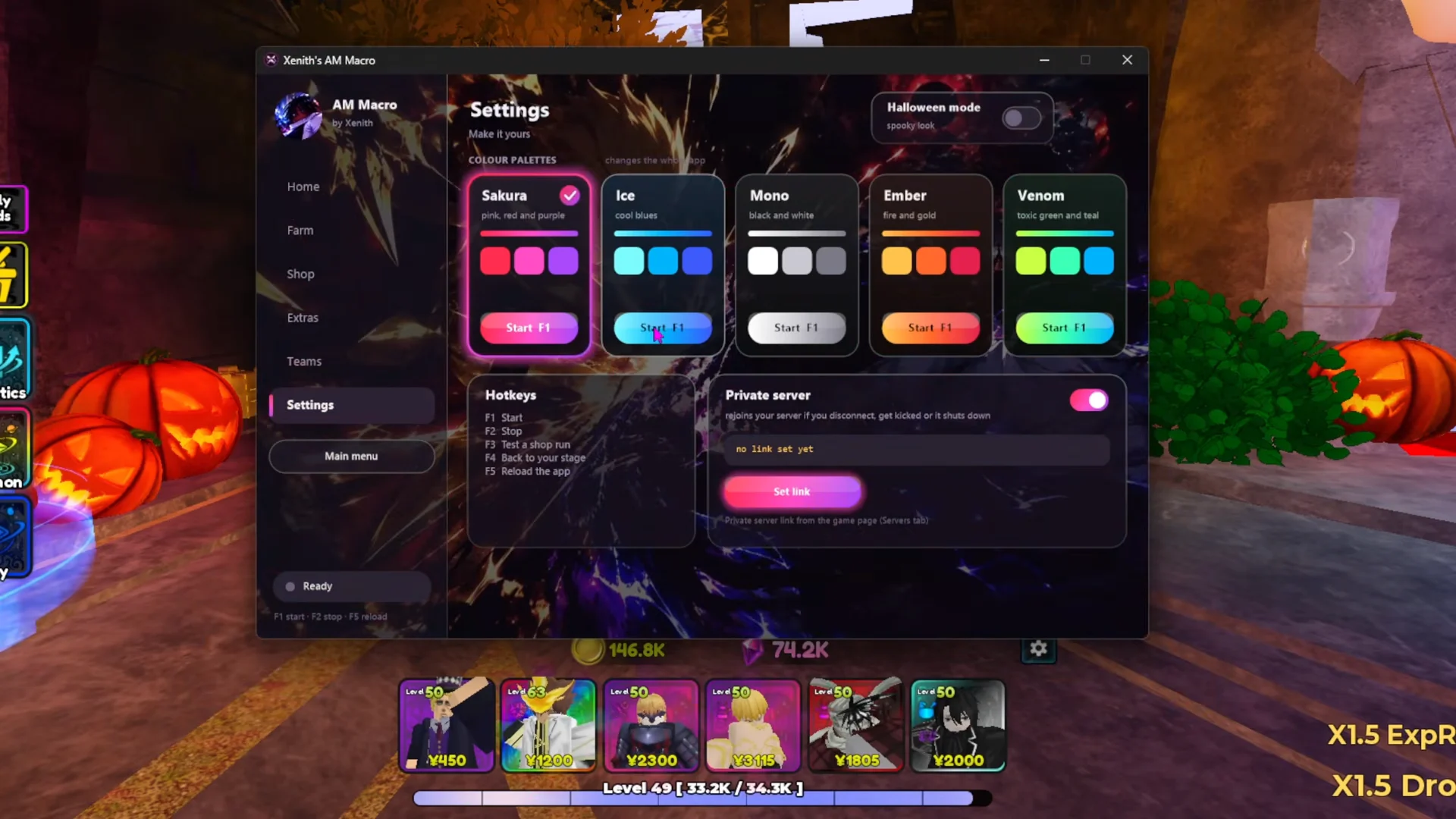
| Default hotkey | Action |
|---|---|
| F1 | Start macro |
| F2 | Stop macro |
| F3 | Reset app position |
Running the Halloween Boss Event with shop runs
A working setup for the current event farms Halloween (Event) on Act 1, Nightmare. It also has Regular challenges and hourly shop runs turned on, with Halloween mode enabled on the main screen.
Here’s how a correct run looks. The character heads to Buma’s Gem Shop, makes its purchases, then walks to the event teleporter. It starts Halloween Act 1 on Nightmare, places your units, and upgrades them with no input from you. If you see units deploying and upgrade numbers popping up over them inside the stage, the macro has taken over.
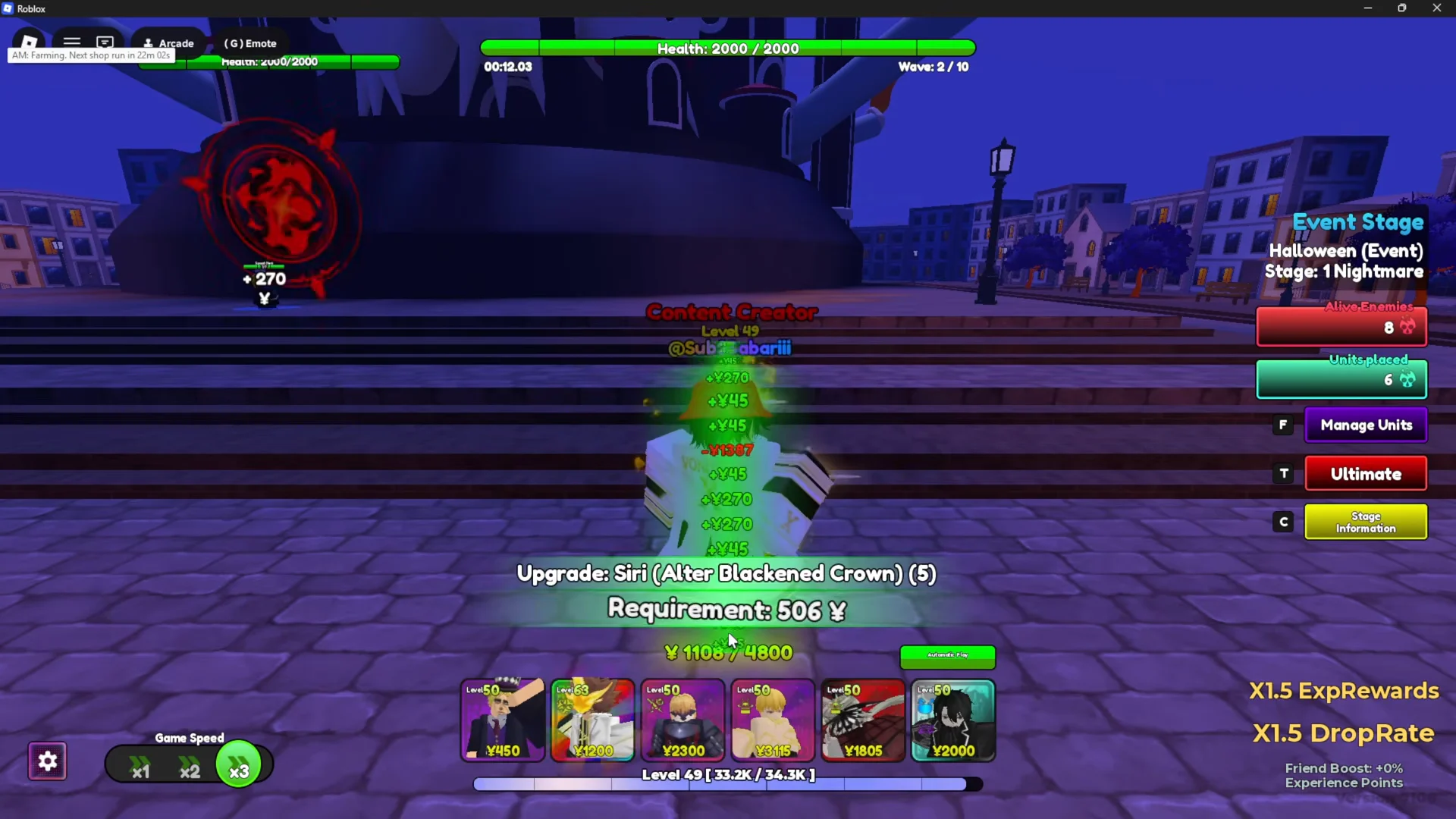
From there, the macro keeps cycling. It farms the event, stops for Regular challenges, and goes back to Buma when the hourly timer on the Home tab runs out. Gems from the event are spent on reroll items you’ve already chosen, which is where that 250-a-day figure comes from.