Learn how to unlock and equip gear items in Cat Battles
In Cat Battles, you can customize your character in various ways using different gear items. These items are purely cosmetic; they don’t offer any combat bonuses but are a great way to show off your character. Before you can equip a gear item, you need to purchase it using coins. This guide will help you learn how to earn coins, purchase gear, and equip it. So, let’s get started!
Earn Coins For Purchasing Gear
There are several ways by which you can earn coins in Cat Battles.
Collecting Daily Rewards
The easiest way of getting coins is through Daily Rewards. Just log in to the game every day and claim the reward coins. To claim, just click the green Claim button when the reward screen appears. The number of coins increases from day one to day six.

Completing Quests
Completing quests is another way by which you can earn coins.



Redeeming Active Codes
Another way by which you can get coins quickly is by redeeming active codes.
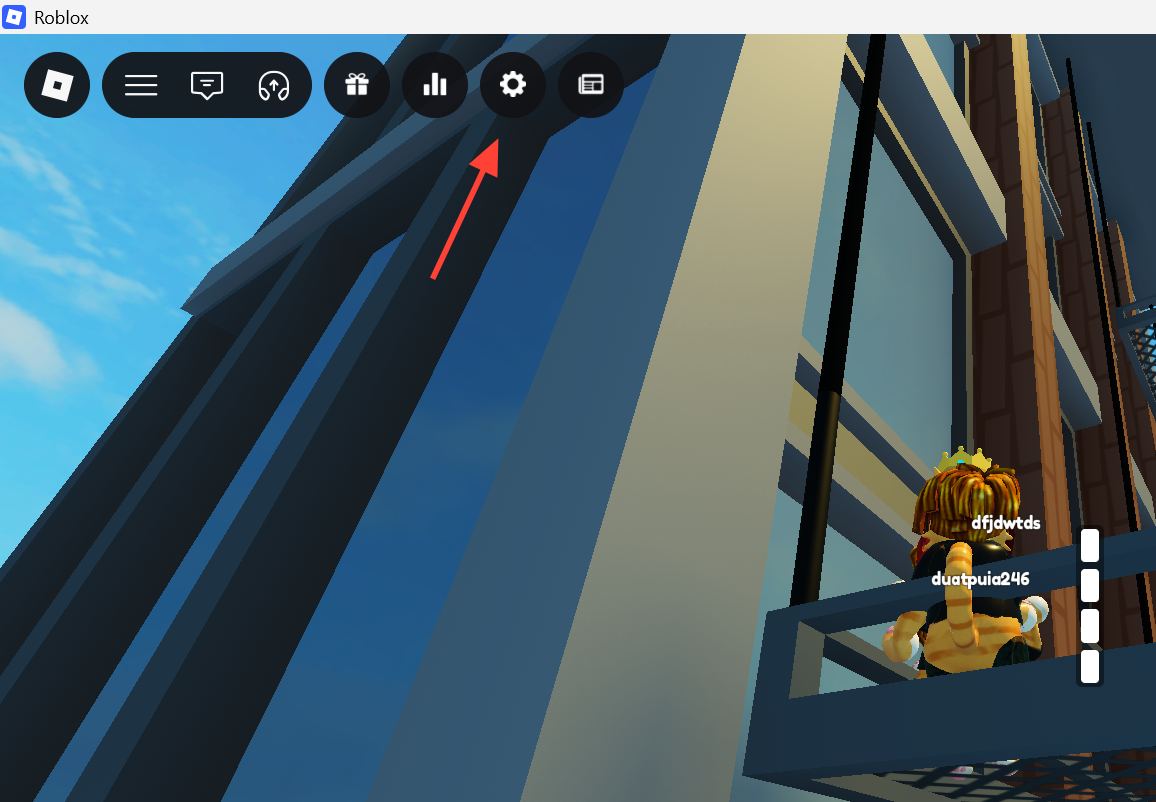
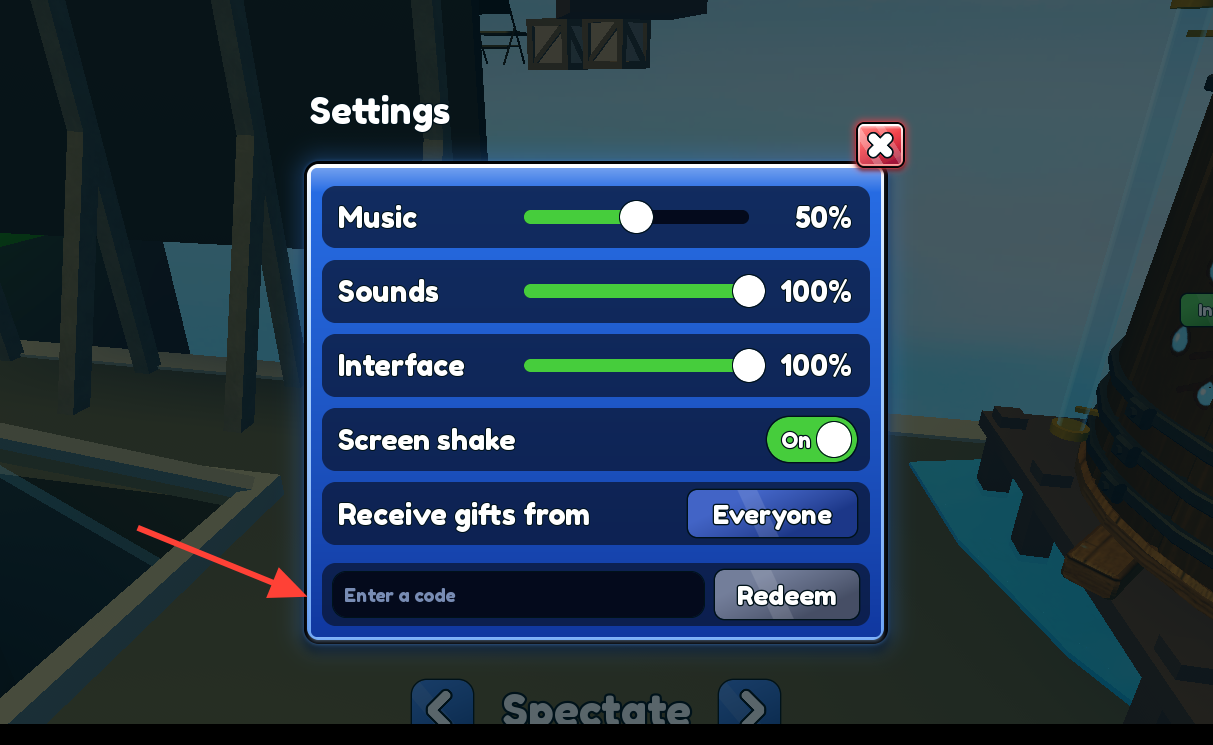
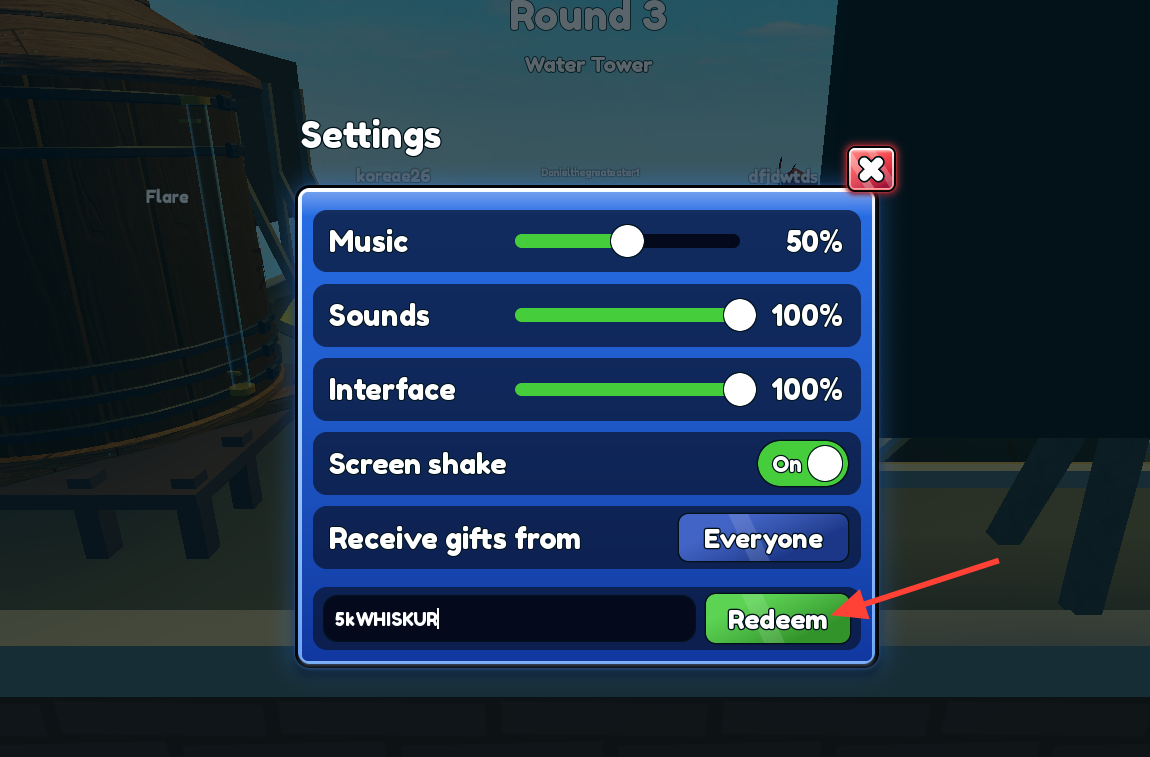
Currently Active Codes
5kWHISKUR — Redeem for 250 Coins10MLOAFF — Redeem for 250 CoinsYARNZ2K — Redeem for 250 Coins1KCHONKY — Redeem for 250 CoinsNEWGAME — Redeem for 250 CoinsRELEASE — Redeem for 250 CoinsCATS — Redeem for 150 Coins
Purchasing and Equipping Gear
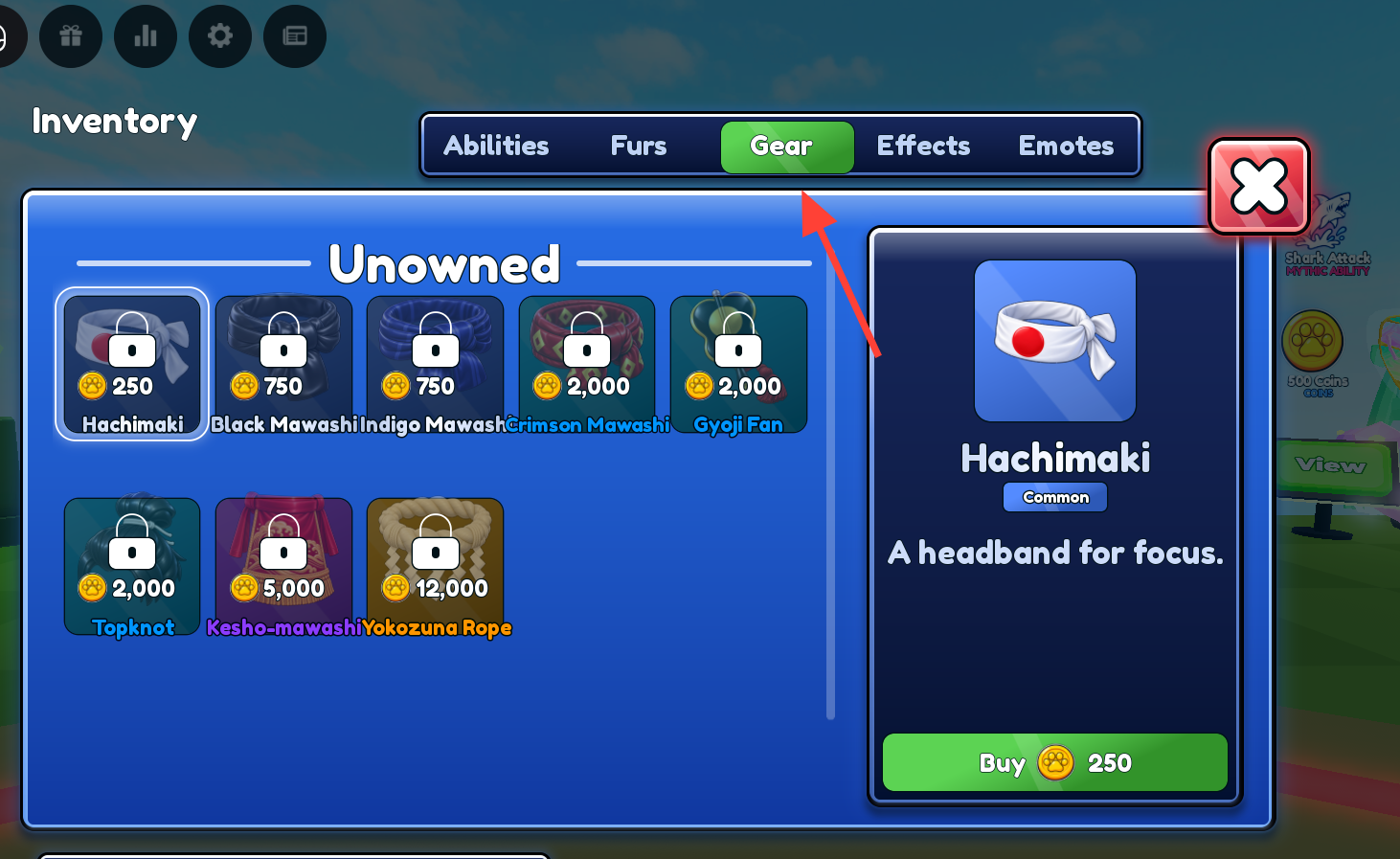
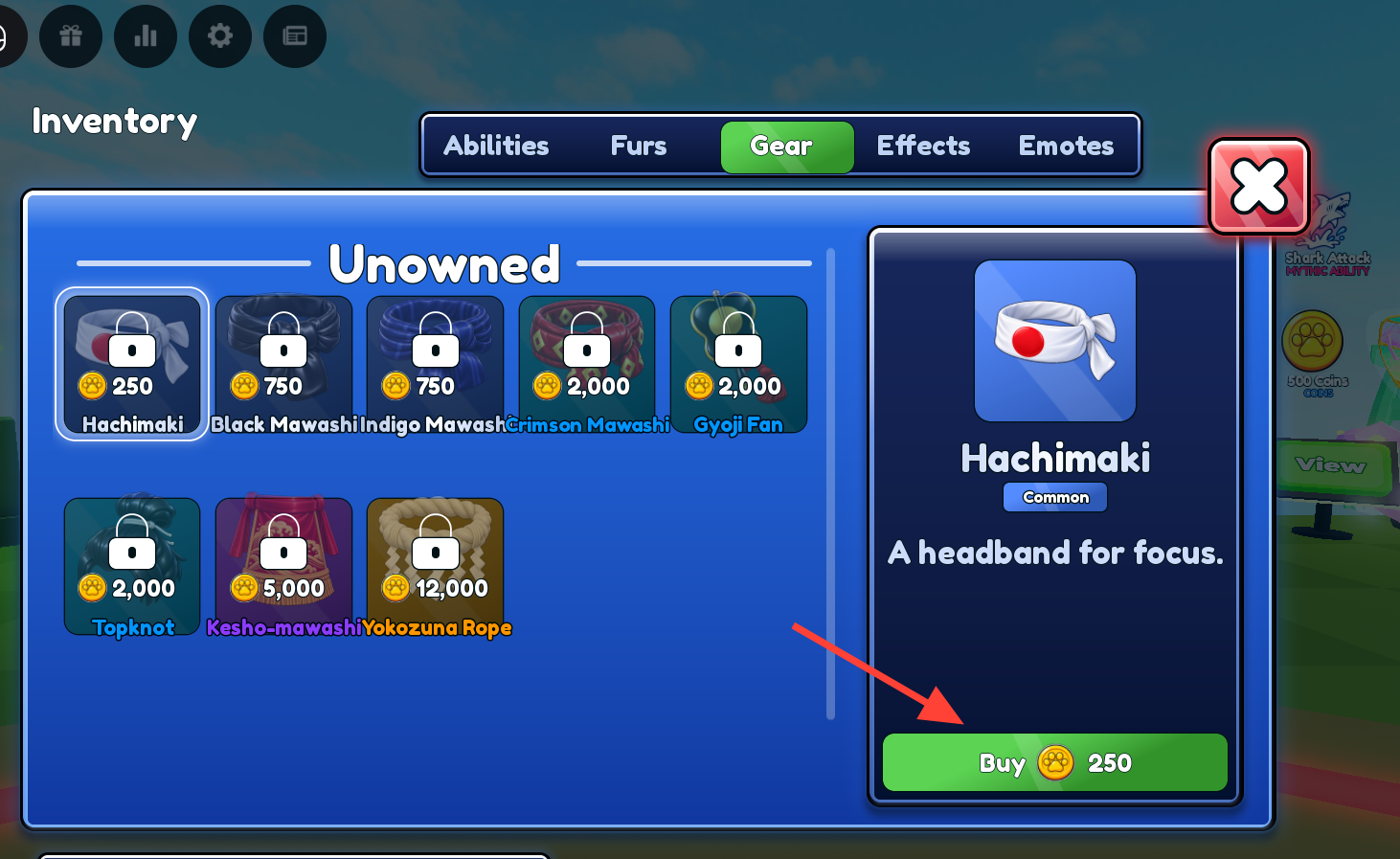
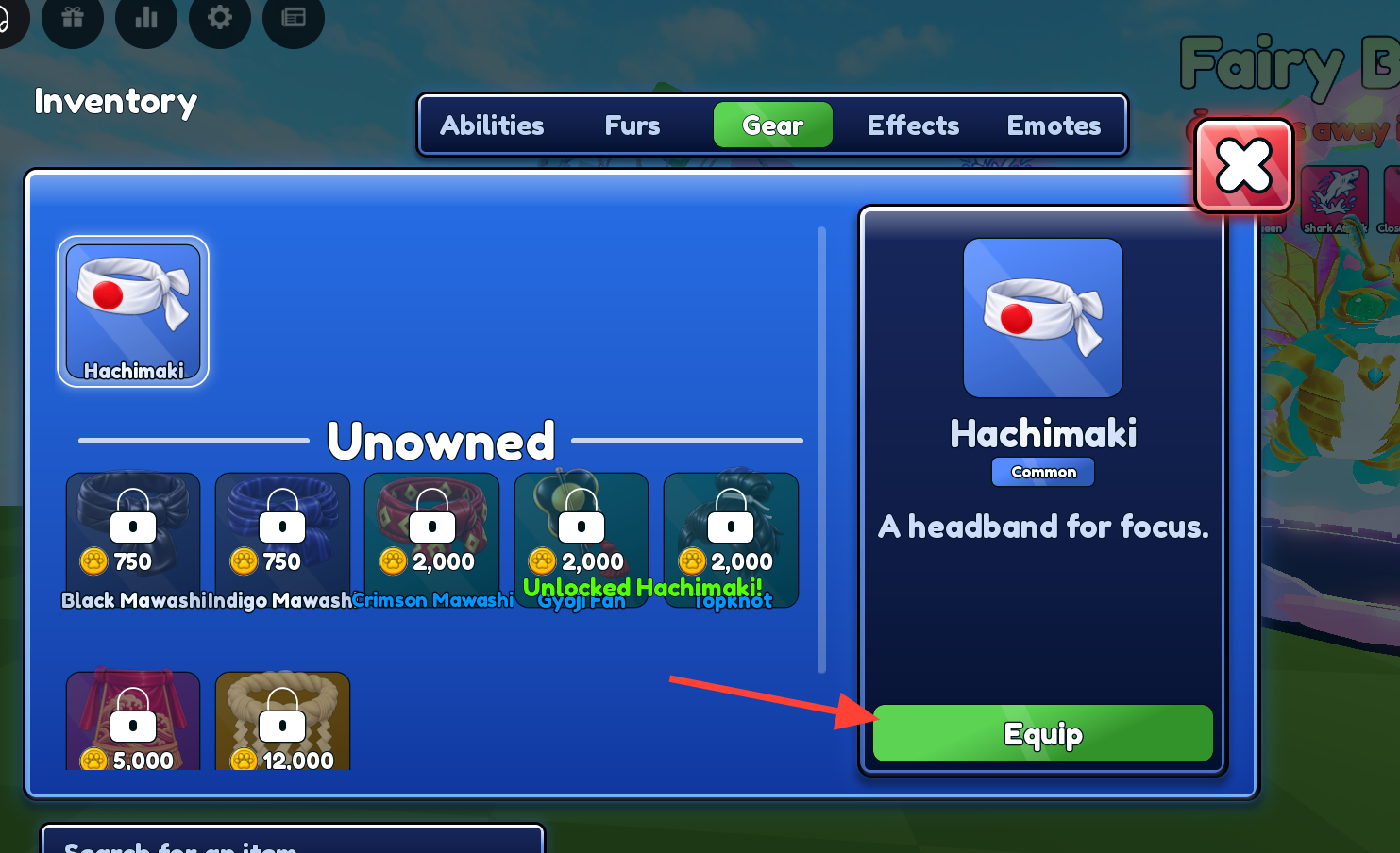
Once you have enough coins, you can purchase gear items to customize your character.

Available Gear Items
There are eight unique gear items you can purchase directly using your hard-earned gold coins:
The gear shop features items ranging from Common headbands to Mythic visors:
- Hachimaki (Common): 250 coins — A headband for focus.
- Black Mawashi (Common): 750 coins — The wrestler’s black silk belt.
- Indigo Mawashi (Common): 1,500 coins — A deep blue wrestler’s belt.
- Crimson Mawashi (Uncommon): 2,500 coins — A striking red wrestler’s belt.
- Golden Mawashi (Rare): 4,000 coins — A champion’s belt spun from gold.
- Champion Belt (Epic): 5,250 coins — Awarded to elite arena dominators.
- Spiked Collar (Legendary): 6,500 coins — A menacing, spiked neck accessory.
- Cybernetic Visor (Mythic): 4,000 coins — High-tech eye gear for targeting.