Gaming How-To

How to Fish in Fisch (Roblox): Cast, Shake and Reel

Covers the first cast from the Moosewood pier, the SHAKE prompt, the reel minigame, and selling your catch to the Merchant.

Covers the first cast from the Moosewood pier, the SHAKE prompt, the reel minigame, and selling your catch to the Merchant.

Fishing in Fisch, the Roblox fishing game, comes down to three inputs: you cast, you click a prompt when a fish bites, and you win a short reeling minigame. The game explains the reel bar the first time you reach it. Cast from the pier, then click SHAKE when it appears.

Quick answer: Press 1 to equip the Flimsy Rod, stand on the Moosewood pier, then hold and release the left mouse button to cast. Click SHAKE when it appears, then keep the fish inside your bar until the progress line fills.


Start Fisch and equip the Flimsy Rod

You don’t need to buy anything before your first catch. Every new character starts with a rod.
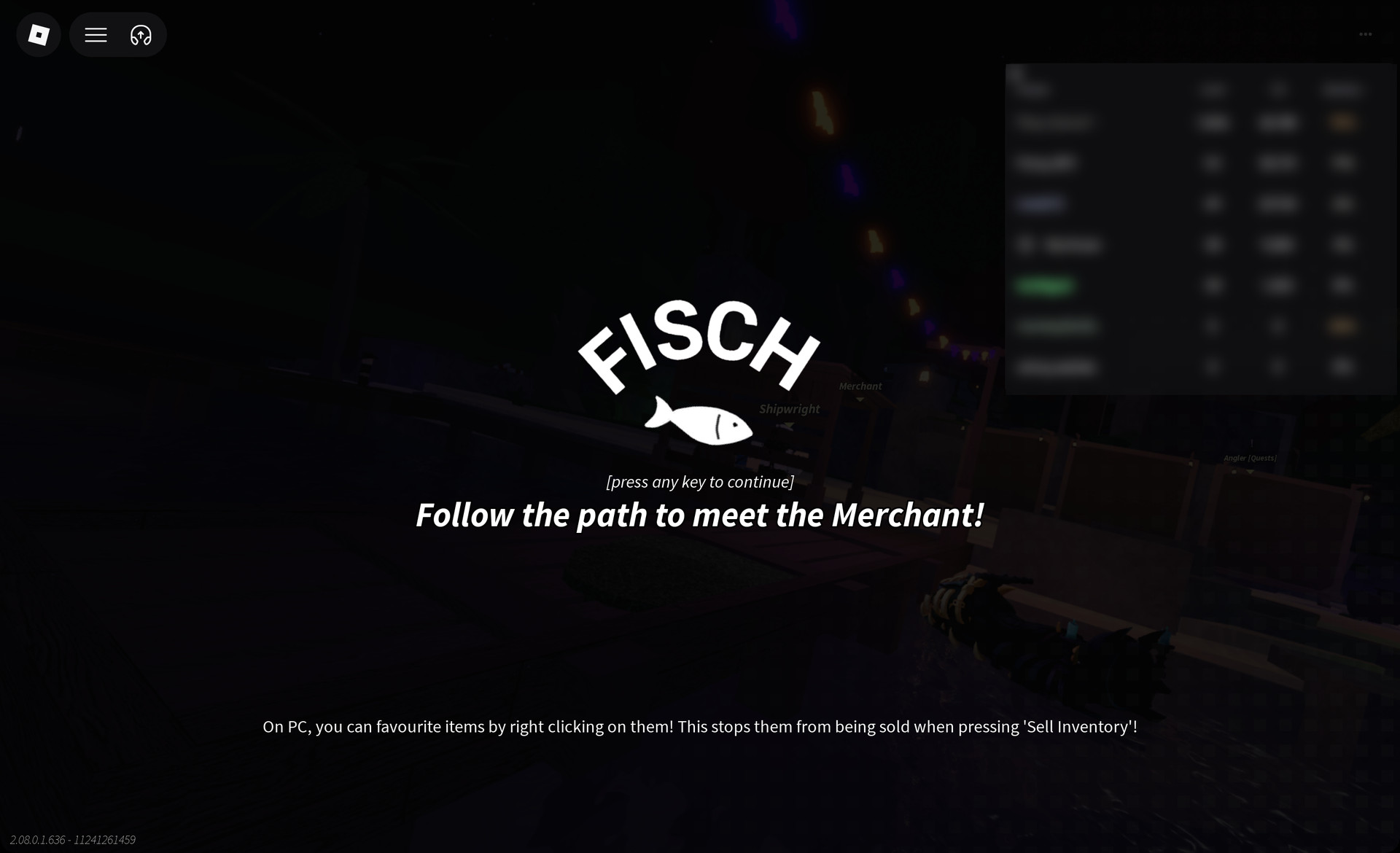
Launch Fisch on Roblox. The FISCH title card reads “[press any key to continue]”, so press any key. Below it, the first objective is already displayed: “Follow the path to meet the Merchant!”
Fisch title card with press any key to continue
The FISCH title card: "[press any key to continue]" with the first objective, "Follow the path to meet the Merchant!"

The title card also shows this hint: “On PC, you can favourite items by right clicking on them! This stops them from being sold when pressing ‘Sell Inventory’!” Remember it for when you sell your first haul.
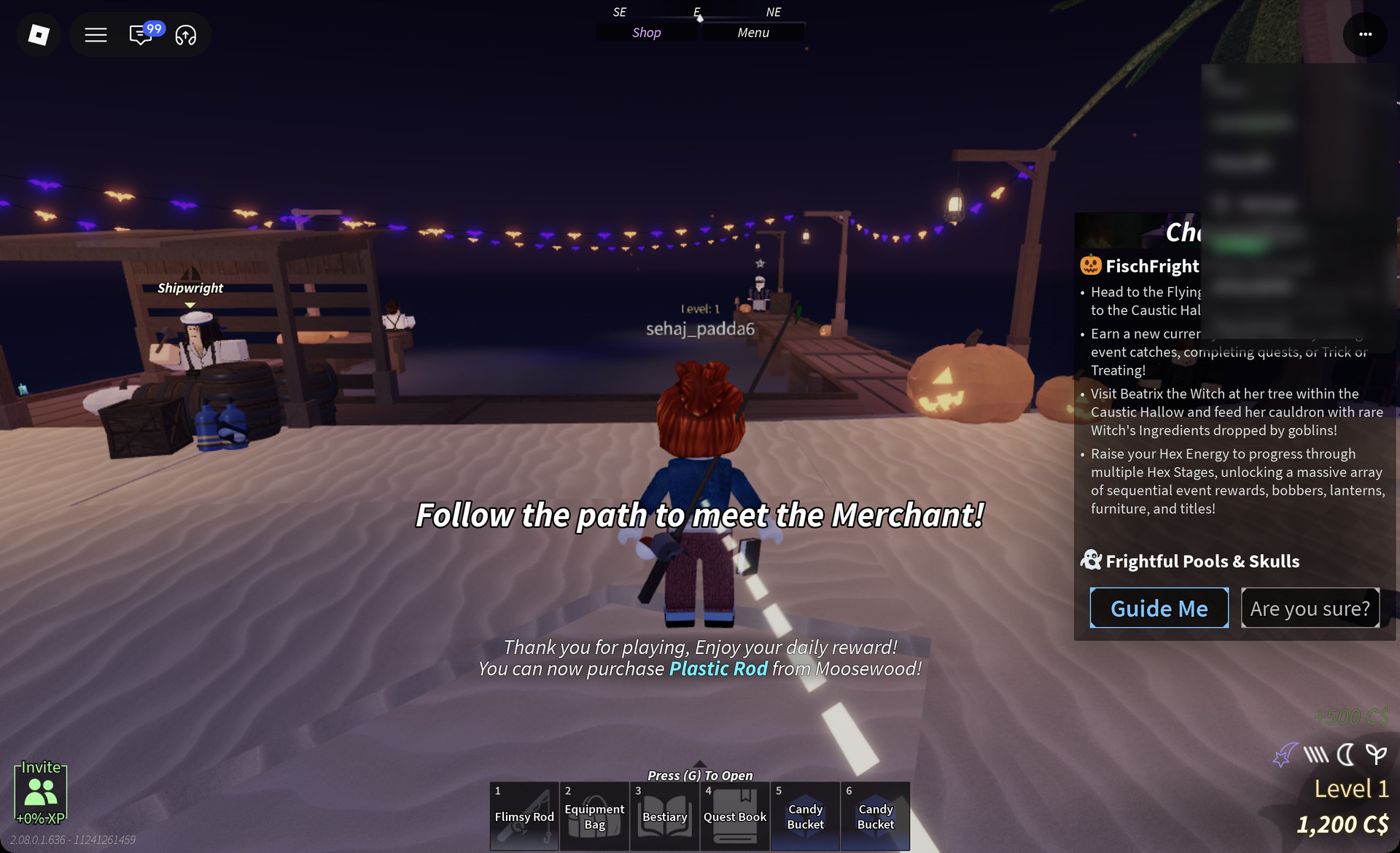
Claim the Daily Reward. You spawn on the sandy beach next to the pier, beside the Shipwright stall, and on your first join a Daily Reward window opens with 500C$ for Day 1. After you claim it, the game shows “Thank you for playing, Enjoy your daily reward!” and “You can now purchase Plastic Rod from Moosewood!”
Fisch beach spawn next to the Shipwright stall
The beach spawn by the Shipwright stall after the Daily Reward, with the Flimsy Rod in hotbar slot 1
Press 1 to equip your rod. The slots along the bottom of the screen make up the hotbar:
KeyHotbar item
1Flimsy Rod (starter rod)
2Equipment Bag
3Bestiary
4Quest Book

During the Halloween event, two Candy Bucket slots also appear on the hotbar.


How to cast in Fisch

Where you stand matters. In our play, casts made from the beach sand or while swimming never got a bite, while casts from the pier did.
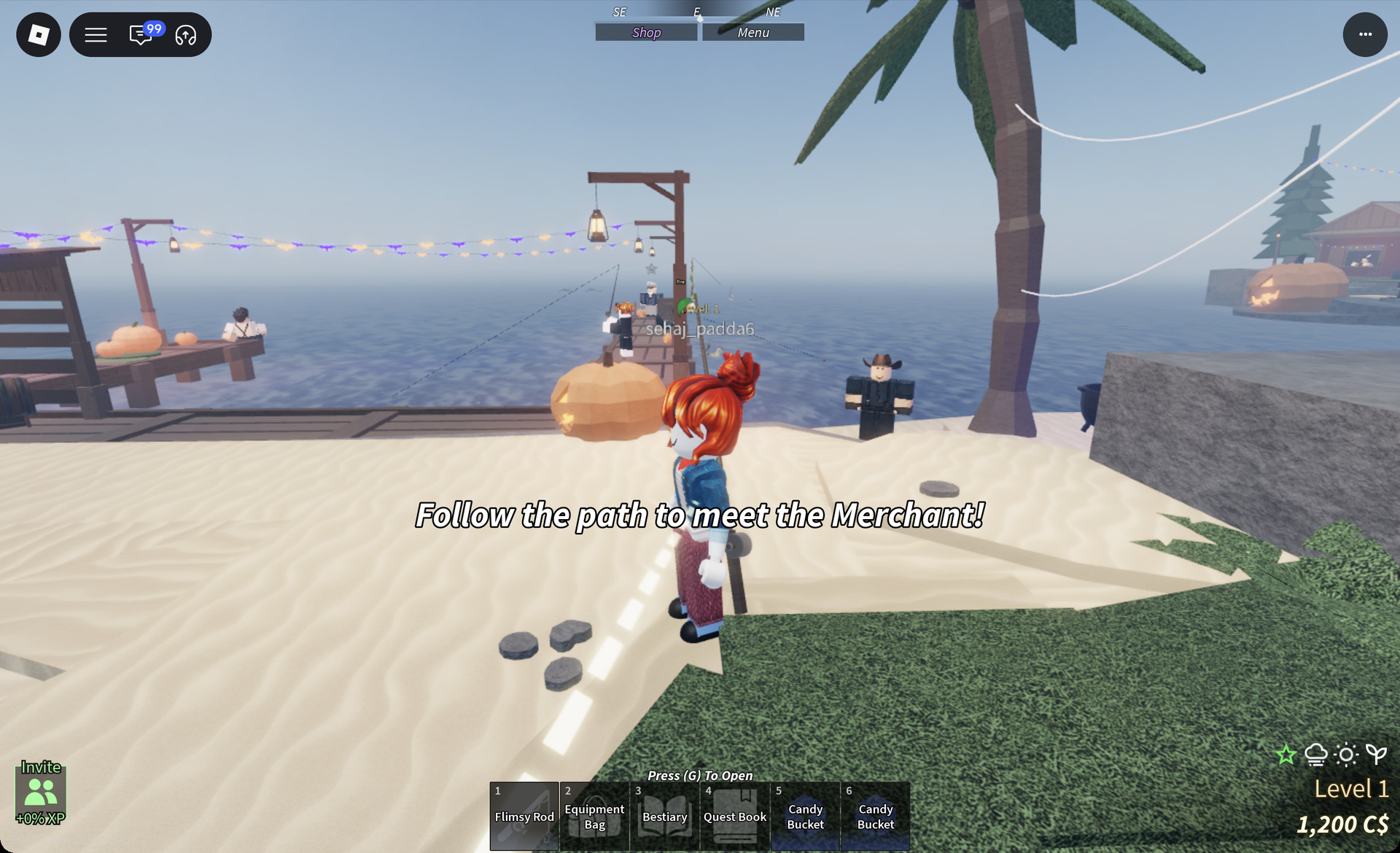
Walk out onto the wooden pier until you face open water. Other players usually line the pier fishing, which makes it easy to spot.
Moosewood pier in Fisch with players fishing
The Moosewood pier, with other players fishing at the far end
With the rod out and water in front of you, hold the left mouse button, then release it to cast. Then wait for a bite. The wait varies from cast to cast.

What the SHAKE button does

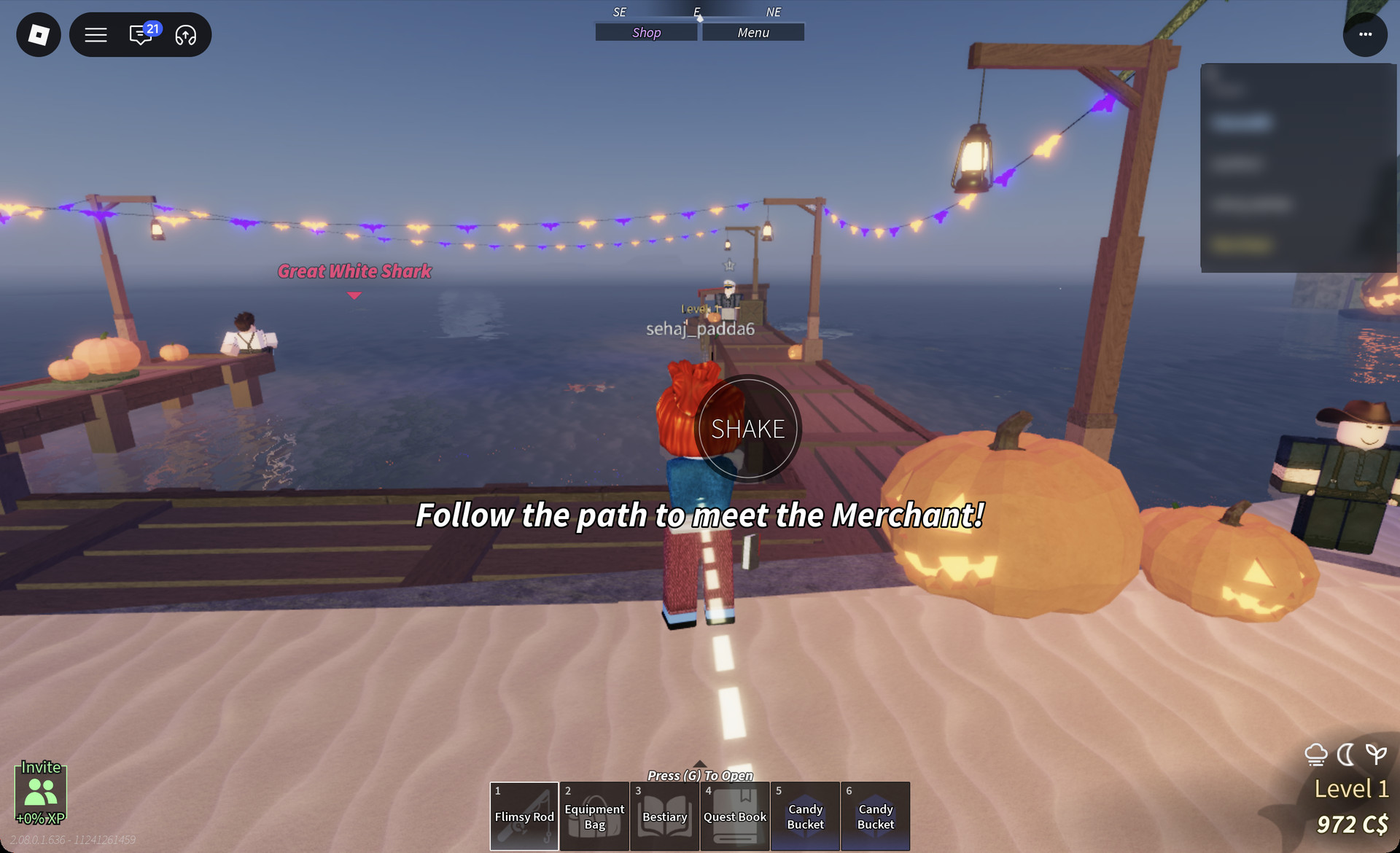
When a fish bites, a round “SHAKE” button pops up. Click it. It doesn’t stay in one spot. It can appear in the middle of the screen or near the left and bottom-left edges, so watch for it and click it every time it shows. Once you’ve shaken, the reel minigame opens.
Fisch SHAKE button after a bite
The round SHAKE button after a fish bites

The first-time reel tutorial

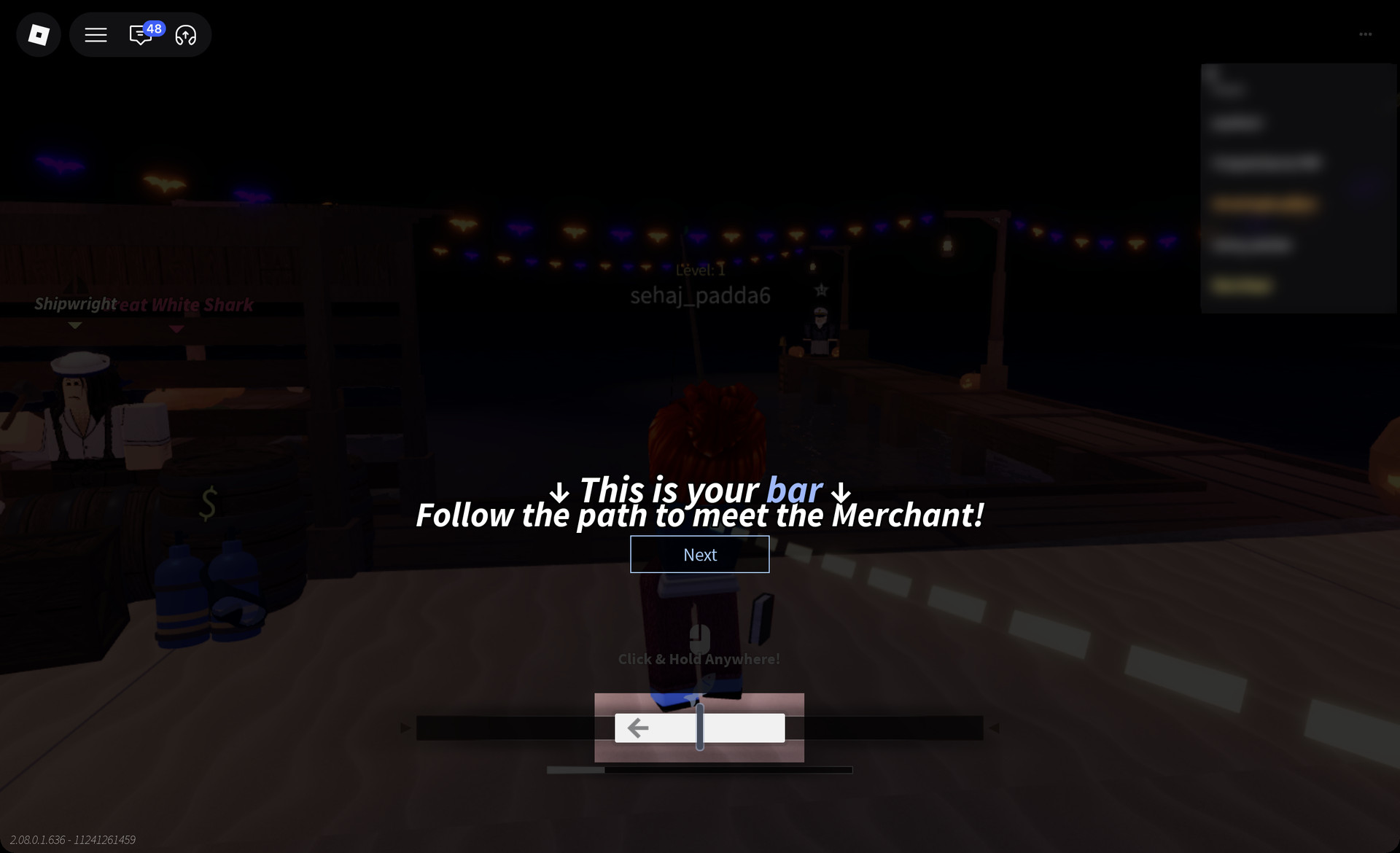
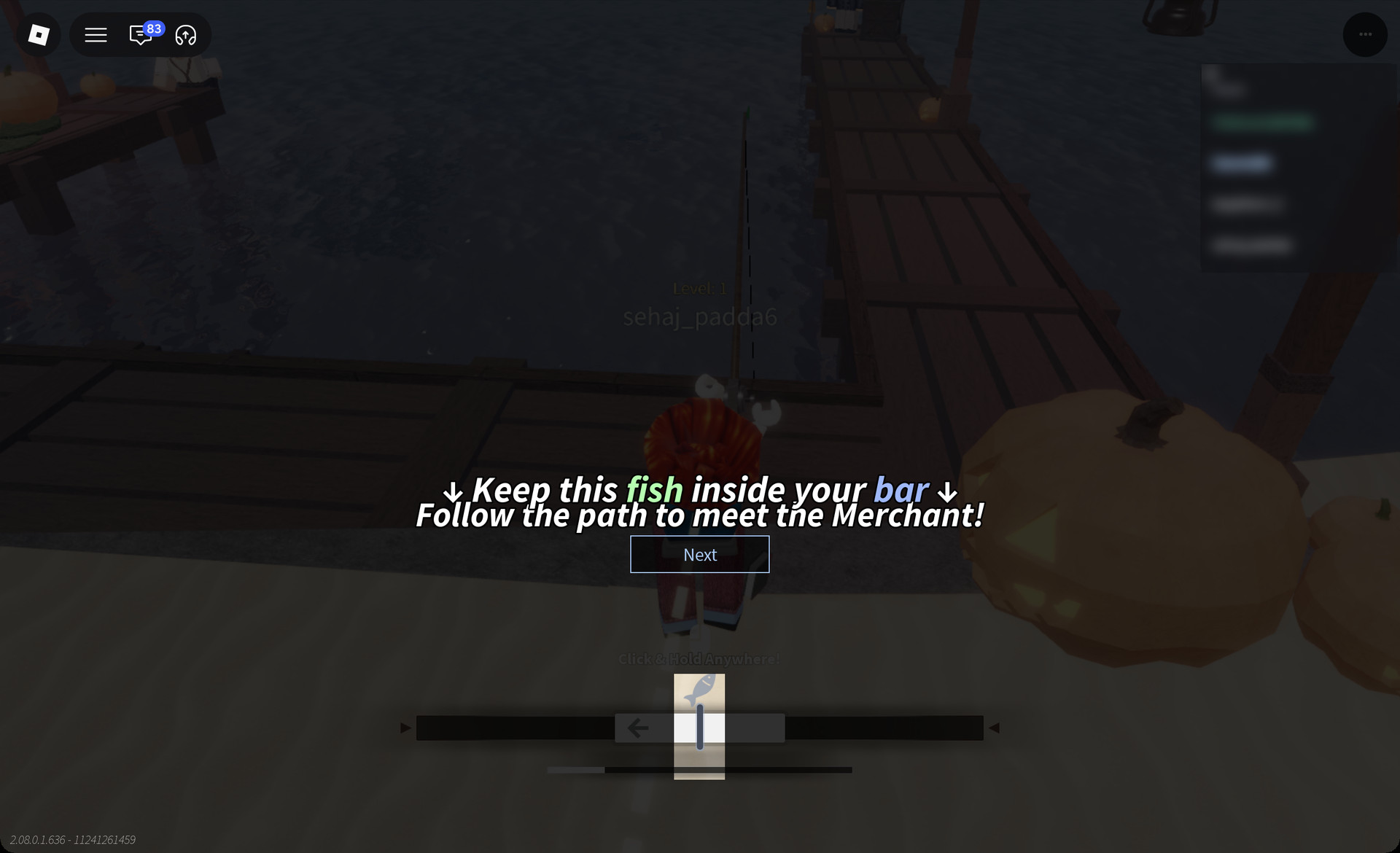
Read through the tutorial. The first time the reel minigame opens, Fisch places a five-page tutorial over the reel bar at the bottom of the screen. Click “Next” to move through the pages:
Fisch reel tutorial page 1
Tutorial page 1: "↓ This is your bar ↓"
PageOn-screen text
1“↓ This is your bar ↓”
2“↓ Keep this fish inside your bar ↓”
3“Your progress fills while the fish is on your bar, and drains while it isn’t”
4“Click and hold to pull the bar right (→)”
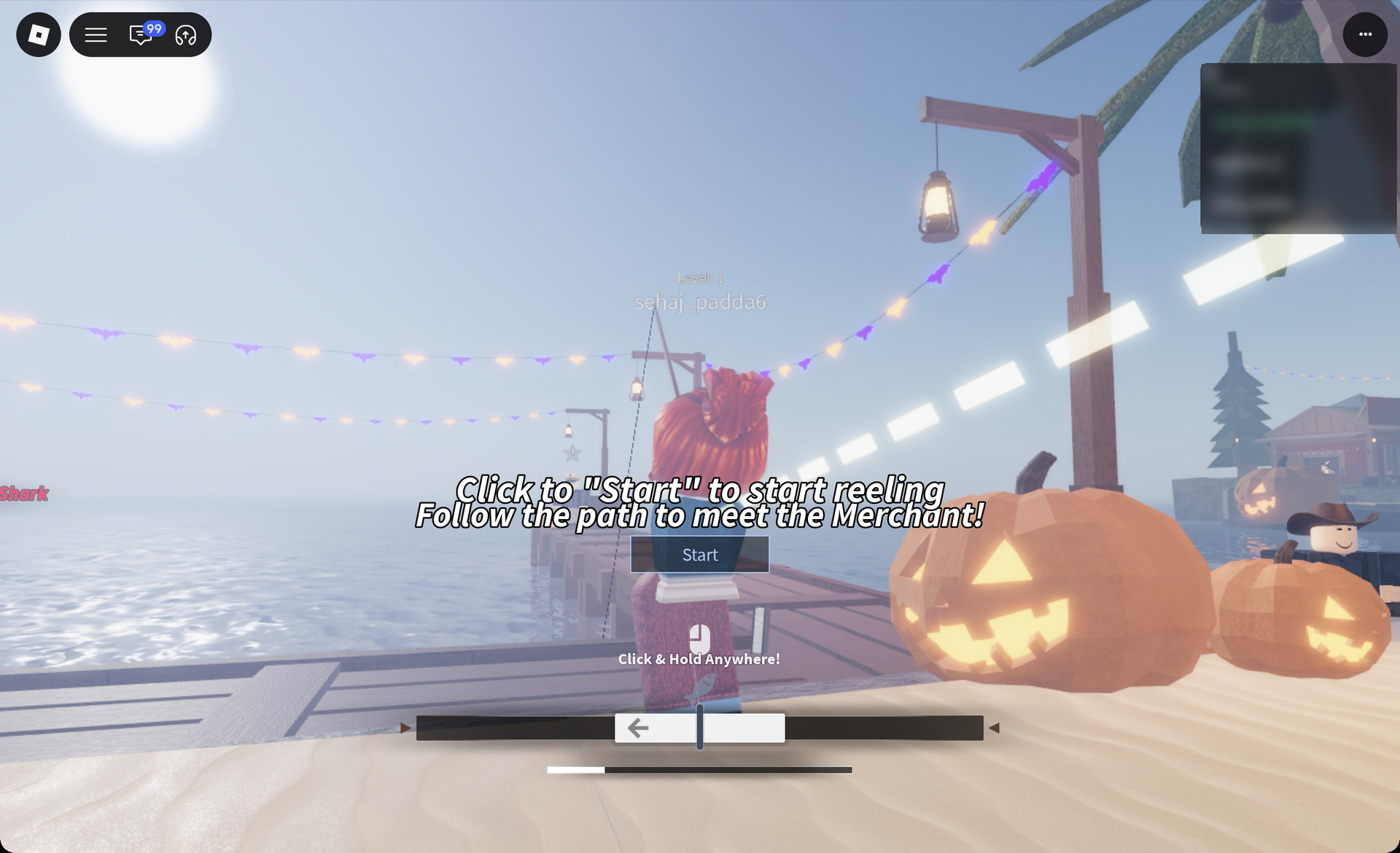
5‘Click to “Start” to start reeling’
Fisch reel tutorial page 2
Tutorial page 2: "↓ Keep this fish inside your bar ↓"

On page 3, the game highlights the thin progress line under the reel bar. That line tells you how close you are to landing the fish.
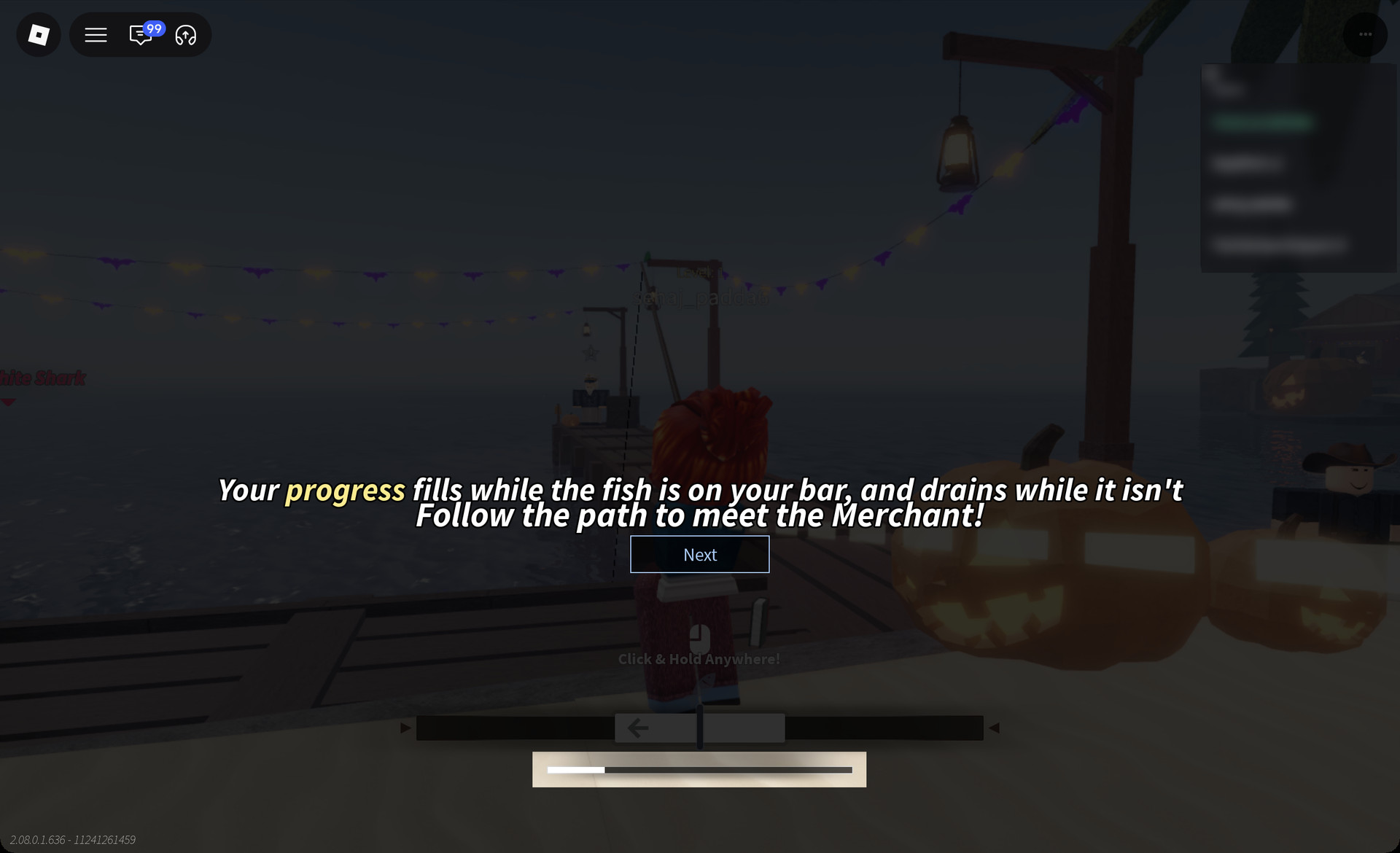
Fisch reel tutorial page 3 progress line
Tutorial page 3 highlights the progress line under the reel bar
Click “Start” on the last page to begin reeling.
Fisch reel tutorial page 5 Start button
Tutorial page 5: 'Click to "Start" to start reeling'

How to reel in Fisch

While the reel is live, “Click & Hold Anywhere!” sits above the reel bar. On mobile it reads “Tap & Hold Anywhere!” The pieces on screen work like this:
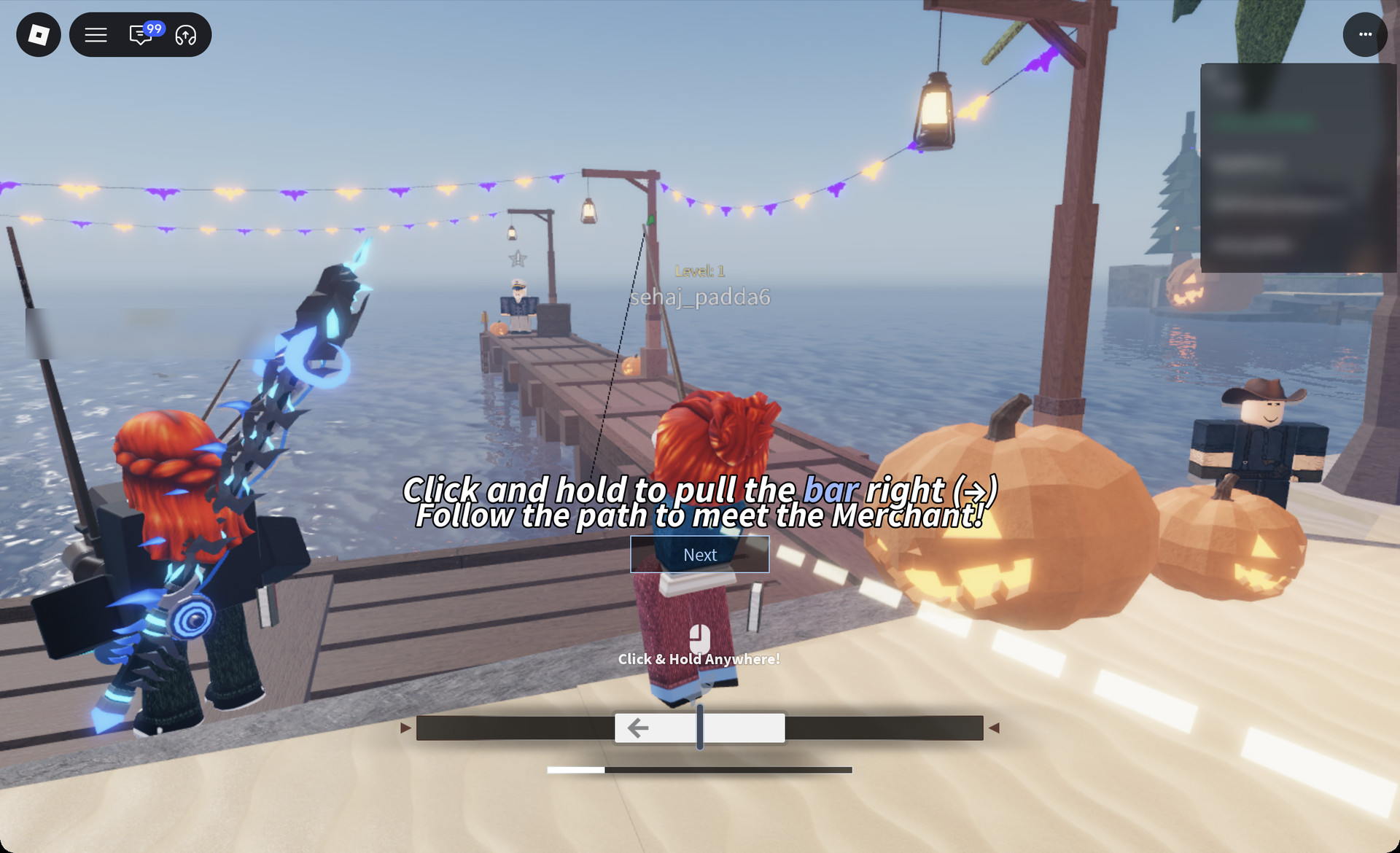
Fisch reel tutorial page 4
Tutorial page 4: "Click and hold to pull the bar right (→)"
  • The reel bar is the long dark track.
  • The white segment on the track represents your bar.
  • The fish is the small fish icon, and it keeps moving.
  • Holding the button pulls your bar right. Letting go slides it back left, which is the direction the arrow on your bar points.
  • Beneath the track, the progress line advances whenever the fish sits within your bar, then recedes whenever it moves outside.
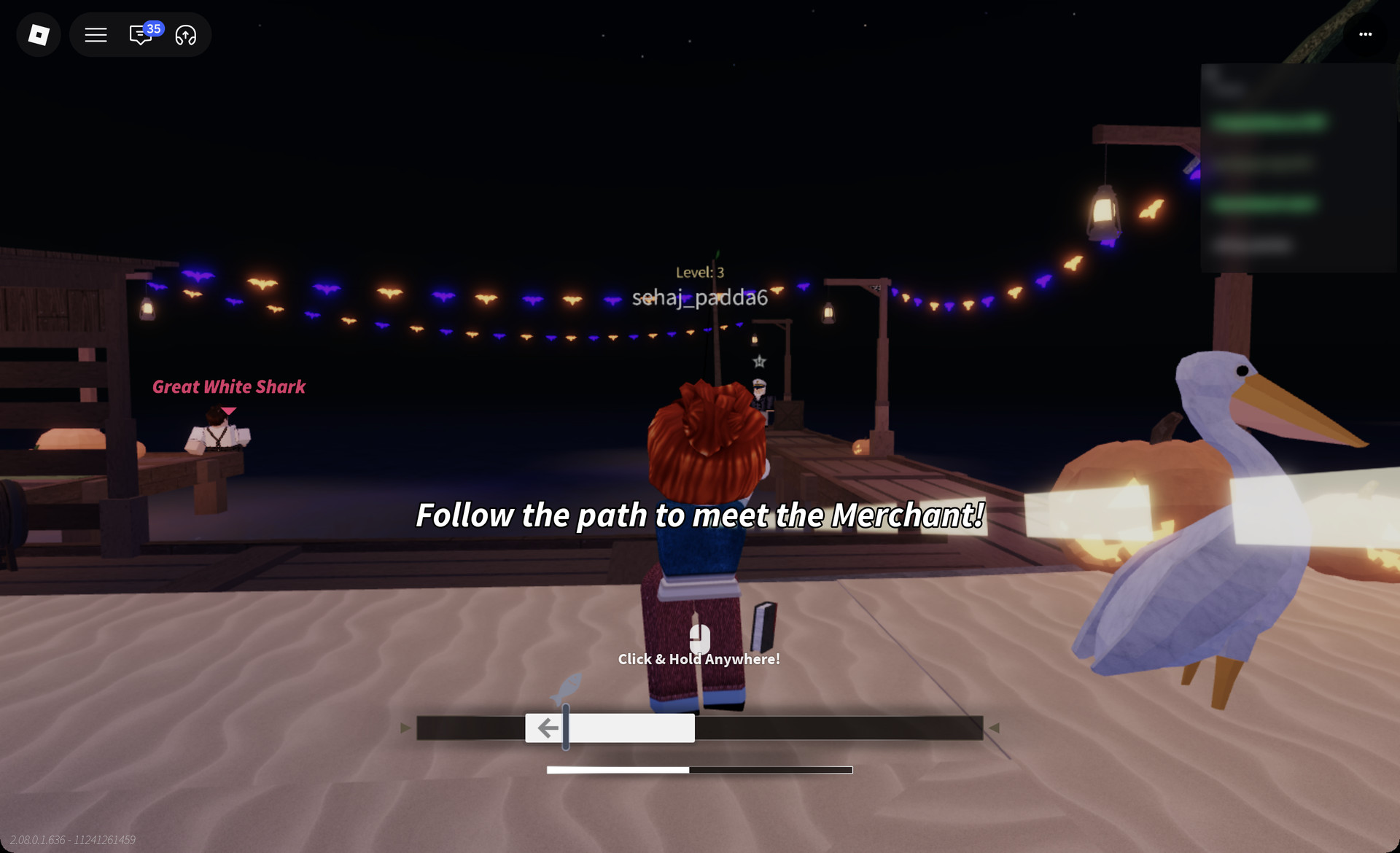
Keep the fish within your white bar until the progress line reaches full. Use brief presses and releases rather than holding continuously; this helps your bar follow the fish without overshooting. If the line runs out, the fish escapes, and “It got away..” appears above your character.
Fisch reel minigame with the fish at the edge of the bar
A live reel: the fish icon at the left edge of the white bar, with the progress line about half full

The catch message and your hotbar

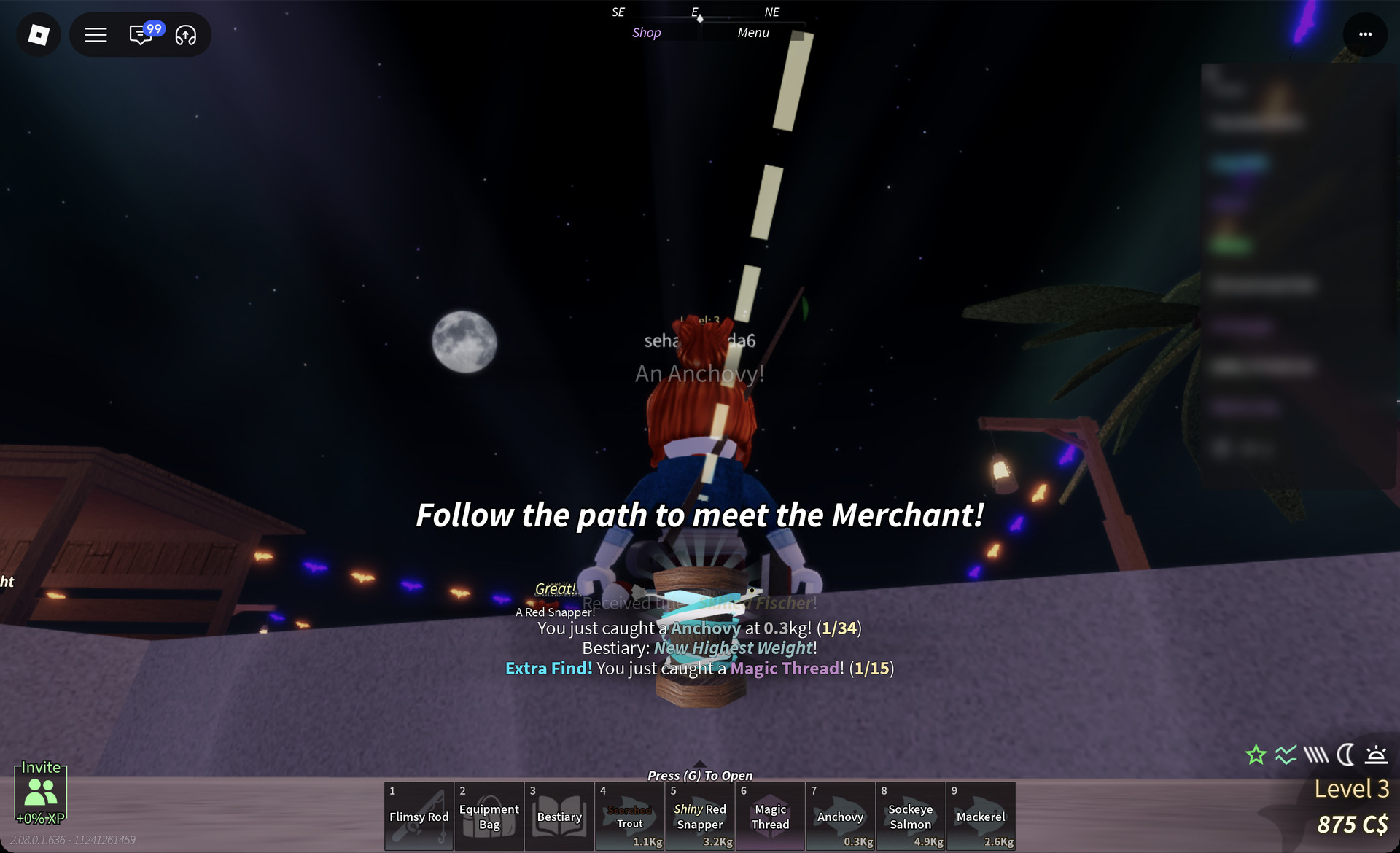
Check the message near the bottom of the screen. It confirms the catch in this format: “You just caught a Anchovy at 0.3kg! (1/34)”. The species name and weight are shown in coloured text.
Fisch catch message for an Anchovy
The catch message "You just caught a Anchovy at 0.3kg! (1/34)" with an Extra Find line

Extra lines can appear alongside the catch message. “Bestiary: New Catch!” marks a species you haven’t caught before, and your very first catch also shows a “+30xp” pop. “Bestiary: New Highest Weight!” marks a personal record for that species. Sometimes a bonus item comes along too, such as “Extra Find! You just caught a Magic Thread! (1/15)”.

Each fish lands on your hotbar with its name and weight. The Moosewood pier turns up Red Snapper (including Shiny Red Snapper), Anchovy, Trout, Scorched Trout, Sockeye Salmon and Mackerel, plus Seaweed and Magic Thread. Those catches took our fresh character from Level 1 to Level 3.
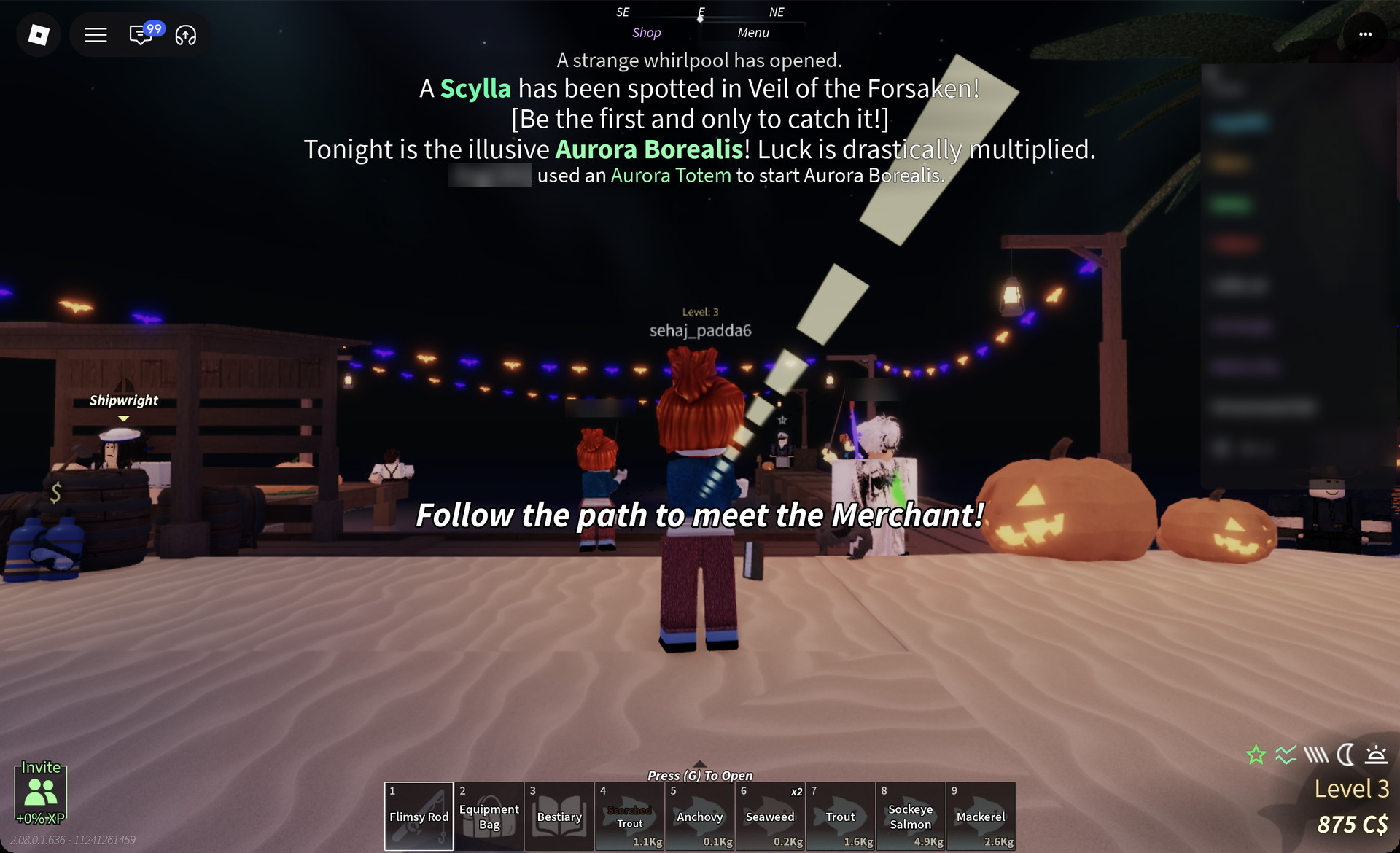
Caught fish on the Fisch hotbar
Caught fish on the hotbar with their weights, from Scorched Trout to Mackerel

First objective: Meet the Merchant

The “Follow the path to meet the Merchant!” banner stays on screen while you fish. The Merchant is where your catch turns into C$.
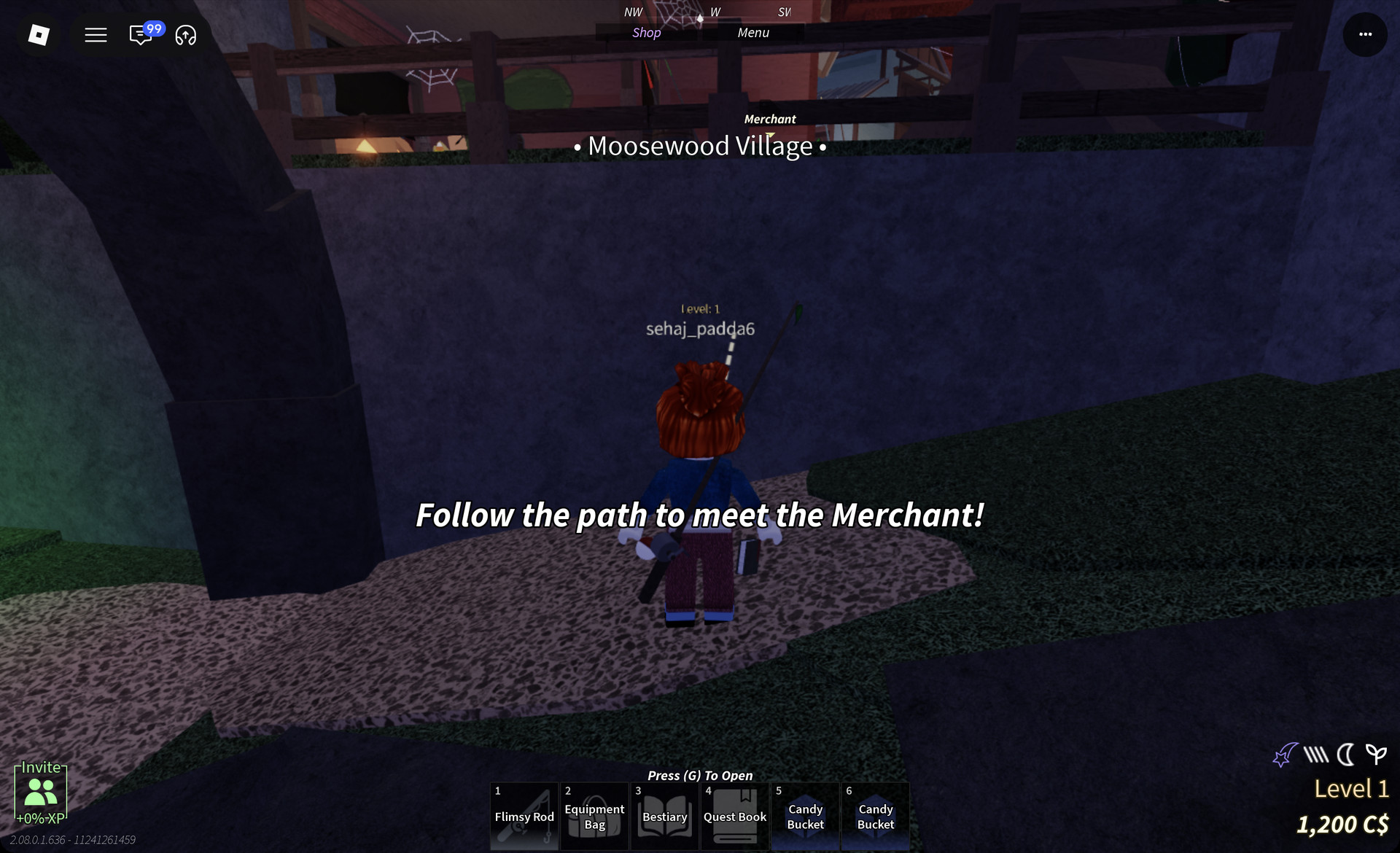
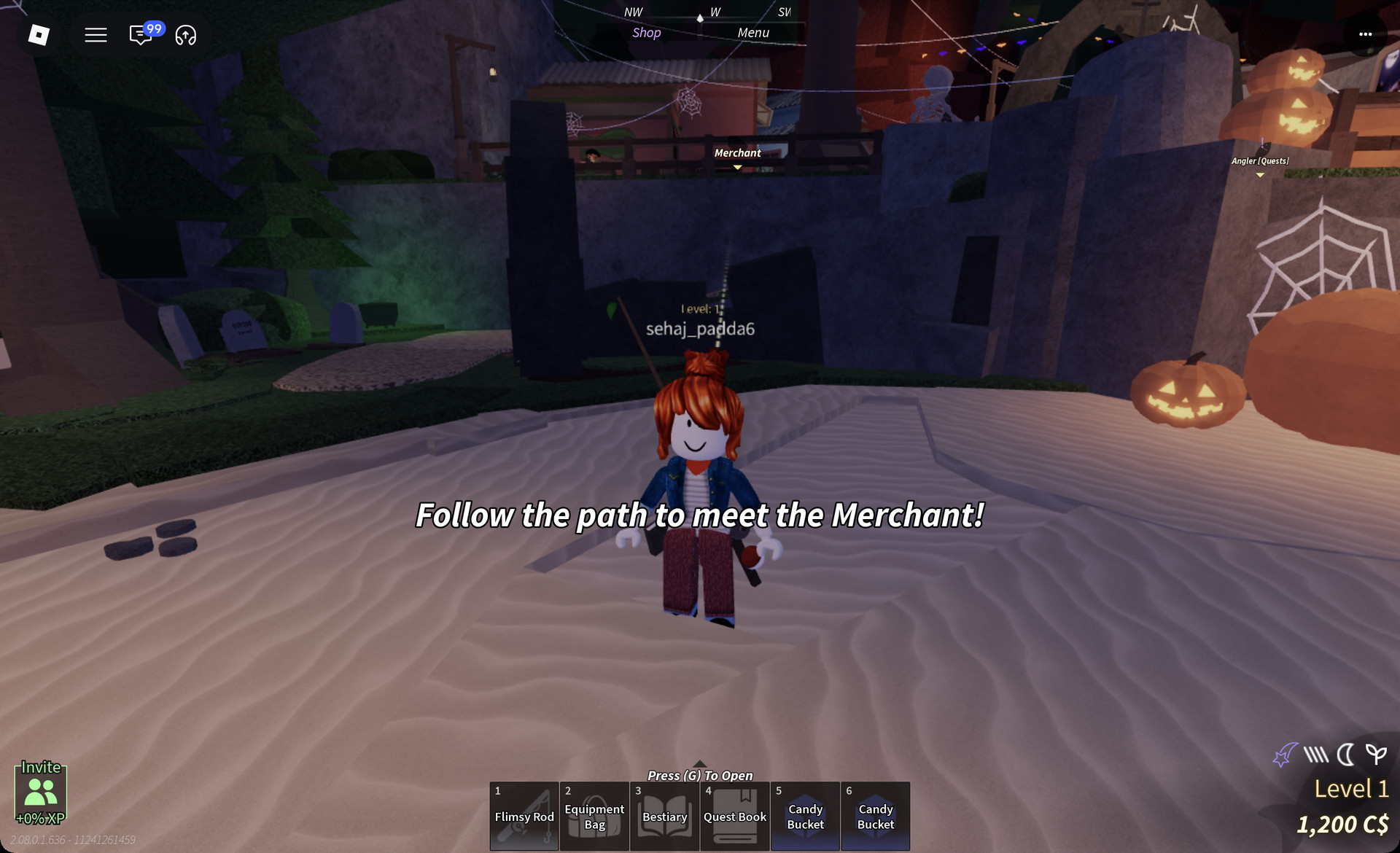
Follow the white dashed markers uphill from the beach. During the climb, the screen displays the area name “• Moosewood Village •”.
Moosewood Village area name in Fisch
The "• Moosewood Village •" area name on the path up from the beach
Head for the “Merchant” label that appears above his stall in the village as you get close. An “Angler (Quests)” label is visible nearby, but the Merchant is the one you want.
Merchant label in Moosewood Village
The "Merchant" label above the path in the village, with "Angler (Quests)" to the right
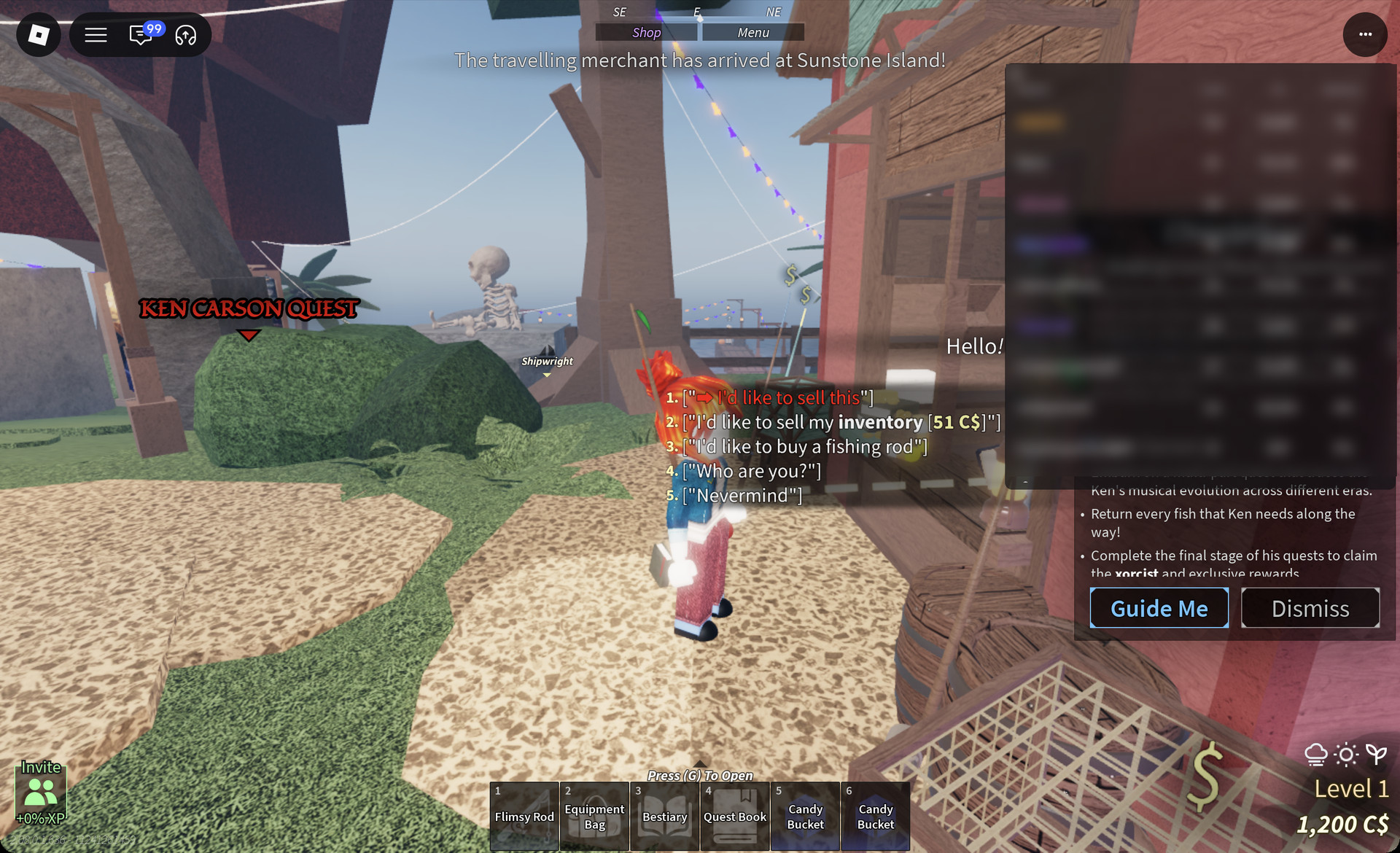
Approach him until the “Talk” prompt appears, then press E. He greets you with “Hello! How can I help you?” and presents five reply options:
  • “I’d like to sell this”
  • “I’d like to sell my inventory [51 C$]”
  • “I’d like to buy a fishing rod”
  • “Who are you?”
  • “Nevermind”
Fisch Merchant dialogue options
The Merchant's five replies, from "I'd like to sell this" to "Nevermind"

The C$ figure on the inventory option is the value of whatever you’re carrying, so yours will differ. “I’d like to buy a fishing rod” is the way to upgrade from the Flimsy Rod, and the game has already flagged the Plastic Rod as available in Moosewood.

The game’s own tip says favourited items are not sold when you use ‘Sell Inventory’. On PC, right-click any fish you want to keep before you pick “I’d like to sell my inventory”.