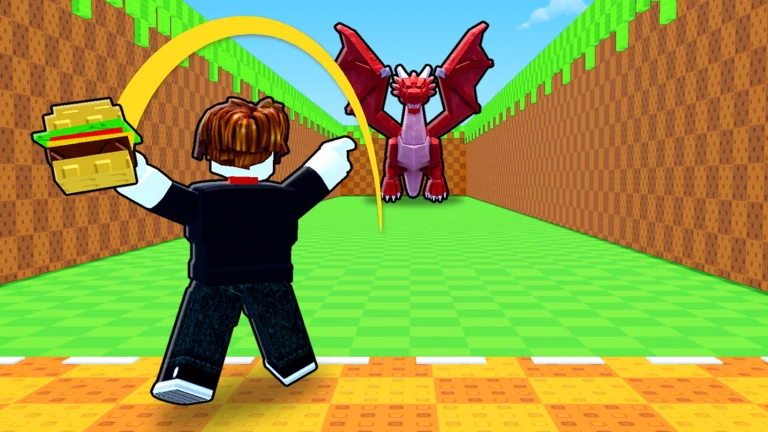
Throw a Seed runs on one short loop. You do pull-ups to get stronger, throw a seed down a canyon, and a fully grown plant pops up wherever it lands. Plants you put in your garden make money, and they keep earning after you log off. Your first hour is mostly about running that loop well and knowing what each upgrade actually changes.
Quick answer: Do pull-ups, time your tap on the throw meter, place every plant you get in your garden, then spend money on whatever is holding you back: strength, seed luck or garden space.
Join the right Throw a Seed on Roblox
Several Roblox experiences use the same name or a similar seed-throwing setup, and their codes, plants and progression don’t carry over. The one covered here is made by Fish Time Studios and has the place ID 129081220403721. Check the creator name on the game page before you follow any code list or walkthrough. It’s free to play, servers hold up to 5 players, and there are no private servers.
Your first Throw a Seed loop, in order
How distance, zones and luck work
There are 15 zones in the canyon, starting at Meadow and ending at Starlight Glade. Autumn Woods and Tropical Beach are two of the zones in between. The farther your seed flies, the more zones it passes, and each one boosts the luck on that throw, which raises your odds of a rare plant.
The luck multiplier you see mid-flight isn’t a fixed bonus you can count on every time. It mixes together the zones already passed, your training and the seed you’re using, so two players hitting the same zone can see different numbers. Luck also means odds, not a promise. A rare plant from one throw doesn’t mean the same tap will give you the same result next time.
What each Throw a Seed upgrade changes
New players tend to mix these up, and they don’t overlap. A better seed won’t make you throw farther, and more strength won’t change your seed’s luck.
| Upgrade | What it improves | Pick it when |
|---|---|---|
| Pull-ups and bars | Strength and throw distance | Your throws stop short of the next zone |
| Better seeds | Luck on every throw | You’re reaching zones but plants stay common |
| Garden expansion | Room for more plants | Your garden is full and income has stalled |
Pull-up bars go from Wood up to Diamond, and an Obsidian Bar also shows up along the way. When a better bar is on offer, a prompt appears for it, like the one for the Diamond Bar. The full list of bars, their prices and how much faster each one trains aren’t published, so read the cost on the in-game prompt before you buy. Shop prices for seeds and garden space work the same way, since the game gets updated and older screenshots can be out of date.
Placing and moving plants in your garden
When you place a plant on PC, the game tells you to click where you want it to go. Press R to rotate it or Q to store it instead. Auto and Store buttons are on screen too. To move something you’ve already planted, walk up to it and use the E / Pick Up prompt. On mobile or console, follow the prompts your own device shows, because the keys above are the PC ones.
Space is the limit you’ll hit first in the garden, and it can be expanded to hold more plants. There’s no published offline earning cap or full cost table for expansions.
Throw a Seed plants, rarities and the Index
The game advertises more than 75 plants across 10 rarities, from Common up to Secret, and a Secret can be as rare as 1 in a million. Plants can also roll huge sizes and rare mutations. The Index is the in-game collection book where you track what you’ve found. It currently lists 110 entries and has a Royal Pack category, though that count can change with updates.
Use the Index to check whether a new plant is a fresh entry, and the plant’s own info to see what it earns. Full drop tables and mutation odds aren’t published, so the “1 in” number on each reveal is the most direct odds readout you get.
Throw a Seed game passes and Robux prices
You don’t need to buy anything to play, but there are six optional game passes. Buying all of them costs 1,574 Robux.
| Pass | Price | Effect |
|---|---|---|
| Big Garden | 79 Robux | +10 garden slots on top of ones you buy |
| VIP | 99 Robux | +25% plant money, gold VIP tag |
| Strong Arms | 149 Robux | 2x XP from every pull-up |
| Double Money | 199 Robux | 2x plant money, offline too |
| Double Luck | 249 Robux | 2x luck on every throw |
| Rainbow Seed | 799 Robux | Unlocks Rainbow Seed, x10 luck per throw |
Each pass lines up with one part of the loop. Strong Arms speeds up training, Double Luck and Rainbow Seed raise the odds of rare plants, and Big Garden, VIP and Double Money all push income. Double Luck stacks with your seed and with luck potions, and Double Money applies to what your garden earns while you’re away.
Redeem Throw a Seed codes in Settings
Open Settings and scroll toward the bottom, where there’s a Codes field with a Redeem button. Type the code exactly as written and press Redeem. The game responds right away, so you’ll know straight from that response whether it took or has expired. Codes do expire and change, so trust what the game tells you over any old list. The same Settings menu also lets you change plant visibility and cutscene options, which helps if a busy server full of plants slows down your device.
Free gifts and daily rewards are also handed out in the game, so it’s worth checking in each day even when you’re only logging on to collect your offline garden money.