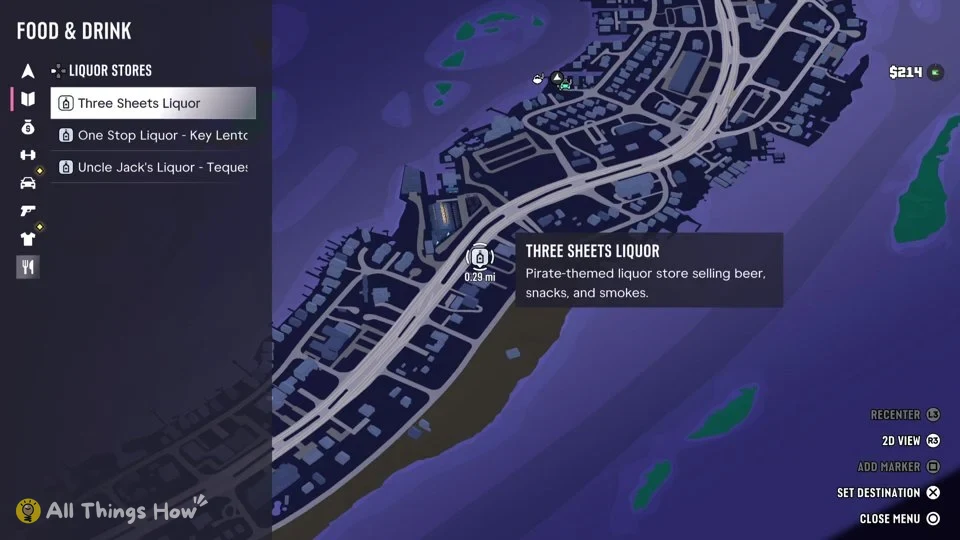
In Grand Theft Auto VI, you don’t have to drive around looking for a liquor store, because the pause map’s index has them filed under food and drink. Three are listed there right now. Two have the area right in the name, and the third, Three Sheets Liquor, doesn’t.
Quick answer: The pause map’s index lists three liquor stores under FOOD & DRINK > Liquor Stores. Highlight one and press Cross to set it as your destination.
GTA 6 liquor store locations in the map index
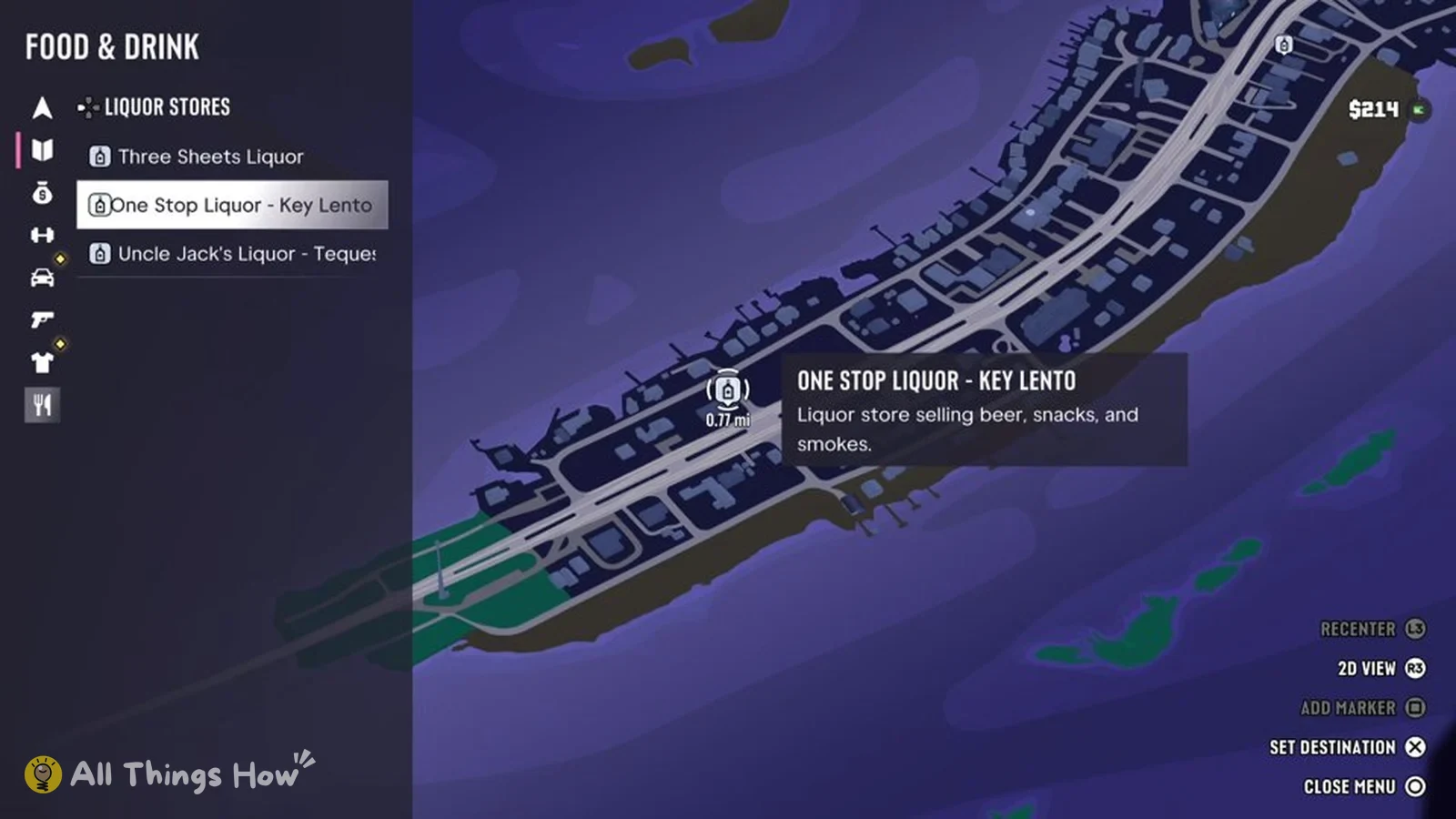
The “LIQUOR STORES” entry sits inside the “FOOD & DRINK” group, and the map index lists three stores in this order. Each one has a bottle icon next to its name.
| Liquor store | Area (from the name) | Card text |
|---|---|---|
| Three Sheets Liquor | Not named on the card | “Pirate-themed liquor store selling beer, snacks, and smokes.” |
| One Stop Liquor – Key Lento | Key Lento | “Liquor store selling beer, snacks, and smokes.” |
| Uncle Jack’s Liquor – Tequesta | Tequesta | “Liquor store selling beer, snacks, and smokes.” |
Uncle Jack’s Liquor – Tequesta is the one card with a FEATURES row, and that row holds one icon. On the map behind its card, the store is surrounded by tall buildings.
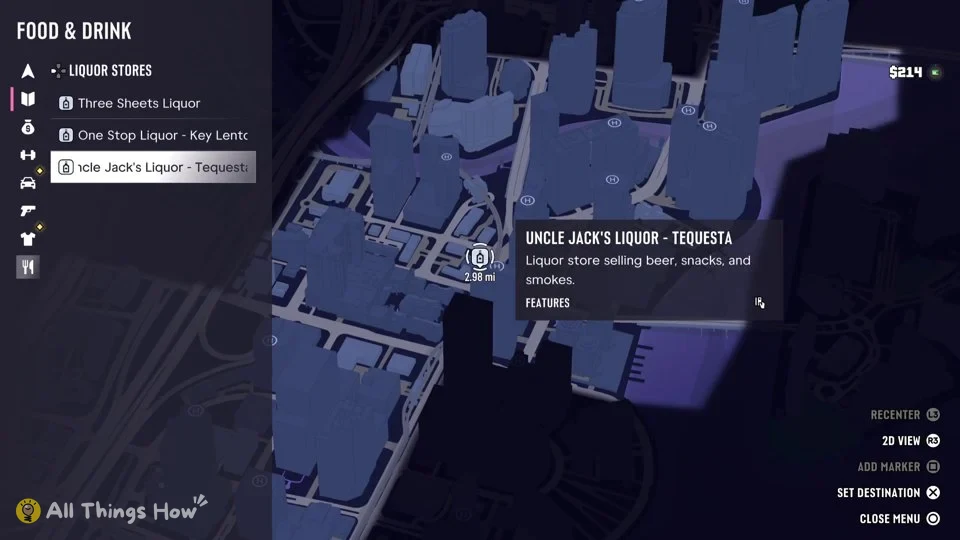
Liquor Stores isn’t the only list in that group. FOOD & DRINK also has Convenience Stores, Fast Food, Cafes & Takeout, Bars and Street Food.
How to find a liquor store on the GTA 6 map
The footer has a few other controls while you’re in the list. L3 is RECENTER, R3 switches between 2D VIEW and 3D VIEW, Square is ADD MARKER, and Circle is CLOSE MENU.
Three Sheets Liquor
Three Sheets Liquor is first in the list, and its card describes it as a “Pirate-themed liquor store selling beer, snacks, and smokes.” Unlike the other two, the card doesn’t name an area. When you highlight it, the map shows the store right next to a highway that runs along a narrow island strip. The easiest way to get there is to press Cross on its entry and follow the route.