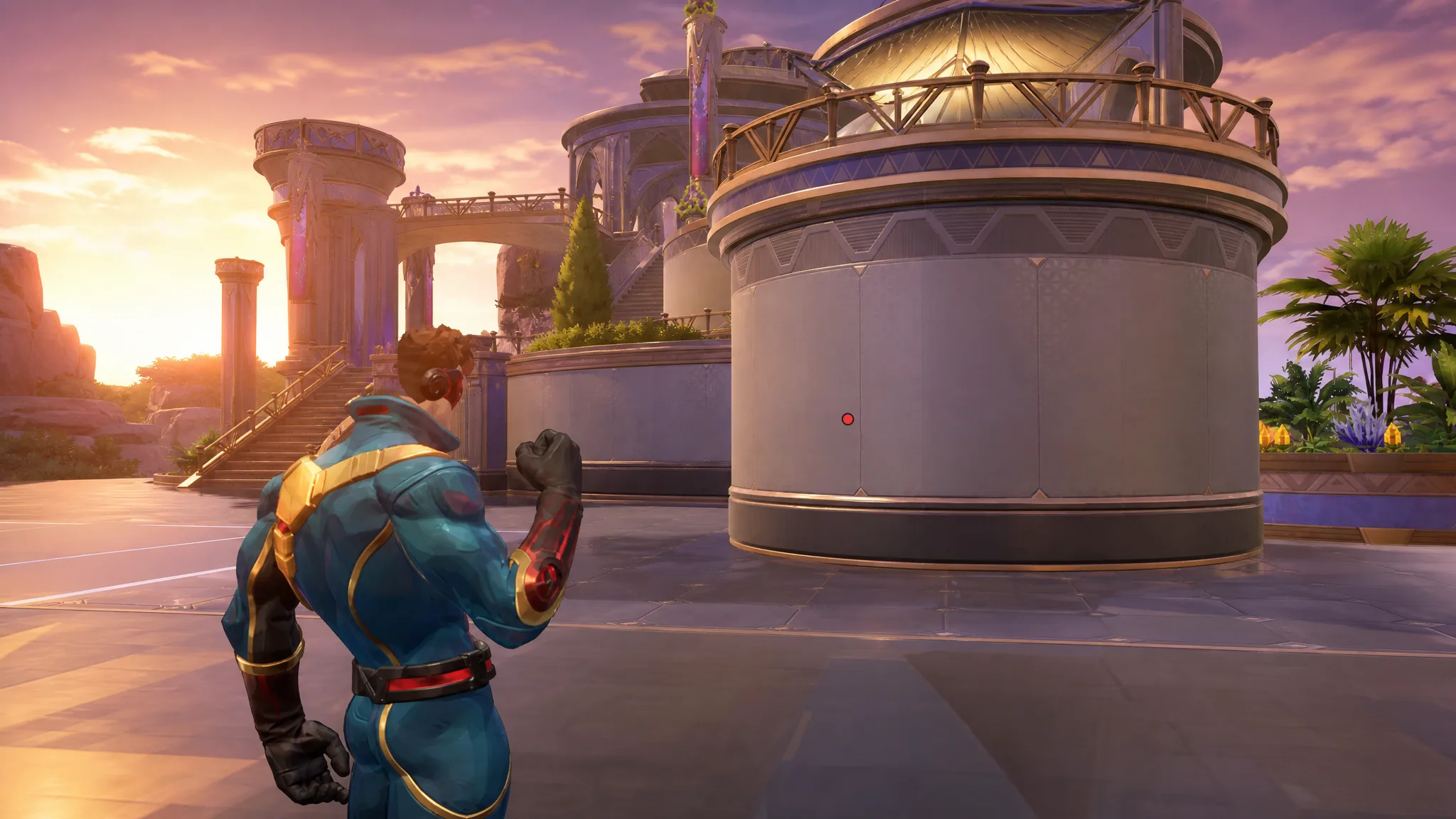
Cyclops is a Duelist in Marvel Rivals whose main weapon, Optic Blast, is hitscan. Shots land the instant you fire, so there is no projectile travel time to account for and no need to lead your targets. That makes a minimal crosshair the strongest choice. A single center dot keeps your screen clear while you focus on positioning and stringing together his mobility skills.
Quick answer: Set Reticle Type to Dot, turn Reticle Animation off, and import the code 3;0;6.0,100.0,0.0,40.0;100.0,70.0,0.0,100.0;50.0,22.0,10.0,50.0;100.0,45.0,100.0,100.0;0.0,0.0,0.0,0.0;33.0,70.0,66.0,33.0;80.0;100.0,70.0,0.0,100.0;59.0;5,3,1,1;0.0,0.0,0.0 in the crosshair menu.
Best Cyclops crosshair in Marvel Rivals
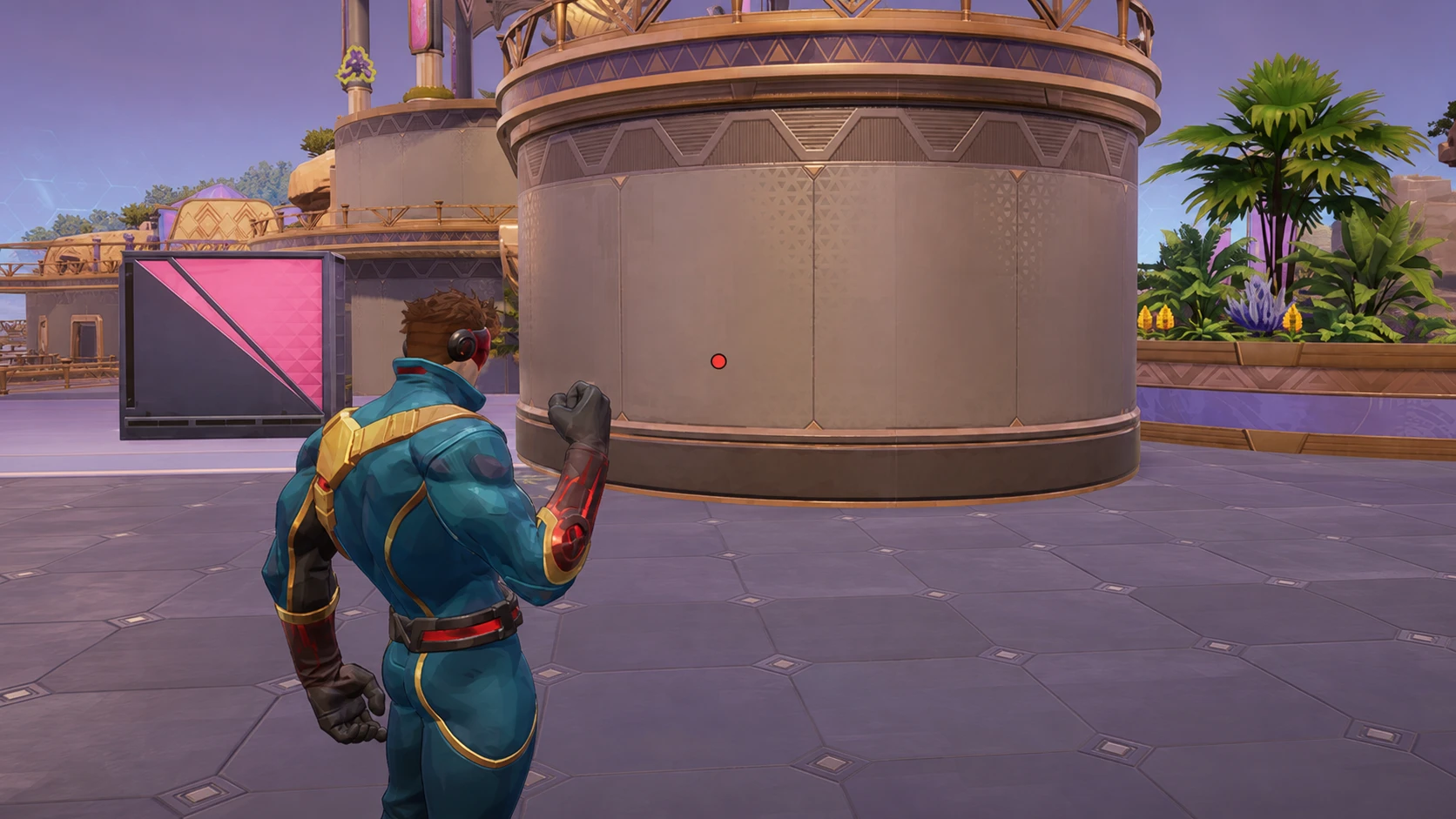
The ideal Cyclops crosshair is a simple center dot. Because Optic Blast registers instantly, you hit exactly where the dot sits. Whatever the dot covers is what you damage, with nothing extra to read or interpret mid-fight.
- Center Dot: A small, fixed point that marks your exact aim. It removes visual clutter and keeps your sightline open during close and long-range duels.
His Concussive Beam on right-click has a maximum range, but you do not need a crosshair element to track it. The reach becomes second nature after a few matches, so adding markers for it only crowds your view.
Cyclops reticle code
Copy the string below and paste it into the crosshair import field in Marvel Rivals to load the dot setup instantly.
3;0;6.0,100.0,0.0,40.0;100.0,70.0,0.0,100.0;50.0,22.0,10.0,50.0;100.0,45.0,100.0,100.0;0.0,0.0,0.0,0.0;33.0,70.0,66.0,33.0;80.0;100.0,70.0,0.0,100.0;59.0;5,3,1,1;0.0,0.0,0.0Once imported, you will see the dot appear in the crosshair preview. That confirms the code applied correctly and is ready to use in a match.
Cyclops crosshair settings
If you prefer to build the crosshair by hand instead of importing the code, match the values below. Anything marked N/A is unused for a pure dot reticle.
| Setting | Value |
|---|---|
| Reticle Type | Dot |
| Reticle Animation | Off |
| Dot Width | 40 |
| Dot Opacity | 100 |
| Dot Outline Width | 50 |
| Dot Outline Opacity | 100 |
| Dot Blur | 0 |
| Dot Color | Personal Preference |
| Crosshair fields | N/A |
| Circle fields | N/A |
Tip: Pick a dot color that stands out against most map backgrounds so your aim point stays easy to see in busy fights.
Best Cyclops hero settings
These mouse and aim settings keep tracking consistent and predictable, which suits a hitscan Duelist who pokes and repositions often.
| Setting | Value |
|---|---|
| Mouse Horizontal Sensitivity | 3-5 |
| Mouse Vertical Sensitivity | 3-5 |
| Invert Horizontal Look | Off |
| Invert Vertical Look | Off |
| Mouse Smoothing | Off |
| Mouse Acceleration | Off |
| Center Mouse in Background | Off |
| Raw Input | Off |
Why the dot setup works for Cyclops
Cyclops plays around chipping enemies from safe angles and chaining his movement abilities for aggressive pushes or quick escapes. Since Optic Blast hits the moment you click, a center dot gives you everything you need for precise aiming and nothing you do not.
The Concussive Beam range limit is the one mechanic that might tempt you to add visual markers, but extra crosshair elements only get in the way. You will learn the beam’s reach through play, and the clean dot keeps your aim point sharp the rest of the time. These values fit most Cyclops players, so treat them as a strong starting point and adjust sensitivity within the 3-5 range until it feels right for you.